
F3 ADVANCE
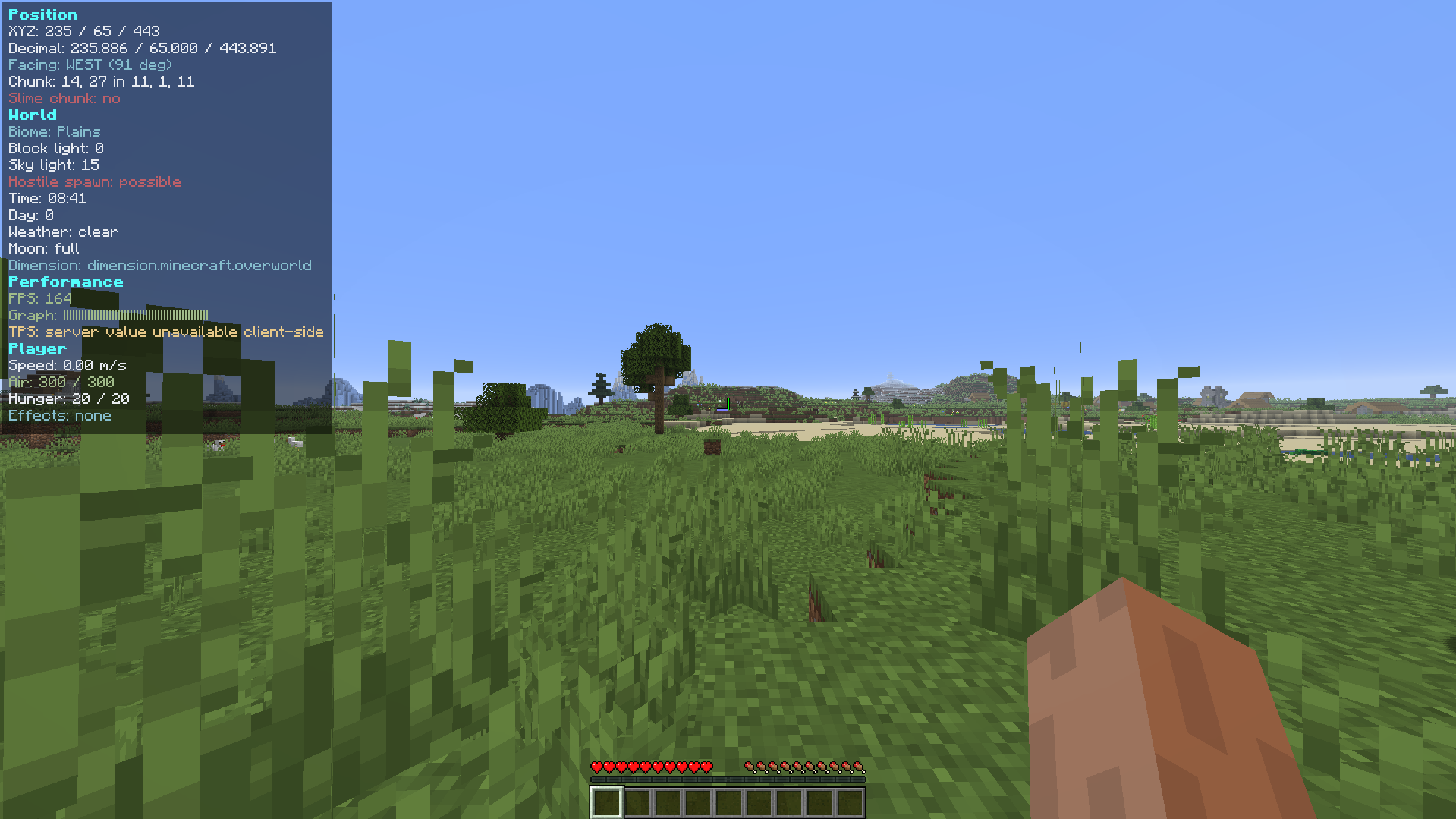
A cleaner, organized, color-coded F3 debug HUD for Minecraft Fabric with per-line toggles, performance metrics, and clean visuals.
截图
介绍
F3 Advanced
F3 Advanced replaces Minecraft’s vanilla F3 debug overlay with a cleaner, organized, color-coded HUD for Fabric.
Features

- Replaces the actual F3 screen instead of drawing a second overlay on top.
- Organized sections for position, world, performance, player status, target info, and system info.
- Per-line toggles for every HUD value, plus whole-section toggles.
- Runtime registry lookups for biomes, blocks, entities, effects, and dimensions, so modded content displays correctly.
- Respects reduced debug info and avoids exposing restricted debug details.
- Mod Menu integration with Cloth Config when installed.
- JSON config fallback at
config/f3advanced.json. - Adjustable colors, position, padding, and background transparency.
- F3+M opens the config screen directly.
Compatibility
This is a client-side Fabric mod. It does not require the server to install F3 Advanced.
Recommended optional mods:
- Mod Menu
- Cloth Config
常见问题
F3 ADVANCE 支持哪些 Minecraft 版本?
F3 ADVANCE 支持 Minecraft Java 版 1.20–26.3,共 24 个版本,可用的加载器:Fabric。下载时注意选择和你游戏版本一致的文件。
F3 ADVANCE 怎么安装?
先用 PCL2 或 HMCL 启动器安装对应版本的 Fabric,再把下载的 .jar 文件放进游戏目录的 mods 文件夹,重新启动游戏即可。开启了版本隔离的,mods 文件夹在 versions/版本名 下面。运行环境:仅客户端。
antarip 的其他作品
查看全部 →
Bigger Ender Chest
Expands the ender chest from 27 slots to 54 slots.

Veinminer crouch
Crouch + correct tool vein mining for connected identical ores, using BFS with a safe block cap and server-side config

Barrel Extender
Expands vanilla barrels from 27 slots to 54 slots.
评论
登录后评论和评分