截图
介绍
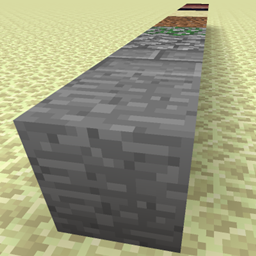
Extra Bedrock adds 3 new unbreakable, untargetable, unobtainable blocks to the game. It is targeted at modpack and map makers that need boundaries for their maps that are not bedrock.
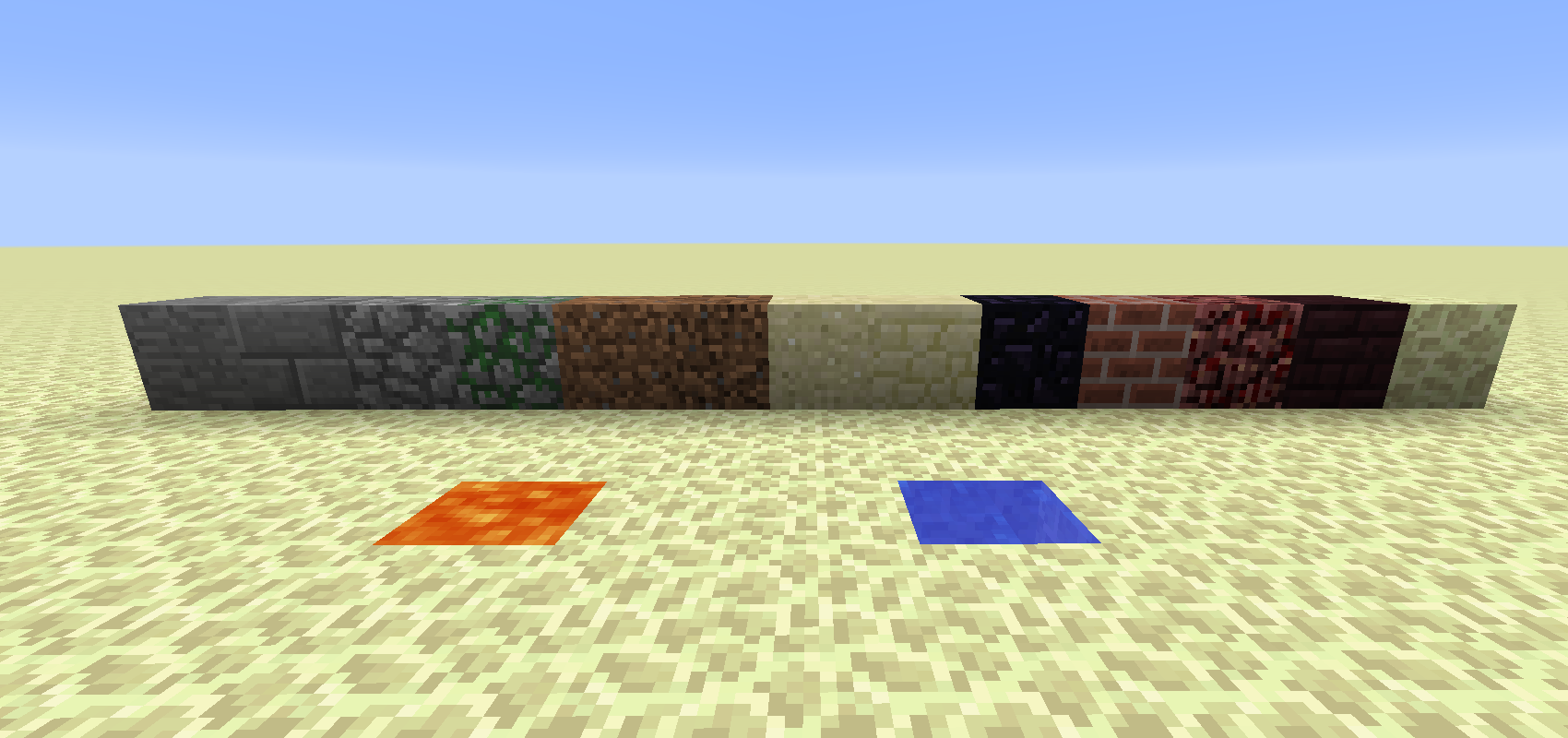
Stone Bedrock
This comes in 13 variants: stone, stone brick, cobblestone, mossy cobblestone, dirt, coarse dirt, sand, sandstone, obsidian, brick, netherrack, nether brick, end stone.
Water Bedrock and Lava Bedrock
Those come in 4 variants that look the same but are solid in different ways:
- “normal”: Not solid in any way
- “solid”: Completely solid
- “solid_top”: The block as a thin solid layer at its top. Intended for ceilings
- “solid_bottom”: The block as a thin solid layer at its bottom. Intended for floors
All of them flow like source blocks, but they are “super source” blocks, creating normal source blocks.
Using them
Superflat
When creating a “Superflat” world, the IDs to use are:
- “extrabedrock:bedstone:0” through “extrabedrock:bedstone:12”, order as listed above
- “extrabedrock:bedlava:0” through “extrabedrock:bedlava:3”, order as listed above
- “extrabedrock:bedwater:0” through “extrabedrock:bedwater:3”, order as listed above
Note that the layer list shows them all as “air” because they don’t have an item.
setblock
With the “/setblock” command, use the same IDs as for worldgen but replace the second “:” with a space; e.g.:
/setblock ~ ~ ~ extrabedrock:bedstone 8
Other Worldgen
When using a worldgen tool that takes blockstates:
- extrabedrock:bedstone{variant=xxx} where ‘xxx’ is the ID of the vanilla block (e.g. “stone”)
- extrabedrock:bedlava{variant=xxx} where ‘xxx’ is the variant as listed above (e.g. “solid”)
- extrabedrock:bedwater{variant=xxx} where ‘xxx’ is the variant as listed above (e.g. “solid”)
Depending on your tool the syntax may vary.
常见问题
Extra Bedrock 支持哪些 Minecraft 版本?
Extra Bedrock 支持 Minecraft Java 版 1.12.2,可用的加载器:Forge。下载时注意选择和你游戏版本一致的文件。
Extra Bedrock 怎么安装?
先用 PCL2 或 HMCL 启动器安装对应版本的 Forge,再把下载的 .jar 文件放进游戏目录的 mods 文件夹,重新启动游戏即可。开启了版本隔离的,mods 文件夹在 versions/版本名 下面。
HenryLoenwind 的其他作品
查看全部 →
末影接口 Ender IO
末影接口

EnderCore
Ender* 项目及其他模组的前置库

Ender IO Endergy
因为安装起来需要花点功夫,所以整体比较平衡。
Ender IO Addons
Ender IO Addons 为 Ender IO 添加了更多机器。
评论
登录后评论和评分