
截图
介绍
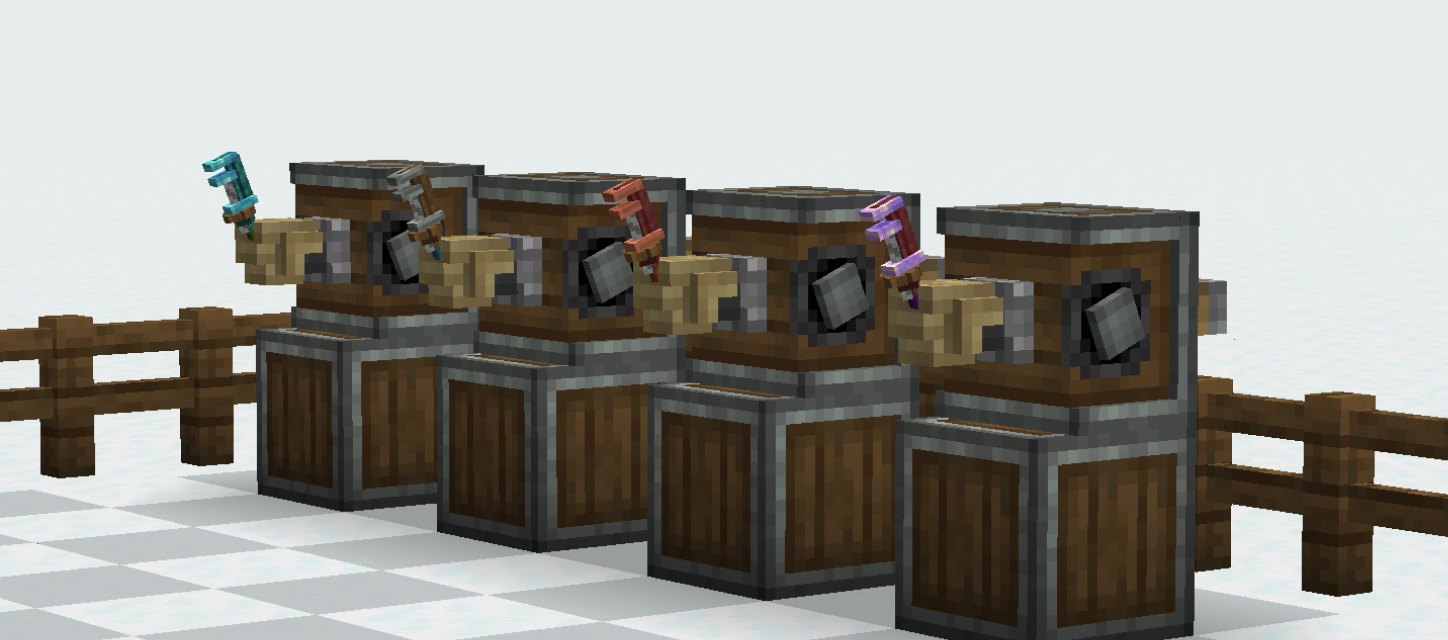
Extended Wrenches lets you customize Wrenches from the Create mod to suit your style. It can help you find _your_ unique wrench (in a pit filled to the brim with other players’ wrenches) or just let you sit comfy with the item that’s on your screen half the time you’re engineering.
This mod lets you swap out the Head, Handle, Cogwheel, and Axis of the wrench and lets you dye its grip.
Localization
This mod has been localized to 4 languages thanks to the help of translators 🙂
- Dutch: localized by Mizu (whynotdogie)
- French: localized by CreepersNeedHugs
- Russian: localized by VladisCrafter
- Spanish: localized by Joner (jonercrack)
Making custom materials
First, you need to define the material. This example_material.json will go in data/example/extendedwrenches/wrench_material:
{
  "part": "head", // can be ["head", "handle", "cog", "axis"]
  "texture": "example:item/extended_wrench/head_materials/awesome_material" // any path to a texture
}
Then, you need to make the recipe for applying it to a wrench. The recipe is incredibly similar to a normal smithing recipe, just including the part and material and missing the result.
This recipe could go anywhere you put a typical crafting recipe.
{
  "type": "extendedwrenches:wrench_material_swap",
  "addition": {
    "item": "minecraft:apple"
  },
  "template": {
    "item": "extendedwrenches:wrench_head_augment"
  },
  "material": "example:example_material", // path to the material you made
  "part": "head" // can be ["head", "handle", "cog", "axis"]
}
Remember that the recipe format is different on 1.21! If you need more support, you can join the Discord. For examples, visit the GitHub: materials/recipes
常见问题
Create: Extended Wrenches 支持哪些 Minecraft 版本?
Create: Extended Wrenches 支持 Minecraft Java 版 1.20.1–1.21.1,共 2 个版本,可用的加载器:Fabric / Forge / NeoForge。下载时注意选择和你游戏版本一致的文件。
Create: Extended Wrenches 怎么安装?
先用 PCL2 或 HMCL 启动器安装对应版本的 Fabric / Forge / NeoForge,再把下载的 .jar 文件放进游戏目录的 mods 文件夹,重新启动游戏即可。开启了版本隔离的,mods 文件夹在 versions/版本名 下面。运行环境:客户端和服务端都要装。
VladisCrafter 的其他作品
查看全部 →
Create Encased
允许在传动轴/齿轮/管道上使用所有外壳

Create: Improved Display Link Experience
Sprucing up the functionality of Display Links from Create mod

Create: Improved Display Link Experience
Sprucing up the functionality of Display Links from Create mod
评论
登录后评论和评分