
Extended Hotbar
A mod which uses the bottom row of the player's inventory as a hot-swappable extension of the existing hotbar.
截图

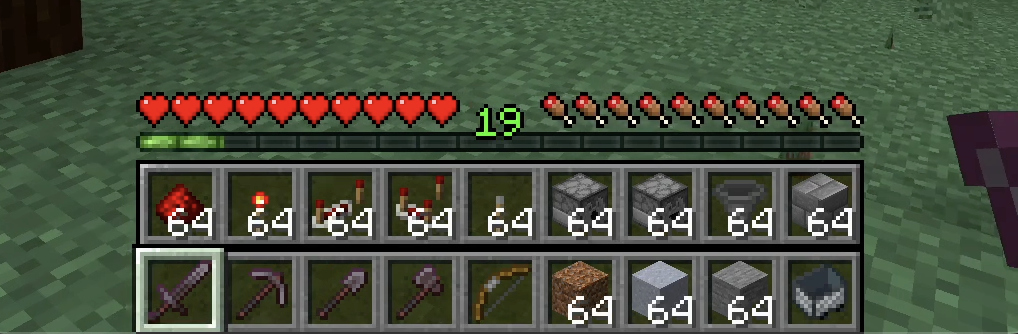
介绍
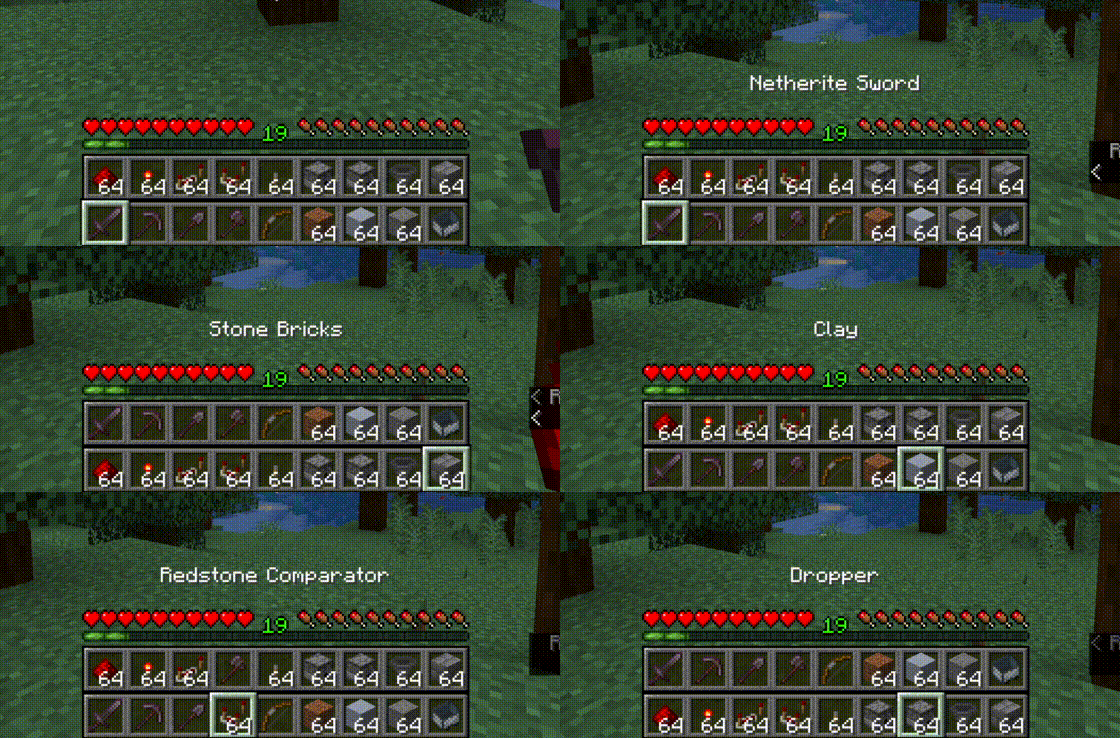
Top bar is the bottom bar of the player’s inventory.
- Press R to swap the rows
- Press Shift-R to swap only the items in your hand.
- Press = to disable/enable
Controls are configurable in the standard Minecraft controls settings.
Additional configuration is in the mod’s menu page. ModMenu is required for the extra configuration.
This mod is client-only and is compatible with vanilla servers.
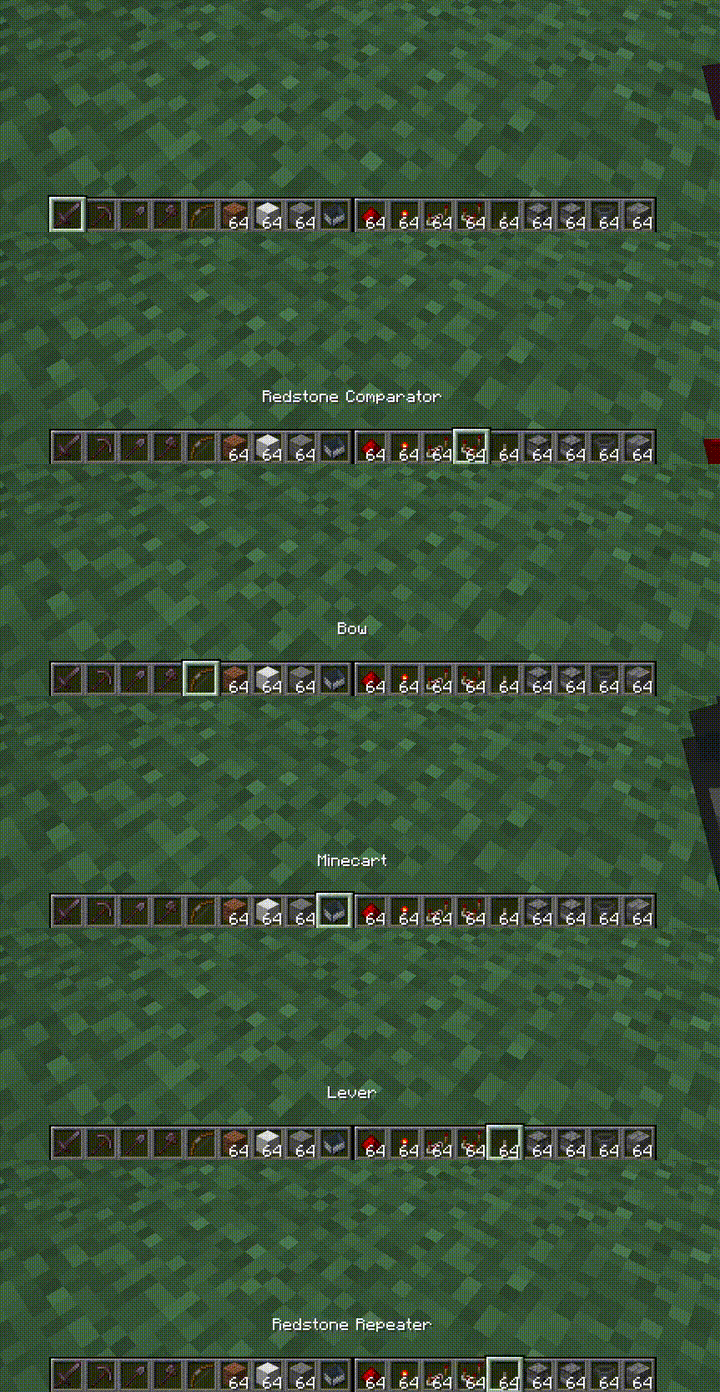
Fluent Mode
Fluent mode can be enabled in the mod’s config menu (using ModMenu). This disabled manual swapping using the R key,
and instead does the swapping transparently as the user scrolls along a double-wide hotbar, created by rendering the
second hotbar alongside the first, rather than on top.
常见问题
Extended Hotbar 支持哪些 Minecraft 版本?
Extended Hotbar 支持 Minecraft Java 版 1.20.1–1.21.1,共 4 个版本,可用的加载器:Fabric / NeoForge / Quilt。下载时注意选择和你游戏版本一致的文件。
Extended Hotbar 怎么安装?
先用 PCL2 或 HMCL 启动器安装对应版本的 Fabric / NeoForge / Quilt,再把下载的 .jar 文件放进游戏目录的 mods 文件夹,重新启动游戏即可。开启了版本隔离的,mods 文件夹在 versions/版本名 下面。运行环境:仅客户端。
评论
登录后评论和评分