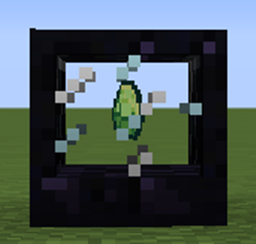
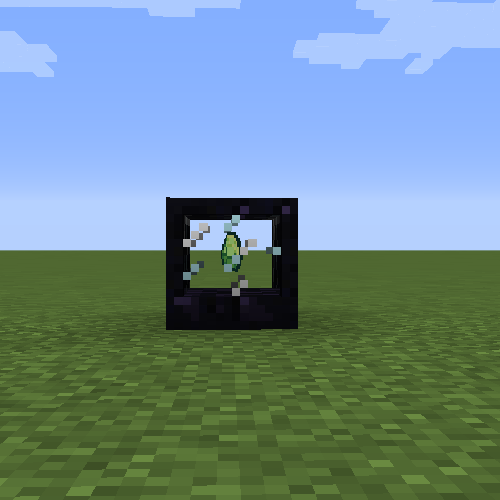
截图
介绍
Experience Cache
Store your XP and keep it safe.
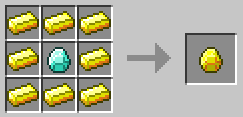
Craft gems that can hold XP.
Use the gems in the XP Storage block to insert or extract XP.
Crafting Recipes
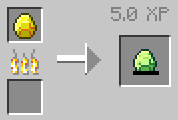
First craft a Golden gem (Emerald, Diamond, or Nether Star)
Then cook it in a furnace to transform it
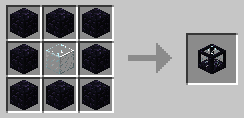
Craft the Experience Cache Block
How to use
Place the cache block somewhere in your world and right click on it while holding an XP gem to insert the gem. The block can only hold one gem at a time.
Sneak right click on the cache block with an empty hand to deposit all of your XP.
Right click on the cache block with an empty hand to extract 1 level of XP.
Sneak left click on the cache block with an empty hand to take out the gem.
Built for Minecraft 1.11.2 with Forge 13.20.0.2260
常见问题
Experience Cache 支持哪些 Minecraft 版本?
Experience Cache 支持 Minecraft Java 版 1.11.2,可用的加载器:Forge。下载时注意选择和你游戏版本一致的文件。
Experience Cache 怎么安装?
先用 PCL2 或 HMCL 启动器安装对应版本的 Forge,再把下载的 .jar 文件放进游戏目录的 mods 文件夹,重新启动游戏即可。开启了版本隔离的,mods 文件夹在 versions/版本名 下面。
评论
登录后评论和评分