
Eshan’s Missile Mod
作者:eshanb
Eshan's Missile Mod introduces modular missiles, warheads, radar, and a missile programmer to Minecraft.
截图


介绍
中文介绍正在准备中,下面暂时显示原文。

Introducing Eshan’s Missile Mod!
You build multi-block missiles from blocks, set a target, and launch them.
Flight is physics-based: thrust, fuel, mass, drag, and gravity all matter.
Higher tiers give you more range, better maneuvering, and bigger explosions.
Watch me launch a missile!
Quick start
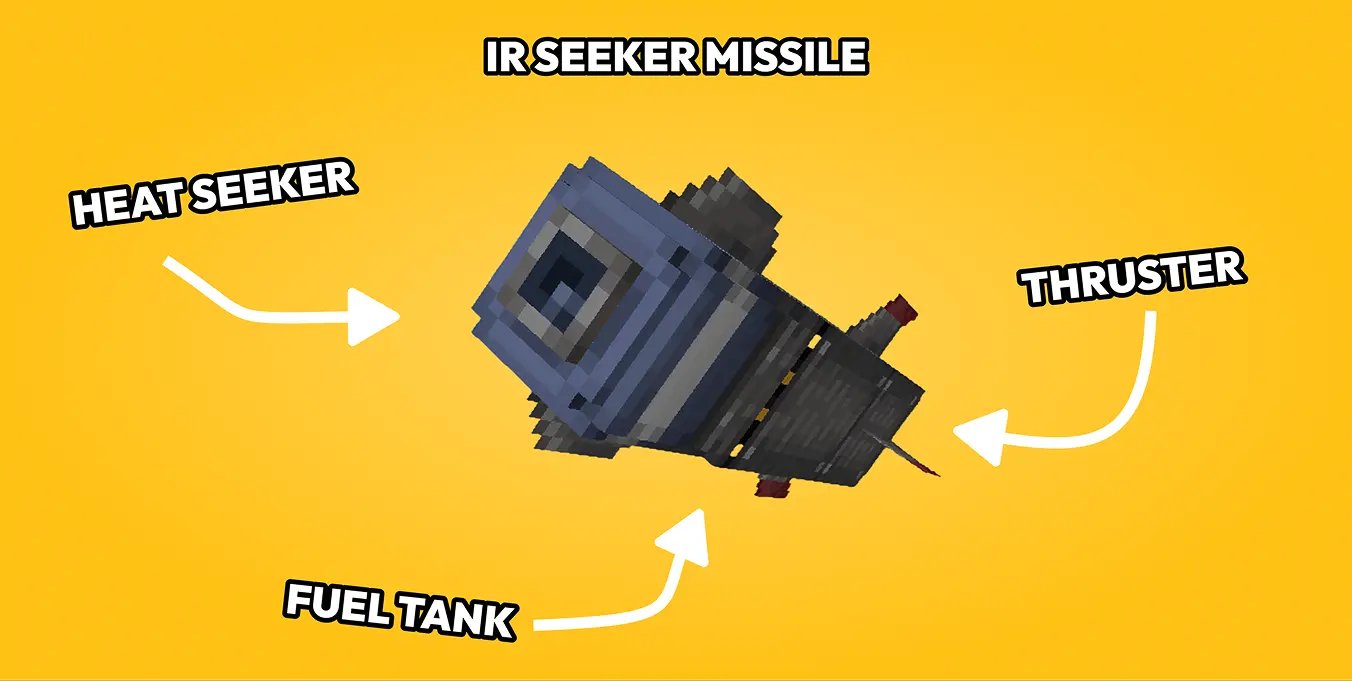
- Stack thruster (bottom), 1–5 tanks, warhead or seeker head (top). Same facing on all parts.
- Upgrade thruster/tank tiers with nozzles and fuel cores (right-click or apply using a dispense facing the block).
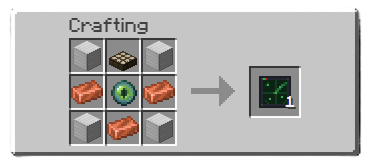
- Place the missile programmer touching the missile stack and set X/Y/Z and frequency.
- Place radar if you want threat tracking and set frequency for whitelisting missiles.
- Redstone input at the thruster or press launch in the missile programmer.
Features
- Modular missile stacks (1–5 tanks, mixed tank tiers ok)
- Tier upgrades: Copper / Iron / Steel / Netherite
- Warheads: HE tiers + incendiary, cluster, cluster incendiary, nuclear
- IR seeker head for homing missiles
- Missile programmer with target coords and frequency (friendly ID for radar)
- Radar: FE-powered scan, redstone/comparator output (redstone = range, comparator = # of missiles detected) with optional Create Display Link integration
- Physics flight: climb, guidance, terminal corrections
- VLS cell detection for sealed vertical launches
- Custom explosions, craters, shrapnel
- Positional audio (launch, motor, incoming warning, blast) for realism
Commands
/emm give wand

/emm spawn <type> <x> <y> <z> [count] [spacing_ticks]

/emm missiles list
/emm missiles clear

/emm doRadarChunkRendering <true|false>
/emm radarChunkRadius <0-5>
/emm guidanceLogging <true|false>
Demo’s
常见问题
Eshan’s Missile Mod 支持哪些 Minecraft 版本?
Eshan’s Missile Mod 支持 Minecraft Java 版 1.21.1,可用的加载器:NeoForge。下载时注意选择和你游戏版本一致的文件。
Eshan’s Missile Mod 怎么安装?
先用 PCL2 或 HMCL 启动器安装对应版本的 NeoForge,再把下载的 .jar 文件放进游戏目录的 mods 文件夹,重新启动游戏即可。开启了版本隔离的,mods 文件夹在 versions/版本名 下面。运行环境:客户端和服务端都要装。
评论
登录后评论和评分