
Epic Engine
This mod was originally developed for my own modpack, integrating most of the customization features needed for modpacks.
截图

介绍
Welcome to Epic Engine (EE)!
I originally developed this mod for my own modpack, integrating most of the customization features a modpack might need. I warmly welcome its use in any non-commercial Minecraft creations.
What does it accomplish?
Modular custom features suitable for modpacks—Each module and its internal features can be individually toggled on or off.
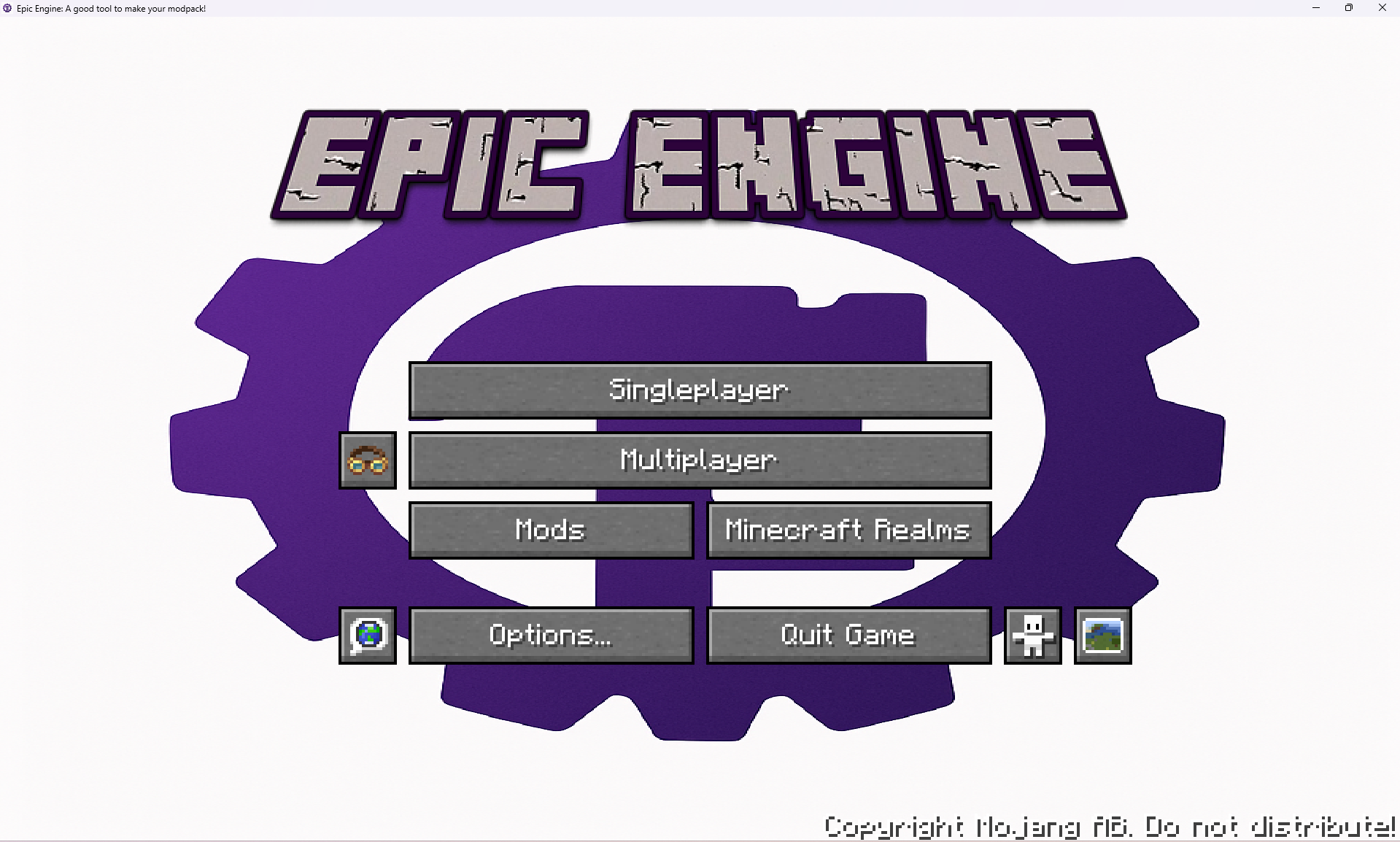
1.Main Menu Customization(For the result, see image 1-1.)
1.Custom background image
Function: Replaces the default main-menu background with a custom image.
Resource location: config/epic_engine/custom/textures/background.png (EE automatically stretches the image).
2.Custom main-menu title image
Function: Replaces the game title logo with a custom image.
Resource location: config/epic_engine/custom/textures/title.png (EE automatically stretches the image).
2.Game Window Customization
1.Custom window title
Function: Changes the text in the game window’s title bar.
Default: “Epic Engine: a good tool to make your modpack!”
2.Custom window icon
Function: Replaces the game window icon and task-bar icon.
Resource locations:
•Small icon (16 × 16): config/epic_engine/custom/textures/icon16.png (EE automatically stretches the image)
•Large icon (32 × 32): config/epic_engine/custom/textures/icon32.png (EE automatically stretches the image)
3.Preset Commands(For the result, see image 1-2.)
Function: Automatically executes preset commands when a player joins the server for the first time; in multiplayer, server settings override client settings.
Default: say [EPIC ENGINE]: Welcome to Epic Engine!; xp add @a 1 (use “;” to separate commands)
Planned features: Custom loading screen and loading-screen tips
常见问题
Epic Engine 支持哪些 Minecraft 版本?
Epic Engine 支持 Minecraft Java 版 1.20.1,可用的加载器:Forge。下载时注意选择和你游戏版本一致的文件。
Epic Engine 怎么安装?
先用 PCL2 或 HMCL 启动器安装对应版本的 Forge,再把下载的 .jar 文件放进游戏目录的 mods 文件夹,重新启动游戏即可。开启了版本隔离的,mods 文件夹在 versions/版本名 下面。运行环境:客户端和服务端都要装。
cjiangqiu 的其他作品
查看全部 →
The Last Sword You Never Forgot
Though the road ahead is arduous and the blade lies broken, embark on the journey and reforge The Last Sword You Never Forgot.

Epic Core API
A library mod that provides powerful entity manipulation APIs through CoreMod (ITransformationService), Java Agent, and Mixin technologies.

KamenRiderWeaponCraft
Assemble all Rider's Weapons is Mod!
KamenRiderWeaponCraft
Assemble all Rider's Weapons is Mod!
评论
登录后评论和评分