
Epic Death Screen
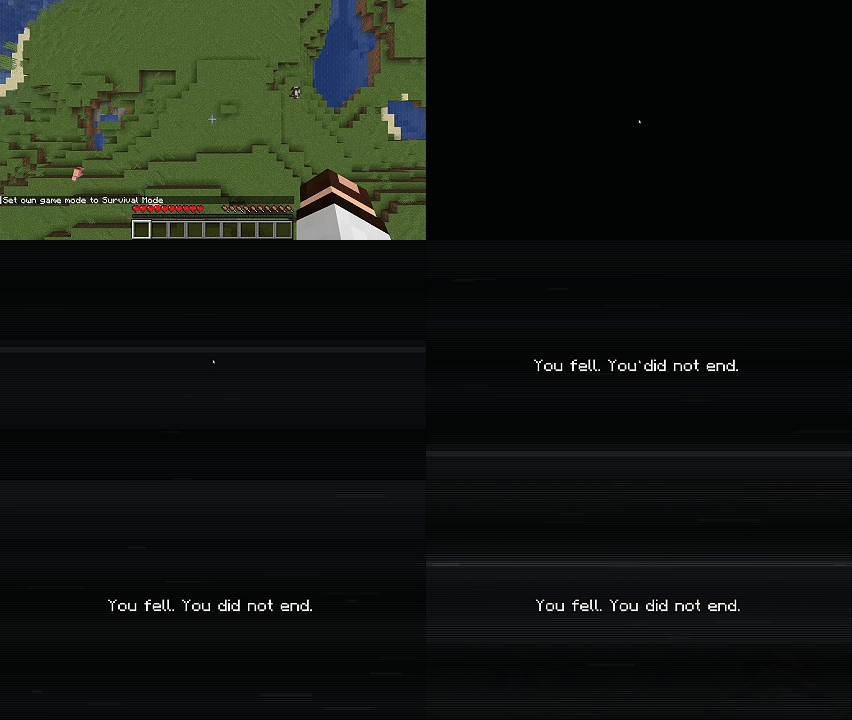
This project replaces the vanilla death screen in Minecraft with a cinematic custom sequence featuring a black screen, VHS-style interference, heartbeat and heavy breathing audio
截图
介绍
Epic Death Screen
Epic Death Screen replaces Minecraft’s default death screen with a cinematic custom sequence.
Instead of the vanilla death menu appearing instantly, the player gets a stylized blackout scene with heartbeat and heavy breathing audio, VHS-inspired visual noise, scanlines, chromatic distortion, and randomized motivational messages. The effect is designed to make dying feel dramatic instead of abrupt.
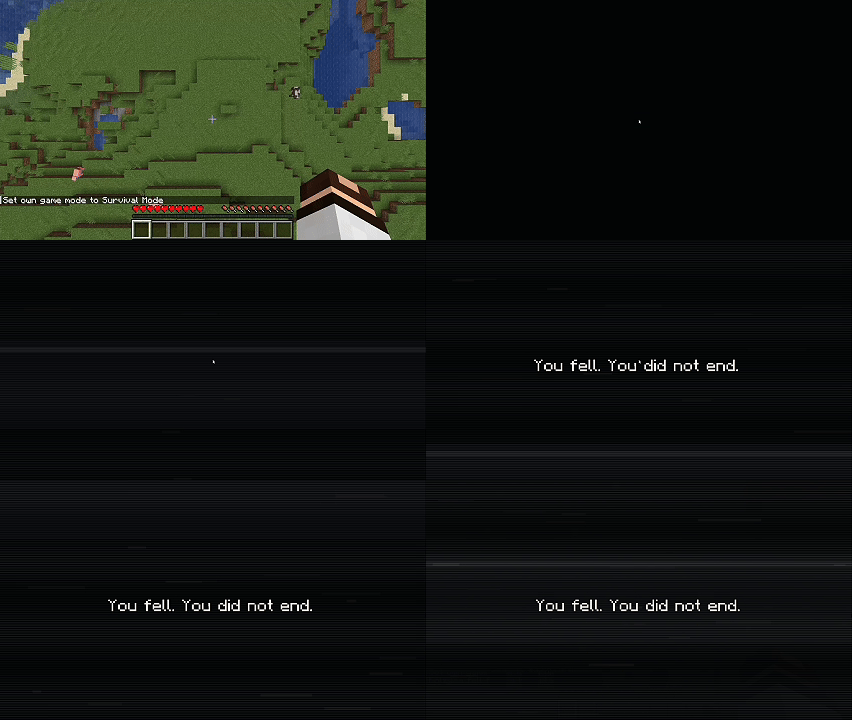
The mod includes:
- a full custom death sequence instead of the vanilla death screen
- blackout, VHS noise, scanlines, tracking artifacts, and text distortion
- themed visual and audio variations based on the cause of death
- large pools of random lines in English and Russian
- configurable scene duration
- configurable heartbeat and breathing volume
- configurable VHS intensity
- configurable chromatic aberration strength
- optional auto-respawn
- in-game config screen on supported loaders
Also check verison for modrinth: https://modrinth.com/mod/epic-death-screen
Supported versions:
- Fabric 1.20.1
- Fabric 1.21.1
- Forge 1.21.1
- NeoForge 1.21.1
- Forge 1.12.2
https://discord.gg/dJBNxJNAb9
常见问题
Epic Death Screen 支持哪些 Minecraft 版本?
Epic Death Screen 支持 Minecraft Java 版 1.12.2–1.21.1,共 3 个版本,可用的加载器:Fabric / Forge / NeoForge。下载时注意选择和你游戏版本一致的文件。
Epic Death Screen 怎么安装?
先用 PCL2 或 HMCL 启动器安装对应版本的 Fabric / Forge / NeoForge,再把下载的 .jar 文件放进游戏目录的 mods 文件夹,重新启动游戏即可。开启了版本隔离的,mods 文件夹在 versions/版本名 下面。
Litewer 的其他作品
查看全部 →
Epic Death Screen
This project replaces the vanilla death screen in Minecraft with a cinematic custom sequence featuring a black screen, VHS-style interference, heartbeat and heavy breathing audio, and random motivational lines in English and Russian. The mod a

Litewer’s AI girlfriend (GF)
A realistic AI companion for Minecraft Forge 1.20.1 with emotional dialogue, memory, gifts, customizable looks, and interactive companion behavior.

Aperture Litewer’s Portal Gun
Adds a fully functional Portal Gun to Minecraft with real portal physics, momentum mechanics, and puzzle-oriented gameplay.

Pin It! – JEI addon
Pin and move recipes anywhere on your screen.
评论
登录后评论和评分