截图


介绍
Make Enchanting Fun!
Open an enchanting table, to interface with the new Enchanting Table GUI. Use Lapis, bookshelves, and experience just like usual, but now your skill in Tetris will determine how many enchantments you get on your items
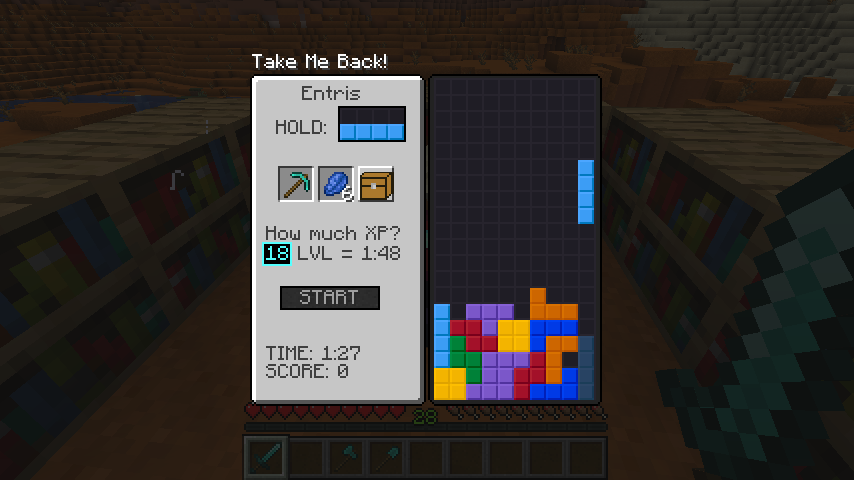
Choosing How Many Levels
Use your Keyboard to type in a numerical number of level for the level of enchants, and lose levels/30 lapis and experience per trial, where you get six seconds per level of power used. Additionally, to use the maximum 30 levels, 3 levels removed on beginning the game, you must have 15 book shelves near the enchanting table.
Buy your enchantments! 1000 points per enchantment level
Once all requirements are met, you can press [Start] and play Tetris. The points you collected can be used 1000 / enchantment to add to your item
Only unenchanted items can be enchanted.
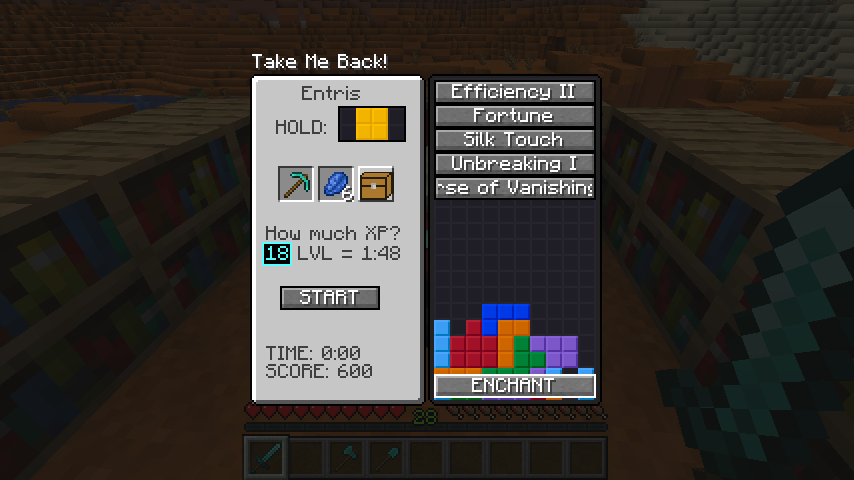
Roman numerals increase after pressing the enchantment
Roman numerals on the end of the button title are increased when clicked, and then once all enchantments wanted are clicked, you press Enchant!
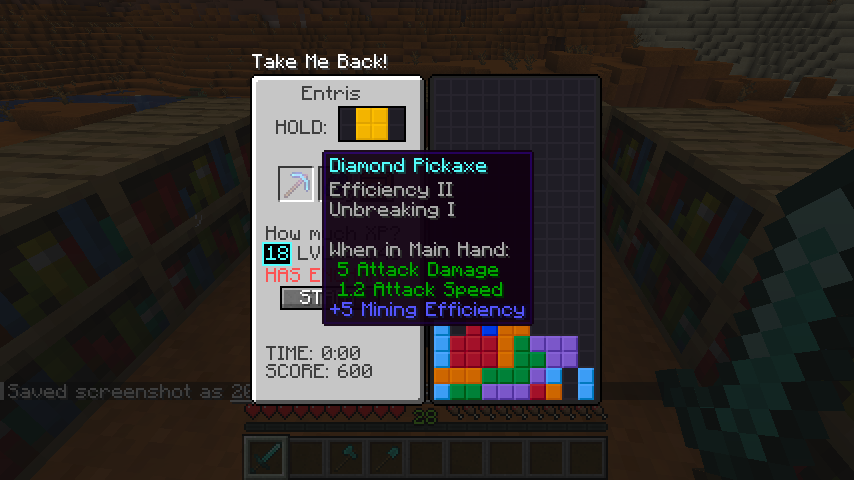
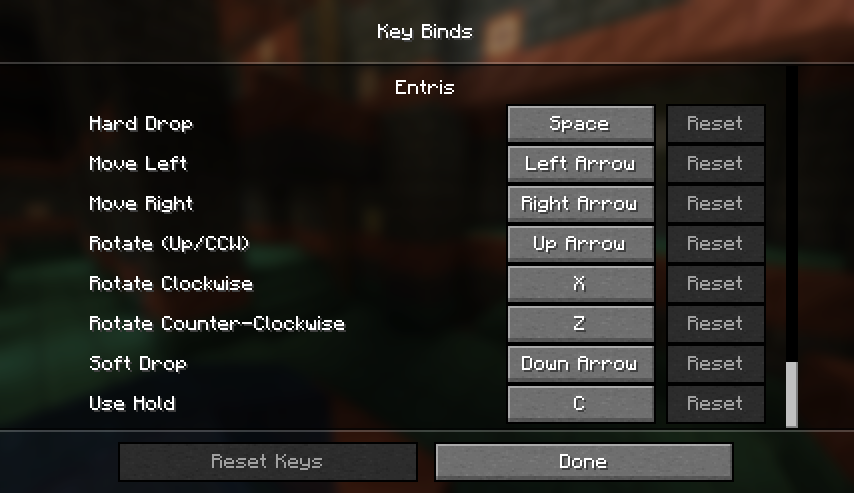
Change your keybindings from the default!
常见问题
Entris 支持哪些 Minecraft 版本?
Entris 支持 Minecraft Java 版 1.20–1.21.4,共 12 个版本,可用的加载器:Fabric / Forge / NeoForge / Quilt。下载时注意选择和你游戏版本一致的文件。
Entris 怎么安装?
先用 PCL2 或 HMCL 启动器安装对应版本的 Fabric / Forge / NeoForge / Quilt,再把下载的 .jar 文件放进游戏目录的 mods 文件夹,重新启动游戏即可。开启了版本隔离的,mods 文件夹在 versions/版本名 下面。运行环境:客户端和服务端都要装。
Slainlight 的其他作品
查看全部 →
Chisel Reborn [Forge/Fabric/NeoForge]
添加了新方块!

Cryonic Config
休闲极简配置API
Factory Blocks [Forge/Fabric/NeoForge]
为凿子重制版的方块添加了工厂方块的附加内容

Chisel Reborn
添加了许多原版方块的变体
评论
登录后评论和评分