
截图
介绍
Enhanced Tooltips
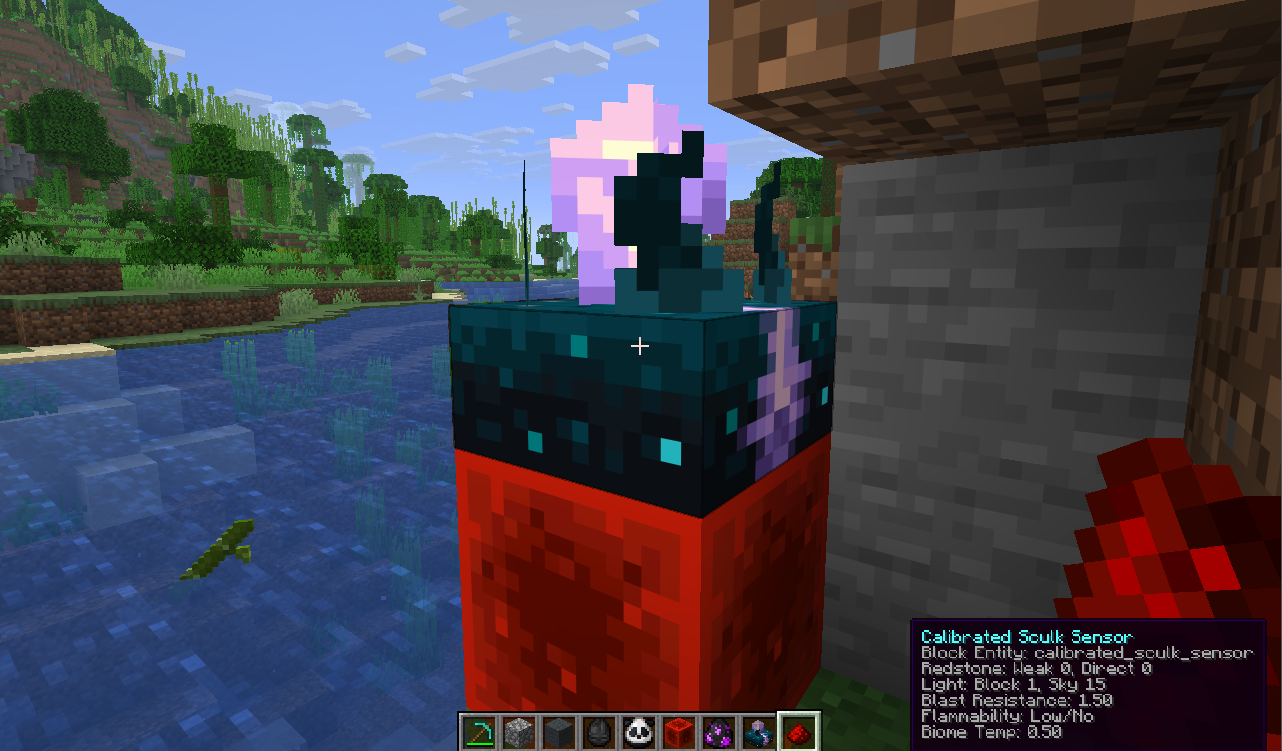
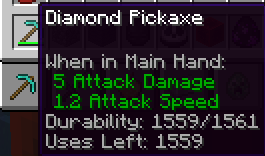
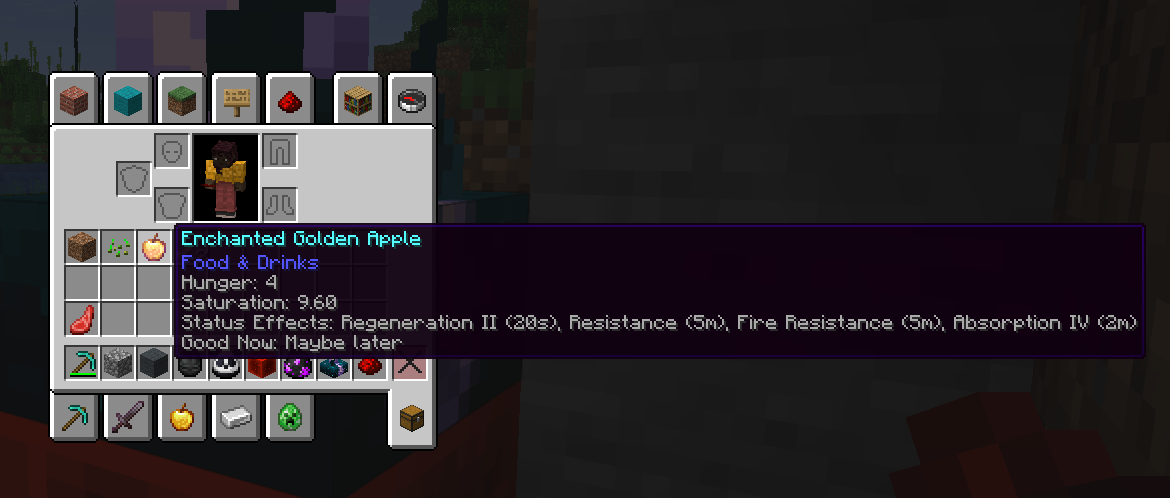
Enhanced Tooltips adds contextual, configurable tooltips that surface useful info both in your inventory and in the world.
Features
- Shows enhanced item tooltips in inventory and other UI screens
- Displays relevant world overlays for blocks and entities when you look at them
- Uses live game data where possible, including loot-table-based mob drop previews
- Filters out irrelevant information so tooltips stay useful instead of noisy
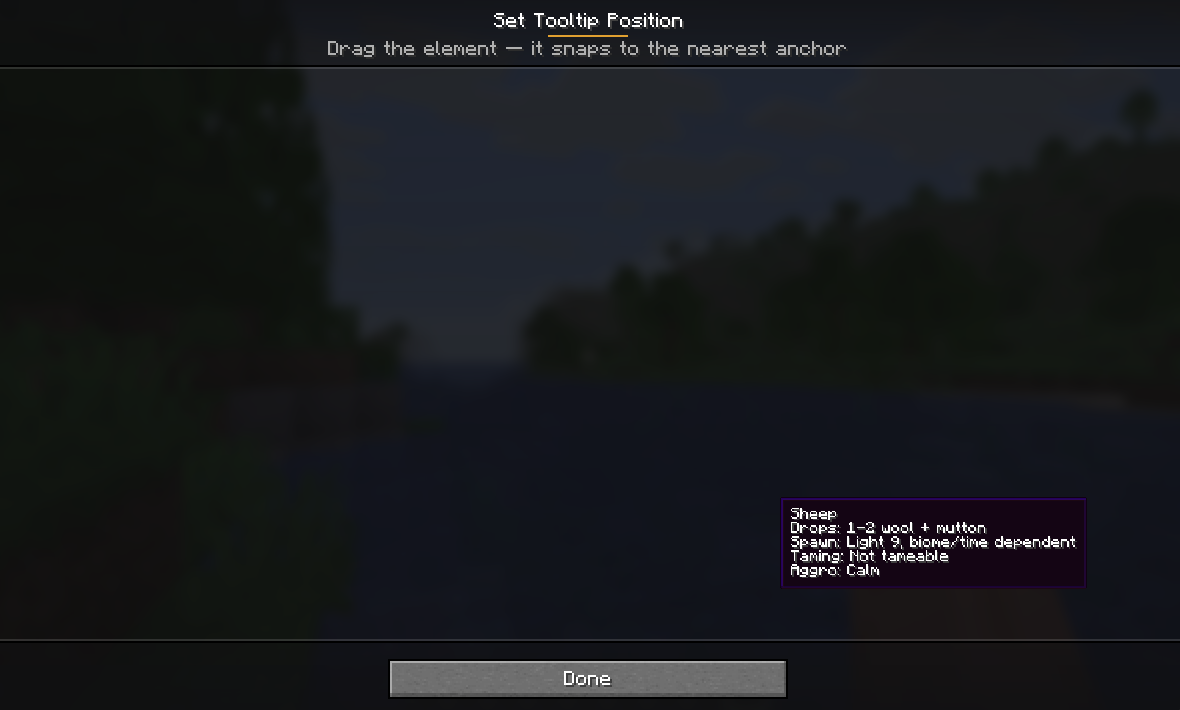
- Drag-and-drop placement — position the tooltip by dragging it and dropping it onto the nearest anchor (corners, edges, centre)
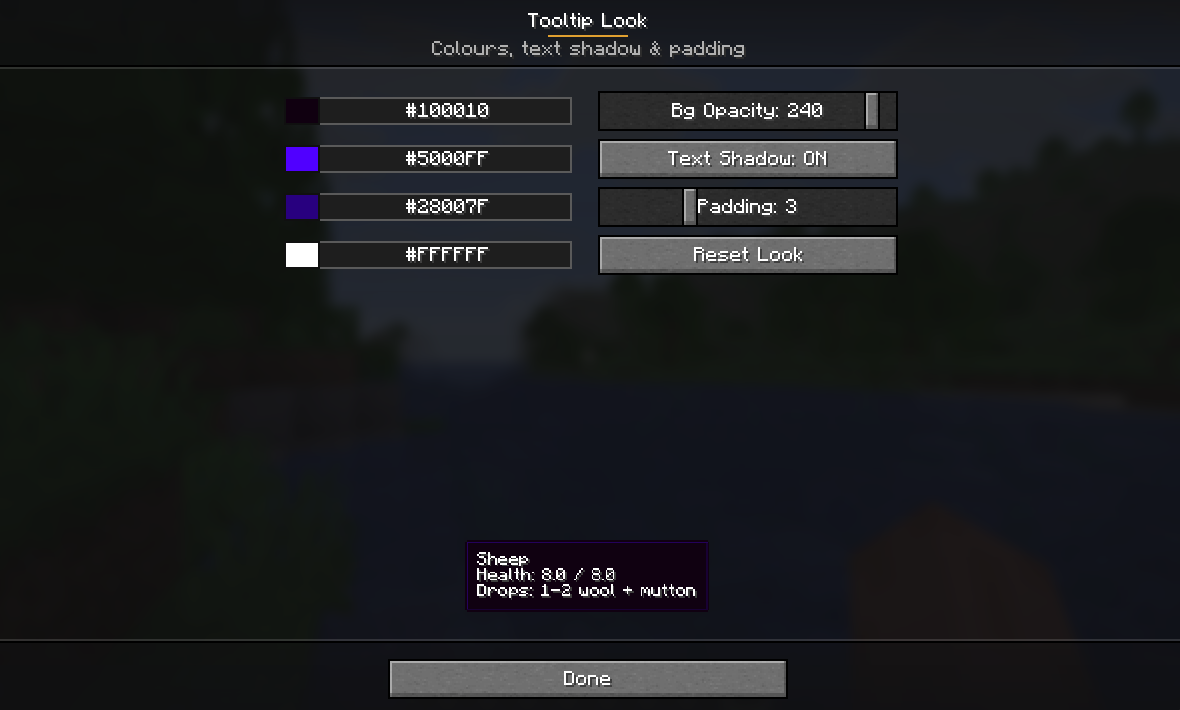
- Customizable look — restyle the tooltip box (background, border, and text colours, opacity, text shadow, and padding) with a live preview
- Includes a built-in config screen and client commands for quick adjustments
Why use it?
If you like information-rich tooltips but hate clutter, Enhanced Tooltips keeps the useful parts and hides the rest. It is designed to feel natural in play: quick at a glance, configurable, and centered around real in-game context.
How to use the menu
Open the config menu with the in-game client command:
/etYou can also use:
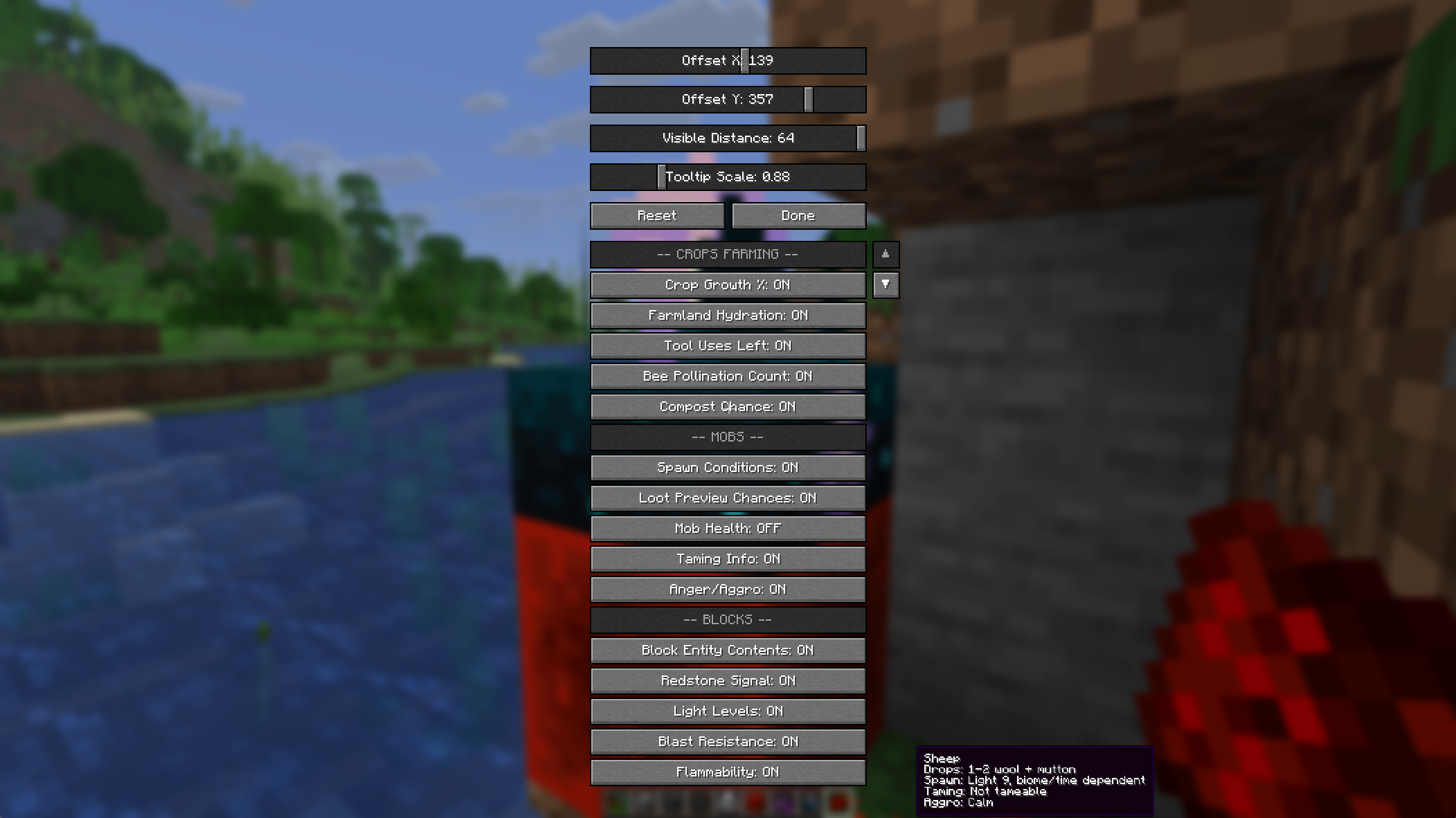
/enhancedtooltipsFrom the menu, you can toggle tooltip features, adjust the tooltip scale and offsets, and fine-tune which hints appear in the world or in your inventory.
Two menu buttons give you full control over presentation:
- Set Position… — drag the tooltip anywhere and drop it; it snaps to the nearest anchor (corners, edges, centre) so it stays put across any screen size or GUI scale.
- Customize Look… — pick the background, border, and text colours, set the background opacity, toggle the text shadow, and adjust the padding, all with a live preview.
Notes
- Some features depend on the block, entity, or item you are looking at
- Tooltip output can vary based on game state and configuration
- The mod is intended for client-side tooltip enhancement and quality-of-life info
Short description
Configurable enhanced tooltips for items, blocks, and entities — with inventory support, world overlays, and multi-loader compatibility.
常见问题
Enhanced Tooltips 支持哪些 Minecraft 版本?
Enhanced Tooltips 支持 Minecraft Java 版 26.1–26.1.2,共 3 个版本,可用的加载器:Fabric / Forge / NeoForge。下载时注意选择和你游戏版本一致的文件。
Enhanced Tooltips 怎么安装?
先用 PCL2 或 HMCL 启动器安装对应版本的 Fabric / Forge / NeoForge,再把下载的 .jar 文件放进游戏目录的 mods 文件夹,重新启动游戏即可。开启了版本隔离的,mods 文件夹在 versions/版本名 下面。运行环境:仅客户端。
Codx 的其他作品
查看全部 →
One Block
One Block: Begin your Minecraft adventure in a desolate world with just one respawning block. Break it, level it up, and unlock richer rewards with each upgrade.

CodxLib
A library with shared functions for all Codx mods.

Alex’s Mobs Continued
Alex's Mobs - Updated and ported
Alex’s Caves Continued
Alex's Caves Continued aims to port and update the original mod to keep it alive and working for newer versions.
评论
登录后评论和评分