
EnderBooks
The mod adds items, which allows you to save points and teleport between them.
截图



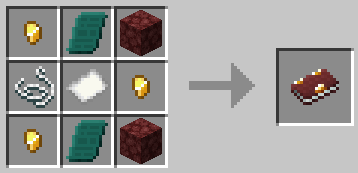
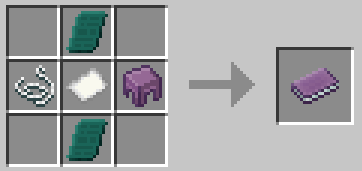

介绍
26.1.x update coming soon…
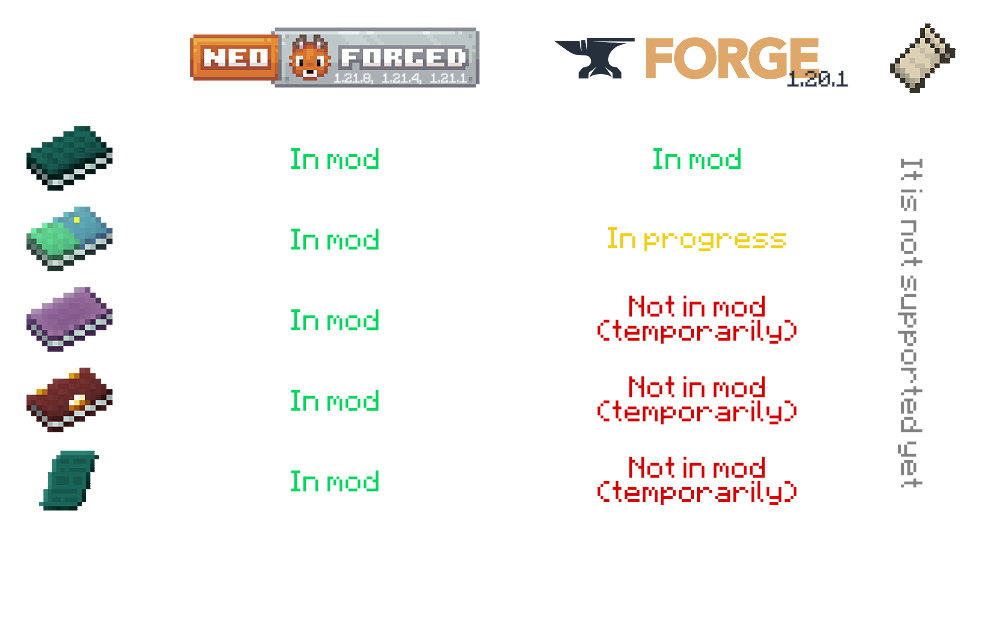
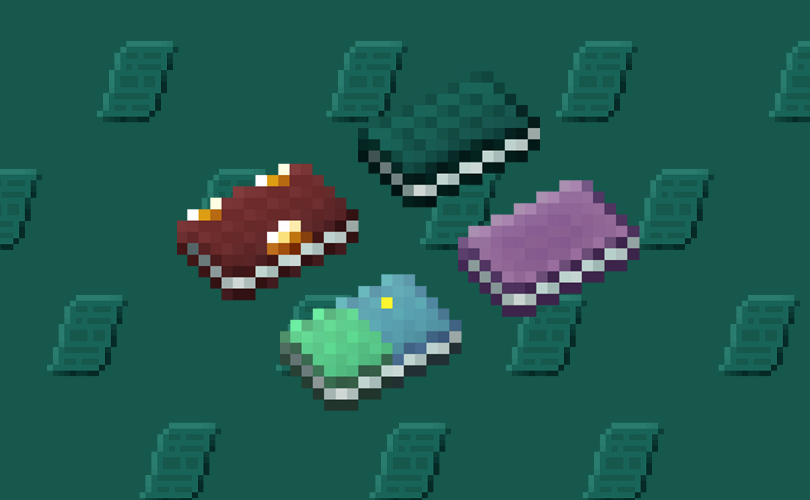
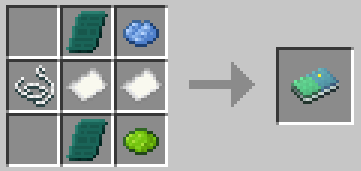
The mod adds items which allow you to save points and quickly teleport to them. There are 3 books, each of which can be used within the same dimension:
An OverworldBook for the overworld,

a NetherBook for the Nether,

a Book Of The End for the End,

& universal to all vanila dimensions – EnderBook.
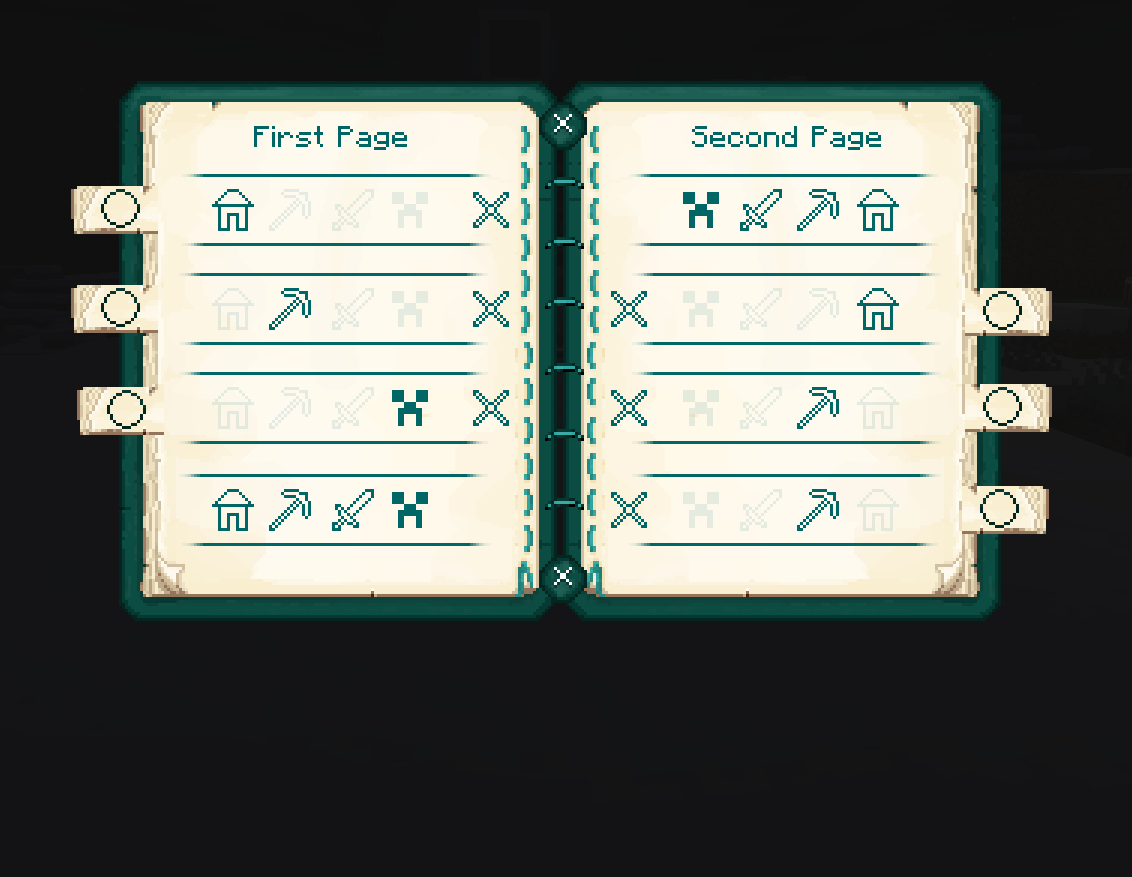
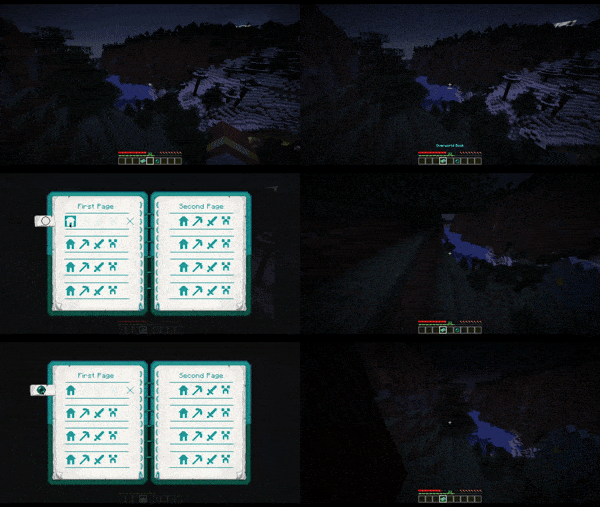
To use a book, open it, then click on one of the three or four icons to save your current coordinates. Please note that the coordinates are not saved in a book – they are saved individually for the player, as it usually works with Ender Chest.
Example with OverworldBook:
Example with Writable OverworldBook:
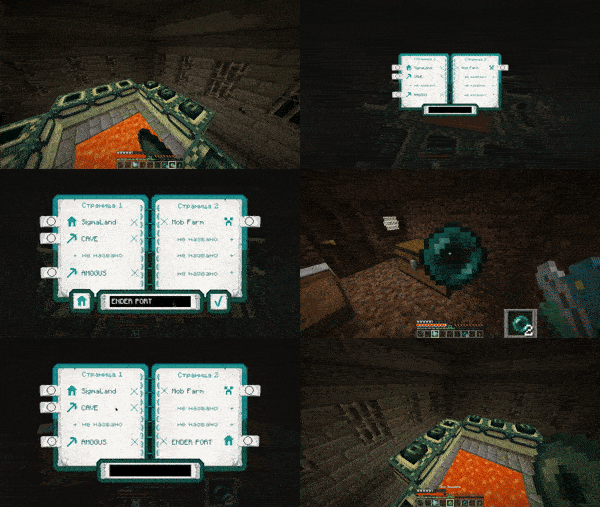
To return to a saved coordinates, you need to have at least 1 Ender Pearl in your inventory. Attach the Ender Perl to the line where is the pressed icon located, and then you will teleport.
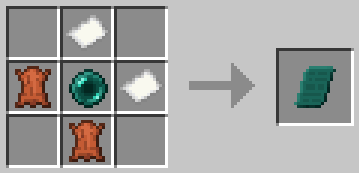
Also this mod adds Enderpengament:

By pressing RMB draw something on it to save your place, and then – the same way swallow it to return to the saved place.
_THERE ARE CONTRAINDICATIONS TO USE: slight damage is possible, loss of Ender Pearls, leg atrophy._
The mod can be installed on a modified server.
Made with

_The mod will be updated to versions supported by MCreator._
_(And maybe by some generators from community)_
常见问题
EnderBooks 支持哪些 Minecraft 版本?
EnderBooks 支持 Minecraft Java 版 1.20.1–1.21.8,共 4 个版本,可用的加载器:Forge / NeoForge。下载时注意选择和你游戏版本一致的文件。
EnderBooks 怎么安装?
先用 PCL2 或 HMCL 启动器安装对应版本的 Forge / NeoForge,再把下载的 .jar 文件放进游戏目录的 mods 文件夹,重新启动游戏即可。开启了版本隔离的,mods 文件夹在 versions/版本名 下面。运行环境:客户端和服务端都要装。
评论
登录后评论和评分