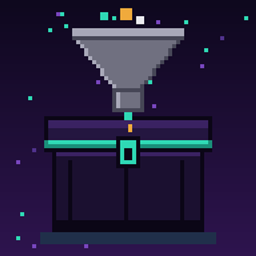
Ender chest fix
Feed your Ender Chest with Create. Belts, funnels, chutes, mechanical arms and hoppers can now insert items into vanilla Ender Chests - no new blocks, just your factory finally connected to your Ender Chest. NeoForge 1.21.1.
介绍
Connect your Create factory to your Ender Chest.
You’ve built the perfect Create factory – belts snaking through the base, funnels sorting everything, arms moving crafts. Then it hits the Ender Chest and… nothing. The Ender Chest never accepted automated input.
Ender chest fix fixes that. The vanilla Ender Chest now accepts items from automation like any other inventory. No new blocks, no new items – your factory just plugs straight into your Ender Chest.
Built for Create
- Belts – run a belt into an Ender Chest and items flow right in
- Funnels – belt funnels and andesite/brass funnels feed it directly
- Chutes – drop a chute onto it, including smart chutes
- Mechanical Arms – set an Ender Chest as an output target
- Item Vaults, Depots and more – anything that outputs items through the standard item handler system
- Also works with vanilla hoppers, and with other mods’ pipes and conveyors that use the standard NeoForge item handling
Ship your output to your Ender Chest and pick it up anywhere, in any dimension – fully automated.
How it works
An Ender Chest’s contents belong to a player, not to the block, so each Ender Chest is linked to a player:
- Place an Ender Chest – it links to you.
- An Ender Chest placed before the mod was installed links to the first player who opens it.
- Everything the factory inserts lands in that player’s Ender Chest.
Good to know
- The linked player must be online to receive items. If they’re offline, the chest refuses items, so your belts simply back up and nothing is ever lost or voided.
- It’s insert-only: factories can fill the Ender Chest but can’t drain it by accident.
- An Ender Chest nobody has placed or opened since installing the mod stays unlinked and accepts nothing until someone opens it.
Compatibility
- Minecraft 1.21.1 with NeoForge 21.1.x
- Create 6.0.x (optional – the mod works without it)
- Anything that moves items through the standard NeoForge item handler capability should work
Installation
- Install NeoForge for Minecraft 1.21.1.
- Drop the mod jar into your
modsfolder (client and server). - Place an Ender Chest, point a belt at it, and watch it fill.
FAQ
Do I need Create? No – but it’s made for it. Hoppers work too.
Can I pull items back out with funnels or arms? Not by default; the mod is insert-only so your Ender Chest can’t be accidentally drained.
Why isn’t my belt delivering? Make sure the chest is linked to you (place it yourself, or open it once) and that you are online. If the Ender Chest inventory is full, belts will wait.
Is this an official Create add-on? No. It’s an independent mod that works with Create but isn’t made by the Create team.
Can I use it in a modpack? Yes, feel free to.
Issues & suggestions
Please report bugs or ideas on the issue tracker and attach your latest.log
常见问题
Ender chest fix 支持哪些 Minecraft 版本?
Ender chest fix 支持 Minecraft Java 版 1.21.1,可用的加载器:NeoForge。下载时注意选择和你游戏版本一致的文件。
Ender chest fix 怎么安装?
先用 PCL2 或 HMCL 启动器安装对应版本的 NeoForge,再把下载的 .jar 文件放进游戏目录的 mods 文件夹,重新启动游戏即可。开启了版本隔离的,mods 文件夹在 versions/版本名 下面。
Beigo 的其他作品
查看全部 →
Create: Sky Realm
Adds a Sky Realm dimension with floating islands, a portal block, custom resources, and a thruster designed for Create Aeronautics / Sable aircraft.

Create arostuff
Build, automate, and explore in this Create-centered expert modpack with a Sci-Fi tech progression.
Create: Tools Animated
Client-side first-person animations for Create's tools, made with GeckoLib. Currently: the Wrench,sandpaper.
Create: Scrapless Netherite
Make Netherite Ingots with a Create production line using brass, crying obsidian and lava. No Netherite Scrap needed. Only a 15% success chance, and failed runs give Powdered Obsidian.
评论
登录后评论和评分