
Ender Brews
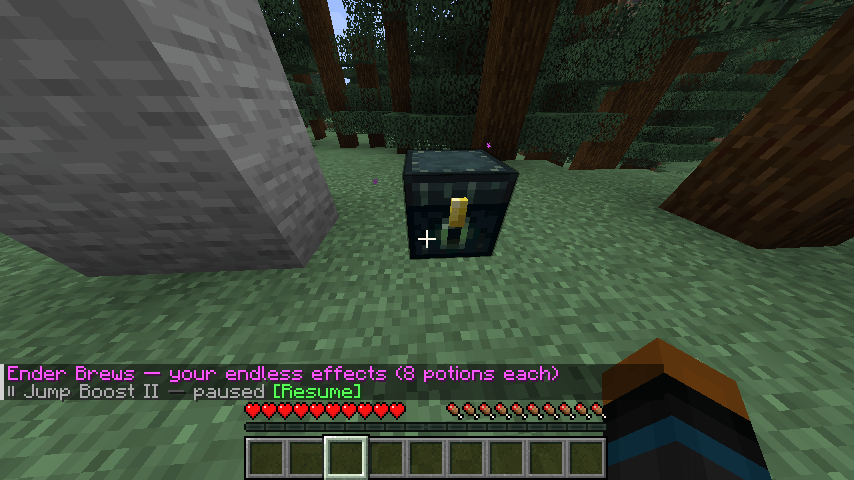
Store 8 potions in your Ender Chest and their effect becomes endless. Server-side, works with vanilla clients.
截图
介绍
Put 8 potions of the same kind in your Ender Chest and that effect becomes endless.
Take them out and it’s gone.
🧪 How it works
- Brew potions as usual.
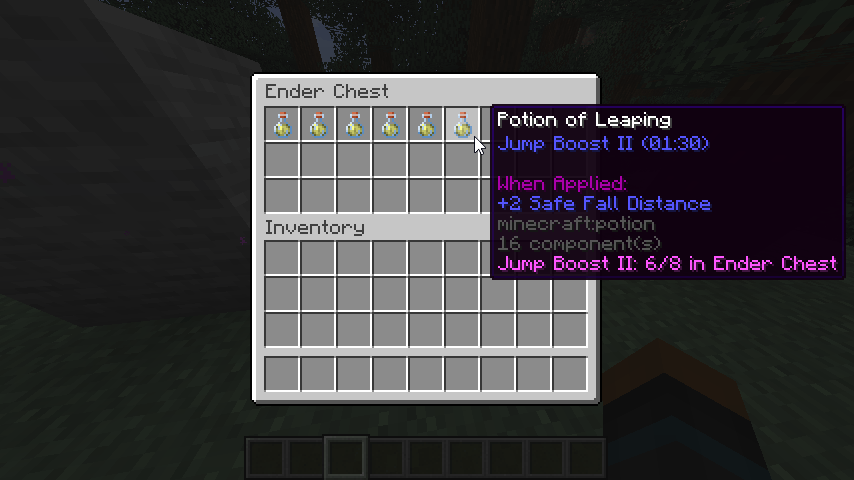
- Store 8 of the same potion in your Ender Chest. A shulker box inside the Ender Chest works too, so one box holds 27.
- Enjoy the effect. It shows
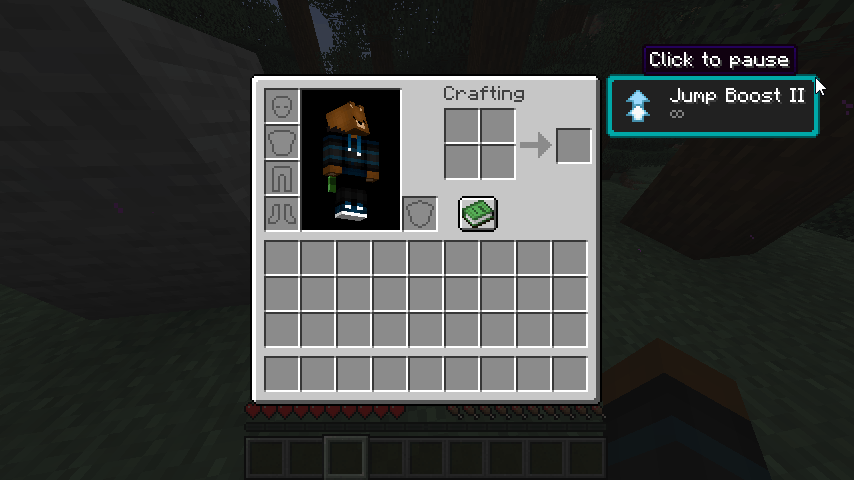
∞in the HUD and never runs out. Take the potions out and it’s gone.
💡 Good to know
- Only the Ender Chest counts. Not your inventory, not other chests. Every player has their own endless effects.
- Stronger potions stack on top. Drink Strength II over endless Strength I and you get II until it ends, then endless I comes back.
- Milk and totems don’t break it. The effects return on the next tick.
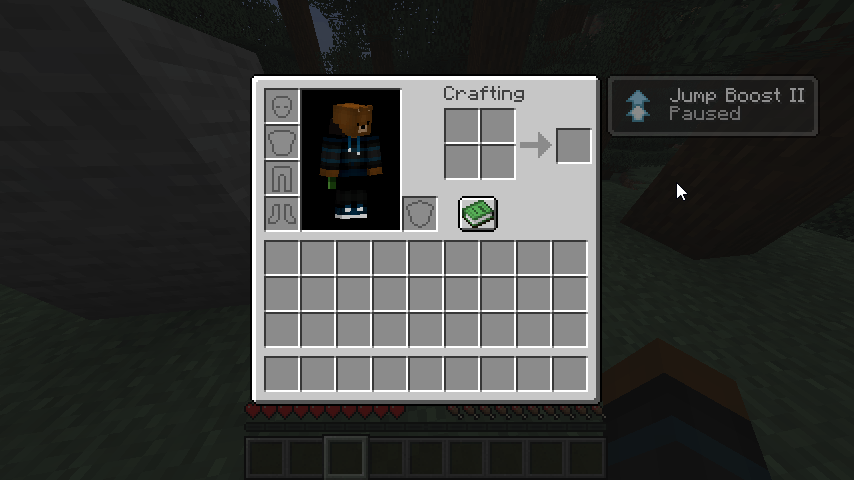
- Pause what annoys you. Run
/enderbrewsand click an effect to pause it, for example invisibility or slow falling while you build. - No instant or harmful effects. Healing and harming are never endless. Poison, weakness and the like aren’t either, unless the server enables
allow_harmful_effects. - Your server, your rules. You can change the potion count, set it per effect, cap the level and ban effects in the config.
📥 Install
One jar works as a mod and as a plugin. Pick the file for your Minecraft version and loader.
It only has to be on the server. Vanilla clients can join, and in singleplayer you just install it.
Installing it on the client as well adds potion tooltips (Strength: 5/8 in Ender Chest), a chat list that updates in place, click-to-pause on the effect icons and a pause-all key.
⌨️ Commands
| Command | Who | What |
|---|---|---|
/enderbrews |
everyone | Your endless effects and pause buttons |
/enderbrews pause|resume|toggle <effect> |
everyone | Pause or resume one effect |
/enderbrews reload |
operators | Reload the config |
⚙️ Config
config/enderbrews.toml (plugin: plugins/EnderBrews/enderbrews.toml). How many potions you need, per-effect amounts, max level, limits, blacklist and whitelist and more. Every option is commented in the file.
常见问题
Ender Brews 支持哪些 Minecraft 版本?
Ender Brews 支持 Minecraft Java 版 1.20.1–26.3,共 9 个版本,可用的加载器:Fabric / Forge / NeoForge / Quilt。下载时注意选择和你游戏版本一致的文件。
Ender Brews 怎么安装?
先用 PCL2 或 HMCL 启动器安装对应版本的 Fabric / Forge / NeoForge / Quilt,再把下载的 .jar 文件放进游戏目录的 mods 文件夹,重新启动游戏即可。开启了版本隔离的,mods 文件夹在 versions/版本名 下面。
auuruum 的其他作品
查看全部 →
Flower Tweaks
新增花朵和草的合成与杂交功能。

Infinity and Mending
新增配方,可同时为弓附上经验修补和无限。

Invis item frame
新增隐形物品展示框和荧光物品展示框的合成配方。
Infinity and Mending [Data Pack]
添加了同时带有经验修补和无限附魔的弓的合成能力
评论
登录后评论和评分