
enchantments enhanced
Enchantments Enhanced is a complete overhaul of Minecraft's enchanting system designed to make progression deeper, more strategic, and more rewarding.
截图
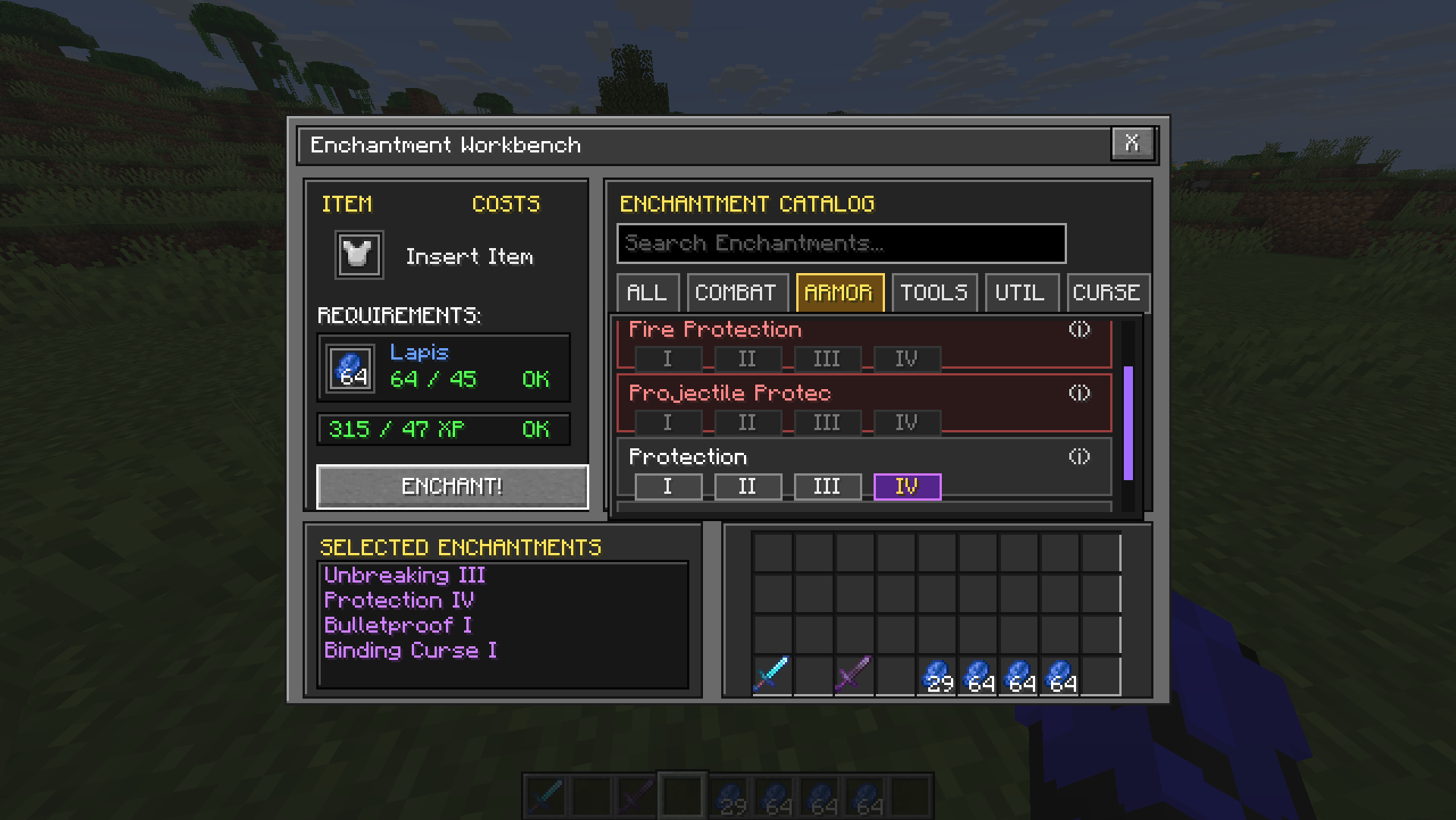
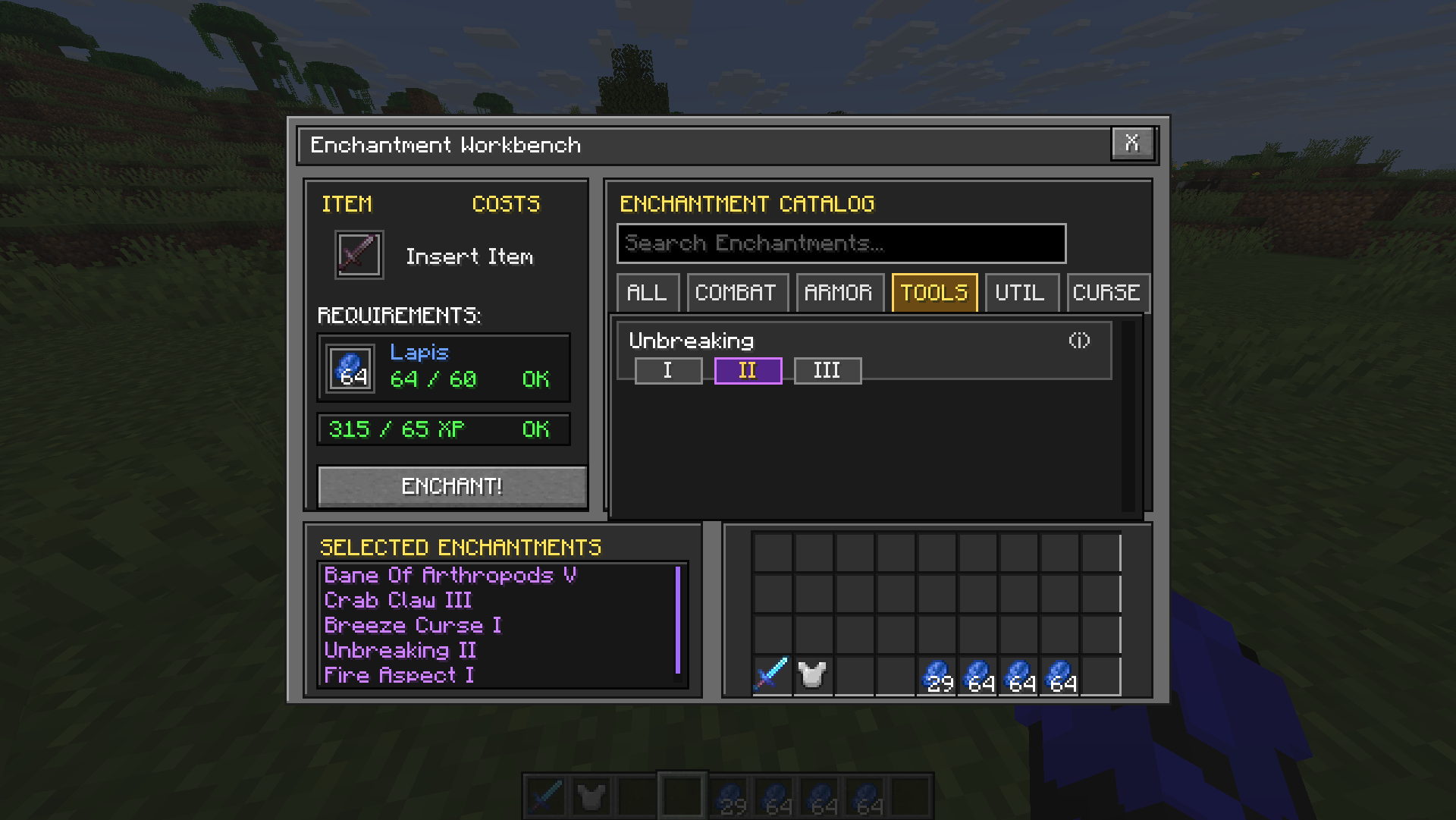
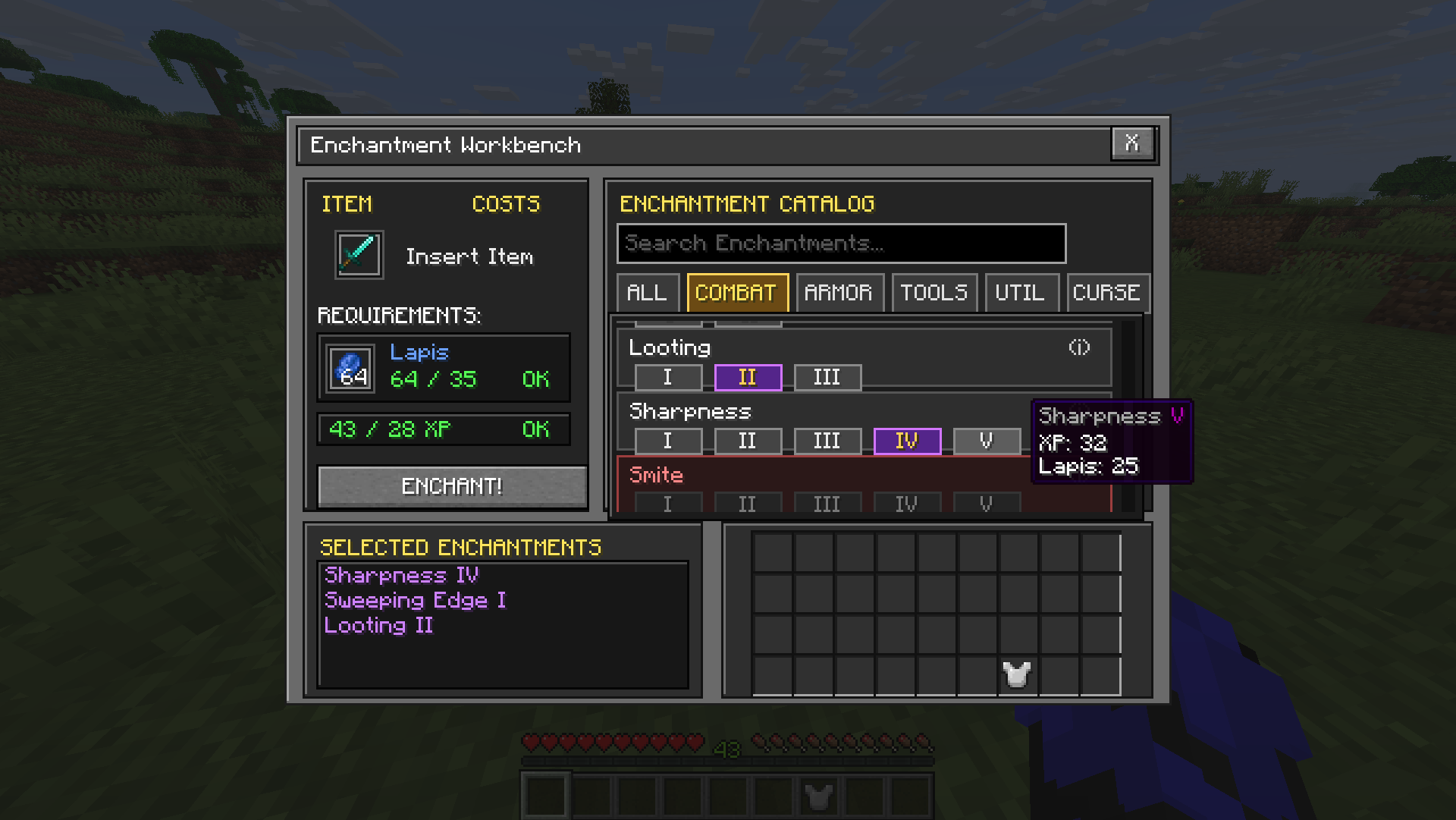
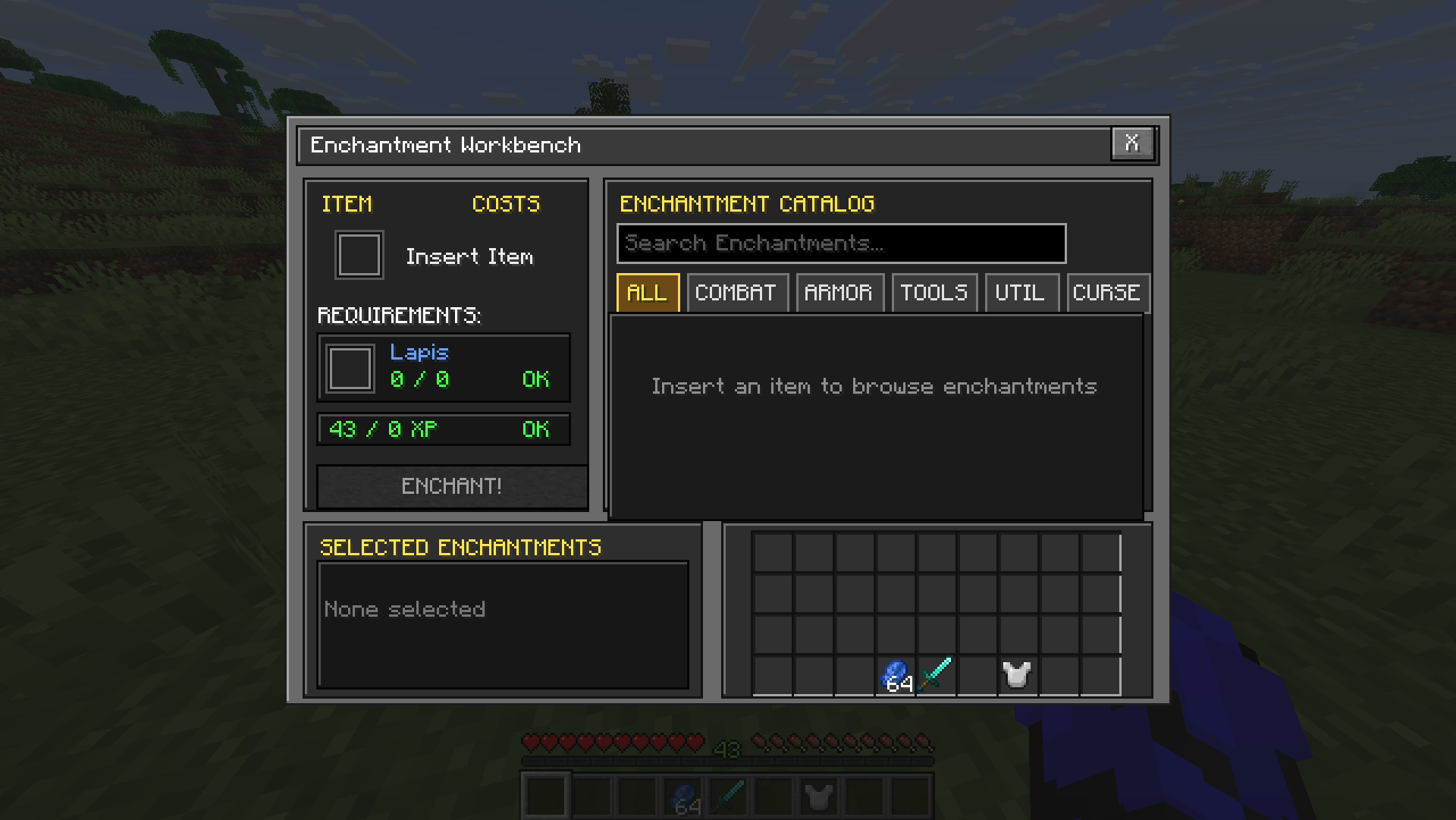
介绍
Enchantments Enhanced
Enchantments Enhanced transforms Minecraft’s enchanting table into a clear, deterministic Enchantment Workbench. Instead of relying on random offers, you can browse compatible enchantments, choose their levels, review the exact cost, and enchant your item with confidence.
Features
- Choose exactly which enchantments you want.
- Select the desired enchantment level.
- Browse enchantments by category.
- Search the complete enchantment catalog.
- View detailed information by hovering over the information icon.
- See incompatible and unavailable enchantments clearly.
- Review exact lapis lazuli and experience costs before enchanting.
- Manage multiple selected enchantments in a scrollable list.
- Use your normal inventory directly from the workbench.
- Enjoy a compact interface designed to match Minecraft’s visual style.
How It Works
- Open an enchanting table.
- Place a compatible item into the item slot.
- Browse or search for available enchantments.
- Select the level of each enchantment you want.
- Check the required lapis lazuli and experience.
- Press Enchant to apply your selections.
The catalog automatically adapts to the inserted item and helps identify enchantment conflicts.
Enchantment Catalog
Enchantments are organized into convenient categories:
- All
- Combat
- Armor
- Tools
- Utility
- Curses
Use the search field to find a specific enchantment quickly. Hover over an enchantment’s information icon to learn what it does and review other useful details.
Requirements
| Requirement | Details |
|—|—|
| Minecraft | 26.1.2 |
| Mod loader | Fabric |
| Dependency | Fabric API |
| Environment | Client and server |
| Java | Java 25 |
The mod must be installed on both the client and server. In single-player, installing it normally in your mods folder is sufficient.
Installation
- Install the Fabric Loader for the supported Minecraft version.
- Install Fabric API.
- Place Enchantments Enhanced in your Minecraft
modsfolder. - Launch Minecraft using the Fabric profile.
Compatibility
Enchantments Enhanced reworks the vanilla enchanting-table interface and behavior. Mods that also replace or heavily modify the enchanting-table screen may conflict with it.
Feedback and Bug Reports
Found a bug or have an idea for an improvement?
When reporting a problem, please include your Minecraft version, Fabric Loader version, Fabric API version, installed mods, and any relevant screenshots or logs.
License
Enchantments Enhanced is available under the MIT License.
Created by hmed.
常见问题
enchantments enhanced 支持哪些 Minecraft 版本?
enchantments enhanced 支持 Minecraft Java 版 26.1.2–26.3,共 3 个版本,可用的加载器:Fabric / Forge。下载时注意选择和你游戏版本一致的文件。
enchantments enhanced 怎么安装?
先用 PCL2 或 HMCL 启动器安装对应版本的 Fabric / Forge,再把下载的 .jar 文件放进游戏目录的 mods 文件夹,重新启动游戏即可。开启了版本隔离的,mods 文件夹在 versions/版本名 下面。运行环境:客户端和服务端都要装。

评论
登录后评论和评分