
EmeraldBag
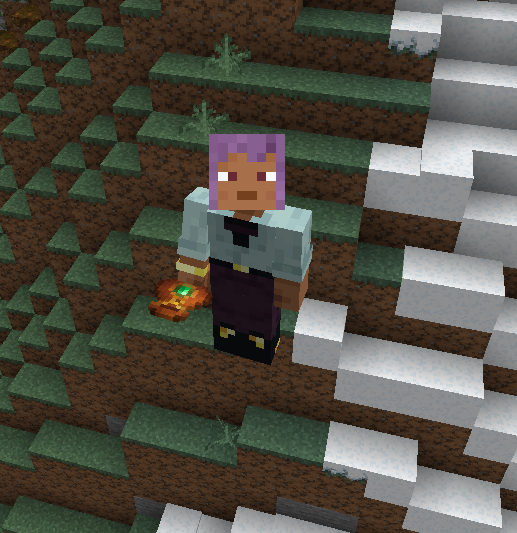
A wearable emerald pouch that automatically collects and stores emeralds while displaying the current amount on the HUD.
截图

介绍
Tired of picking up emeralds one by one? This mod fixes that.
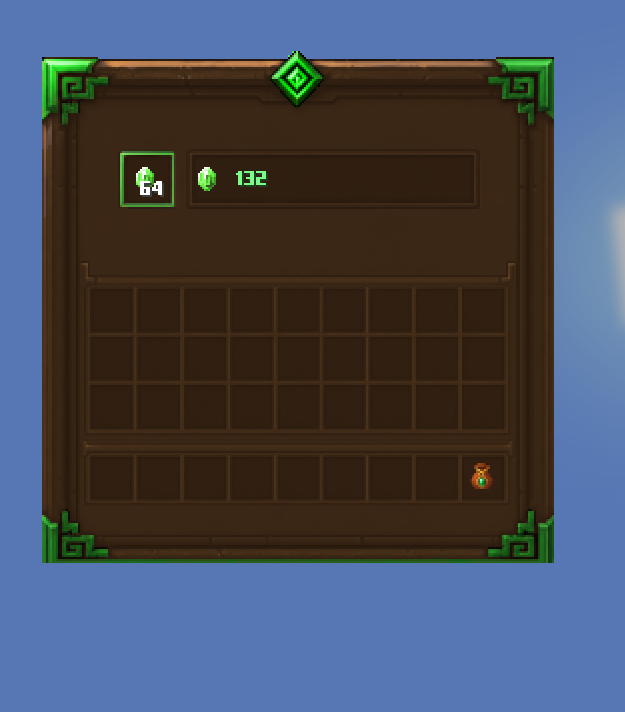
Add a wearable emerald pouch that automatically collects all emeralds dropped on the ground and stores them in a single-slot container. No micromanagement, no clutter—just smooth progression.
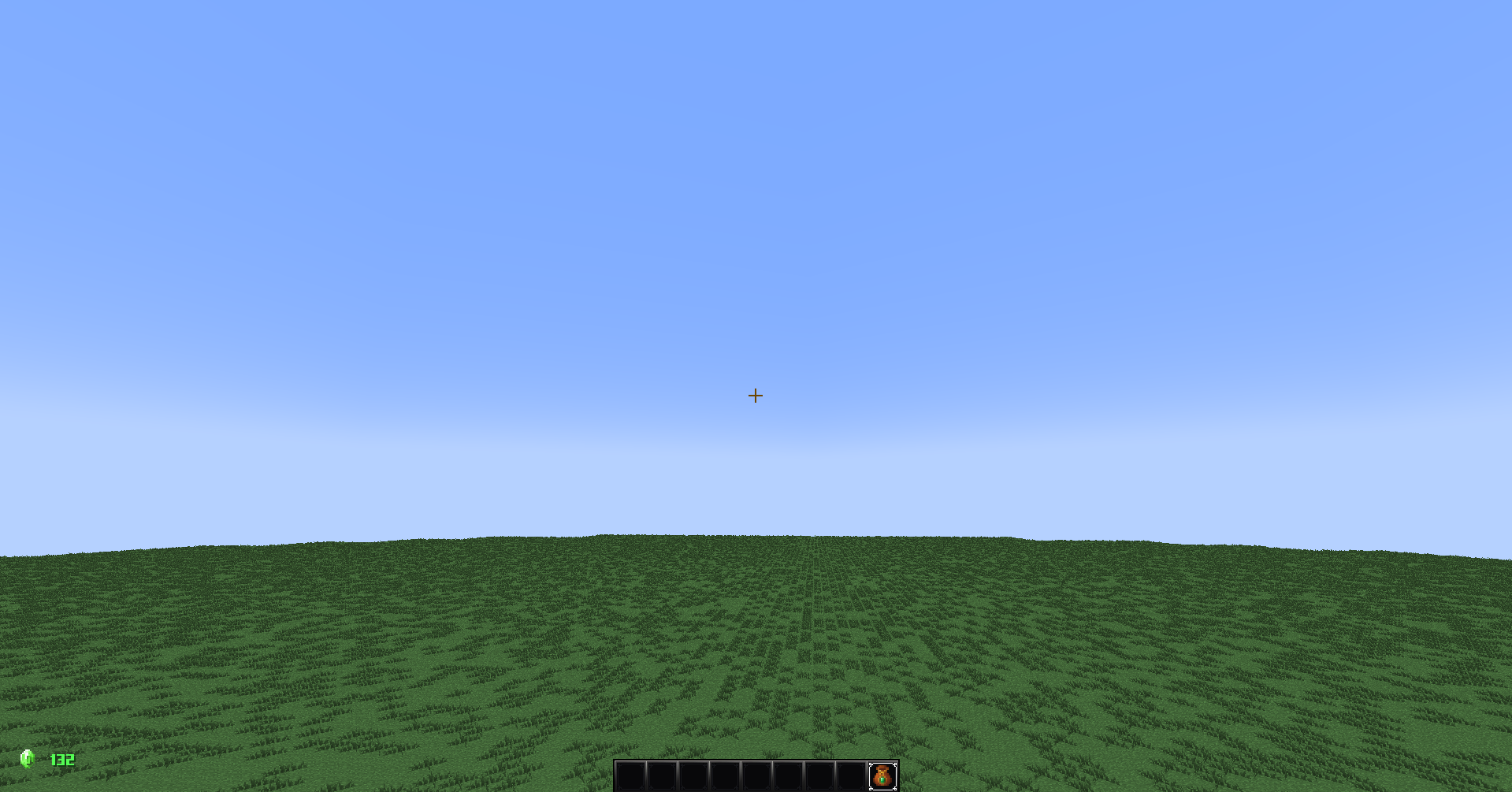
When equipped via Curios, the pouch also displays a live HUD counter with your total stored emeralds, so you always know exactly how rich you are at a glance.
Built specifically for the DungeonsUnleashed modpack, this mod is designed to fit into economy-driven progression systems while keeping inventory management clean and effortless.
Features
Auto-collect emeralds from the ground instantly
Compact single-slot storage system
Clean UI to deposit and withdraw emeralds
Live HUD counter while equipped
Curios compatibility required
Lightweight, no performance overhead
Why it exists
Because picking up loot manually is outdated.
This mod is meant for modpacks where emeralds actually matter—whether as currency, progression, or trading power. It removes friction and keeps the focus on gameplay, not inventory spam.
How it works
Equip the pouch in your Curios slot. From that moment on, any emerald that drops near you is automatically absorbed into the pouch.
Open the interface anytime to manage your storage, or just check the HUD to see your total instantly.
Requirements
Requires Curios API
Designed for Minecraft modpacks using Curios equipment systems
Compatibility
Built for DungeonsUnleashed modpack
Safe for most modpacks
Lightweight and optimized
No known conflicts
Download



Save 15% off of the first month using coupon code TUGA4LIFE or just click here
常见问题
EmeraldBag 支持哪些 Minecraft 版本?
EmeraldBag 支持 Minecraft Java 版 1.20.1–1.20.6,共 6 个版本,可用的加载器:Forge。下载时注意选择和你游戏版本一致的文件。
EmeraldBag 怎么安装?
先用 PCL2 或 HMCL 启动器安装对应版本的 Forge,再把下载的 .jar 文件放进游戏目录的 mods 文件夹,重新启动游戏即可。开启了版本隔离的,mods 文件夹在 versions/版本名 下面。运行环境:客户端和服务端都要装。
Tuga4Life 的其他作品
查看全部 →
TripToAvaritia [TTA]
In this trip you will have to craft Avaritia's armor and tools more difficult than normal.

Dungeons Unleashed – Resourcepack
This Resourcepack adds visual features from MCDungeons

Simple Utilities
A simple Minecraft modpack focusing on the essence of Minecraft, adding simple utilities and game performance.

CrazyMC [CMC]
A modpack inspired by Crazy Craft with new features in 1.16.5!
评论
登录后评论和评分