
ElytraWEEE
Hold a firework, jump, and fly — your elytra equips itself and you glide instantly. Safe chestplate swap, plus a mid-air fast-swap key for mace PvP.
截图
介绍
ElytraWEEE
Hold a firework. Jump. Fly. Your elytra equips itself and you start gliding instantly — chestplate swapped out safely, never dropped, and put back on when you land.
Client-only Fabric mod for Minecraft 26.1.2. Works on servers, no server install needed.
Why firework-triggered, not jump-triggered?
Most auto-elytra mods deploy the elytra every time you jump — which wrecks combat: every jump-crit you land on an enemy accidentally throws your elytra on. ElytraWEEE only deploys when you’re holding a firework and jump, so your normal combat jumps and jump-crit attacks stay completely untouched. You fly only when you actually mean to.
What it does
- Jump + firework -> instant flight. One jump. You glide right away — no second tap.
- Land -> chestplate comes back. Drop the firework after landing and your chestplate returns automatically.
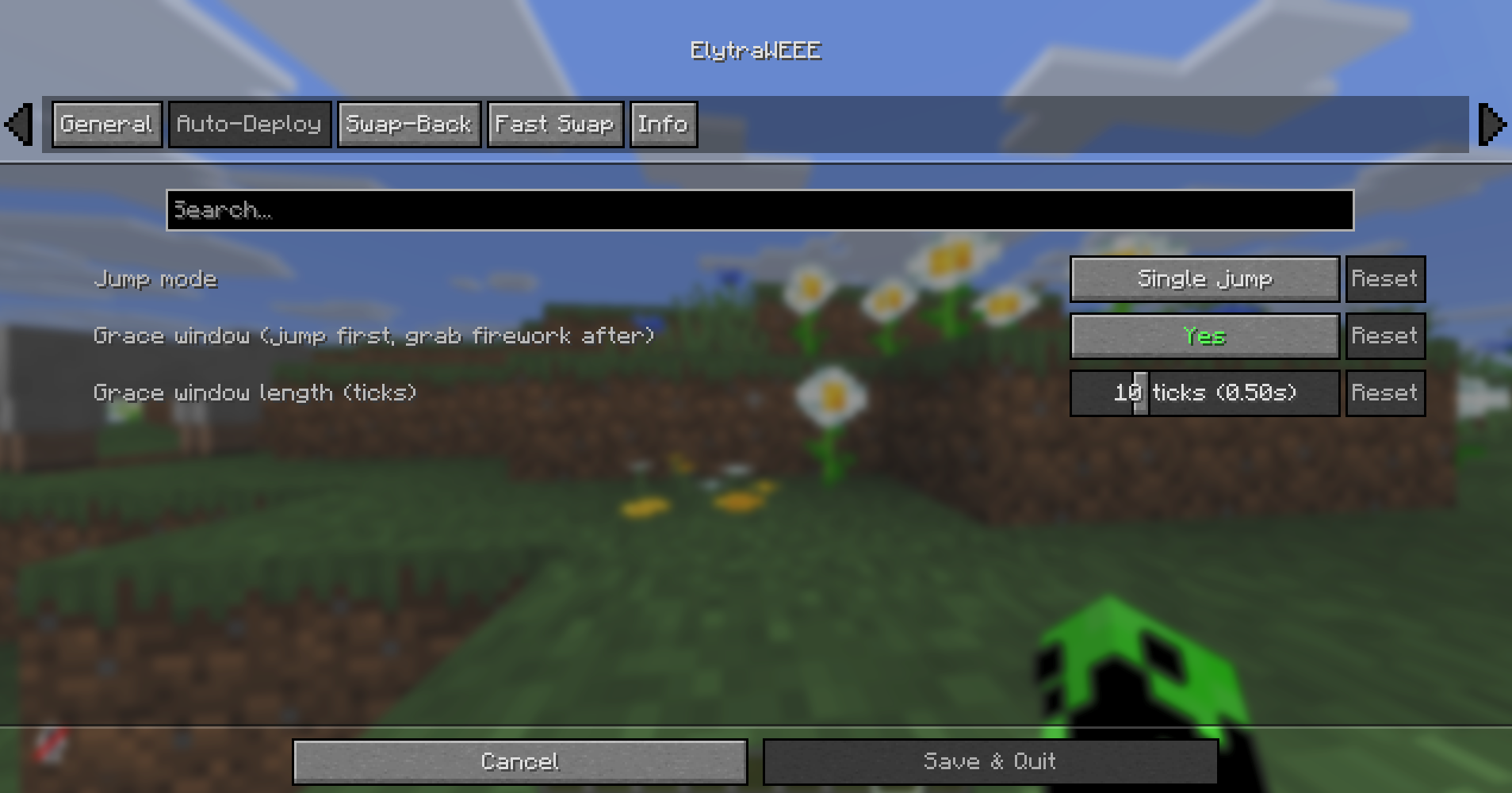
- Grace window. Jumped a hair too early? Grab the firework within ~0.5s and it still launches.
- Never drops your gear. All swaps are safe. No chestplate? The elytra just goes back where it came from. Inventory full? It stays on.
Fast swap (mace PvP)
One key to flip elytra chestplate instantly — even mid-air. Swap to chestplate, hit, swap back, and you keep gliding automatically (no re-jump). Works even with auto-deploy off.
Keybinds
Under Options -> Controls -> ElytraWEEE (all unbound by default — set your own): Fast swap, Toggle on/off, Open settings.
Settings
Mod Menu -> ElytraWEEE — tabs for General, Auto-Deploy, Swap-Back, Fast Swap, and Info.
The mod only manages an elytra it deployed. Put one on yourself? It leaves your gear alone.
Requirements
- Fabric API
- Cloth Config
- Mod Menu (optional — opens the settings screen)
by dev-limucc · MIT
常见问题
ElytraWEEE 支持哪些 Minecraft 版本?
ElytraWEEE 支持 Minecraft Java 版 26.1.2–26.2,共 2 个版本,可用的加载器:Fabric。下载时注意选择和你游戏版本一致的文件。
ElytraWEEE 怎么安装?
先用 PCL2 或 HMCL 启动器安装对应版本的 Fabric,再把下载的 .jar 文件放进游戏目录的 mods 文件夹,重新启动游戏即可。开启了版本隔离的,mods 文件夹在 versions/版本名 下面。运行环境:仅客户端。
Limucc 的其他作品
查看全部 → ElytraWEEE
Hold a firework, jump, and fly — your elytra equips itself and you glide instantly. Safe chestplate swap, plus a mid-air fast-swap key for mace PvP.

Animated GUI
Smooth, fully customizable animations for Minecraft's instant GUI: sliding menus, gliding item slots, smooth creative and list scrolling, and a flat settings screen. Client-side; the vanilla look is untouched.

Glint Everything
Whitelist any item to give it the enchantment glint - then recolor it globally or per item and restyle the animation (speed, size, angle, motion).
Glint Everything
Whitelist any item to give it the enchantment glint - then recolor it globally or per item and restyle the animation (speed, size, angle, motion).
评论
登录后评论和评分