
Elytra+
Adds various quality of life improvements around the Elytra. Including a dedicated inventory slot
截图
介绍

ElytraPlus
A dedicated elytra slot — wear your wings and your chestplate — plus a full suite of flight tools, all in a clean in-game menu.
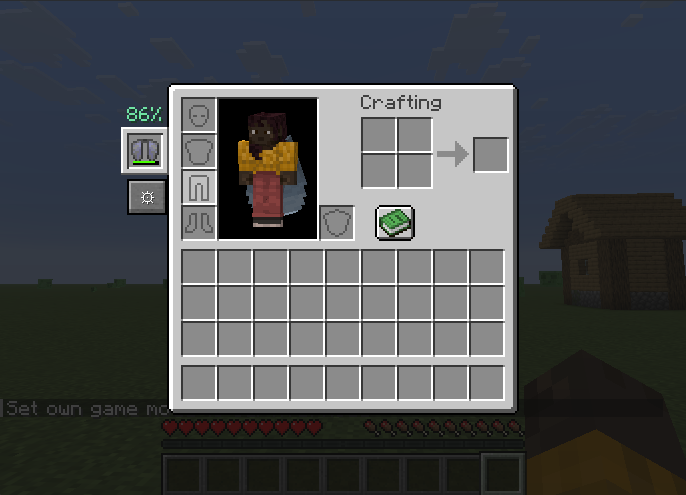
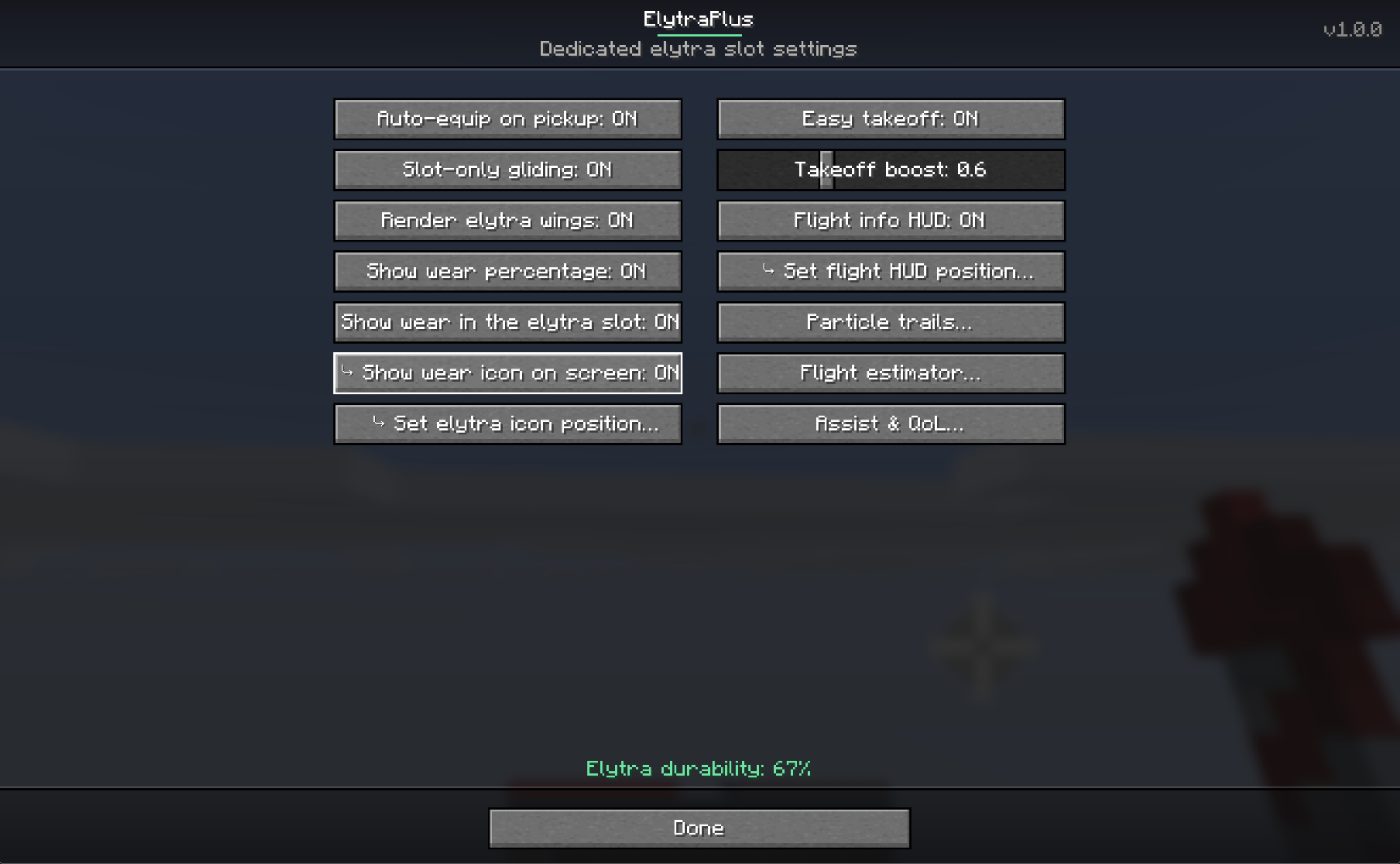
Slot an elytra in its own equipment slot (next to your armor) and glide while wearing a chestplate, then customize everything from the ElytraPlus screen. Open your inventory and click the ⚙ gear next to the elytra slot — or run /elytraplus — to explore all of it. Every feature below is toggleable in-game.
The dedicated slot
- A new equipment slot just for your elytra (or any glider) — fly while wearing a chestplate
- Works in the creative inventory too
- Auto-equip a picked-up elytra into the slot
- Render your wings from the slot on your back
- Slot-only gliding option (ignore a chest-worn elytra)
- Quick-swap keybind to move an elytra in/out of the slot
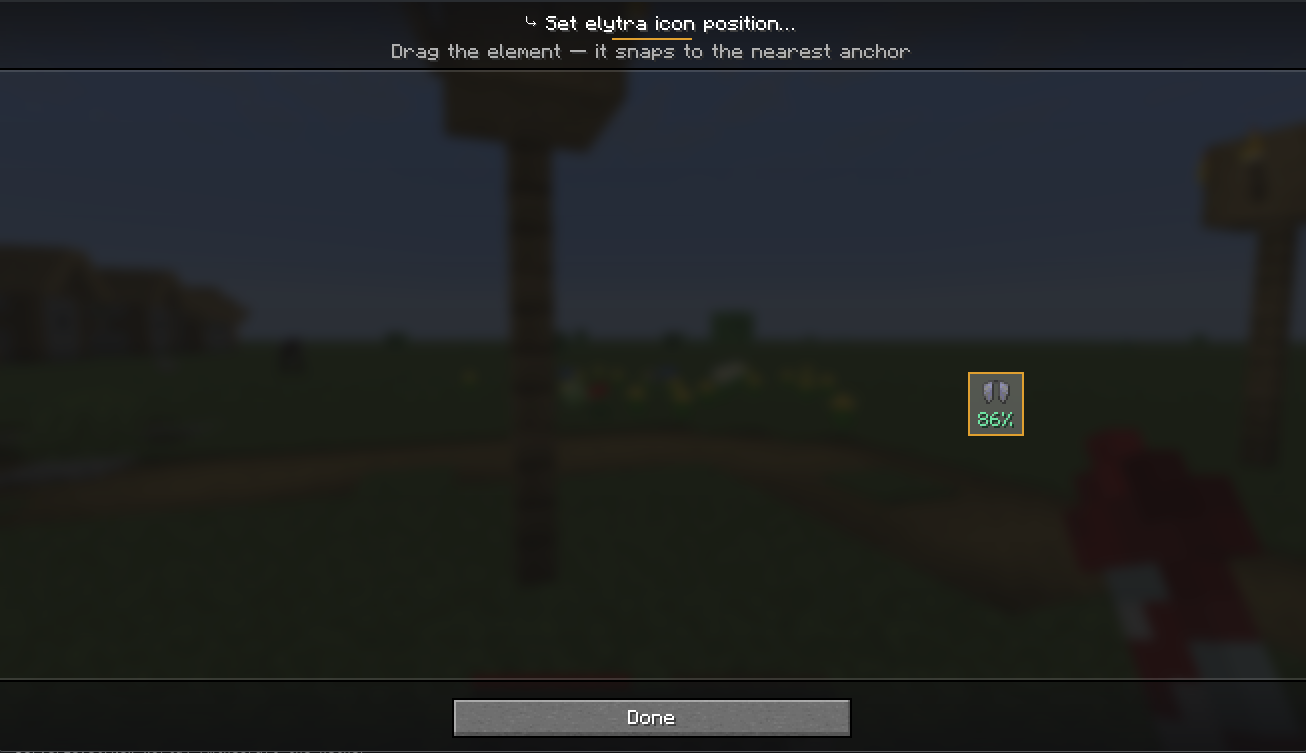
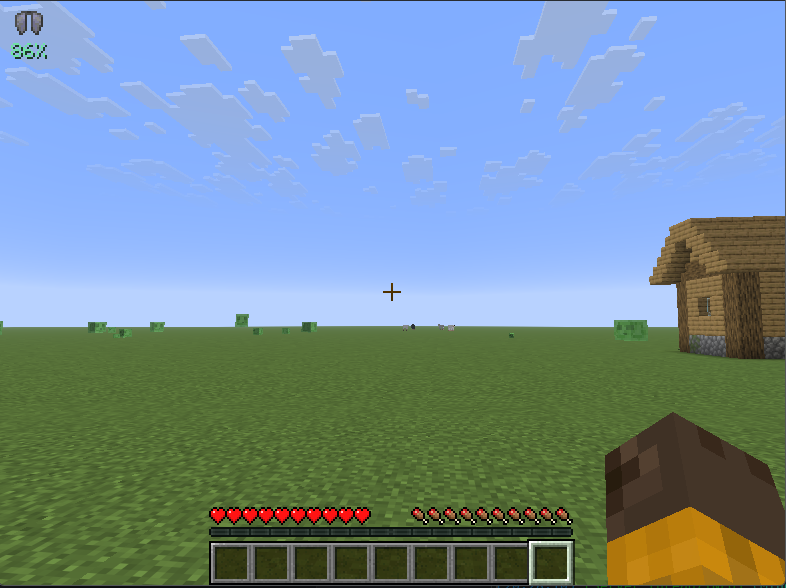
- Wear % display — on the slot and/or a draggable on-screen indicator, colour-coded green→red
Flight HUD & info
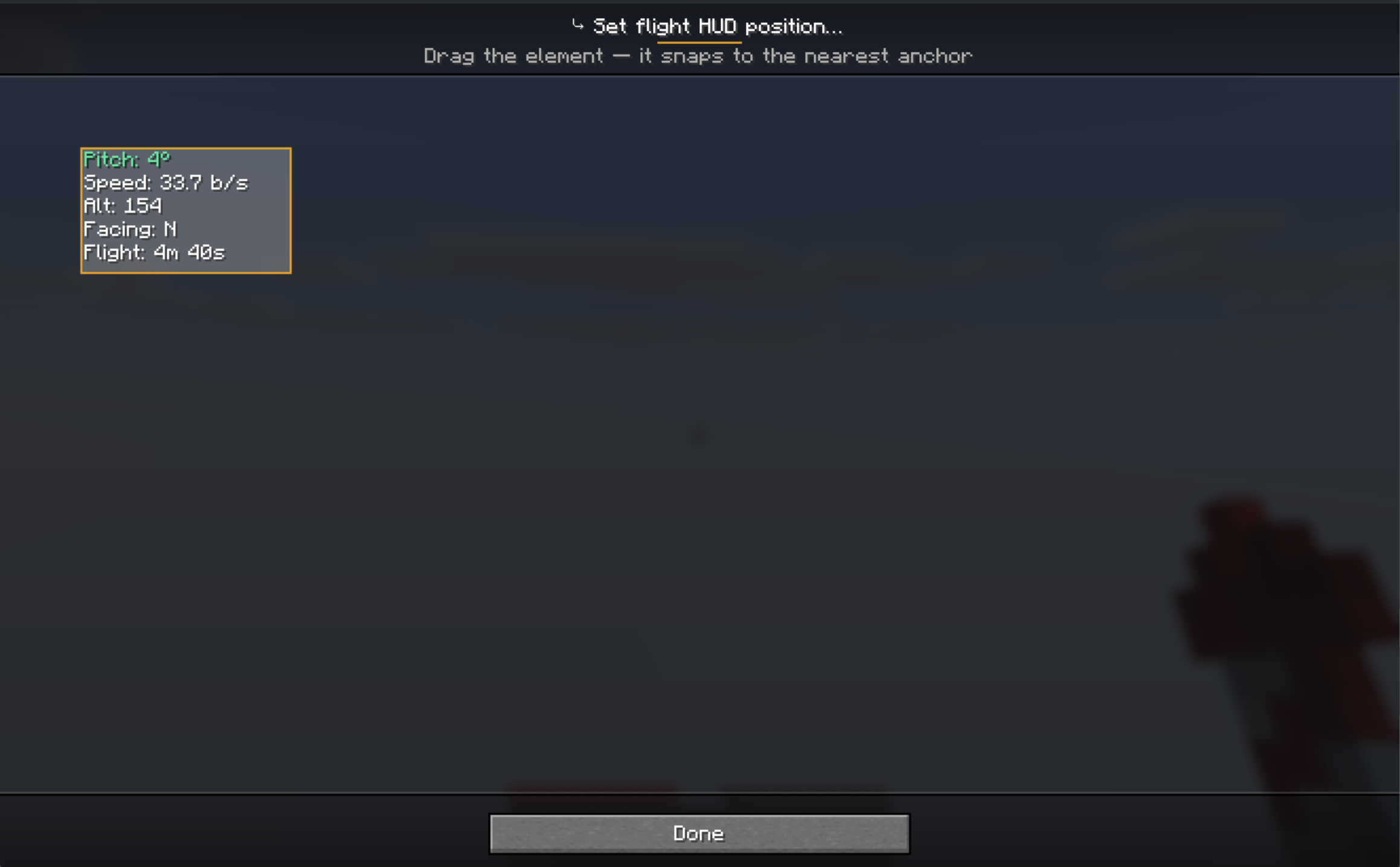
- In-flight HUD: pitch (with optimal-angle colouring), speed, altitude, heading, and estimated flight time — fully draggable
- Flight-time estimate in elytra tooltips
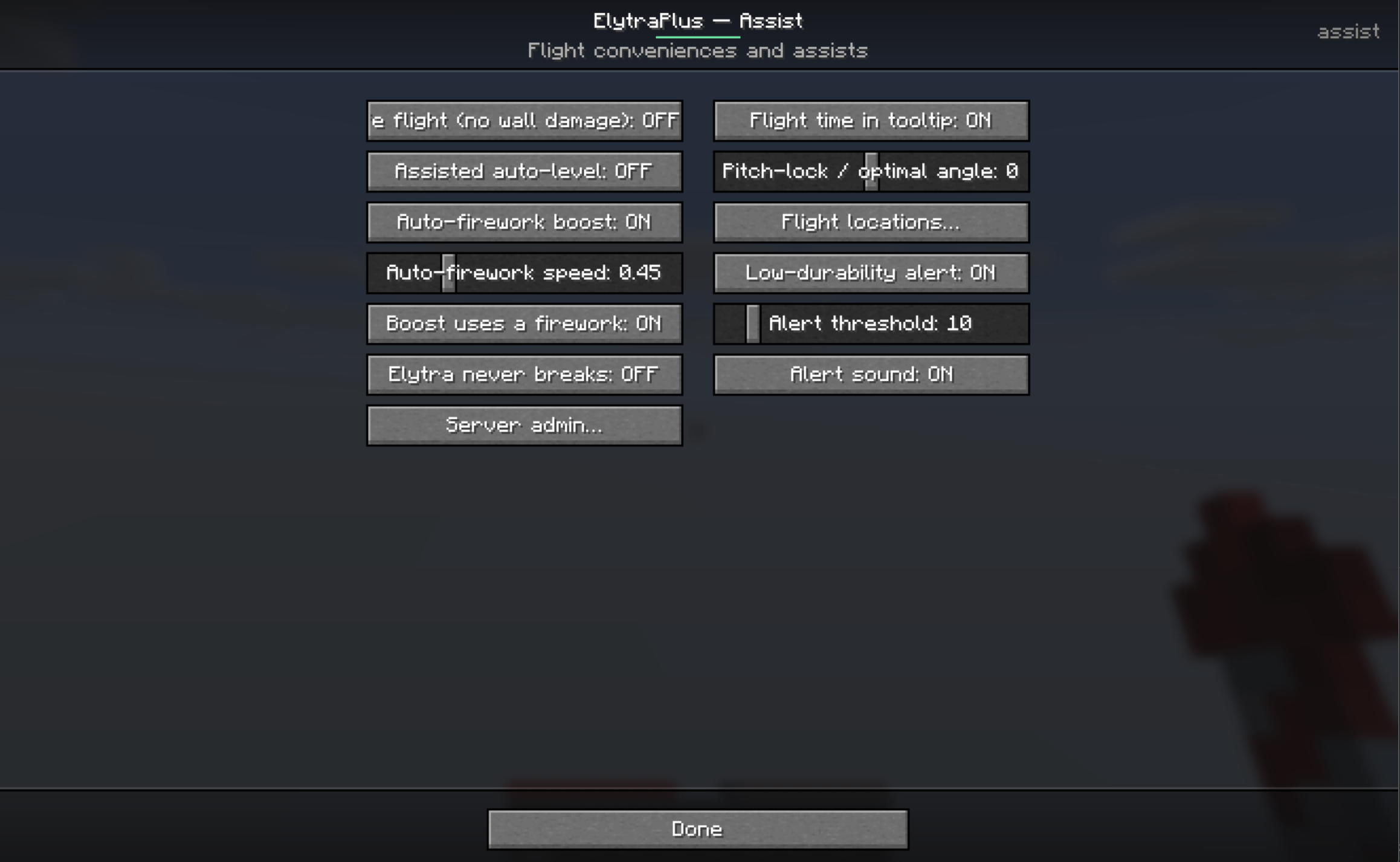
- Low-durability alert (HUD flash + optional chime) before your wings break
Particle trails (with a live editor)
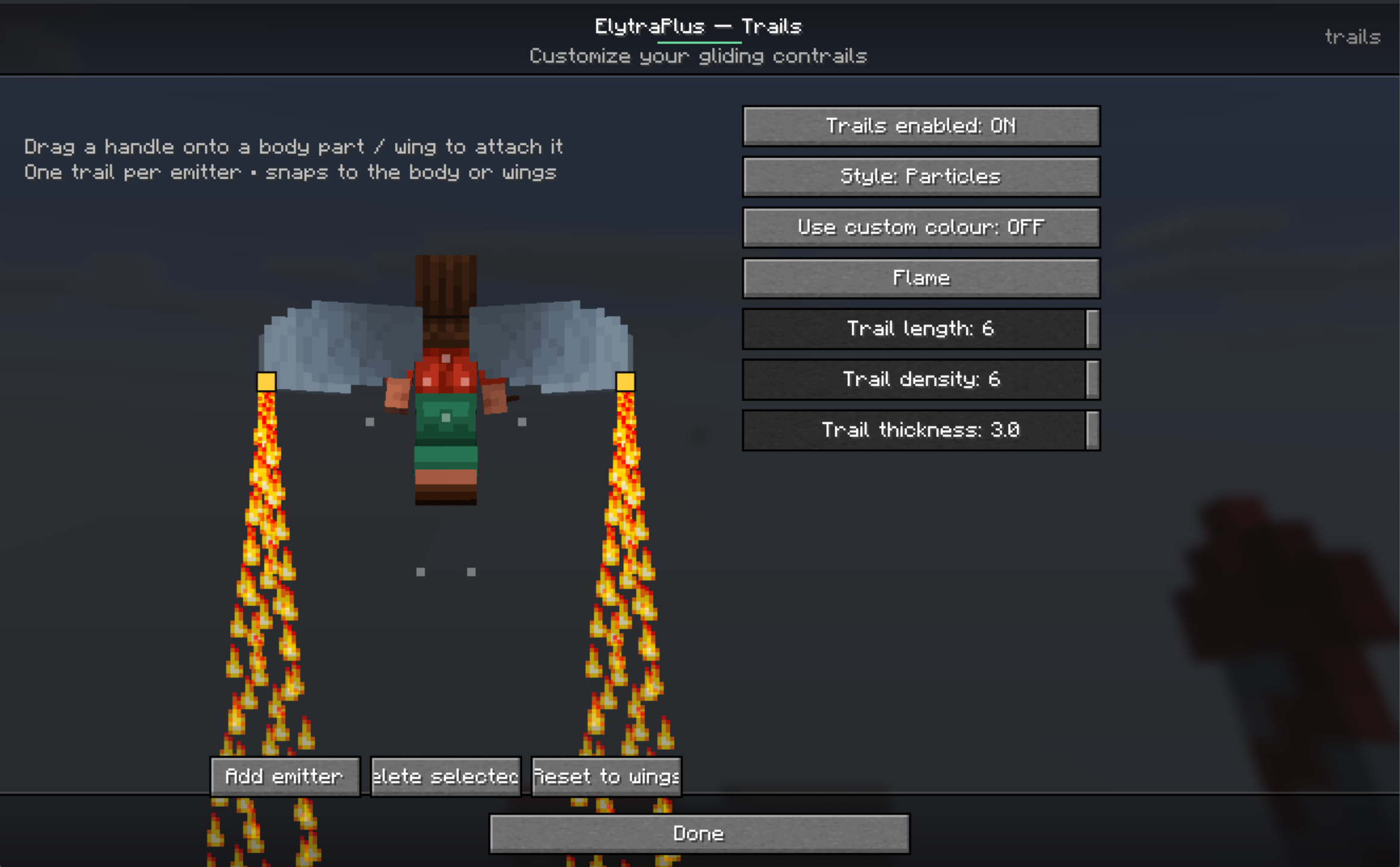
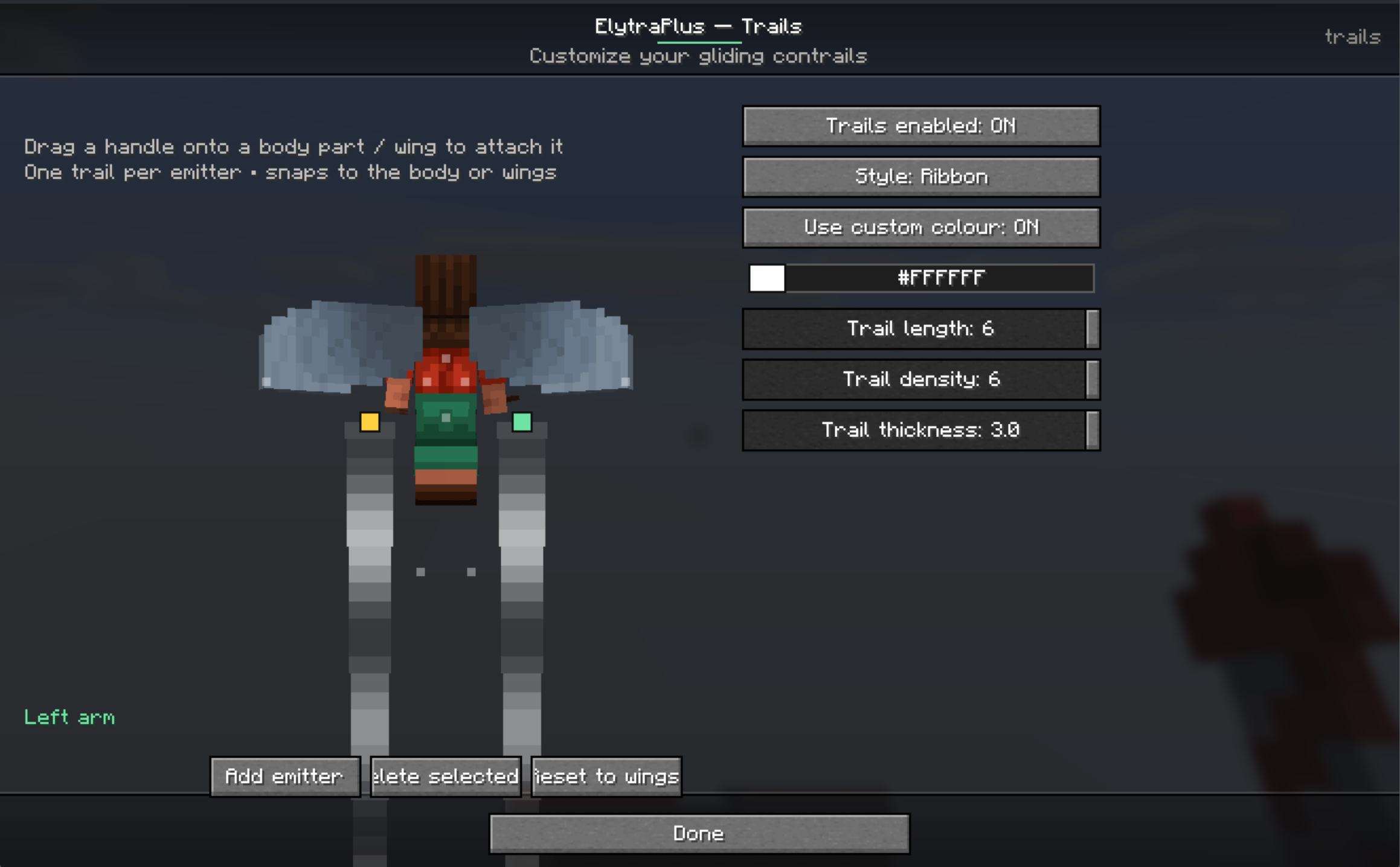
- Stream a trail behind any gliding player — Particles, a solid swept Ribbon, or Both
- Presets (End Rod, Flame, Soul Flame, Cloud, Snowflake, Heart, Rainbow) or a custom colour picker; adjustable length, density, and thickness
- A two-pane editor with a live preview of your character: place emitters by dragging them onto body parts or wing tips — trails ride your actual animated wings in flight
Flight assists
- Easy takeoff — launch into a glide from the ground (no cliff needed)
- Pitch-lock (hold) and auto-level autopilot
- Boost keybind (fire a rocket) and auto-firework when you slow down
- Safe flight — no more lethal wall-smack/kinetic damage
- Unbreakable elytra option
Fly-to autopilot & locations
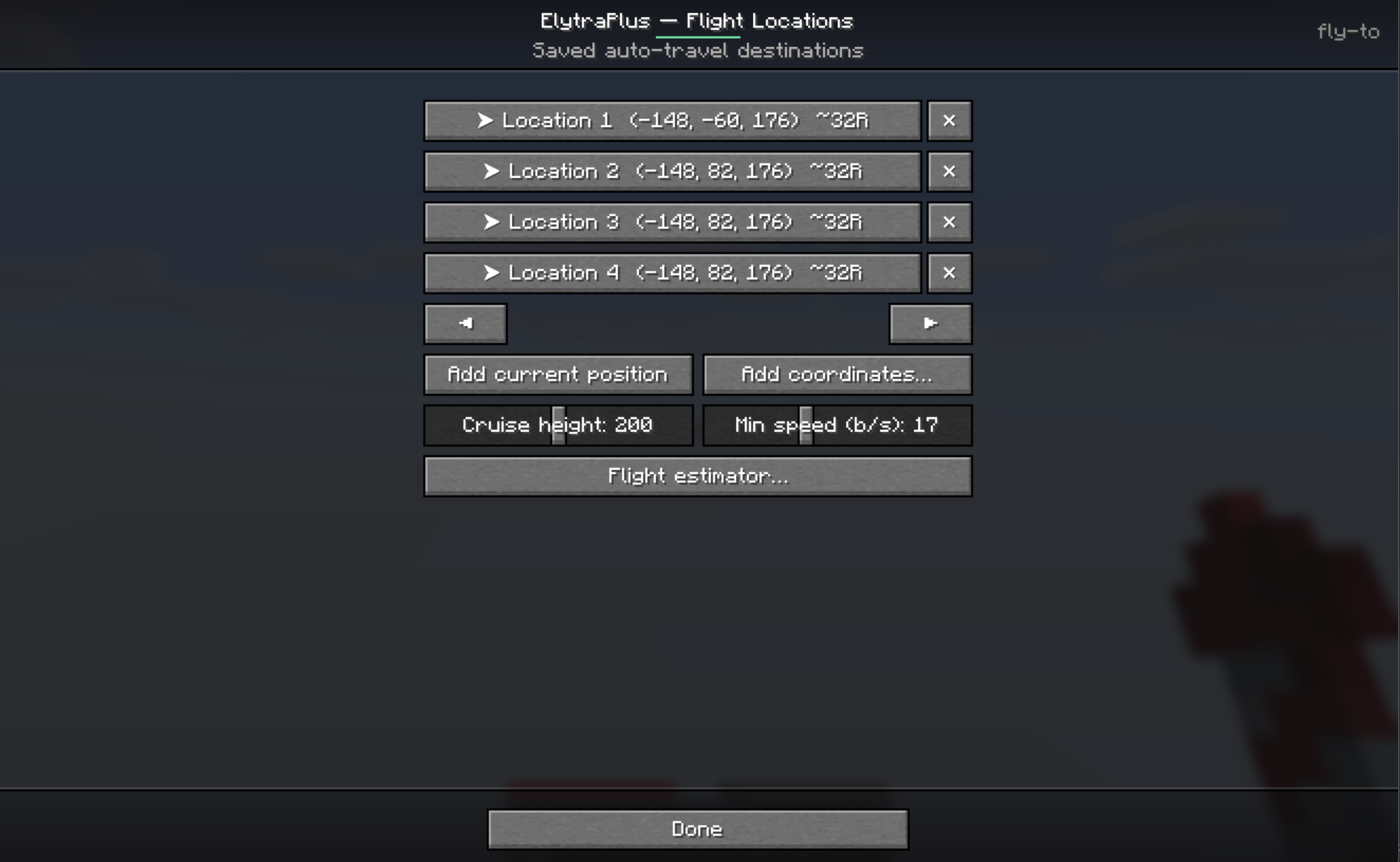
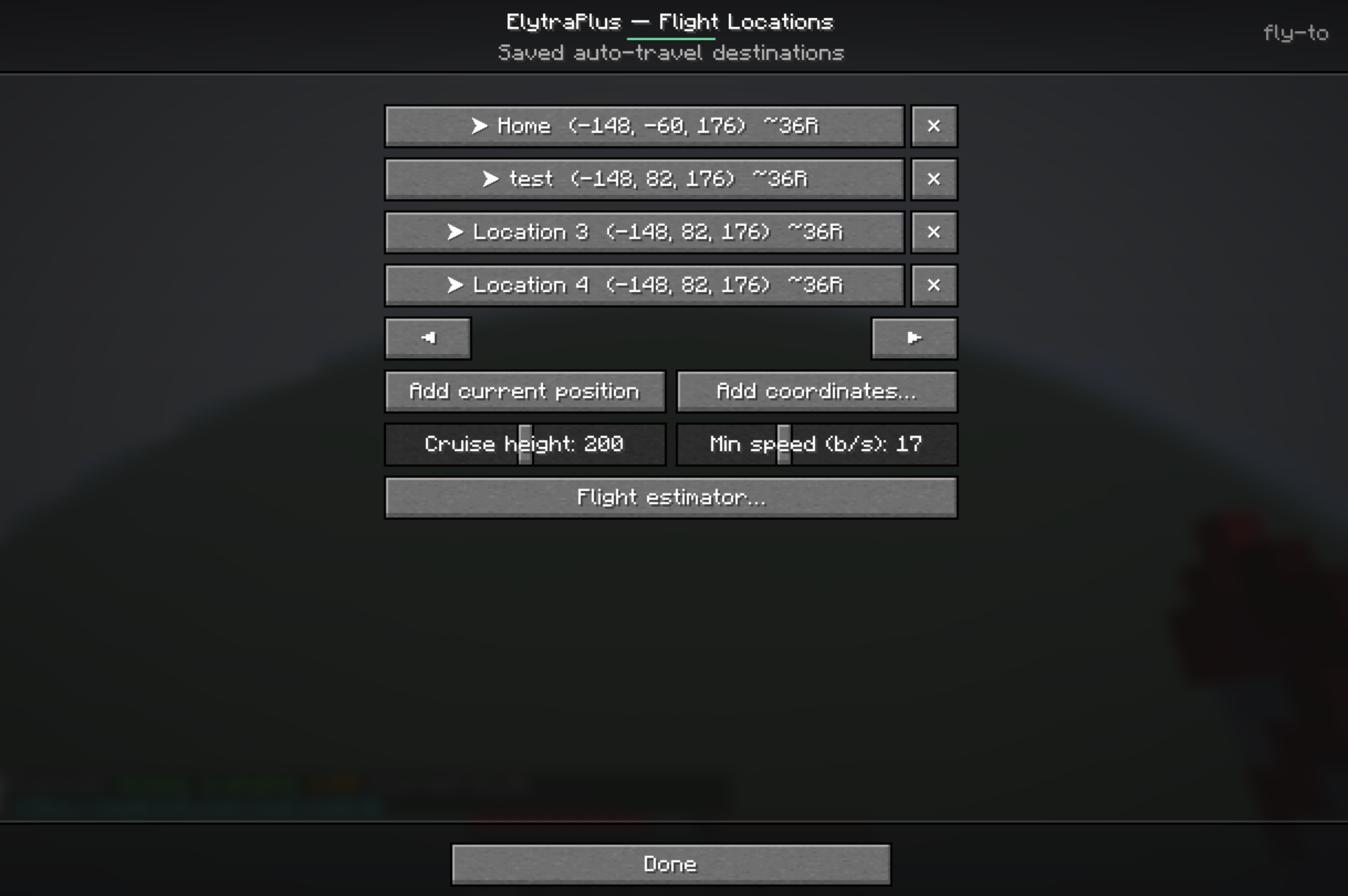
- Save flight locations; each shows its estimated rockets needed
- Click a location for a detail view (name it, see distance / rockets / elytra durability) and Go
- Auto-takeoff, rocket-powered cruise to a configurable cruise height and min speed, then a gentle no-rocket float-down landing
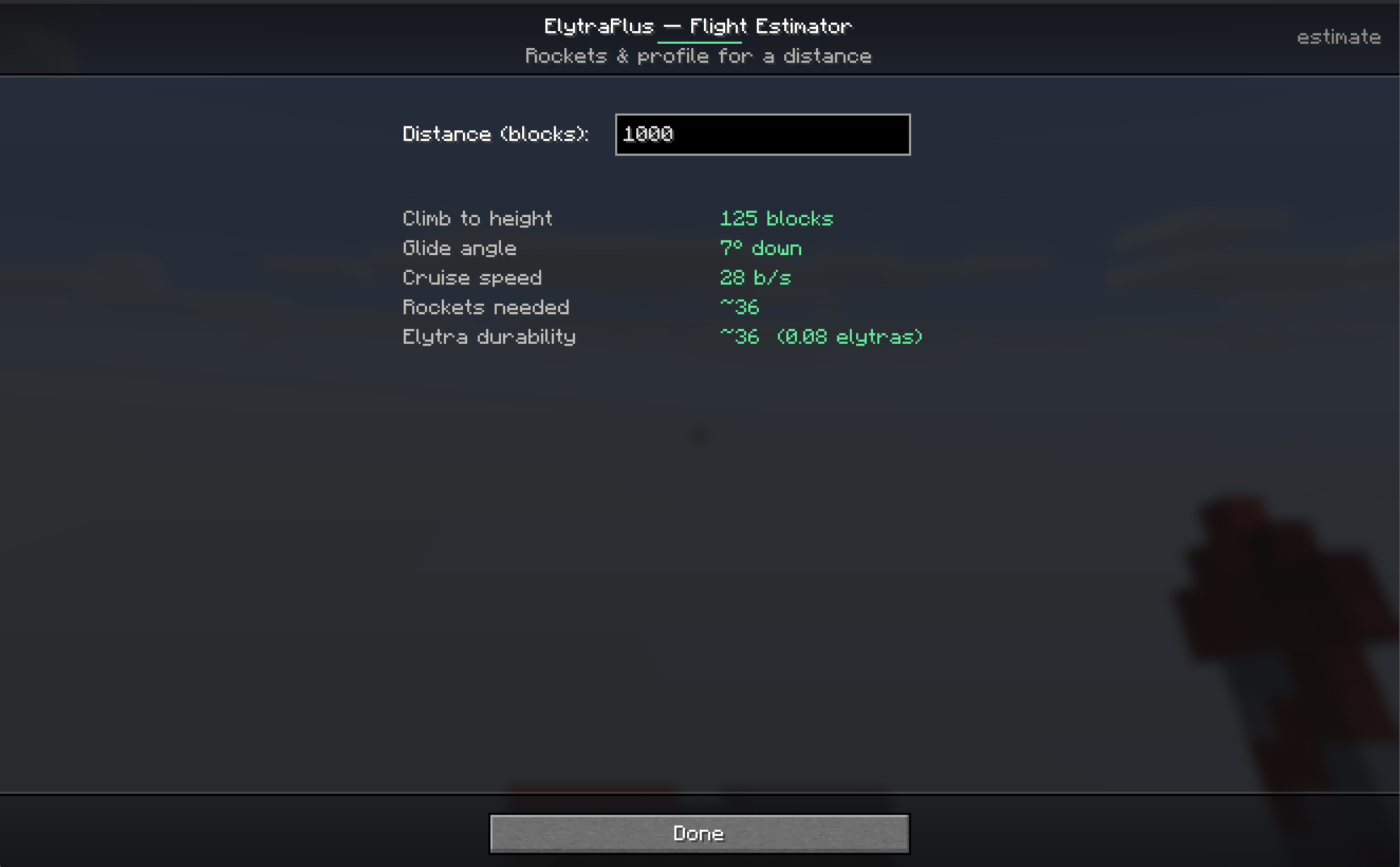
- Flight estimator tool — enter a distance to get the optimal height, angle, speed, rockets, and elytra usage
Server / operator controls
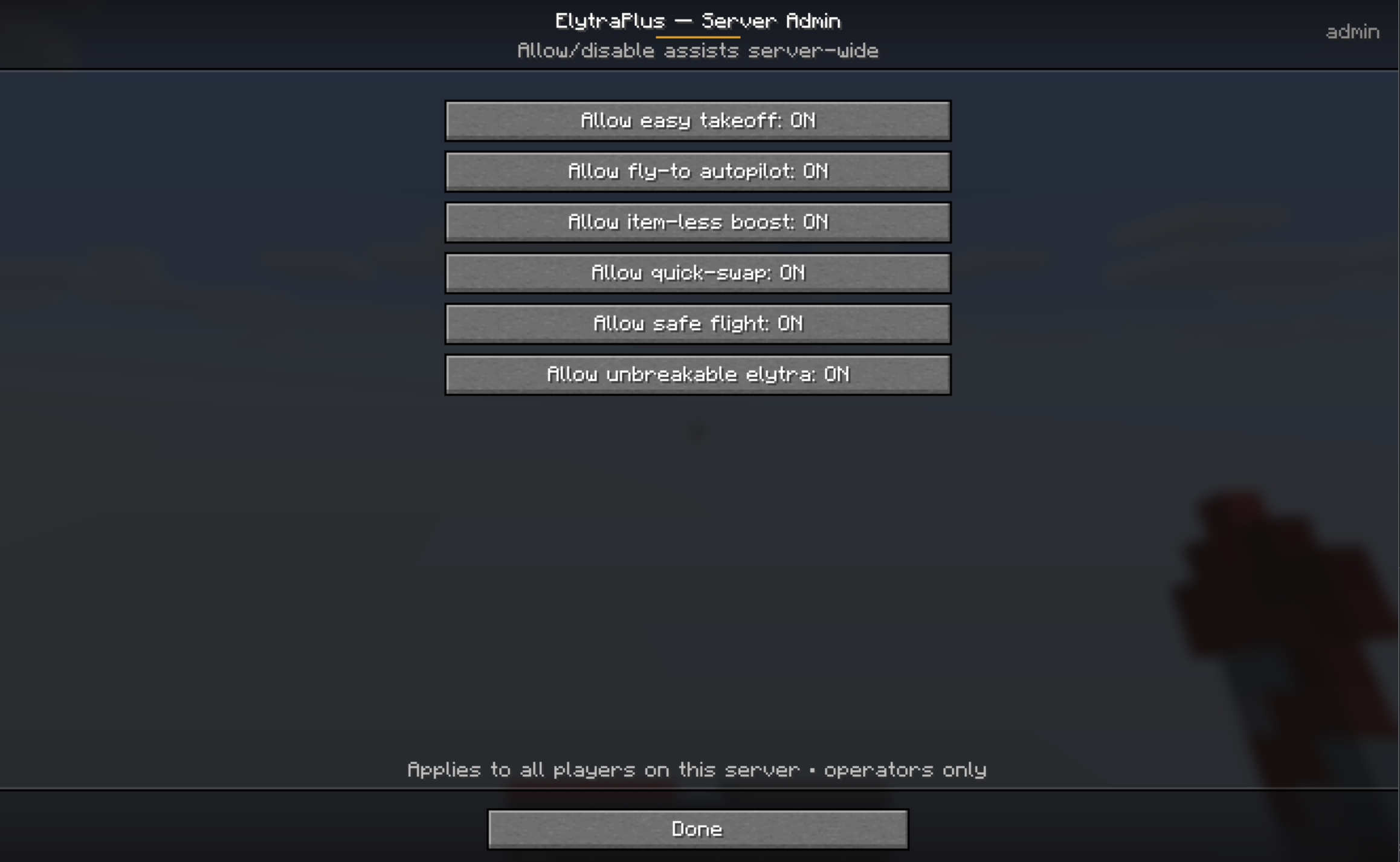
- A built-in Server Admin menu (operators only) to allow/disable each cheaty function server-wide — easy takeoff, fly-to, item-less boost, quick-swap, safe flight, unbreakable elytra
- All assists are opt-in; the cheaty ones are server-enforceable
Command & keybinds
/elytraplusopens the settings menu (handy if you can’t reach the inventory button)- Keybinds are unbound by default (set them in Options → Controls → Gameplay): Takeoff, Firework boost, Quick-swap elytra, Pitch lock (hold), Toggle auto-level
Client vs. server
- Pure client-side (work on any server): flight HUD, tooltips, particle trails, pitch-lock/auto-level, alerts, all the menus.
- Gameplay features (the slot itself, takeoff, boost, quick-swap, safe-flight, never-breaks, fly-to): need ElytraPlus installed on the server too (or single-player). On a vanilla server, only the client cosmetics work.
Requirements
- Minecraft 26.1.2 · Fabric / Forge / NeoForge
- CodxLib (required, like Fabric API) — powers the UI, networking, config, and update checks
- Fabric API on Fabric
Short description
A dedicated elytra slot so you can glide while wearing a chestplate — plus a flight HUD, customizable trails with a live emitter editor, easy takeoff, fly-to autopilot with a rocket estimator, flight assists, and operator controls. Explore it all from the in-game menu. Fabric / Forge / NeoForge.
常见问题
Elytra+ 支持哪些 Minecraft 版本?
Elytra+ 支持 Minecraft Java 版 26.1–26.1.2,共 3 个版本,可用的加载器:Fabric / Forge / NeoForge。下载时注意选择和你游戏版本一致的文件。
Elytra+ 怎么安装?
先用 PCL2 或 HMCL 启动器安装对应版本的 Fabric / Forge / NeoForge,再把下载的 .jar 文件放进游戏目录的 mods 文件夹,重新启动游戏即可。开启了版本隔离的,mods 文件夹在 versions/版本名 下面。运行环境:客户端 / 服务端。
Codx 的其他作品
查看全部 →
CodxLib
为所有 Codx 模组提供通用功能的前置库。

One Block
单方块生存:在荒芜的世界中,仅凭一个会重生的方块开启你的Minecraft冒险。破坏它、升级它,每次升级都能解锁更丰厚的奖励。

Alex’s Mobs Continued
Alex's Mobs - 已更新并移植
Alex’s Caves Continued
Alex's Caves Continued 旨在移植并更新原模组,使其在新版本中继续存活并正常运行。
评论
登录后评论和评分