
Effortless Structure
Increase your build speed by batch placing/breaking/using blocks/items in any shapes with correct item and tools consumption. It also includes array/mirror transformers, structures copying/pasting, block randomizer, permission control, etc...
截图
介绍
Effortless Structure
[Effortless Structure]() is a multiplatform mod for placing and breaking blocks in Minecraft. It offers a set of modes
allowing players to create structures and designs with ease. Additionally, it includes an randomizer that randomly
selects items
from a pre-defined list for random placement.
Features
- Pure Vanilla Compatibility: This mod is designed to be fully compatible with a pure vanilla game without adding new items or making incompatible modifications.
- Item Randomizer: This mod includes an item randomizer that lets players place blocks and entities randomly from a pre-defined list.
- Clipboard: This mod includes a clipboard that lets players copy and paste blocks and entities between worlds.
Platforms
- You need to install this mod on both the client side and server side.
- You can use this mod on servers with different platforms from your client.
- You can use the same mod jar file on multiple targets.
Targets
| Filename | Targets | Fabric | Quilt | Forge | NeoForge |
|——————————-|————————–|:——-:|:——-:|:——-:|:——–:|
| effortless-1.21.3-3.2.0.jar | 1.21.3 1.21.2 | ✓ | ✓ | | ✓ |
| effortless-1.21.1-3.2.0.jar | 1.21.1 1.21 | ✓ | ✓ | ✓ | ✓ |
| effortless-1.20.6-3.2.0.jar | 1.20.6 1.20.5 | ✓ | ✓ | ✓ | ✓ |
| effortless-1.20.4-3.2.0.jar | 1.20.4 1.20.3 | ✓ | ✓ | ✓ | |
| effortless-1.20.2-3.2.0.jar | 1.20.2 | ✓ | ✓ | ✓ | |
| effortless-1.20.1-3.2.0.jar | 1.20.1 1.20 | ✓ | ✓ | ✓ | |
| effortless-1.19.4-3.2.0.jar | 1.19.4 | ✓ | ✓ | ✓ | |
| effortless-1.19.3-3.2.0.jar | 1.19.3 | ✓ | ✓ | ✓ | |
| effortless-1.19.2-3.2.0.jar | 1.19.2 1.19.1 1.19 | ✓ | ✓ | ✓ | |
| effortless-1.18.2-3.2.0.jar | 1.18.2 | ✓ | ✓ | ✓ | |
| effortless-1.18.1-3.2.0.jar | 1.18.1 1.18 | ✓ | ✓ | ✓ | |
| effortless-1.17.1-3.2.0.jar | 1.17.1 | ✓ | ✓ | ✓ | |
| | 1.17 | | | | |
Plugins
- You can use this mod together with these plugins.
| Name | Supported | Note |
|————————————————————————————————————————————————————————-|:———:|——————————————————–|
| Open Parties and Claims | ✓ | Allows you to claim chunks and add build permissions. |
| FTB Chunks Fabric / FTB Chunks Forge | ✓ | Allows you to claim chunks and add build permissions. |
| ViaFabric / ViaForge | ✓ | Allows you to connect to a different Minecraft version |
How to Use
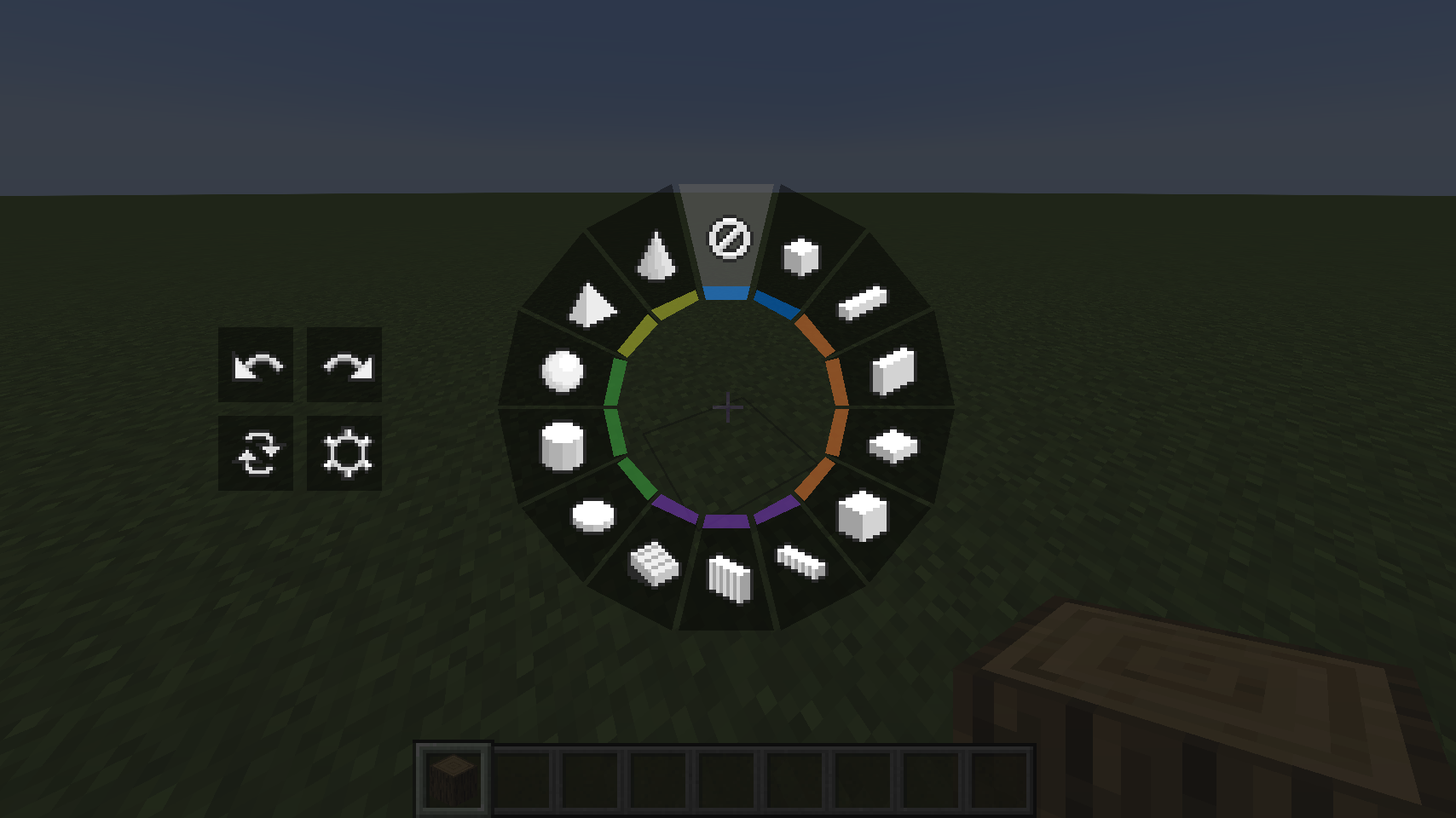
- Hold LEFT_ALT/LEFT_OPTION key to open Build Mode Radial. You can switch build modes to create different structures. There are buttons for Undo/Redo, Replace, Settings, Pattern and Clipboard on the left side.
- Click ATTACK/DESTROY key to start destroying blocks.
- Click USE_ITEM/PLACE_BLOCK key to start placing/interacting blocks.
- Click LEFT_BRACKET key to perform Undo. You can undo your last build operation.
- Click RIGHT_BRACKET key to perform Redo. You can redo your last build operation.
Build Modes
- Build modes are the basic shapes you need to choose when creating a structure. There are currently 13 different types of shapes. Each one has unique features like hollow or filled.
- Disable: Place in the vanilla way.
- Single: Place with increased reach distance.
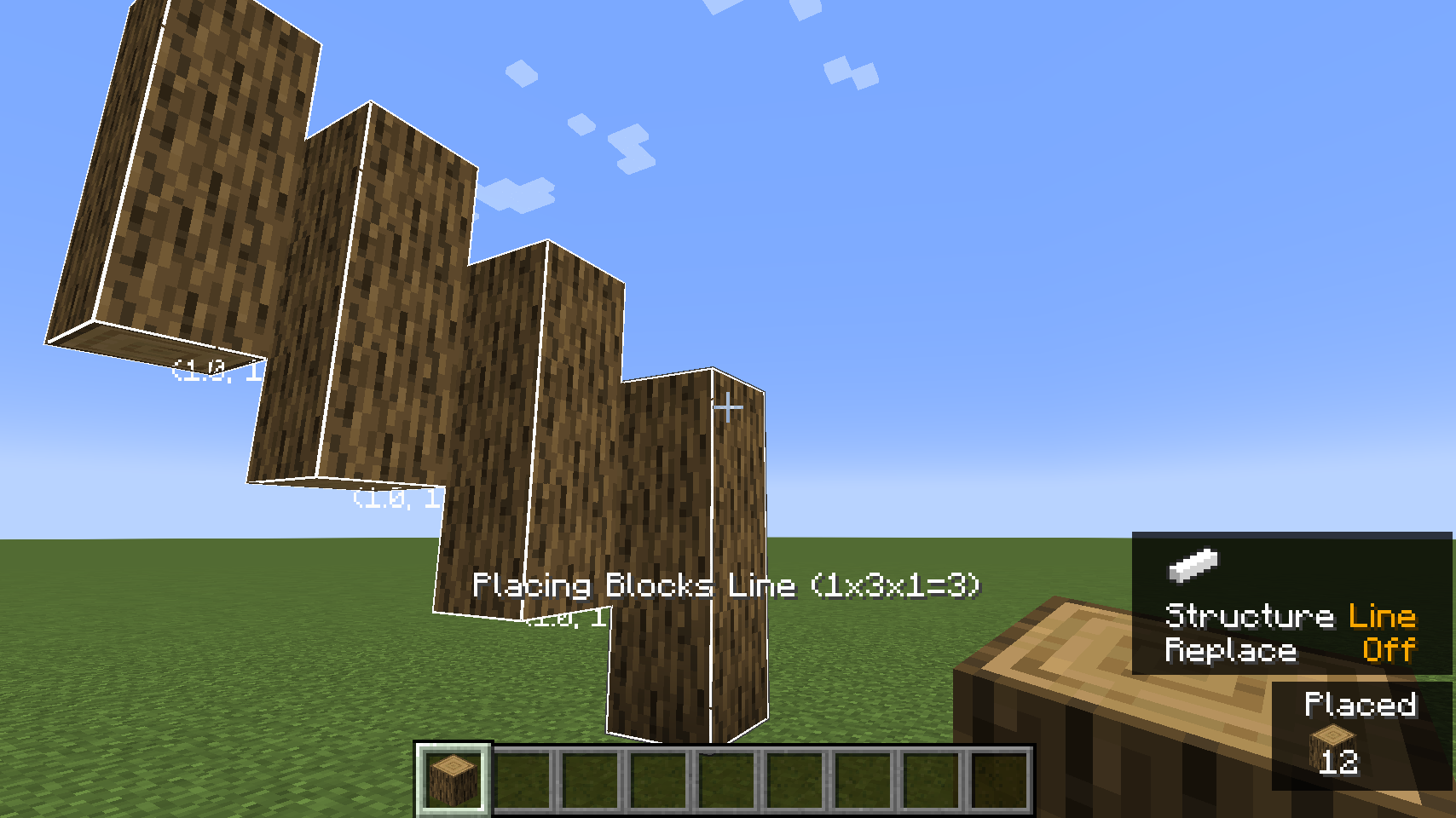
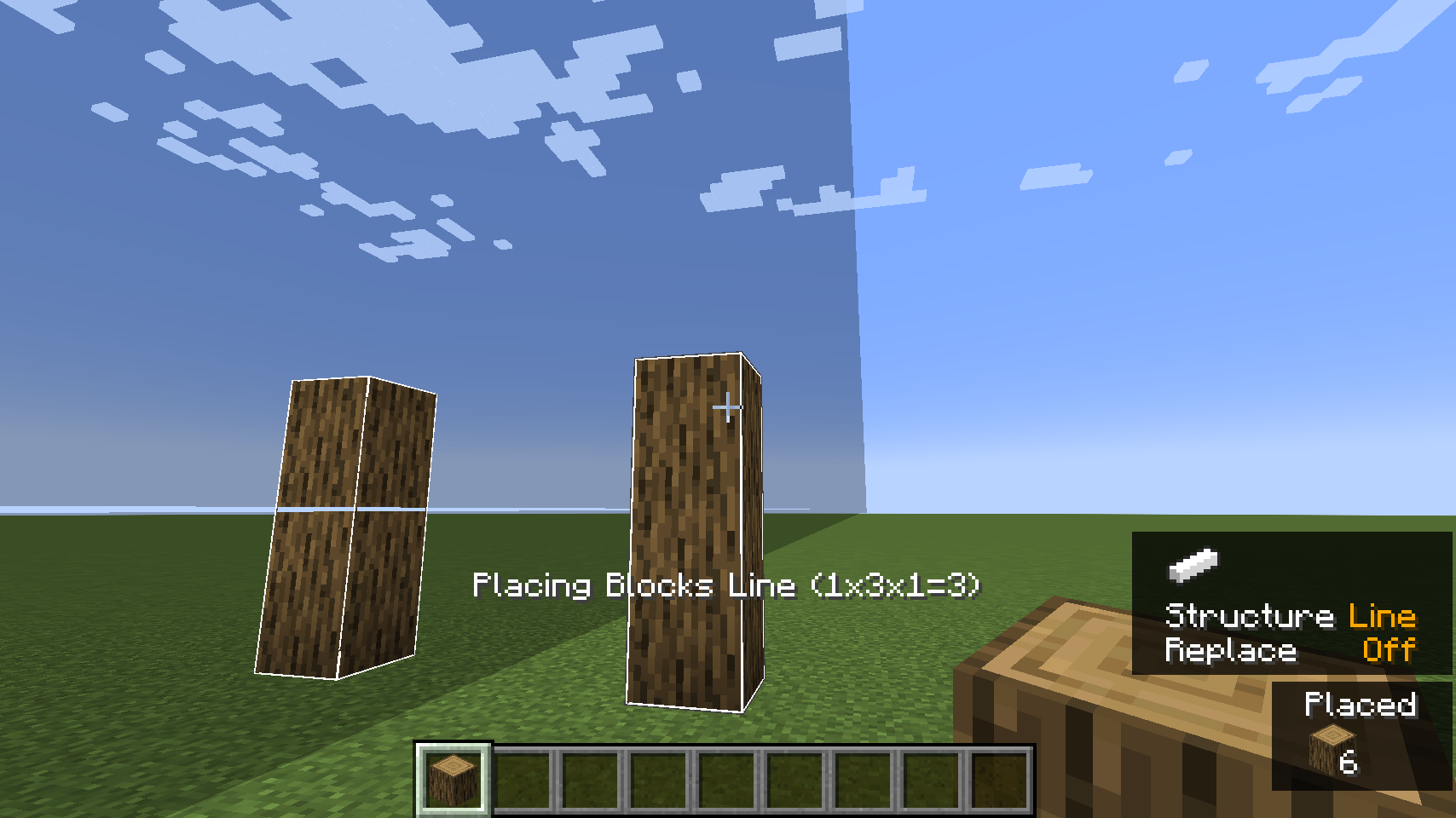
- Line: Place a line in any of the three axes.
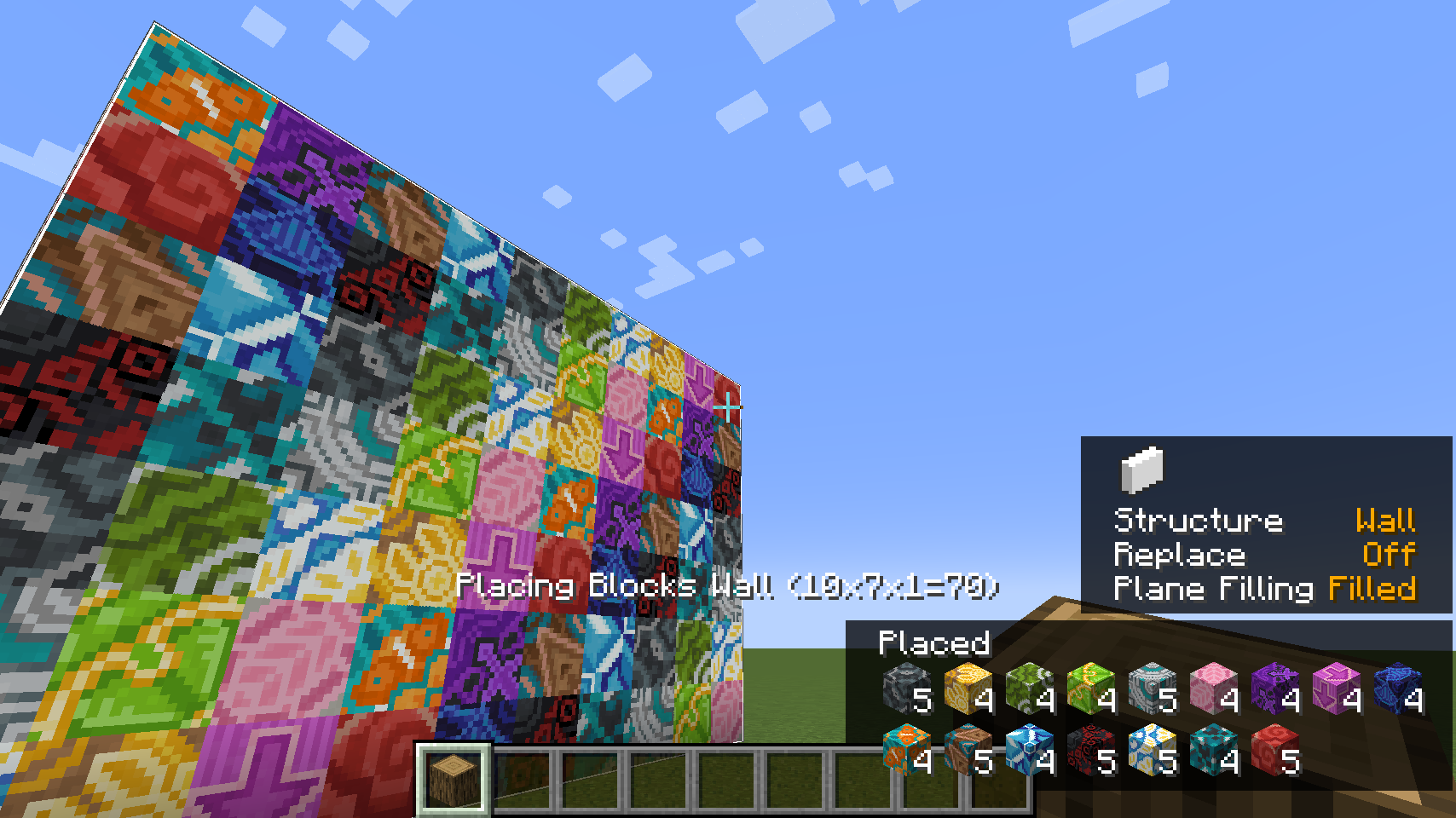
- Wall: Place a wall in X or Z axis.
- Floor: Place a floor in Y axis.
- Diagonal Line: Place a line at any angle.
- Diagonal Wall: Place a wall at any angle.
- Slope Floor: Place a sloped floor at any angle.
- Cube: Place a cube.
- Circle: Place a circle shape in any of the three axes.
- Cylinder: Place a cylindrical shape in any of the three axes.
- Sphere: Place a sphere made of blocks.
- Pyramid: Place a pyramid made of blocks.
- Cone: Place a cone made of blocks.
Replace
- You can choose how to replace blocks when placing new blocks.
- Disable: Replace air and replaceable blocks like grass only when placing new blocks.
- Blocks and Air: Replace air and blocks that can be destroyed by tools when placing new blocks.
- Blocks Only: Replace blocks that can be destroyed by tools only when placing new blocks.
- Offhand Only: Replace blocks that holding in your offhand only when placing new blocks.
Pattern
- You can create complex shapes by combining different transformers. You can use a mirror to create a mirrored copy of a wall shape, or use an item randomizer to create a wall of random blocks. There are currently 4 types of transformers.
- Mirror: Mirrors blocks and entities for even and uneven builds.
- Array: Copies blocks and entities in a specific direction for a specified number of times.
- Radial: Places blocks and entities in a circular pattern around a central point. The circle can be divided into sections, and each section will contain a copy of the block placements.
- Item Randomizer: Randomizes the placement of blocks.
Clipboard
- You can use clipboard to transfer structures between worlds by copying and pasting blocks.
Transformers
Dependencies
Fabric
| Dependency | Download |
|—————|—————————————————————|
| Fabric Loader | https://fabricmc.net/use/installer/ |
| Fabric API | https://www.curseforge.com/minecraft/mc-mods/fabric-api/files |
Quilt
| Dependency | Download |
|——————–|—————————————|
| Quilt Loader | https://quiltmc.org/install/ |
| Quilted Fabric API | https://modrinth.com/mod/qsl/versions |
Forge
| Dependency | Download |
|————–|————————————————————|
| Forge Loader | https://files.minecraftforge.net/net/minecraftforge/forge/ |
NeoForge
| Dependency | Download |
|—————–|——————————————–|
| NeoForge Loader | https://neoforged.net/categories/releases/ |
Credits
- Requioss, the author of Effortless Building
- loehnertj, for porting to 1.20.2
License
Effortless Structure is licensed under LGPLv3.
评论
登录后评论和评分