
EchoCore
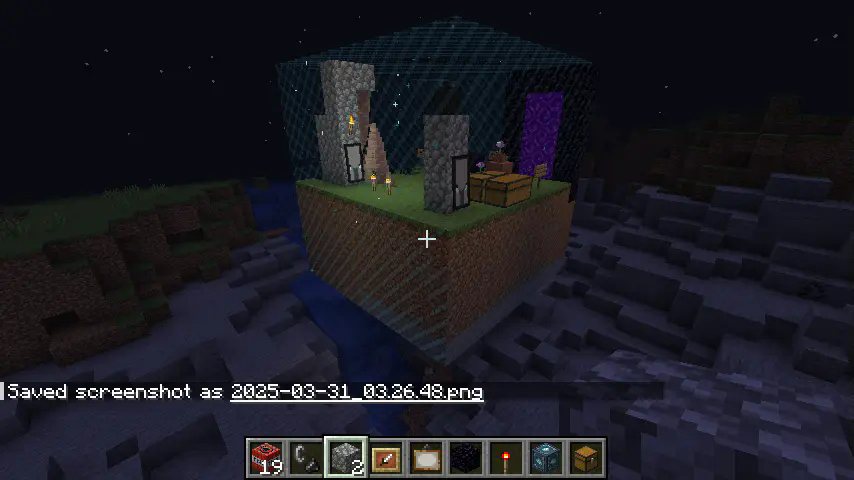
Safeguard a zone from destruction, given your chests contain the blocks needed for reconstruction.
截图
介绍
⚠ EchoCore is still in early development!
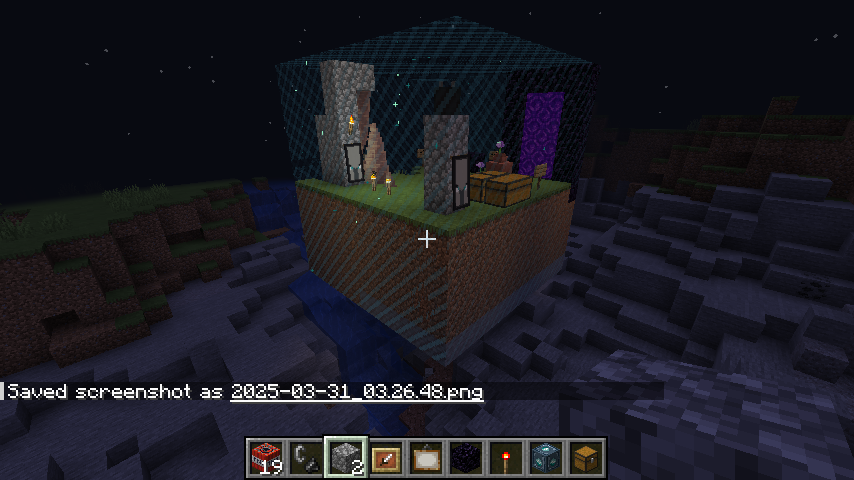
An EchoCore block protects a zone from destruction.
It repair it by taking blocks from chests that you’ve assigned to the EchoCore. If you turn off use chests in option tab, the EchoCore can rebuild the zone without the need for any chests or blocks in them.
More infos & videos comming soon.
⚒️ How It Works
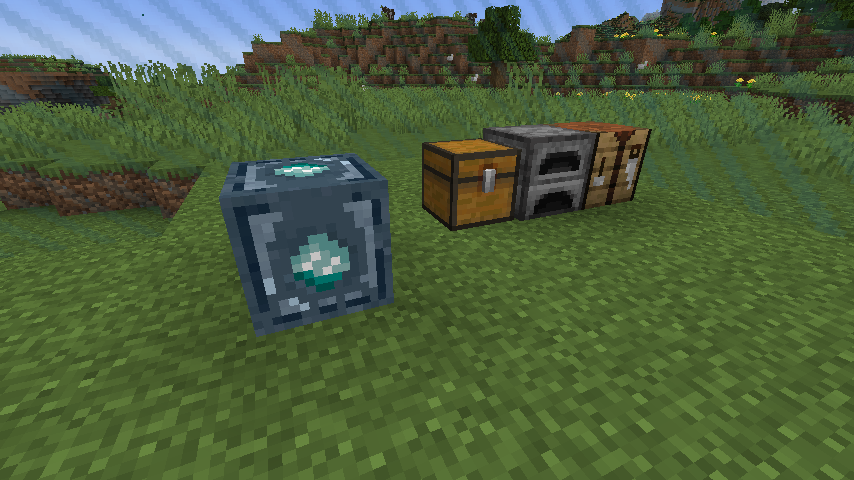
Obtain the Echocore Block
- Creative: Find it in the Redstone tab or type
"echocore"in the item search. - Survival: Craft it with one block of dirt (Temporary)
Place & Configure
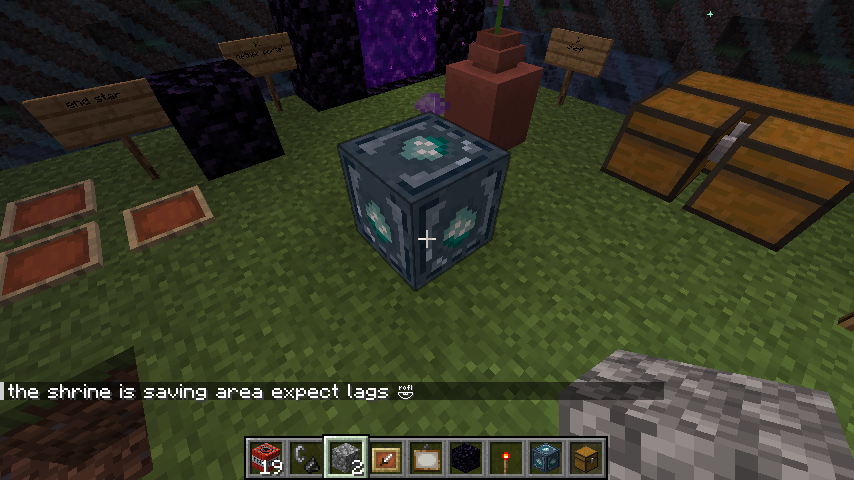
- Place it down in the world (You will receive an EchoCrystal for free)
- Destroy blocks with TNT and watch as they are automatically restored!
- Optional: go to settings tab and enable or disable
useChests
Equip the EchoCrystal
- You can now see the EchoCore’s protected zone and it’s repair beam
- Right-click on players to add/remove them to the echocore
- Right-click on chests to add/remove them to the echocore
- Aim at one of the echocore protected side to adjust it’s position
EchoCore 1.0.0 Alpha 🆕
🆕 Additions
- 💎 Echocore’s Crystal:
- 🖱️ Right-click to link with an EchoCore
- 👁️ Equip to visualize the core’s zone, assigned chests, and owners
- 📦 Right-click chests to assign them to the core
- 👥 Right-click players to add/remove them as co-owners
- 📐 Adjust protected zone by right-clicking the zone side, then a block
- 🔧 Repair beam
- ⚙️ Automatic resizing of overlapping zones
- REALISTIC Mode: Rebuilding only uses blocks from assigned chests. (spawn blocks for free when disabled)
- 👑 Owner system implemented
- 💾 Auto-save when owners make changes
- 💾 Auto-save on zone resize
- 🛡️ Anti-duplication: no drops when REALISTIC mode is off; chest contents restored without duplication
- 🗑️ Button to discard previously saved blocks
- 🔁 One-shot repair button & Button to enable perpetual repair mode
- 🎨 New textures for both the echocore and crystal
- 🛠️ Config file:
echocore.tomlin.minecraft/config/ - ⚙️ In-game config menu (currently in the EchoCore block, will move to Minecraft options)
- 🚀 Adjust build speed
- 🧠 Adjust scan speed (affects how fast the core detects changes and builds)
🧰 Modifications
- 📉 Reduced data and network usage
- 🧠 Improved reconstruction algorithm
- 🧱 Better block/stat scanning
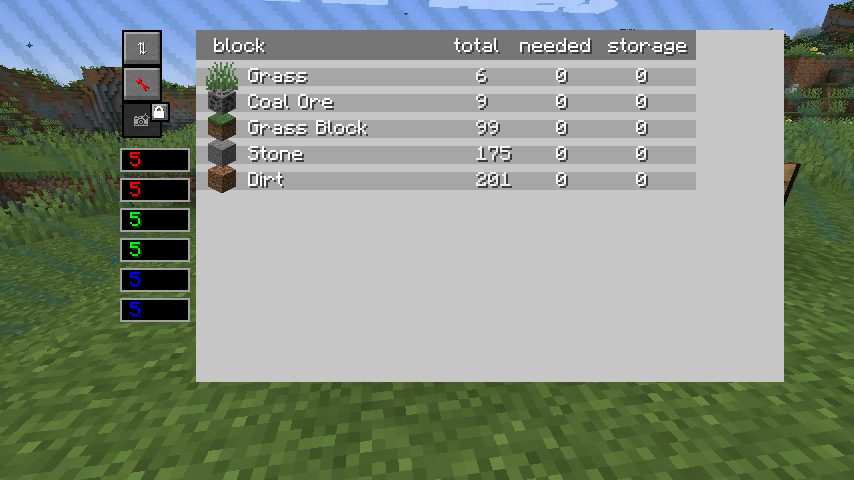
- 🛠️ Fixed stats: “needed” and “storage”
- 🌿 Grass and dirt are now interchangeable
- 🔄 UI now updates live
- 🎨 UI redesign
- 📊 Fixed column sorting in block list table
🐞 Known Bugs
- 🐞 Improper shutdowns (crash, forced close) may prevent detection of recently broken blocks
- 🐞 Some multiblocks (beds, doors, tall plants, etc.) may still misbehave
- 🛤️ rails
✅ Compatibility
Fully compatible with all 1.20.1 mods. If you experience issues, they’re likely due to conflicts with another mod. EchoCore adds content but doesn’t modify existing Minecraft code, so compatibility problems should be very rare, if you ever spot one let us know!
📢 Vote
🔮 Planned Features
🔹 Core Mechanics
|||
|——–|————-|
| Allays Builders | Allays to carry blocks and reconstruct the zone. |
|||
| Achievement-Based Tutorial | Integration via achievements or another in-game system. |
|||
| Dynamic Expansion | Auto-expanding protection range as players build. |
|||
| Fuel System | Echocores consuming coal or other resources based on range. |
|||
| Advanced Shape Support | Circular or other echocore zone shapes. ||||
| Custom Shader | Enhance the look of the zone walls. |
🛠 Configuration & UI Enhancements
|||
|——–|————-|
| In-Game Settings Menu | Options accessible in the world generation screen. |
|||
| Improved UI Design | Double-view chest UI: Left = storage, Right = total/needed.
– Chest management tab for material tracking.
– Echocore notifications (block color changes for alerts).
– Visual alerts for relic attacks & blocked reconstruction.
– Guided setup wizard for easier echocore configuration.
– Echocore color customization options. |
🔸 Possible Features (To Be Determined)
|||
|——–|————-|
| Golem Builders | Autonomous golems assisting in restoration. |
|||
| Blueprint System | Save the zone as a blueprint in a format common to the minecraft ecosystem (world edit, …). Save blueprints of smaller zone, load them anywhere and watch allays built them for you. |
|||
| Redstone Echocore Links | Connect echocores via redstone wires. |
常见问题
EchoCore 支持哪些 Minecraft 版本?
EchoCore 支持 Minecraft Java 版 1.20.1,可用的加载器:Forge。下载时注意选择和你游戏版本一致的文件。
EchoCore 怎么安装?
先用 PCL2 或 HMCL 启动器安装对应版本的 Forge,再把下载的 .jar 文件放进游戏目录的 mods 文件夹,重新启动游戏即可。开启了版本隔离的,mods 文件夹在 versions/版本名 下面。运行环境:客户端和服务端都要装。
评论
登录后评论和评分