
截图
介绍
⚠️ IMPORTANT: USAGE GUIDELINES
If you’re planning to use this on a server or modpack,
please refer to:
https://gamedash43.github.io/dash-mcl-licenses/#usage

🎥Video Overview
Watch the video for a full demo covering setup, linking, and wireless redstone functionality using Echo Redstone components.
📜How to Use
1. Crafting & Frequency
- Unique Frequency ID:
- Each crafted echo horn gets a unique frequency ID.
- Only components sharing the same ID will interact.
- Check Frequency:
- Hold shift and use the echo horn, or shift right-click an emitter/receiver.
2. Component Setup
- Repeaters Required:
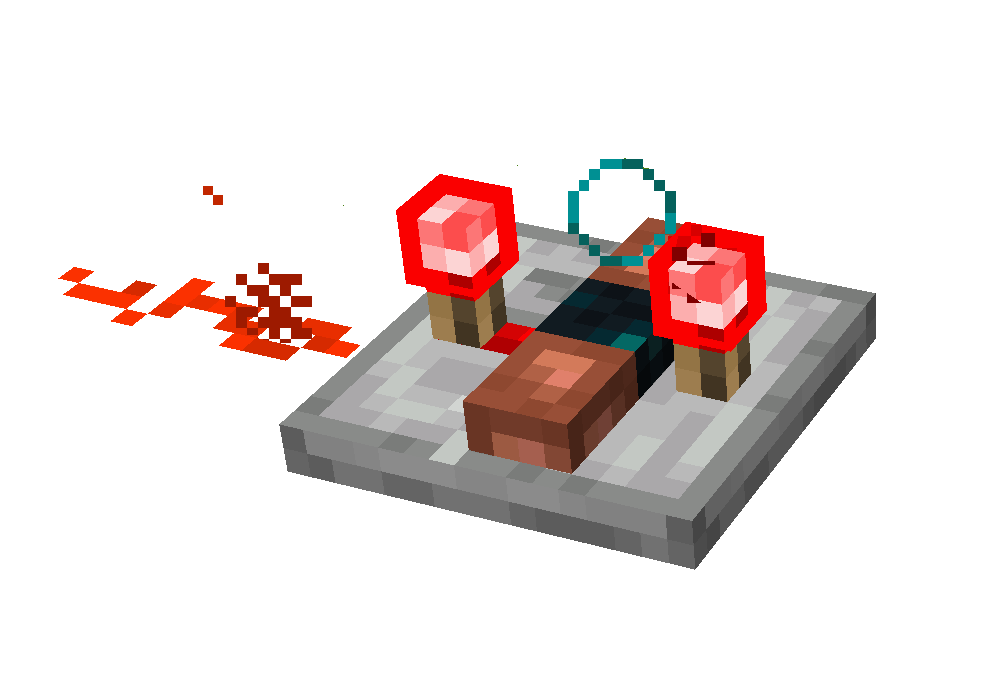
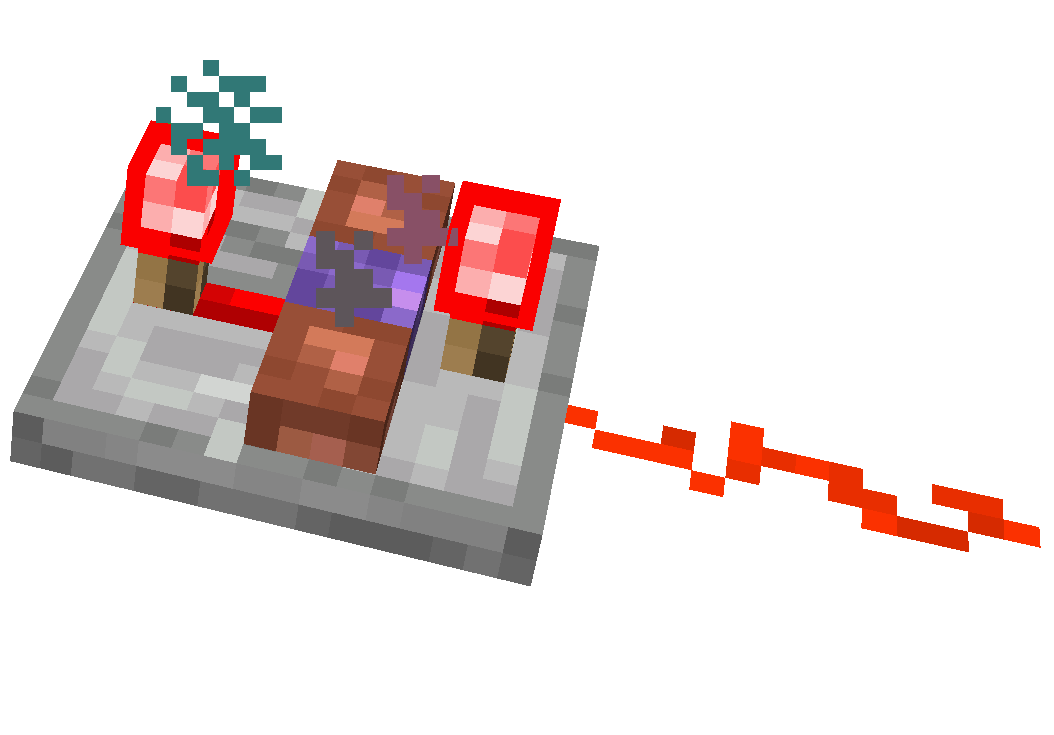
- Place receivers and emitters on repeaters.
3. Linking & Activation
- Linking a Receiver:
- Place the receiver on a repeater and right-click it with the echo horn.
- Using an Emitter:
- Place the emitter on a repeater and right-click with the echo horn.
- Emitters need experience orbs to broadcast.
- Longer repeater delays increase the cooldown between activations.
- Receiver Update:
- Trigger a block update (e.g., place redstone dust in front) to ensure proper function.
4. Creating a Mimic (V1.2+)
- Mimic Echo Horn:
- With an emitter set to the desired frequency and an echo shard in your inventory, shift right-click the emitter using a different echo horn.
- This produces a mimic echo horn that shares the frequency ID but displays “mimic” instead of the original mob name.
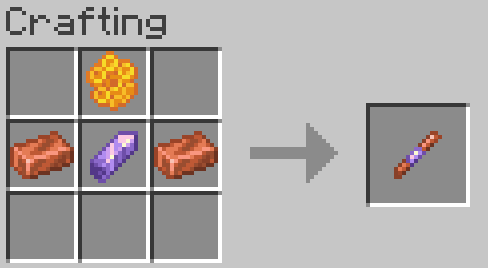
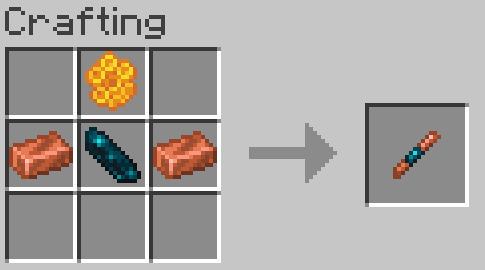
🛠️Crafting Recipes
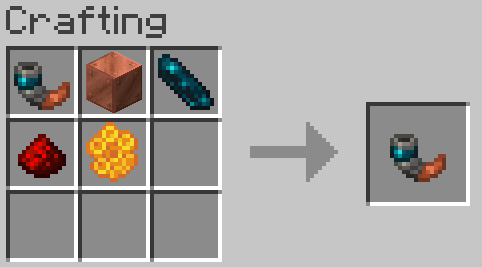
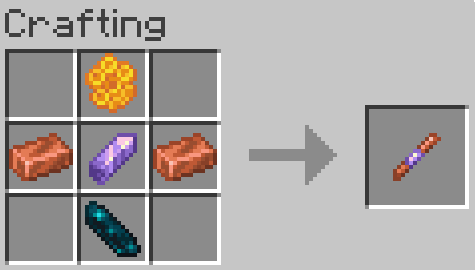
Echo Horn Recipe:
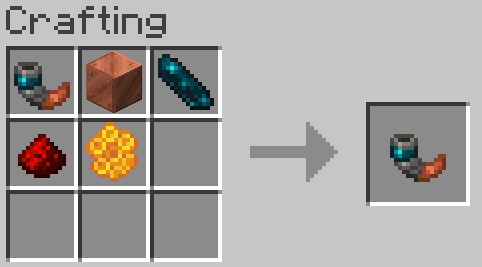
- Use any copper block (oxidized or waxed) to craft the echo horn. If crafting with a waxed copper block honeycomb can be omitted.
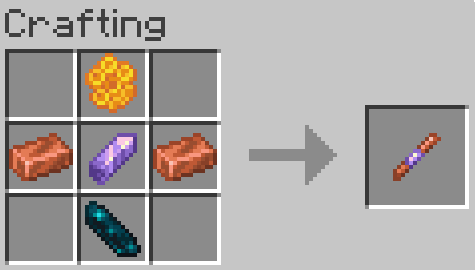
Redstone Echo Receiver:
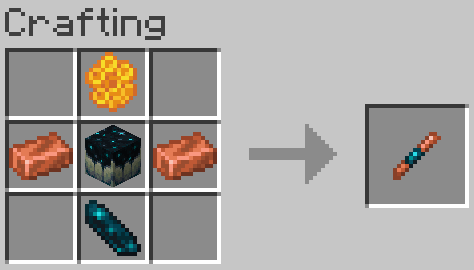
Redstone Echo Emitter:
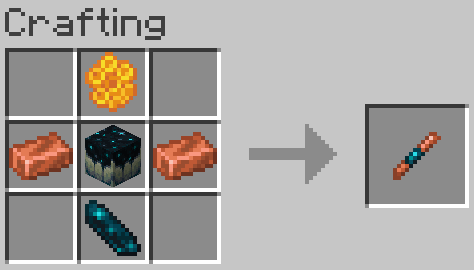
Legacy Recipes (Outdated):
❓FAQ
Something is wrong/Nothing is happening
Due to the complexity of this datapack, if something isn’t working correctly, join the Discord to ask for help.
Is this datapack Multiplayer friendly?
*Yes, there are over 2 billion possible frequency ID slots, making it virtually impossible to encounter ID conflicts, even on a multiplayer server.
*This is only the case in version V1.1, as version V1.0 has a bug that limits it to roughly 128 channels if you are on V1.0 update to the V1.0 FIXED version.
How does this datapack impact performance?
This datapack does not include any unnecessary ticking functions for items. However, since redstone datapacks require block checks, there is a slight performance impact. No noticeable TPS drops were observed until after 1,500 receivers/emitters.
How do I report a bug?
Join the Discord and either DM me or post a message in the reports channel.
How do I update this datapack from an older version
Just run the command “/function dash.wsred:update” (if there are receivers and emitters in unloaded areas, you might need to run it more than once).
How do I uninstall this datapack?
Just run the command “/function dash.wsred:uninstall” (if there are receivers and emitters in unloaded areas, you might need to run it more than once).
常见问题
Echo Wireless Redstone 支持哪些 Minecraft 版本?
Echo Wireless Redstone 支持 Minecraft Java 版 1.21.4–26.1,共 6 个版本,可用的加载器:Fabric / Forge / NeoForge / Quilt。下载时注意选择和你游戏版本一致的文件。
Echo Wireless Redstone 怎么安装?
先用 PCL2 或 HMCL 启动器安装对应版本的 Fabric / Forge / NeoForge / Quilt,再把下载的 .jar 文件放进游戏目录的 mods 文件夹,重新启动游戏即可。开启了版本隔离的,mods 文件夹在 versions/版本名 下面。运行环境:客户端 / 服务端。
okdashi 的其他作品
查看全部 →
Java Trident Killers
Adds Bedrock Trident Killers to Java Edition!
Java Trident Killers
Adds Bedrock Trident Killers to Java Edition!

Date Time Display
Shows the in-game date, time, and weekday at the top of the screen!

Spare No Items
Expands the functionality of single-use vanilla items with fresh new features!
评论
登录后评论和评分