
Easy Trade
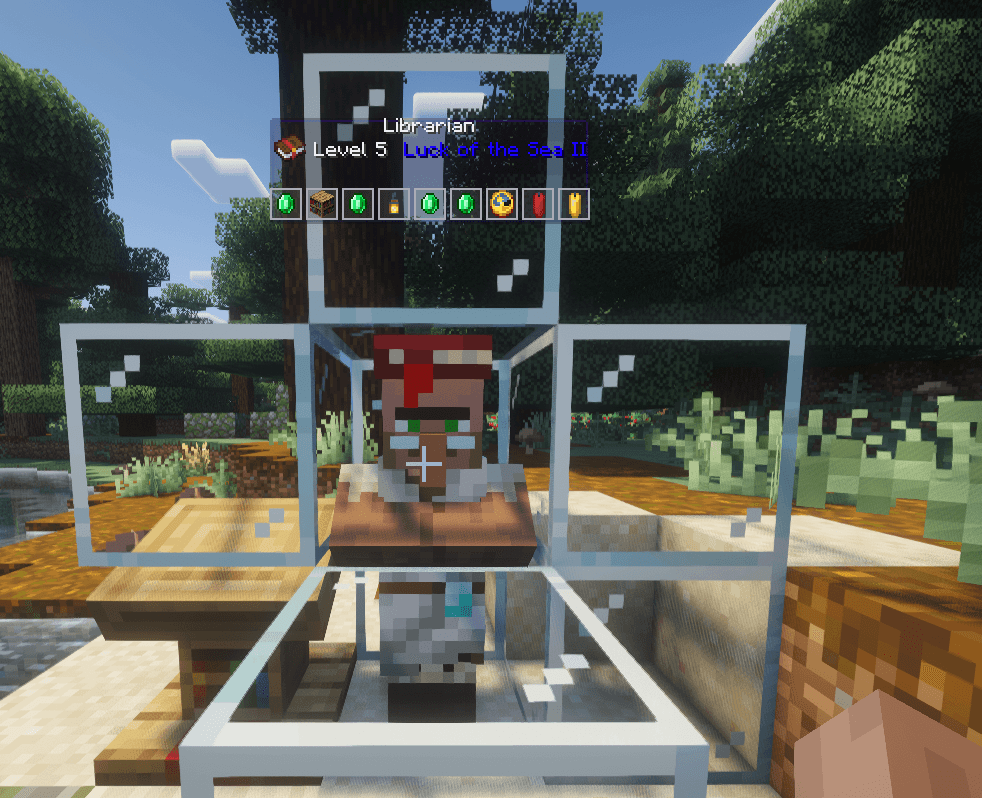
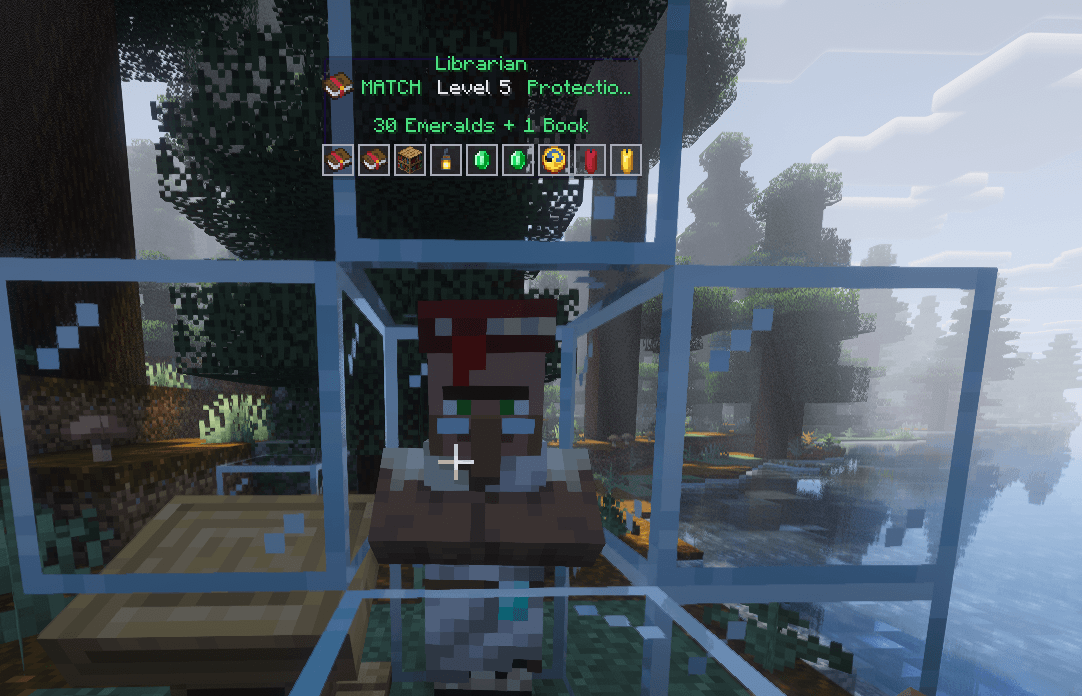
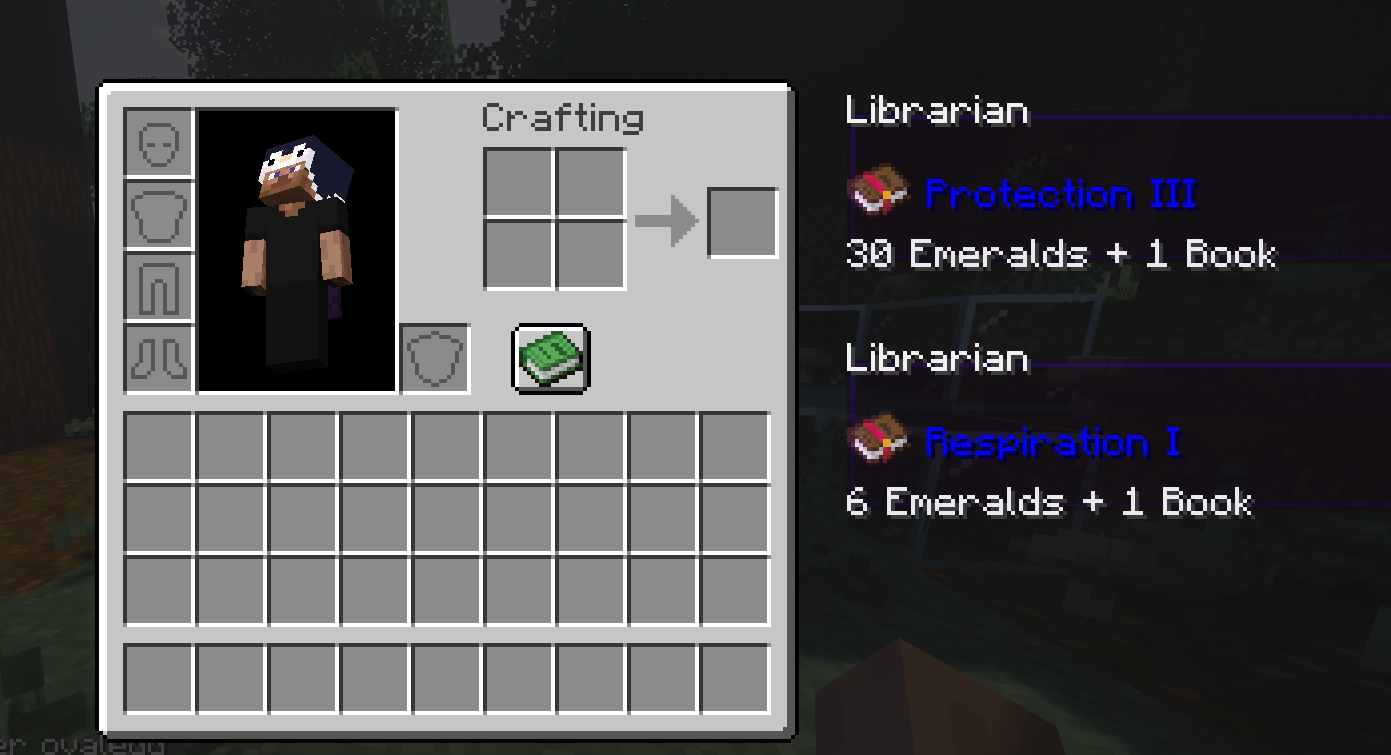
See villager trades by just looking at them. Enchanted-book trades always shown first. Right-click any trade to pin it in your inventory, and set wanted trades (F7) for an instant green MATCH alert with the exact price floating above the villager.
截图

介绍
Easy Trade
Easy Trade lets you see exactly what a villager is selling the moment you look at them, no clicking, no opening menus, no waiting for the trade screen.
Walk up to a librarian and a glass panel will float above their head showing their profession, level, and every trade they offer. Selling an enchanted book? The enchantment name cycles through a rainbow gradient so it catches your eye instantly.
Wanted trades
Press F7 to open the wanted-trades menu, search for any item or enchantment (e.g. mending, protection), and add it to your list. When a villager is selling something you want, the mod locks the name to green, tags it with MATCH, shows the exact price (“3 Emeralds + 1 Book”), highlights the trade cell, and plays a sound cue.
Features
- Instant trade preview — silently reads the villager’s offers in the background; the trade screen never visibly opens
- Floating panel — anchored above the villager’s head, fixed in place as you move your gaze, same size at any GUI scale
- Rainbow enchantment names — animated color gradient on enchanted book names
- Wanted trades (F7) — search items/enchantments, click to add, click X to remove
- Green MATCH alerts — green highlight, exact cost, and a sound when a wanted trade appears
- Manual clicks respected — your right-clicks always open the real trading menu instantly
- Client-only — vanilla packets only, works on any server, no server-side mod needed
Requirements
- Minecraft 26.2 (Java 25+)
- Fabric Loader 0.19.3+
- Fabric API
Installation
Drop easytrade.jar into your mods folder.
Usage
- Place a lectern and let a villager claim it
- Look at the villager (within 3 blocks, don’t sneak)
- The panel appears above their head with all their trades
- Right-click the villager to open the trade menu, then right-click any trade to pin it (max 4)
- Press E to see your pinned trades and unpin them with the X button
- Press F7 to open the wanted-trades menu — search for an item or enchantment and click it to add it
- When a wanted trade is for sale, the name turns green and a sound plays
License
MIT — see the LICENSE.
常见问题
Easy Trade 支持哪些 Minecraft 版本?
Easy Trade 支持 Minecraft Java 版 1.21–26.2,共 5 个版本,可用的加载器:Fabric。下载时注意选择和你游戏版本一致的文件。
Easy Trade 怎么安装?
先用 PCL2 或 HMCL 启动器安装对应版本的 Fabric,再把下载的 .jar 文件放进游戏目录的 mods 文件夹,重新启动游戏即可。开启了版本隔离的,mods 文件夹在 versions/版本名 下面。
评论
登录后评论和评分