截图
介绍
Easy Factions and Claims
Addons
Objective Control: King-of-the-Hill style control points that give periodic reward to the controlling faction.
👥 Create your own faction
Start your own faction in seconds. Inviting and managing members is easy and intuitive.
🛡️ Friendly Fire
Toggle Friendly Fire on or off for your faction. No more accidental sword swings hitting your teammates during a raid!
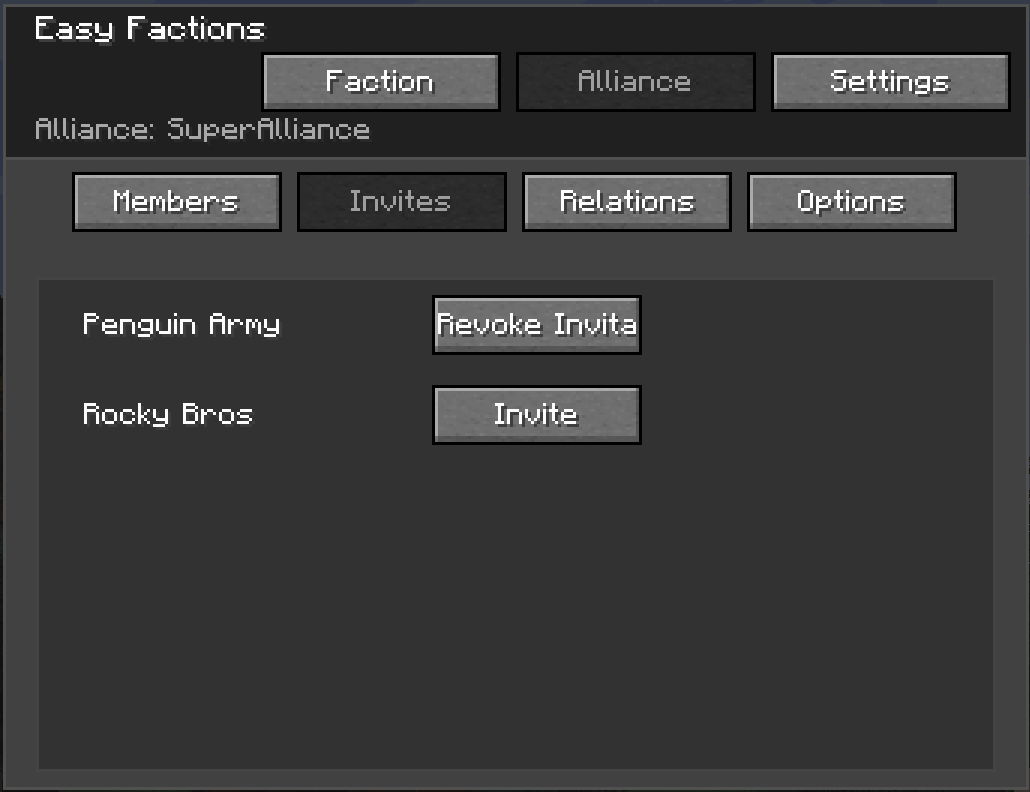
🤝 Alliances
War is better with friends. Forge alliances with other factions to coordinate attacks.
- Synchronized Friendly Fire: You can fight alongside allied factions without accidental friendly fire!
🏠 Territory Claiming
Claim your territory: for yourself or for your faction.
Claims are visually shown in your faction’s colors in Journeymap.
Define Relationships
Change your relationship with other factions and alliances.
- Separate faction and alliance relationship state.
- Alliance relationships are synced: the lowest out of all relations is chosen.
- Friendship goes both ways: to be friendly, both sides need to set each other to friendly.
Faction/Alliance Tag
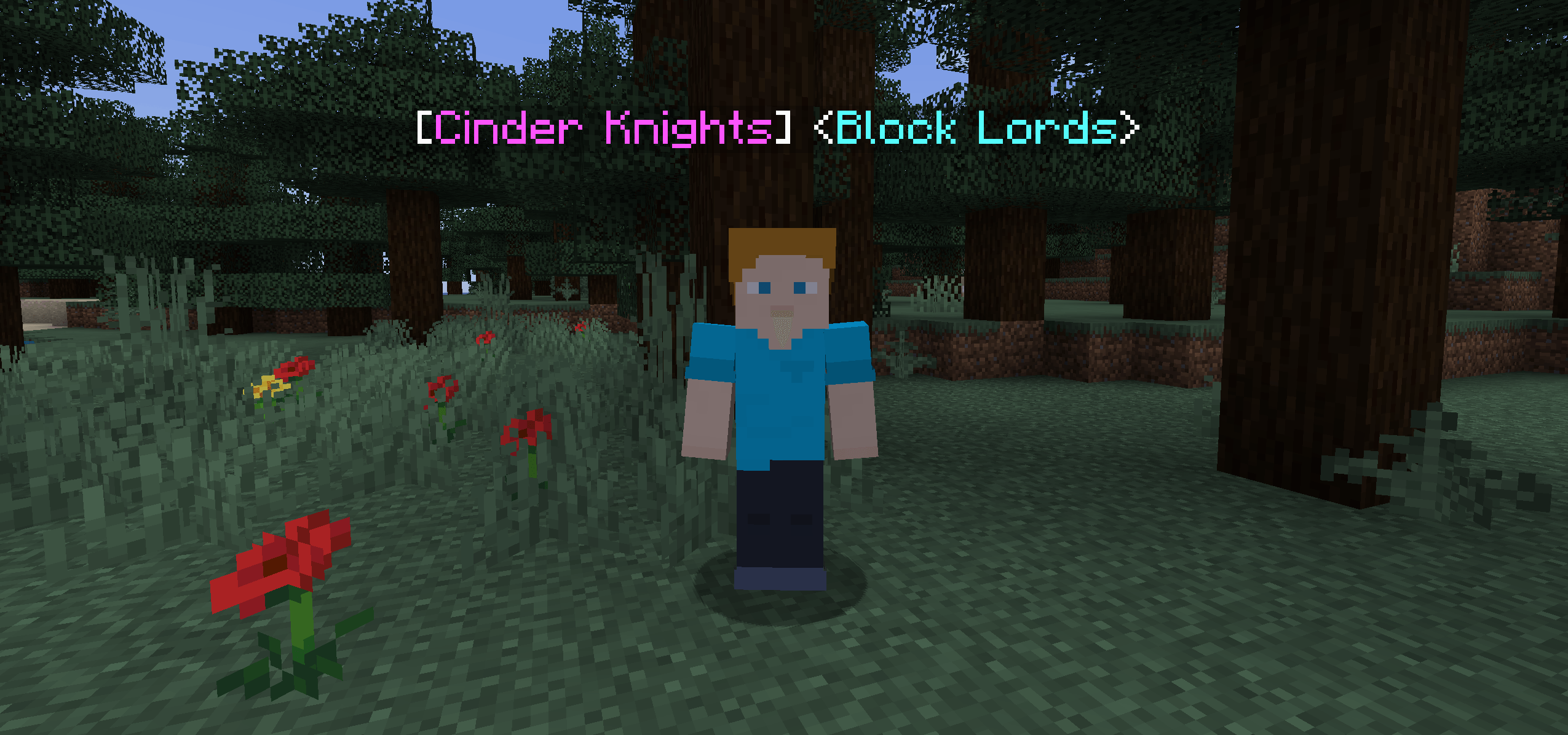
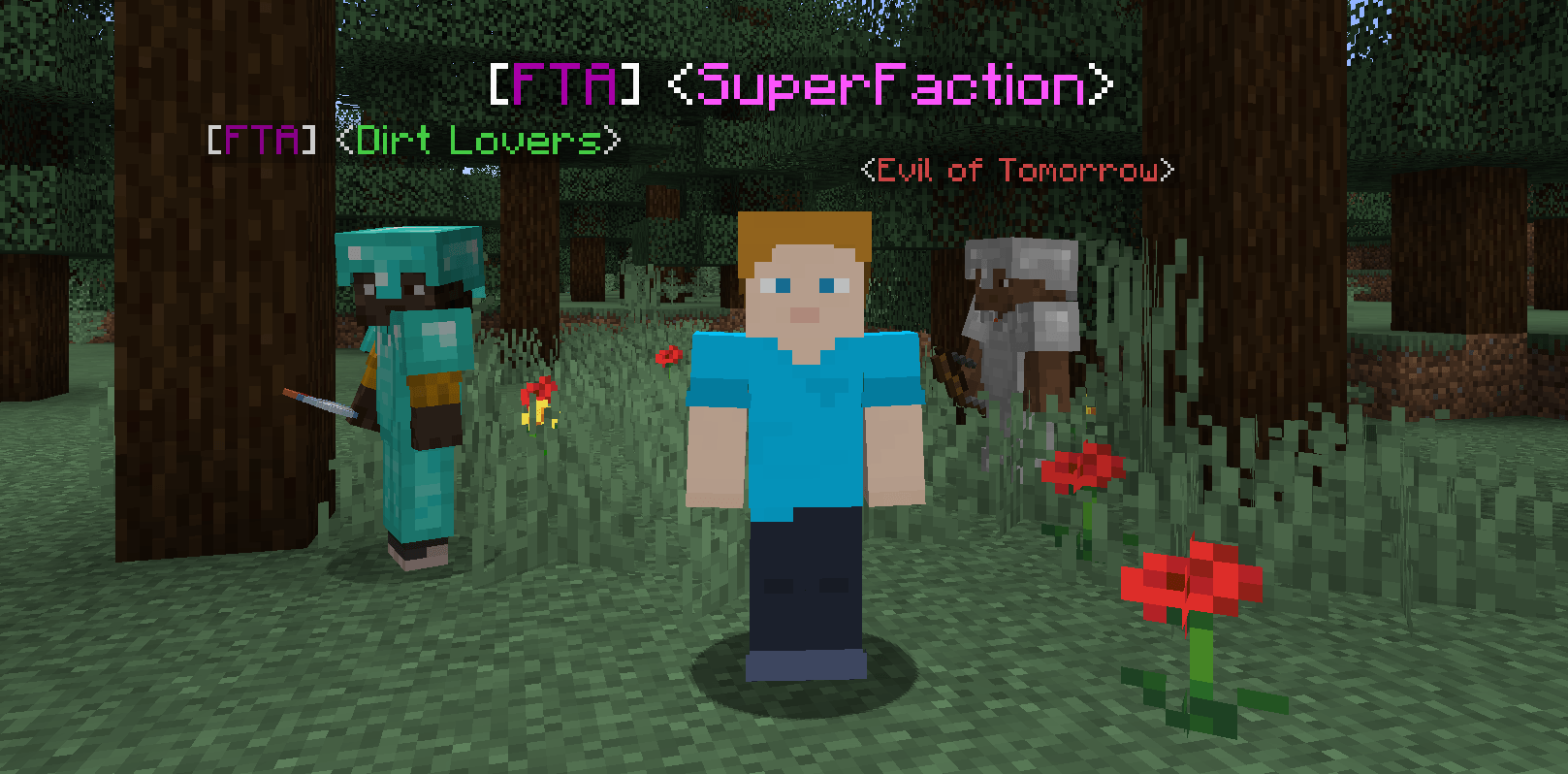
Easily distinguish between friend or foe. Your relationship status is reflected in each player’s head tag.
Tags getting too long? You can set abbreviations! What you prefer to see on the tags (name or abbreviation) can be configured client-side.
Colors:
- 🟪 Purple: Allied or Member
- 🟩 Green: Friendly
- 🟦 Blue: Neutral
- 🟥 Red: Hostile
Intuitive GUI
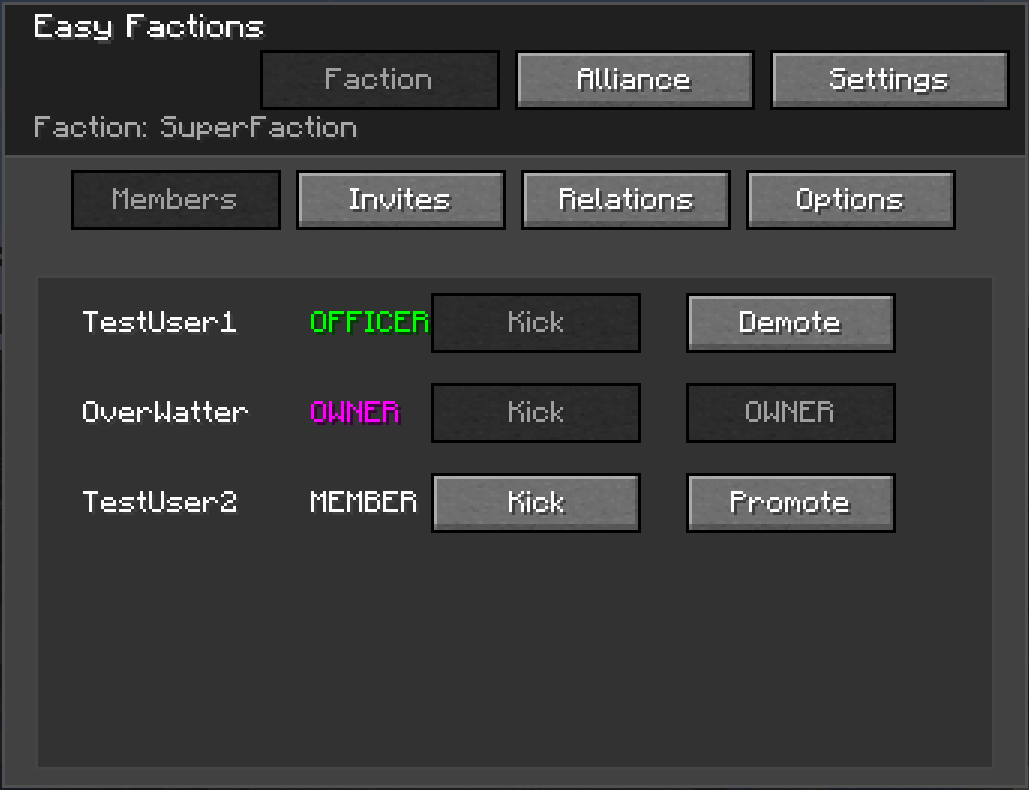
There’s no need to use commands. Everything is just a click away.
Default keybind: G.
⚙️ Mechanics
Faction Ranks
Delegate authority to keep your faction running smoothly.
- Officers: Promote trusted members to Officer status.
- Permissions: Officers have the power to invite new recruits, kick trouble-makers and modify map claims. If the Objective Control is installed, they can also claim the rewards for your faction
Territory Claims
Factions are rewarded claim points in a configurable interval, which can be used to claim territory. When a member of a Faction A is killed by a member of another (not allied) faction B, B receives war points against A. If the amount of war points B has against A is equal or higher to the cost of a chunk, A will lose (war_points/cost_per_chunk) chunks in the current dimension, and B receives an amount of claim points equal to the cost of the chunks.
- Personal chunks: players can claim personal chunks, which they own forever and can’t be conquered through PvP.
- Admin Chunks: admins can claim chunks, which in turn can’t be conquered or claimed by players.
Chunk Resetting
Unclaimed chunks can be optionally reset by admins to clean up the world. Running the command will not have an effect until the server is restarted.
Commands
Faction Commands
/faction create <name>: Create a new faction./faction invite <player>: Invite a player to your faction./faction join <name>: Accept an invitation to join a faction./faction leave: Leave your current faction. If the owner leaves, the faction is abandoned./faction addOfficer <player>: Promote a member to Officer./faction kick <player>: Kick a member (Officers/Leader only)./faction setAbbreviation <abbreviation>: Set the faction abbreviation./faction setRelation <otherFaction> <status>: Set the relationship status with the other faction to the given one.
Alliance Commands
Note: These commands can only be executed by the owner of a faction.
/alliance create <name>: Create a new alliance with the given name./alliance leave: Leave your current alliance. Restricted to the faction owner./alliance invite <factionName>: Invite a new faction to the alliance./alliance join <factionName>: Accept an invitation to an alliance./alliance setAbbreviation <abbreviation>: Set the alliance abbreviation./alliance setRelation <otherAlliance> <status>: Set the relationship status with the other alliance to the given one.
Claim commands
/claim pos1: Set the first position of the area to claim/claim pos2: Set the second position of the area to claim/claim personal: Claim the area as personal (player) chunks/claim faction: Claim the area for your faction/claim unclaimFaction: Unclaim all chunks in the area owned by your faction/claim admin: Make all chunks in the area admin-controlled. All previous claims are removed./unclaim admin: Unclaim all chunks in the area, independent of type and owner./claim whereAmI: Gives information about the current chunk./claim resetUnclaimedChunks <true|false>: All unclaimed chunks will be deleted on the next restart. Setting i to false disables it if it was enabled for the next restart.
常见问题
Easy Factions 支持哪些 Minecraft 版本?
Easy Factions 支持 Minecraft Java 版 1.20.1–1.21.1,共 2 个版本,可用的加载器:Forge / NeoForge。下载时注意选择和你游戏版本一致的文件。
Easy Factions 怎么安装?
先用 PCL2 或 HMCL 启动器安装对应版本的 Forge / NeoForge,再把下载的 .jar 文件放进游戏目录的 mods 文件夹,重新启动游戏即可。开启了版本隔离的,mods 文件夹在 versions/版本名 下面。
OverWatter 的其他作品
查看全部 →
Easy Factions: Objective Control
An addon for Easy Factions that introduces "King of the Hill" style capture points with configurable rewards.
Easy Factions: Territory Claim
An Easy Factions addon that allows factions to claim and control areas of the map

Easy Factions and Claims
Create factions, manage ranks, and forge alliances with ease. Playing as a team has never been easier.

Mages May Cast
A simple server-side addon for Iron's Spells and Spellbooks which allows you to restrict spellcasting depending on armor worn and completely ban spells from use even if the player has a scroll for it
评论
登录后评论和评分