
Easy Enchants/Effects
This powerful and convenient mod adds a custom menu for enchanting items and applying effects to the game. Forget about limited enchantment options - now you can apply any enchantment and effect at any level!
截图
介绍
Easy Enchants/Effects
A client-side Fabric mod for Minecraft 26.3 that gives you full control over enchantments and status effects: enchant any item, and remove enchantments one by one or all at once. No enchanting table, no books, no XP required — everything happens in a single menu.
The mod name is Easy Enchants/Effects. Mod ID:
enchantmenu.
What it does
Open the menu (default key: V) and you can:
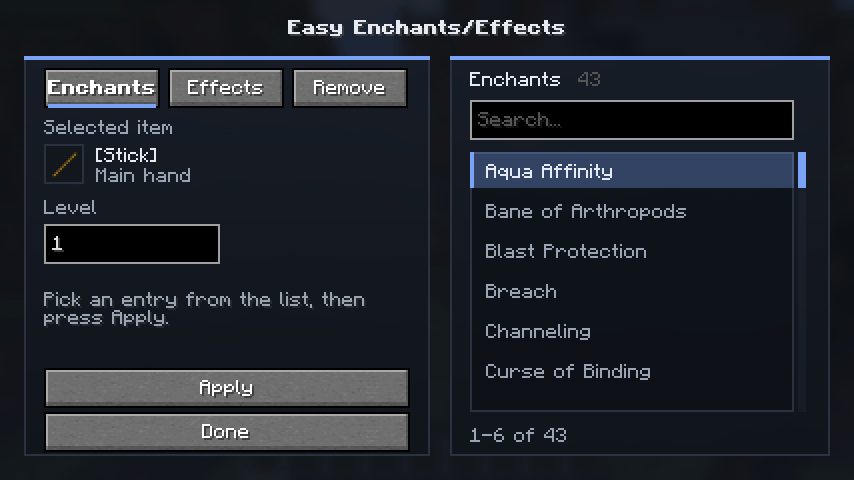
- apply any enchantment to the item in your hand — including items that normally cannot have it (a stick with Sharpness V? Easy);
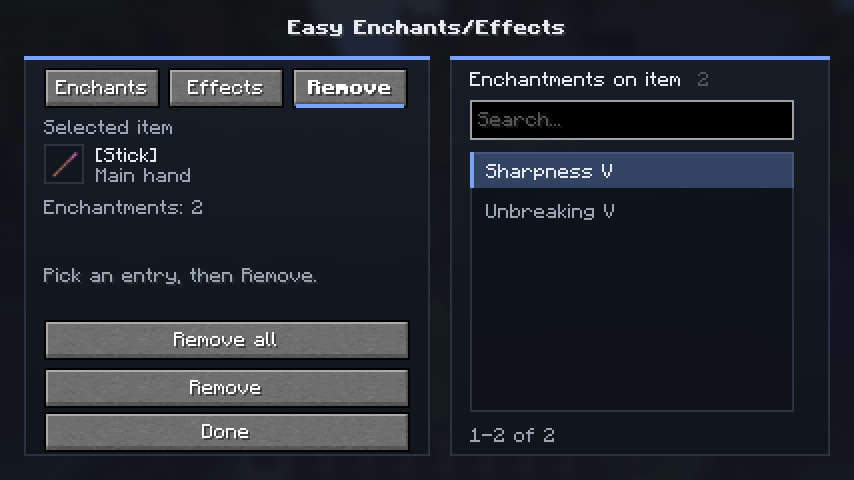
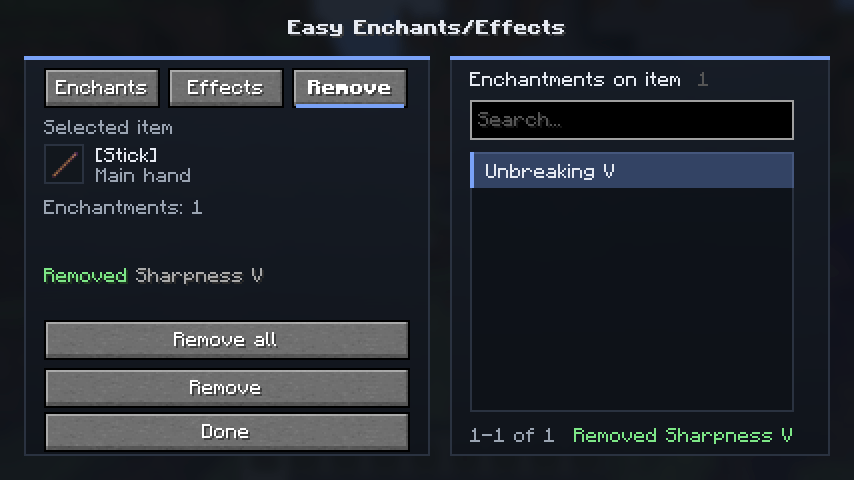
- remove any enchantment from an item individually, or clear the item completely;
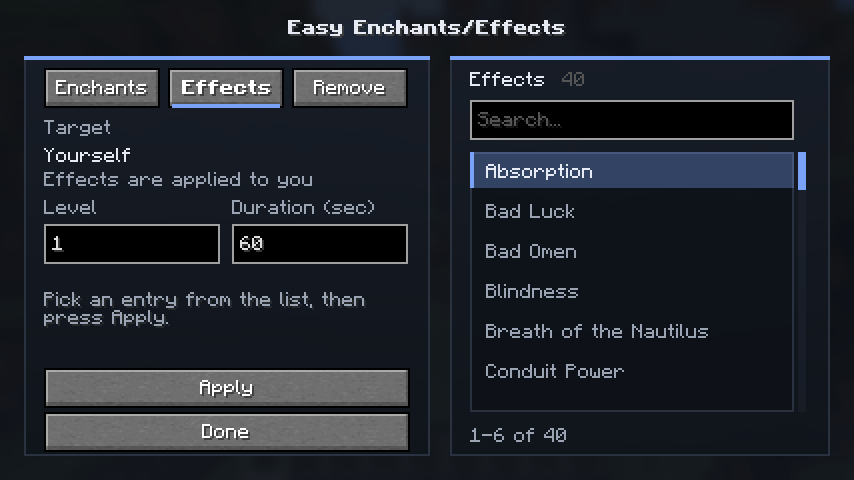
- give yourself any status effect with the level and duration you want.
Everything runs on the client and needs no world edits or data packs.
Features
⚔️ Enchants tab
- Full list of enchantments from the game and mod registries.
- Available for every item by default (the
canEnchantfilter can be re-enabled in the settings). - Level range 1–255.
- Applies to the item in your main or off hand.
🗑️ Remove tab
- Shows the current enchantments of the item in your hand.
- Remove — take off the selected enchantment.
- Remove all — clear every enchantment from the item at once.
- The list refreshes automatically after each action.
✨ Effects tab
- Every effect from the registry, including modded ones.
- Level 1–255, duration 1–604,800 seconds (up to 7 days).
- Applied to yourself.
🔎 Polished interface
- Search by name and ID.
- Mouse-wheel scrolling and an entry counter.
- Translucent UI with a blurred world background.
- Tooltips (ID, level, amplifier) and status messages.
- Localization: English and Russian.
How to use
- Hold an item in your hand (or keep your hand empty — the menu will open on the Effects tab).
- Press V (rebindable under Controls → Easy Enchants/Effects).
- Pick a tab:
- Enchants — search for an enchantment, set the level, press Apply;
- Remove — select an enchantment and press Remove, or press Remove all;
- Effects — pick an effect, set the level and duration, press Apply.
- Done. If
keepOpenAfterApplyis enabled, the menu stays open, so you can stack several enchantments in a row.
Configuration
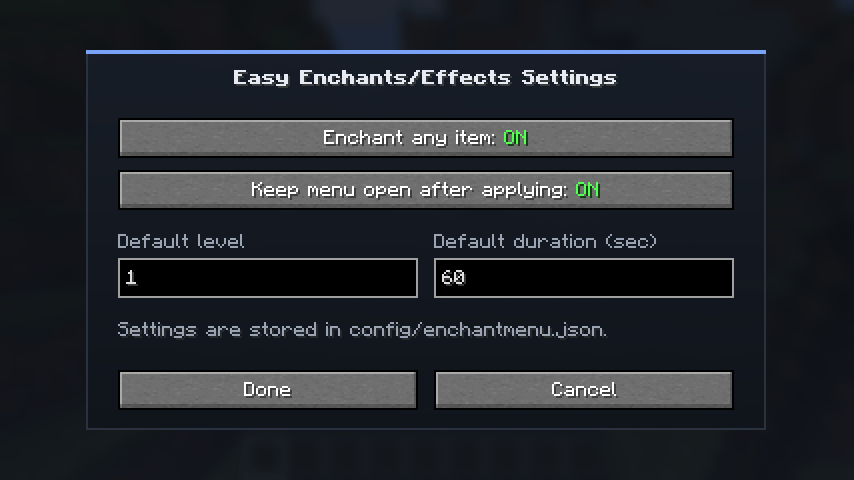
Use Mod Menu → Configure or edit config/enchantmenu.json:
{
  "allowAnyItem": true,
  "keepOpenAfterApply": true,
  "defaultLevel": 1,
  "defaultDuration": 60
}| Option | Default | Description |
|---|---|---|
allowAnyItem |
true |
Show every enchantment for every item, not only the ones it normally accepts |
keepOpenAfterApply |
true |
Keep the menu open after applying an enchantment or effect |
defaultLevel |
1 |
Level pre-filled in the menu |
defaultDuration |
60 |
Default effect duration in seconds |
Values are validated and clamped to their allowed ranges automatically.
Requirements
| Component | Version |
|---|---|
| Minecraft | 26.3 |
| Fabric Loader | 0.19.5+ |
| Fabric API | 0.161.0+26.3 |
| Java | 25 |
| Mod Menu | 21.0.0+ (optional) |
Installation
- Install Fabric Loader for Minecraft 26.3.
- Put these files into your
modsfolder:fabric-api;enchantmenu-1.2.0+26.3.jar;- optionally
modmenu— for the Configure button.
- Launch the game.
Compatibility and limitations
- The mod is client-side; on servers it may not work or may violate the server rules — use it responsibly.
- Removal works with the
ENCHANTMENTScomponent, i.e. regular item enchantments. Enchanted books store their enchantments inSTORED_ENCHANTMENTSand do not appear in the Remove list. - Enchantments and effects come straight from the registry, so modded ones are available too.
Links
- Discord (bugs and suggestions): https://discord.gg/7qzAw5Cckx
常见问题
Easy Enchants/Effects 支持哪些 Minecraft 版本?
Easy Enchants/Effects 支持 Minecraft Java 版 1.21.1–26.3,共 2 个版本,可用的加载器:Fabric。下载时注意选择和你游戏版本一致的文件。
Easy Enchants/Effects 怎么安装?
先用 PCL2 或 HMCL 启动器安装对应版本的 Fabric,再把下载的 .jar 文件放进游戏目录的 mods 文件夹,重新启动游戏即可。开启了版本隔离的,mods 文件夹在 versions/版本名 下面。
Mr_Lan123 的其他作品
查看全部 →
Auto Totem
自动将不死图腾从背包移至副手。可通过快捷键切换(默认:O,26.2 及以上版本:J)。设置菜单(按 B 或通过模组菜单打开)提供统计信息 HUD 和图腾使用通知 HUD。PvP 助手,生活质量改进模组。Fabric
Fullbright (Night Vision)
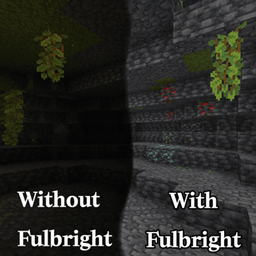
全亮度。在任何服务器上都能看清黑暗,无需权限或药水。按 G 即可切换真正的客户端夜视效果,而非原版药水效果。夜视伽马。

[KSE] Keyboard Sound Effects
这个模组会为按键和鼠标点击添加音效,并内置了悦耳的声音。你也可以直接在游戏设置菜单中加载自己的音频文件。

Just Auto Totem
Automatically moves a Totem of Undying from the inventory to the off-hand. Toggled on/off via a hotkey (default: O)
评论
登录后评论和评分