
Easy Creatures
ECapture any mob by right-clicking it with a Creature Farmer block. Place it down to passively generate that mob's loot over time. Six tiers from Copper to Netherite for faster drops. Automation friendly with hopper support.
介绍
Capture and Farm Any Mob
Simply right-click a mob while holding a Creature Farmer to capture it inside the block. Place the block down and it will automatically generate that mob’s loot drops on a timer. The captured creature spins on top of the block so you always know what’s inside.
Six Tiers of Farming
Start with a basic Copper Creature Farmer and work your way up through Iron, Gold, Diamond, Emerald, and Netherite. Each tier reduces the time between loot drops, from 4 minutes at Copper all the way down to 1.5 minutes at Netherite. Upgrade by surrounding your current farmer with the next tier’s material in a crafting table.
Automation Friendly
The Creature Farmer pushes items downward into hoppers and chests automatically, making it easy to integrate into your existing storage systems. Each farmer has 5 internal slots that fill up between pushes, so nothing gets lost.
Boss Mobs
Powerful mobs like the Wither and Elder Guardian can be captured too, but they take twice as long to produce loot. Boss mobs are configurable in the config file.
Looting Enchantment Support
Enchant your Creature Farmer with Looting before capturing a mob to increase drop quantities, just like killing mobs with a Looting sword.
Special Drops for Passive Mobs
Some creatures that normally don’t drop useful items have been given custom loot when farmed. Bees produce Honeycomb and Honey Bottles, Snow Golems drop Snowballs, and Iron Golems yield Iron Ingots and Poppies.
Fully Configurable
Adjust cooldown times for every tier, set the boss multiplier, blacklist mobs you don’t want captured, and define which mobs count as bosses. All through a simple config file.
常见问题
Easy Creatures 支持哪些 Minecraft 版本?
Easy Creatures 支持 Minecraft Java 版 26.1.2,可用的加载器:NeoForge。下载时注意选择和你游戏版本一致的文件。
Easy Creatures 怎么安装?
先用 PCL2 或 HMCL 启动器安装对应版本的 NeoForge,再把下载的 .jar 文件放进游戏目录的 mods 文件夹,重新启动游戏即可。开启了版本隔离的,mods 文件夹在 versions/版本名 下面。
Alkafir 的其他作品
查看全部 →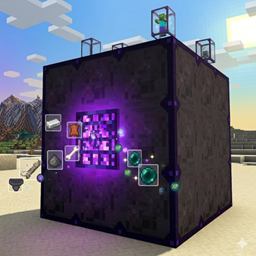
Easy Mob Grinder
A multiblock structured mob grinder, with easy capture mekanism , made for my ATM 11 playthrough
Cute Aggression Power
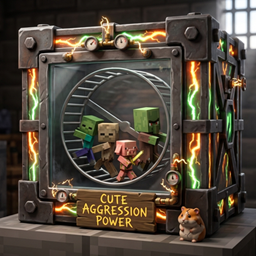
The Cute Aggression Power Mod lets you capture baby hostile mobs and put them to work on tiny hamster wheel treadmills, generating Forge Energy for your base.

Alkafir’s Simple Machinery
A collection of simple machines for Minecraft that take tedious vanilla mechanics and put them into easy-to-use blocks. No complex setups, no power systems, no configuration menus. Just craft a machine, place it down, and let it do its thing.
评论
登录后评论和评分