
Easy Config Button
Fixes that Mod Options button in the world pause menu so it actually works.
截图
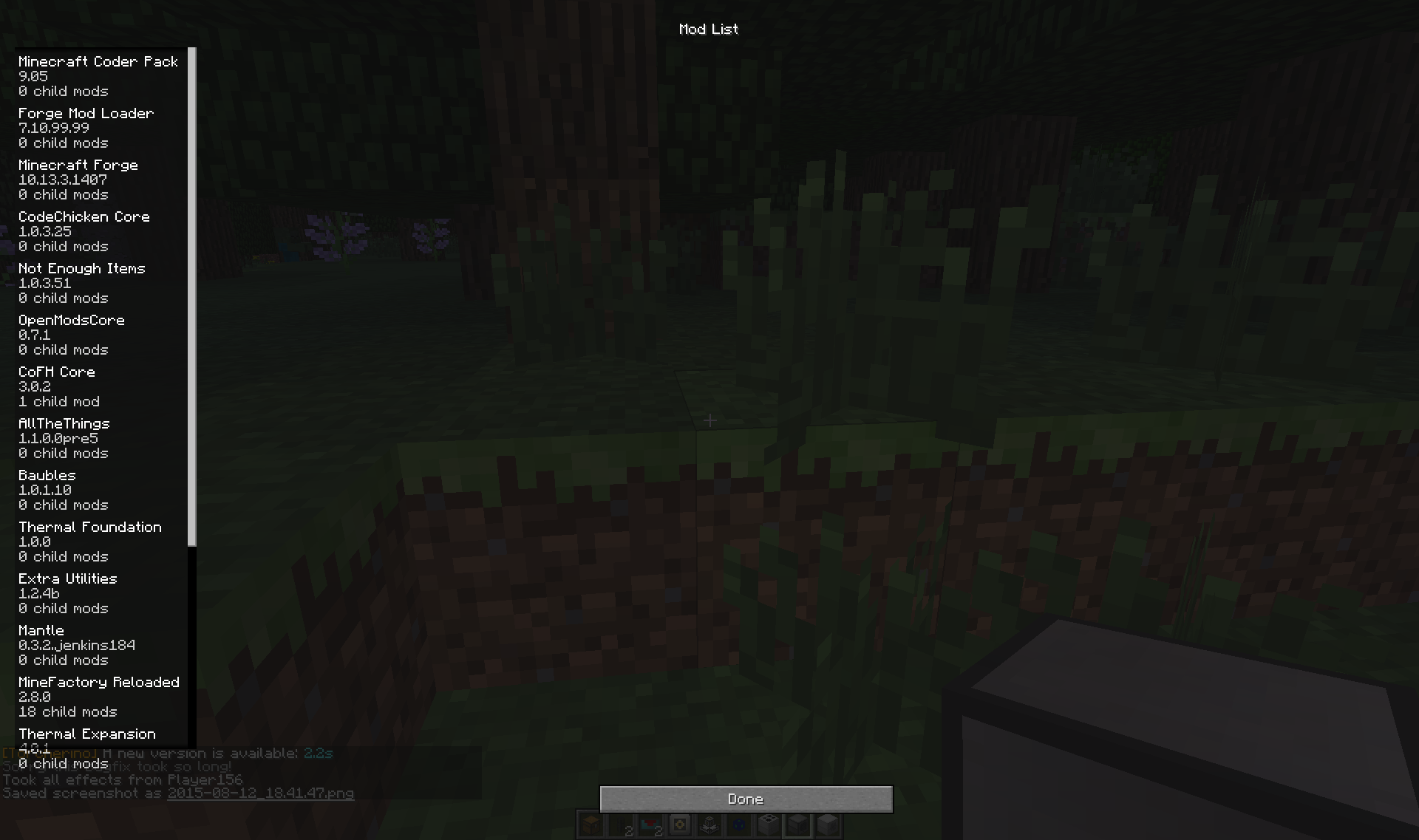
介绍
Ever see that Mod Options button in the world pause menu, then click it only to realize it does nothing, was never finished and is completely useless?
Well, now it isn’t! With this mod installed, the button will now lead to the Mod List GUI normally only accessible from the Main Menu, allowing you to change configs without leaving your world, allowing for easier and more convenient testing and debugging of config options. (as long as they don’t require a world or minecraft restart)
A very small tweak mod, but very useful for modders and modpack creators testing and debugging.
For a small overview, look no further than here!
常见问题
Easy Config Button 支持哪些 Minecraft 版本?
Easy Config Button 支持 Minecraft Java 版 1.7.10–1.8,共 2 个版本,可用的加载器:Forge。下载时注意选择和你游戏版本一致的文件。
Easy Config Button 怎么安装?
先用 PCL2 或 HMCL 启动器安装对应版本的 Forge,再把下载的 .jar 文件放进游戏目录的 mods 文件夹,重新启动游戏即可。开启了版本隔离的,mods 文件夹在 versions/版本名 下面。




评论
登录后评论和评分