截图


介绍
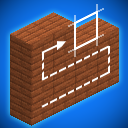
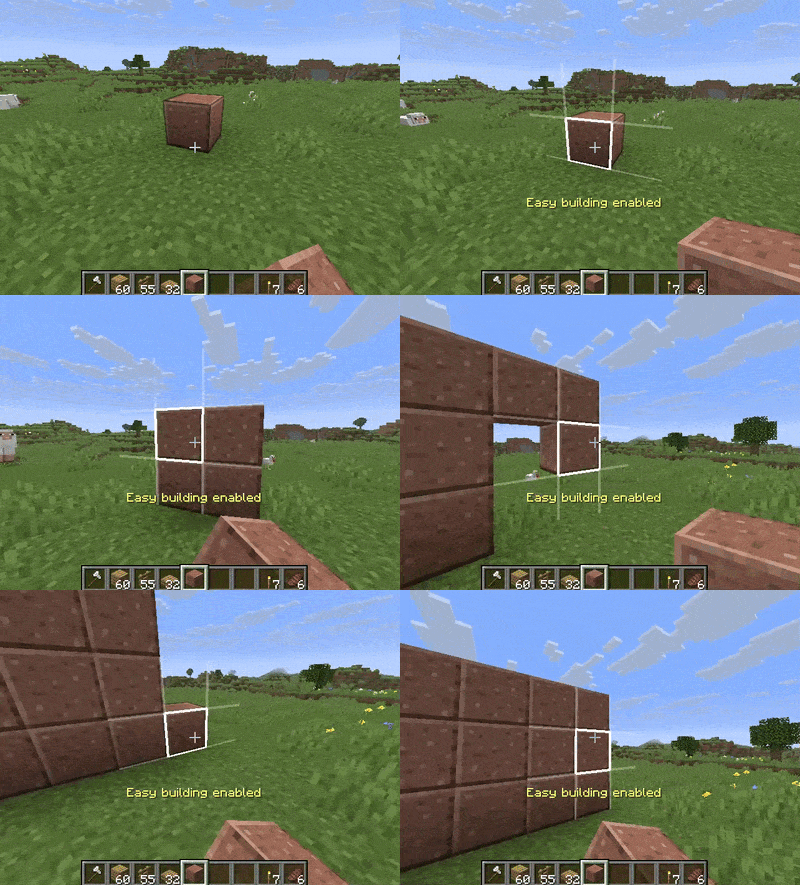
Choose a vertical or horizontal plane, then you can click and drag to quickly and neatly place blocks on that plane. Use this to easily extend walls, floors, bridges or roofs.
Instructions
Press Left Alt (can be rebound to any key) to toggle Easy Building Mode. The building plane gets set to whatever face you were looking when you pressed the button, so if you want to extend a wall, look at that wall and press the button. If you want to extend a bridge, look at the floor and press the button. Same for a roof, railing, scaffolding, anything.
Slabs and Stairs
When you press the Easy Building Mode key while looking at a slab or stair block, it will try to match that block when placing others. This means that if you start Easy Building Mode while looking at a top slab, you will place top slabs. If you were looking at a bottom slab, you will place bottom slabs.
Server usage
This is a clientside mod, meaning you can use it even if its not installed in the server. This mod might not be allowed on multiplayer servers and could result in a ban. Please consult with server authorities before using in multiplayer.
Impossible blocks
This mod doesn’t allow you to place blocks in impossible positions. It requires a neighbor to place the block against. This means that you cant place a floating top slab by placing a slab above a lone block, and you cant place blocks in the air. That said, you can place blocks you couldn’t normally place (i.e. extending a bridge without peeking past the edge).
Open source
I welcome any fixes, improvements or ports. The source is available in github.
Showcase
常见问题
Easy Building 支持哪些 Minecraft 版本?
Easy Building 支持 Minecraft Java 版 1.20.1–26.1.2,共 8 个版本,可用的加载器:Fabric / NeoForge。下载时注意选择和你游戏版本一致的文件。
Easy Building 怎么安装?
先用 PCL2 或 HMCL 启动器安装对应版本的 Fabric / NeoForge,再把下载的 .jar 文件放进游戏目录的 mods 文件夹,重新启动游戏即可。开启了版本隔离的,mods 文件夹在 versions/版本名 下面。运行环境:仅客户端。

评论
登录后评论和评分