
DynamicHUD
A HUD library to create, display, load, save, interact and do much more with HUD elements (aka - widgets).
截图
介绍
An in-game HUD engine for mod creators


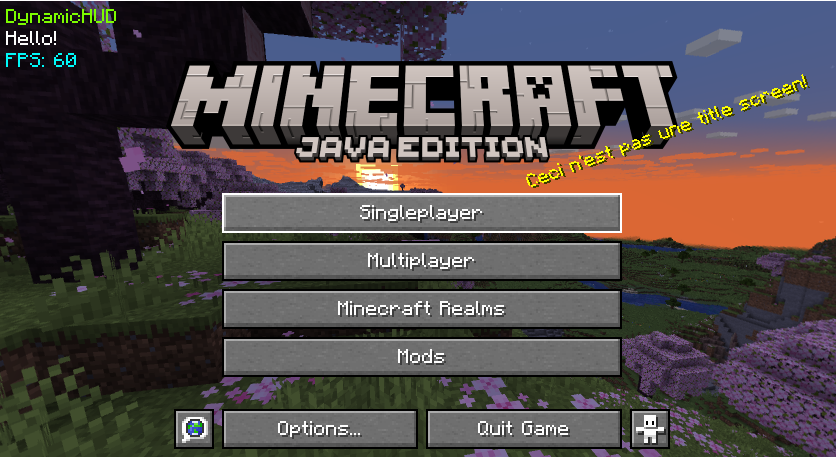
DynamicHUD is a library. It is an API for developers to create customizable HUD elements for their mods that players can modify and interact with.
Features
| Feature | Description |
| :— | :— |
| Automatic Saving & Loading | Widgets automatically save their state and reload upon game restart |
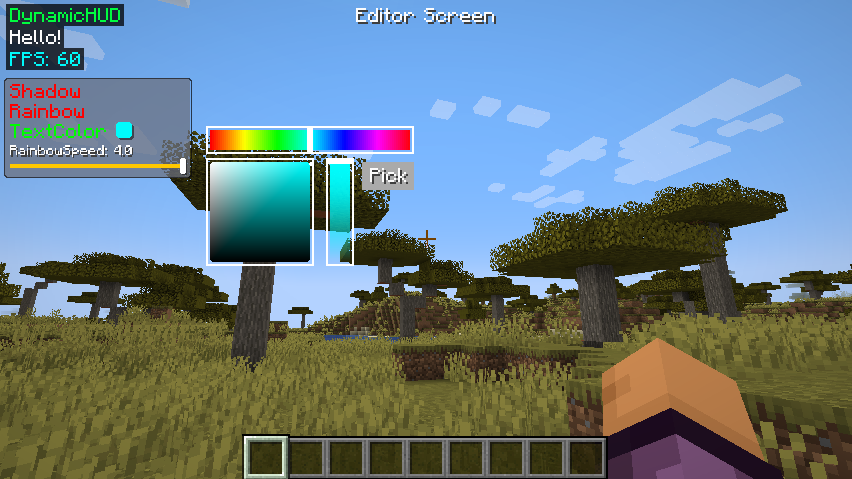
| Interactive Context Menus | Right-click widgets supporting menus to open customisable sliders, color pickers, runnables, and lists/enum selection |
| Screen Boundary Clamping | Made to prevent widgets from clipping outside window boundaries |
| Grid Snapping and alignment | Smart snapping along other widgets and alignment grid displayed for your convienence (can be toggled in settings) |
| Rendering Utilities | Use DrawHelper, ColorHelper, and TextureHelper to simplify rendering code like drawing rounded rectangles, textures, chroma text, gradients,outlines, shadows, any shape, scaling utilities and scrollable text |
| Animation system | DynamicHUD comes with a 2D easing based animation system to help your widgets and menus feel smooth |
| Wiki | https://tanishisherewith.gitbook.io/dynamic-hud |
DynamicHUD has a dedicated settings button when you open the option screen beside the ‘FOV’ slider which you can use to customise your widgets and menus.
Keybinds (v4.0.0+)
Currently these keybinds are unmodifiable.
Open the DynamicHUD Settings Button located next to the FOV Slider in the Minecraft options screen to modify DynamicHUD’s settings.
Selection & Grouping
| Action | Control | Details |
| :— | :— | :— |
| Box Select | Click + Drag on canvas | Selects all widgets inside the drawn boundary box |
| Multi-Select | CTRL + Left Click | Toggles selection state on individual elements |
| Group / Ungroup | CTRL + G | Links selected elements together (shows a green dashed outline) |
| Grid Snapping | Shift | Hold while dragging to lock elements to nearest grid. Grid size can be changed in the settings (Snap Size) |
Note: Locked widgets (
isLocked = true) remain anchored in place and will not move when dragging a group.
Widget Scaling
| Method | How to Use |
| :— | :— |
| Accurate | Hover over any widget and use CTRL + Scroll Wheel |
| Simple | Click and drag the small white dot on the bottom-right corner of a selected widget |
Showcase
Showcase Video
Quick Setup (For Players)
- Ensure you have Fabric Loader, Fabric API. (Note: You may also need YACL installed for older versions of DynamicHUD).
- Download the latest
.jarfrom the Releases Tab. - Drop the file into your
.minecraft/modsdirectory. - Launch the game and enjoy 😉
Getting Started For Developers
Visit our wiki for more detailed documentation.
To get started, begin with adding DynamicHUD as a dependency in your build.gradle file:
allprojects {
	repositories {
		maven { url 'https://jitpack.io' }
	}
	maven {
		name 'Xander Maven'
		url 'https://maven.isxander.dev/releases'
	}
}

dependencies {
	// Dynamic HUD
	modImplementation 'com.github.V-Fast:DynamicHUD:<Version>'
}
Contributing
Contributions are welcome! If you’re interested to do any help, please review our contributing guidelines.
I myself am a solo developer in college and still learning to code. Updating to latest versions may take time. Any help will be greatly appreciated!
License
DynamicHUD is released under the MIT License. Feel free to use and modify it in your mods, with proper attribution back to this repository.
Support
Need assistance or have suggestions? Join our Discord community or submit an issue on our GitHub repository.
常见问题
DynamicHUD 支持哪些 Minecraft 版本?
DynamicHUD 支持 Minecraft Java 版 1.19.4–26.1.2,共 14 个版本,可用的加载器:Fabric / Quilt。下载时注意选择和你游戏版本一致的文件。
DynamicHUD 怎么安装?
先用 PCL2 或 HMCL 启动器安装对应版本的 Fabric / Quilt,再把下载的 .jar 文件放进游戏目录的 mods 文件夹,重新启动游戏即可。开启了版本隔离的,mods 文件夹在 versions/版本名 下面。运行环境:仅客户端。

评论
登录后评论和评分