
Dynamic Waters: Realistic Flowing Rivers
Realistic flowing river currents with Streams-style rivers and natural water behavior
截图
介绍
Rivers that flow, lakes that fill, water that moves.
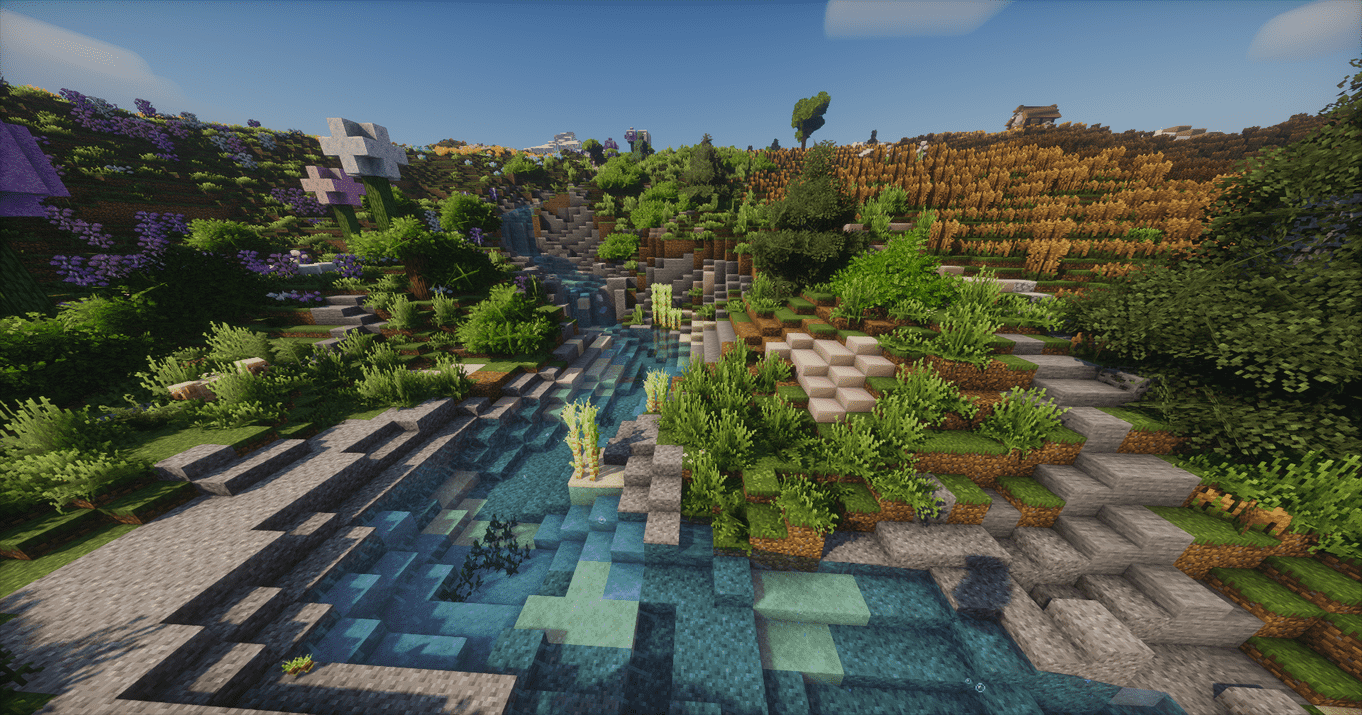
In vanilla Minecraft a river is a long, flat strip of still water. Dynamic Waters turns it into a living water system. Lowland rivers wind across the plains to the sea and fan out into deltas. Mountain rivers start where rain really gathers on your terrain, tumble down through pools, waterfalls and ravines, and join the big rivers at real confluences. And all of it flows: the current carries you, your boat, your items and the mobs downstream.
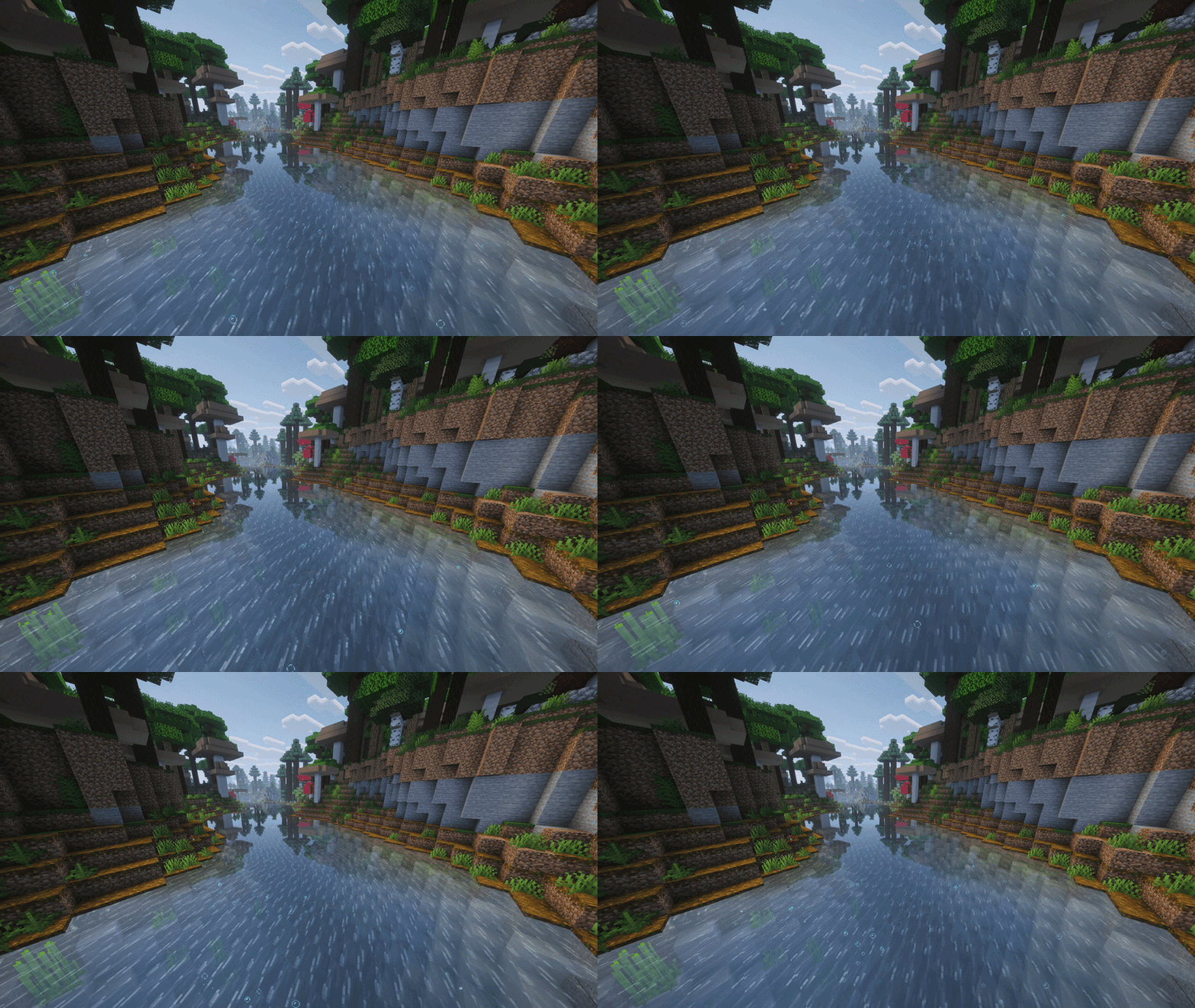
Water that moves
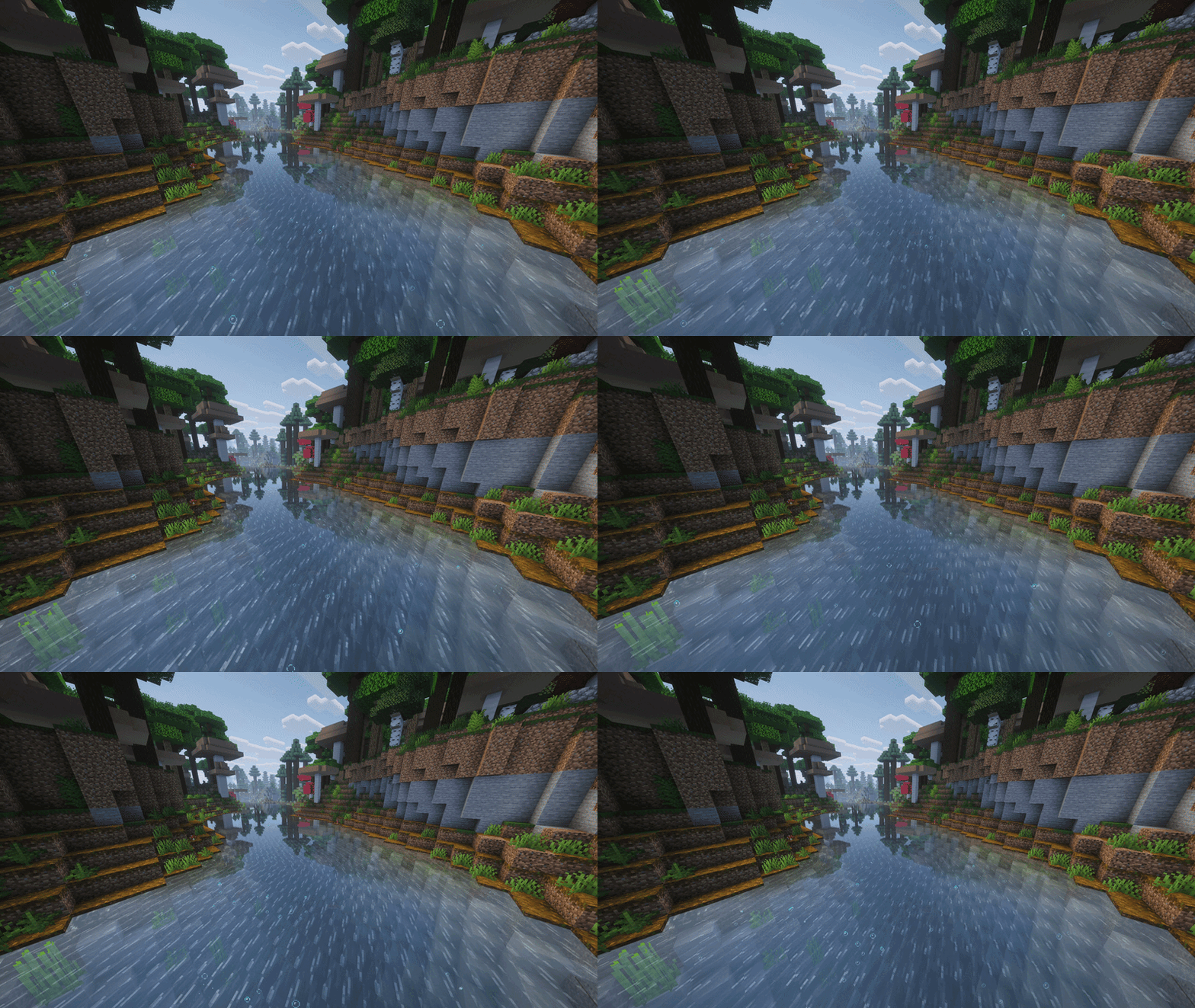
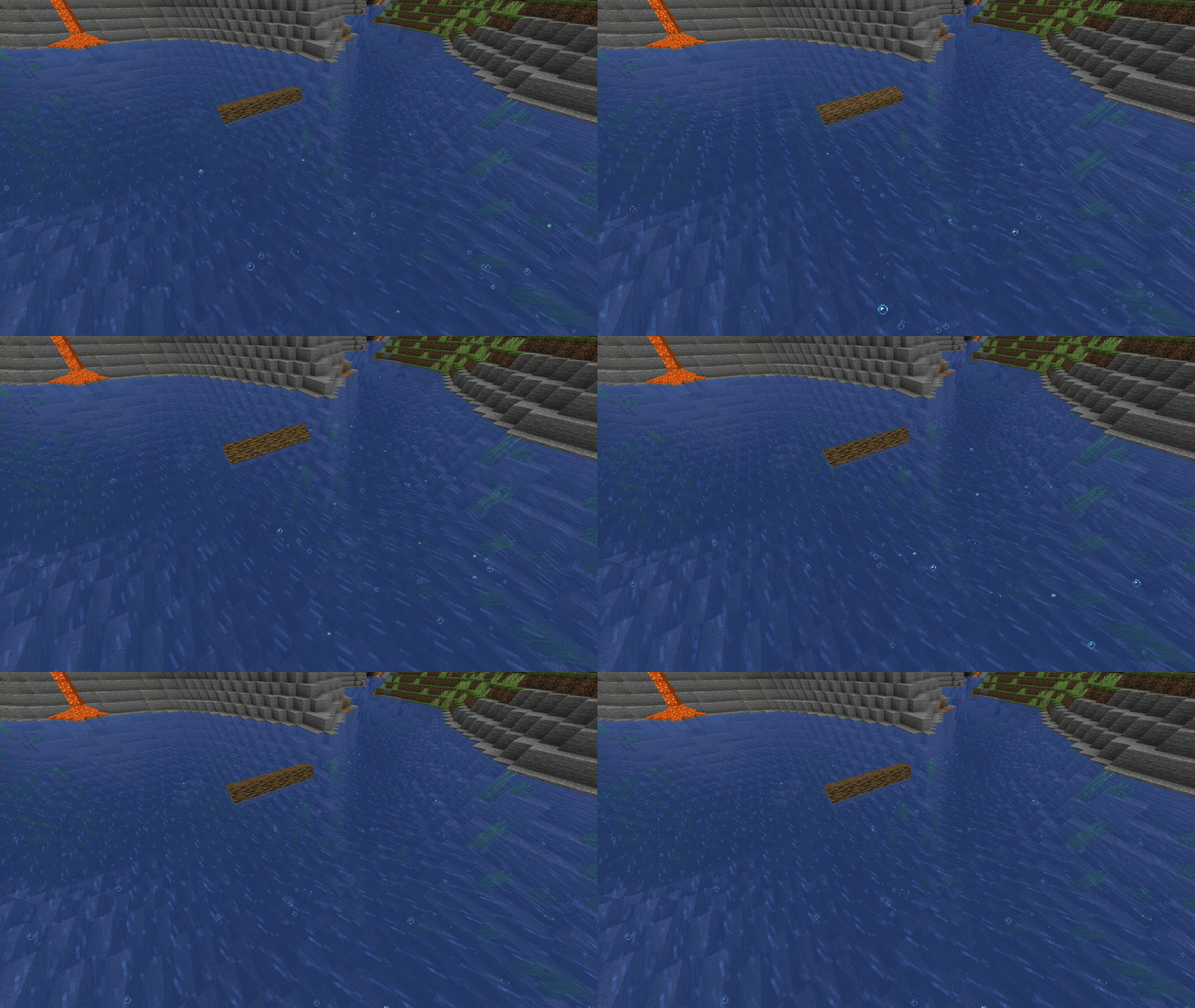
Every river has a real current, and it pushes. Swim against it and you feel it. Drop an item and it floats away. Boats, and even Sable ships, drift downstream. Rain makes the rivers run faster, thunderstorms faster still. The flowing surface, rising bubbles and the sound of running water show you which way it goes before you jump in.
Mountain rivers from real drainage: D8 routing
This is the heart of Dynamic Waters. Mountain rivers (the “3D rivers”) are not drawn on a map and then forced into the ground. Dynamic Waters lets rain fall on the terrain your world generator actually made, then follows where the water goes. To do that it uses D8 flow routing, the classic method that hydrologists and GIS software use to find rivers in real elevation data.
How a river is born???
1. Read the land. The terrain is sampled every 8 blocks, one 1 km tile at a time. Each tile also looks 512 blocks past its edges, so rivers carry on seamlessly into the next tile.
2. Fill the hollows. Every pit is flooded up to the point where it would spill over. Deep basins stay as lakes, and shallow dips are just low ground the water crosses. That way every drop has a way down to the sea.
3. Eight ways down (D8). Each cell sends its water to one of its 8 neighbours, the way the land falls. On gentle ground the choice wanders a little, so streams curve naturally instead of running down every slope in straight parallel lines.
4. Gather the rain. The water of every cell is added up on its way downstream. Where enough of it gathers, a stream begins. Streams merge into rivers, and a river grows wider with every tributary. Wet regions get many brooks, dry land only a few big rivers.
What that gives you:
-Rivers that always lie in real valleys and always run downhill.
-Tributaries that meet at real confluences, with no rivers crossing each other.
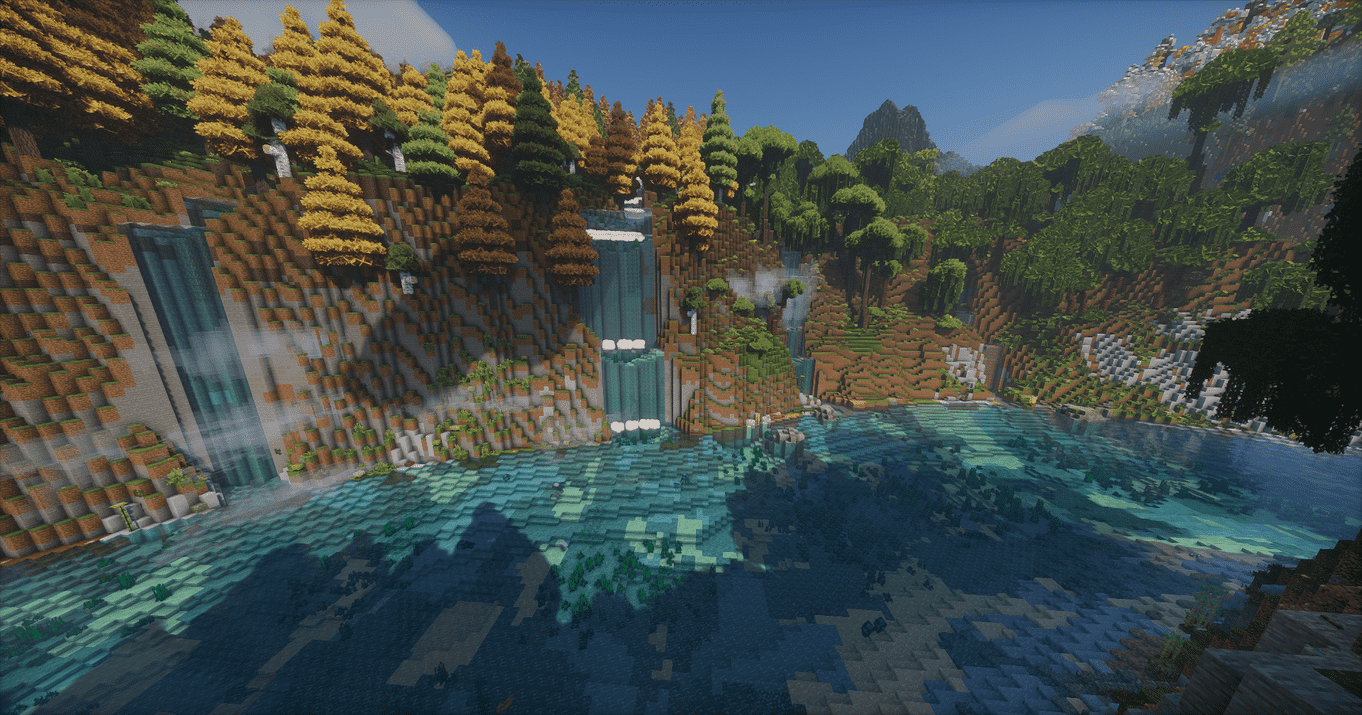
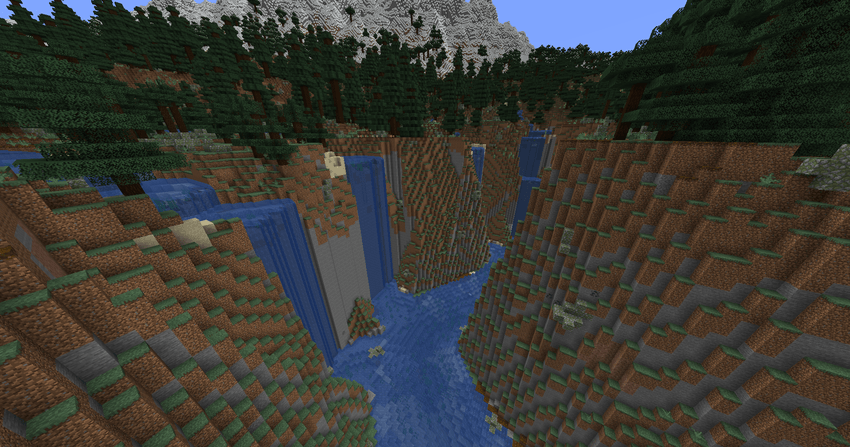
-Waterfalls where the ground really drops.
-Lakes in the basins that would really hold water.
-It works on any terrain, because it reads the terrain itself.
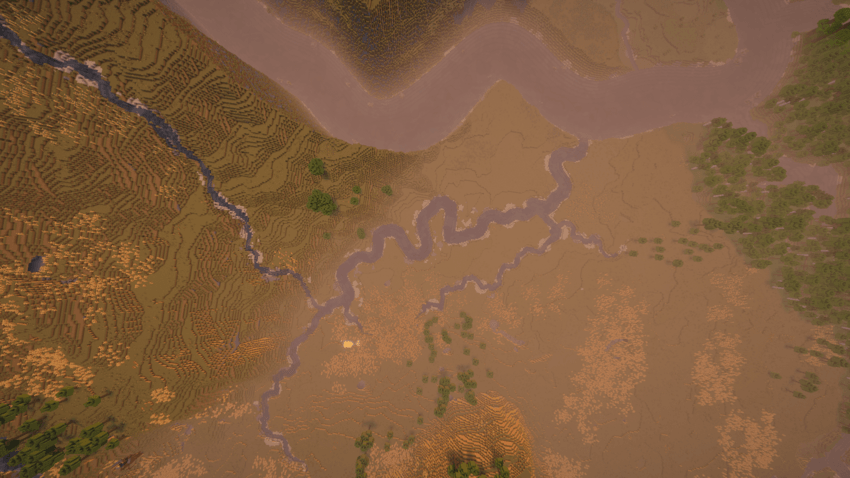
🔍 For the curious: the technical side
- D8 (O’Callaghan & Mark, 1984) gives every cell exactly one cell downstream, so the river network is a tree: it cannot loop or cross itself.
- Hollows are filled with a priority flood. The filled surface keeps a tiny slope, so even dead flat ground drains somewhere.
- Flow accumulation is a single pass over the tile. A stream starts where the gathered water passes a threshold set by Mountain River Density and by how wet the region is.
- The channels are then shaped block by block: meanders, pools, waterfalls, ravines, banks and beds.
- Neighbouring tiles exchange the rivers that cross their borders, so a river leaving one tile is the same river in the next one.
- Finished 256-block regions are saved in the world folder, so each part of the world is worked out only once.
Waterfalls, pools and ravines
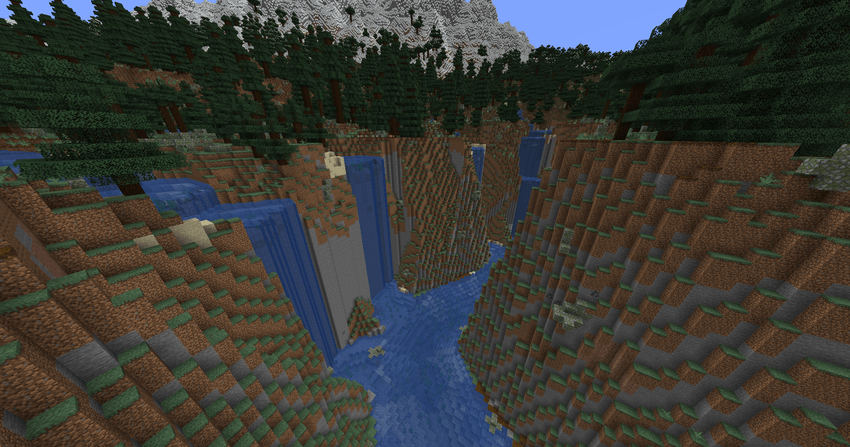
Steep streams step down in flat pools and waterfalls, cut into the slope instead of built up on top of it. Where a stream reaches the cliff of a lowland river’s gorge, it carves a ravine of tiered falls down the wall. The cut ground is dressed with the blocks of its biome, so a waterfall leaves no bare stone scar. You choose how many falls you get: Cliffs only, Few, Normal or Many.
Mountain lakes
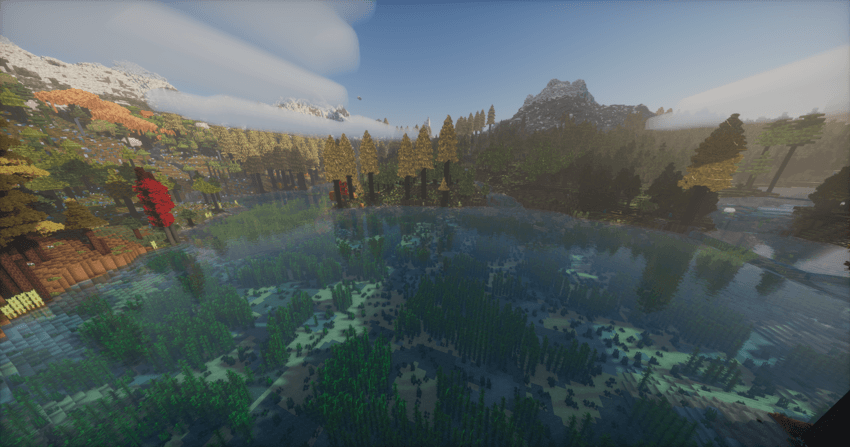
Natural basins fill up to their rim, at whatever height they sit: small ponds high in the mountains, long lakes down in the valleys. Rivers flow in and out of them, and the lakes are deeper than the rivers that feed them. A river with nowhere else to go ends in a lake instead of stopping dead.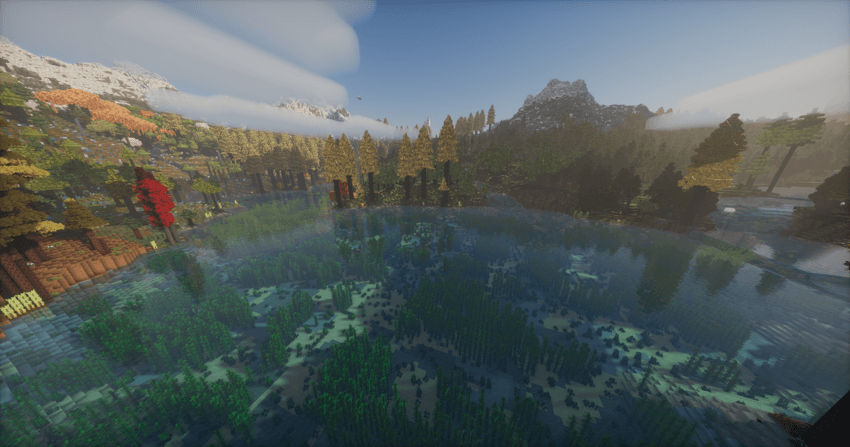
Lowland rivers and deltas
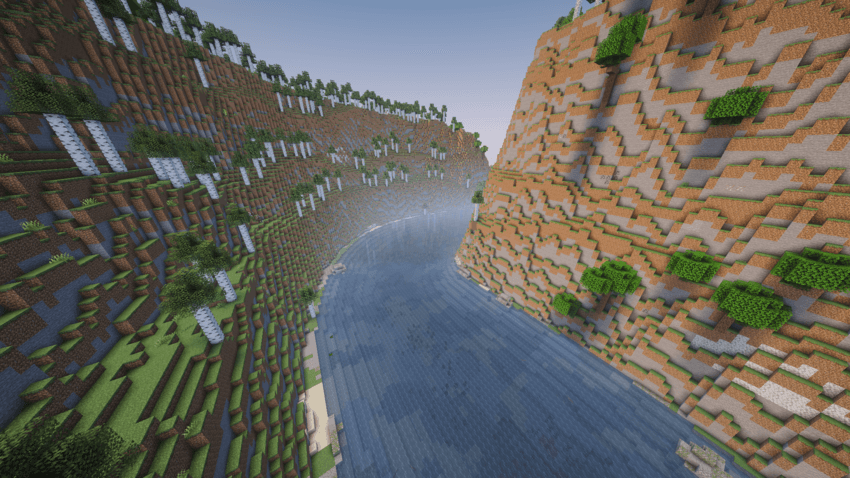
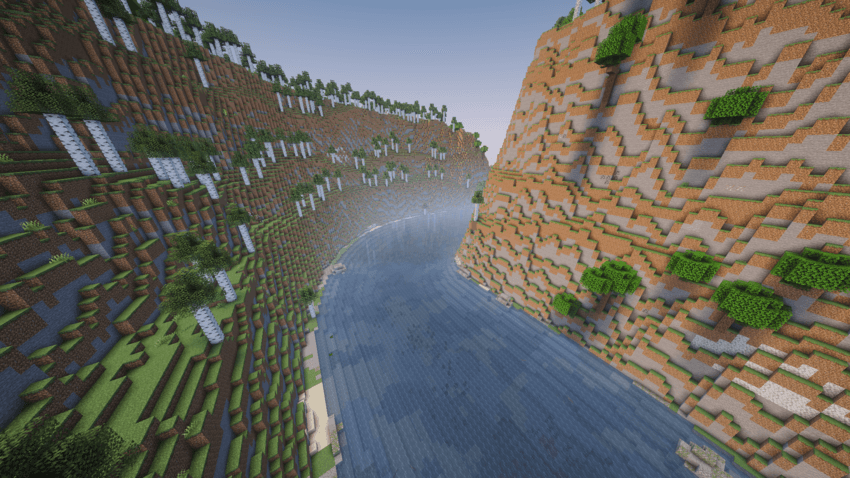
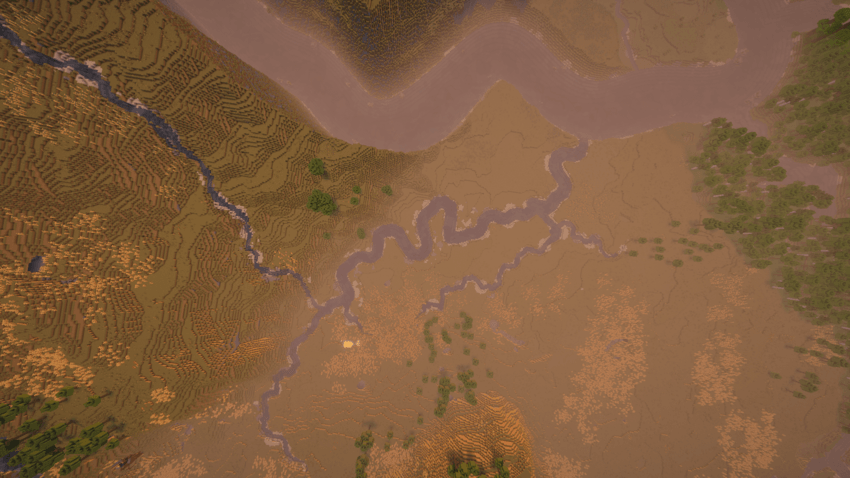
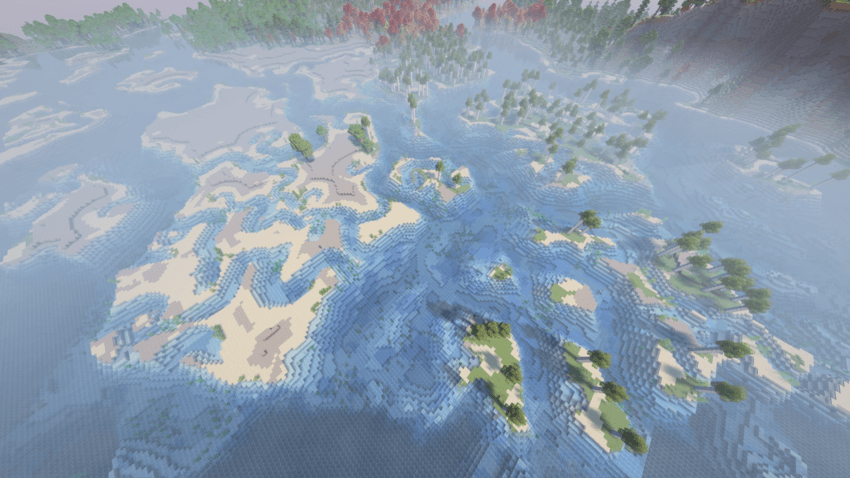
The long lowland rivers (the “2D rivers”) wind across the land to the sea, wide and steady, with the river biome along their course and frozen rivers in cold lands. Where high ground stands in their way, they cut an open gorge with terraced rock walls. On a flat coast they split into a delta of winding arms, small creeks, sand flats and green islands. Prefer Minecraft’s own rivers? Switch the lowland rivers to Vanilla (they get a current too), or turn them off.
Banks, beds, plants and boulders
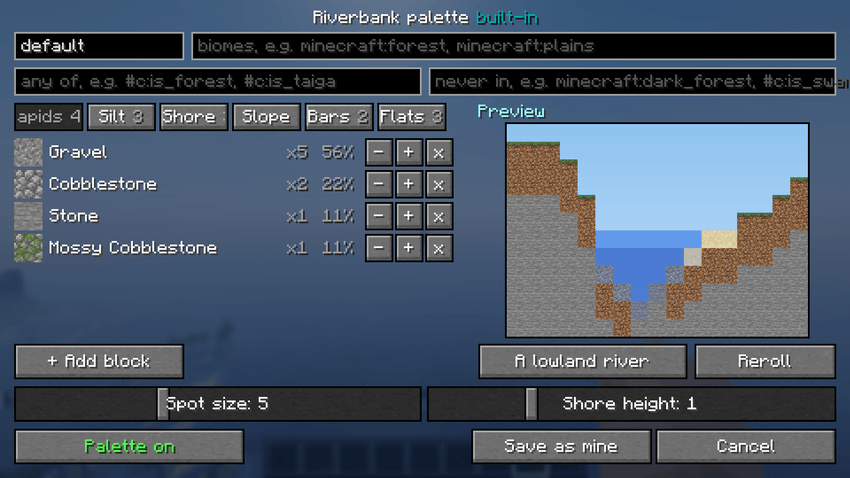
Every river and lake gets a bed and banks that suit its biome. Gravel and cobbles lie where the water runs hard, sand, clay and mud where it slows down. Gravel bars form inside the bends, and shingle, roots or mud line the shore. Kelp grows in the lakes, seagrass in the lakes and mountain streams, lily pads and reeds along calm water, and rounded boulders sit in the shallows of the lowland rivers. Structures stay clear of the lowland rivers too: no half-houses hanging over the water, no portals left on a pillar in a gorge. The riverbank palettes and water plant sets can be edited in game with a live preview. They are saved as plain JSON files, so you can ship your own with a modpack. 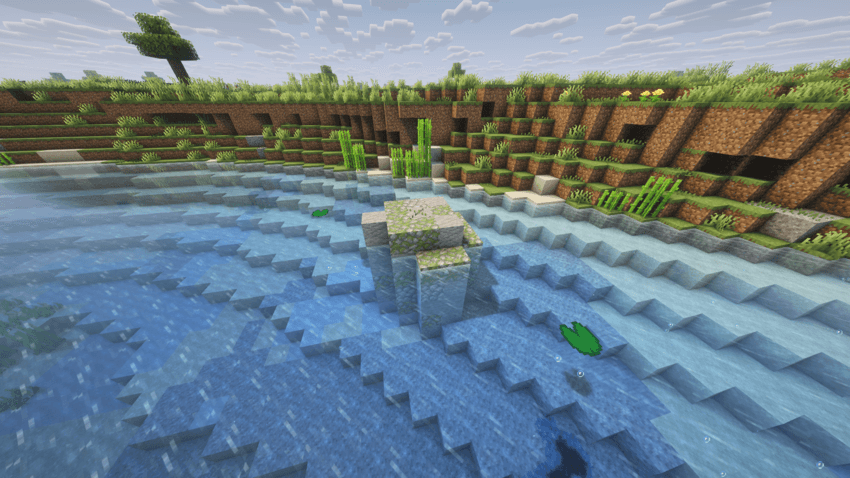
Flow Wand
Want the water to run another way, or to stand still? Craft the Flow Wand from nine water buckets. Right-click water to make it flow the way you are looking, or Shift + right-click to make it still. In zone mode, mark two corners to set the flow of a whole pool, moat or canal at once. Zones are saved with the world and work in multiplayer. Operators can list or clear them with /dynamicwaters flowzones, and find the nearest mountain river with /locate_river_terrain.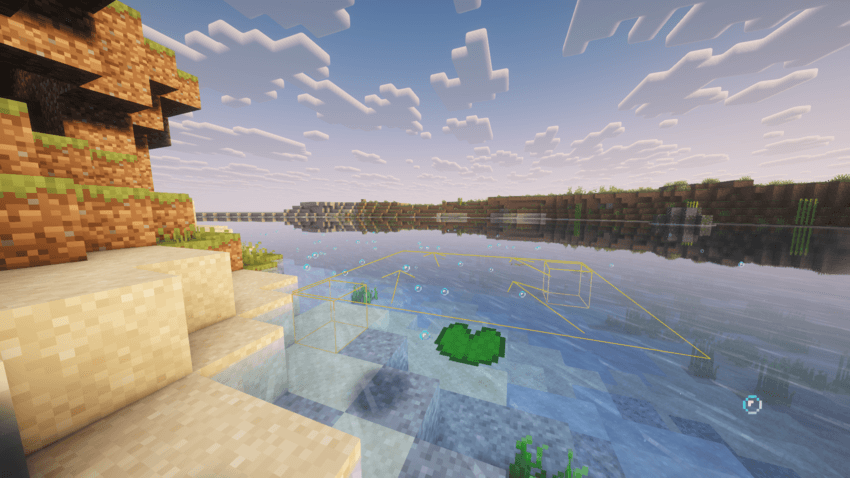
Settings in game
Everything can be set in game, no file editing needed. Press the D button on the title screen, or open the Mods list and click Config next to Dynamic Waters:
-Lowland rivers: Dynamic Waters, Vanilla or None, with density from Very Low to Insane.
-Mountain rivers: On or off, density from Very Low to Insane, how many waterfalls, optional experimental tunnels.
-Lakes: On or off.
-Shores and depths: Riverbank palettes and water plants, each with its own editor, and river boulders.
-Current and physics: How hard the water pushes players, animals, water mobs, items and ships, and how much rain adds.
-Visuals and sound: The flowing texture, particles, river sounds and the title screen extras.
Performance
World generation is the last place you want a stutter, so Dynamic Waters does the heavy work ahead of time: Lowland rivers are laid out in the background at the very first stage of chunk generation, so their data is ready before any terrain needs carving. No long hang at 0% while a world loads. Mountain rivers are worked out on worker threads, a 1 km tile at a time, sharing one cache of terrain samples. Finished areas are saved in the world folder and loaded again next time, so each part of the world is computed once, not on every start. Mountain rivers can be turned off for the fastest possible generation. For the fastest world generation I recommend C2ME, ModernFix and FastNoise.
Compatibility
Dynamic Waters reads the terrain your world generator makes, so it works with most terrain and biome mods. Tectonic, Lithosphere and Larion get a built-in compatibility pack automatically, and Tectonic’s own underground rivers are switched off by default.
Mods that add, restore or heavily change vanilla-style rivers may conflict and cause terrain inconsistencies.
Biome mods almost always work: Dynamic Waters only adds its river biome along its rivers and leaves the rest of biome placement alone.
Any biome can be kept free of rivers with the biome blacklist in the config.
Terrain and biomes
Tectonic
Terralith
Lithosphere
Larion
Continents
Biomes O’ Plenty
Regions Unexplored
Oh The Biomes We’ve Gone
Nature’s Spirit
William Wythers’ Overhauled Overworld
YUNG’s Cave Biomes
Subterranean Expansion | Cave Update
Project: Vibrant Journeys
Dynamic Trees + addons
Tech and utilities
Create: Water wheels placed in Dynamic Waters rivers generate rotational power as usual.
Sable: Ships drift with the current.
Chunky and other pre-generation mods.
Physics Mod Pro: For the best look, disable flowing water textures in the config.
Special: Wavify
Waves in Wavify follow the current of the rivers and roll downstream with it, creating an even more lifelike water surface.
❓ FAQ
Q: Does this work on existing worlds?
A: No, you need a new world. Rivers are part of world generation, and chunks that already exist keep the terrain they have. After updating Dynamic Waters a new world is recommended too: newly generated chunks get the new rivers, and those may not line up with the old ones.
Q: Do I need it on both the server and the client?
A: Yes, install it on both.
Q: What are “2D” and “3D” rivers?
A: 2D rivers are the long lowland rivers, with their water at sea level. 3D rivers are the mountain rivers: they run at any height, down the real slopes of the terrain, into the 2D rivers, into lakes or into the sea.
Q: Can I turn the 2D or 3D rivers off?
A: Yes. In the settings, Lowland Rivers can be Dynamic Waters, Vanilla or None, and Mountain Rivers can be switched off on their own. Turning mountain rivers off also makes world generation faster.
Q: Will rivers keep getting better?
A: Yes. Dynamic Waters is in active development, and river generation, flow and terrain interaction keep improving with every version.
Q: Can I include this mod in my modpack?
A: Yes, feel free to include Dynamic Waters in your modpack. Credit is appreciated but not required, and a link back to this page is always welcome.
💬 Community
Found a bug, have an idea, or want to show off your world? Join the Discord: https://discord.gg/s6XMKJtEN5
⚠️ Official downloads only
Dynamic Waters is officially distributed through this CurseForge page and Modrinth.
You can also download the mod on Modrinth here:
https://modrinth.com/mod/dynamic-waters-realistic-flowing-rivers
Any other websites claiming to provide downloads for this mod are not authorized by me. Unofficial downloads may be outdated, modified, incompatible, or potentially unsafe.
To ensure you receive the latest and unmodified version of Dynamic Waters, always download the mod from official sources only (CurseForge or Modrinth).
💡 Inspiration
Dynamic Waters is heavily inspired by these mods:
- TerraFirmaCraft and its river networks.
- Algernon’s Watersheds for Vintage Story, whose rivers and streams come from water simulated flowing over the terrain.
- Streams, the original mod that brought flowing rivers to Minecraft.
常见问题
Dynamic Waters: Realistic Flowing Rivers 支持哪些 Minecraft 版本?
Dynamic Waters: Realistic Flowing Rivers 支持 Minecraft Java 版 1.20.1–1.21.1,共 2 个版本,可用的加载器:Forge / NeoForge。下载时注意选择和你游戏版本一致的文件。
Dynamic Waters: Realistic Flowing Rivers 怎么安装?
先用 PCL2 或 HMCL 启动器安装对应版本的 Forge / NeoForge,再把下载的 .jar 文件放进游戏目录的 mods 文件夹,重新启动游戏即可。开启了版本隔离的,mods 文件夹在 versions/版本名 下面。
AdamNew 的其他作品
查看全部 →
Dynamic Waters: Realistic Flowing Rivers
Realistic flowing river currents

Smooth Horizons – Curves of Nature
Explore a redefined Minecraft world with Smooth Horizons. Say goodbye to blocky terrain and hello to flowing landscapes, rich biomes, dynamic trees, immersive sounds, and seamless exploration. Perfect for builders, adventurers, and nature lovers alike.
评论
登录后评论和评分