Dynamic Trees – Spore
A mod that fixes all previous incompatibilities and crashes caused by playing the_harbinger's Fungal Infection: Spore and MayHyper's Dynamic Trees together.
介绍
A compatibility add-on for Fungal Infection: Spore and Dynamic Trees.
Fungal Infection: Spore‘s wiki lists Dynamic Trees as incompatible. Spore’s infection rots wood by turning logs into Decayed Logs one block at a time. On a Dynamic Trees tree, replacing a branch makes Dynamic Trees delete everything beyond it with no drops, so infected trees get chopped up and vanish. Spore mobs that stomp, crumble or throw blocks would also grab branches, and their landing attacks checked hardness at the wrong block position, which is the bug behind the crash listed on Spore’s wiki (seen with older Dynamic Trees versions).
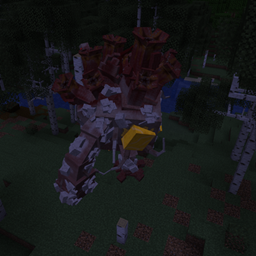
With this add-on, infected trees rot as a whole, and Spore mobs only lift branches at least a full block thick (by default).
What it does
- Whole-tree rotting. When the infection from a Flesh Mound, Hivetumor, Proto Hivemind, Gastgeber or Fungal Bonemeal reaches a Dynamic Trees tree, the whole connected tree rots at once into Decayed Tree Branch blocks. These are real Dynamic Trees branches made from Spore’s Decayed Log. Every branch keeps its exact thickness and shape, big multi-block trunks included.
- Decayed trees are dead. The leaves are removed (no drops) and the tree never grows. Its rooty soil turns back into ordinary soil, which the infection can then take over.
- Chopping works as usual. A decayed tree falls like any Dynamic Trees tree and drops Decayed Logs by volume, plus sticks.
- Mobs leave thin branches alone. These mobs never take thin branches, the invisible blocks around thick trunks, rooty soil or roots:
- Gargoyle, Groberfub and Howitzer (landing stomps)
- Hohlfresser (block crumbling)
- Brute, Phayres, Ogre and Infested Construct (pick up and throw blocks)
- Thick branches can still be taken. Branches at least a full block thick (configurable), including big trunks and decayed branches, can still be taken. They are thrown as that tree’s plain log, so an oak branch becomes an Oak Log and a decayed branch becomes a Decayed Log. Dynamic Trees then handles the rest of the tree as usual.
- Landing attack fix. The Gargoyle’s, Groberfub’s and Howitzer’s landing attacks now check the block they are actually about to lift.
Requirements
- Minecraft 1.21.1 with NeoForge 21.1.212 or newer
- Fungal Infection: Spore 2.2.0j (this exact version)
- Dynamic Trees 1.7.2 or any later 1.7.x (not 1.8)
- Install on both client and server, because the mod registers a block.
SporeDynamicTrees contains no code or assets from Spore or Dynamic Trees. It changes their behaviour when the game loads, using mixins.
Config
Edit config/sporedynamictrees-common.toml, or use the Config button in the mod list.
minLiftableBranchRadius: default 8 (a full block), range 1-24. The thinnest branch radius Spore mobs may lift and throw.maxRotTreeSize: default 4096, range 64-65536. The largest tree, in branch blocks, that the infection rots in one go. Larger trees are left untouched rather than half-rotted.
Known limitations (v1.0.0)
- A thrown block can still land on a branch and break it. Dynamic Trees then removes the part above, as usual.
- Mobs that simply break blocks (general griefing) still break branches the normal Dynamic Trees way.
- Mangrove roots, surface roots and cocoa pods may be left behind around a decayed tree.
- Trees larger than
maxRotTreeSizedon’t rot. - This mod hooks into Spore’s code, so every Spore update needs a matching update of SporeDynamicTrees. The Spore version is pinned, so a mismatch shows NeoForge’s dependency screen instead of crashing.
Credits
Made by ThatSoulyGuy
常见问题
Dynamic Trees – Spore 支持哪些 Minecraft 版本?
Dynamic Trees – Spore 支持 Minecraft Java 版 1.21.1,可用的加载器:NeoForge。下载时注意选择和你游戏版本一致的文件。
Dynamic Trees – Spore 怎么安装?
先用 PCL2 或 HMCL 启动器安装对应版本的 NeoForge,再把下载的 .jar 文件放进游戏目录的 mods 文件夹,重新启动游戏即可。开启了版本隔离的,mods 文件夹在 versions/版本名 下面。
ThatSoulyGuy 的其他作品
查看全部 →
Mo’ Bends [MODERN PORT]
Mo' Bends 模组向现代 Minecraft 的移植版。

Mob Dismemberment [UNOFFICIAL MODERN PORT]
iChun 的生物肢解模组移植版

Better Than Wolves [MODERN PORT]
将 FlowerChild 的 Better Than Wolves 移植到 Minecraft Forge 1.20.1。

MCHeli [MODERN PORT]
将EMB4著名的MCHeli模组移植到Minecraft NeoForge 1.21.1
评论
登录后评论和评分