
Dynamic Server Browser
A client-side Fabric server browser for Minecraft: browse 6,000+ premium & cracked servers with live ping, MOTD, icons, smart recommendations and one-click join. No website or registration.
截图
介绍
DYNAMIC SERVER BROWSER
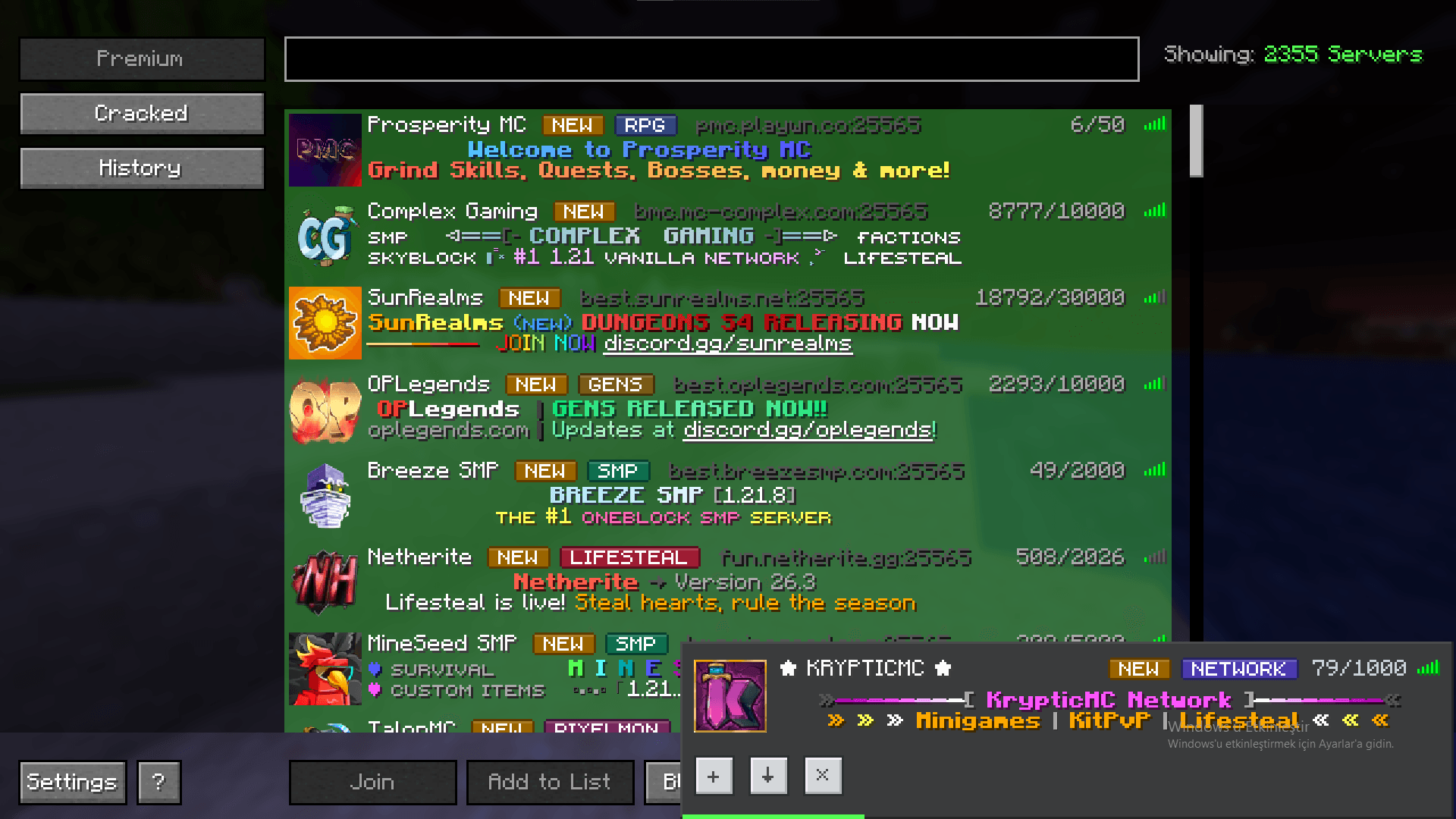
Stop copying IP addresses from random websites. Dynamic Server Browser puts a real public server list inside Minecraft: 6,000+ premium and cracked servers, every one of them pinged before it reaches your screen. Live player counts, MOTDs with colours, server icons and ping bars – and one click to join.
No website. No registration. No API keys. Just the vanilla Multiplayer screen with a server browser button next to it.
WHAT YOU GET
-
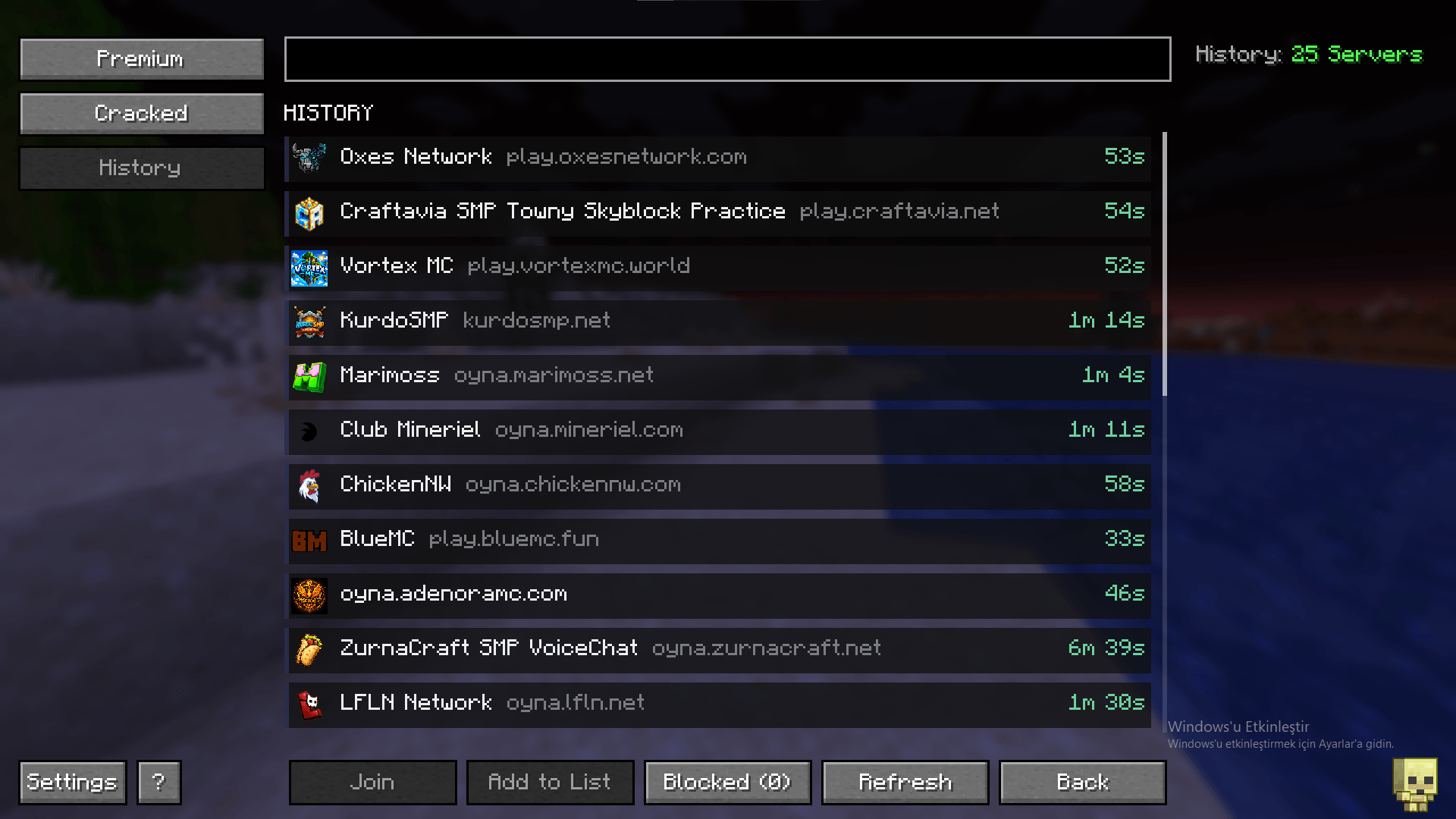
6,000+ servers in one list. Premium and cracked pools side by side, so you can pick the one that fits your account.
-
Only live servers. Every entry is checked with a real status ping first, so dead listings and fake player counts never make it into the list.
-
One-click join or save. Join straight from the browser, or add a server to your normal multiplayer list and keep it there.
-
Real server data. MOTD with colours, server icon, online / max players, game version and ping bars, exactly like the vanilla server list.
-
Search as you type. Filter by name, address or MOTD without waiting for a reload.
-
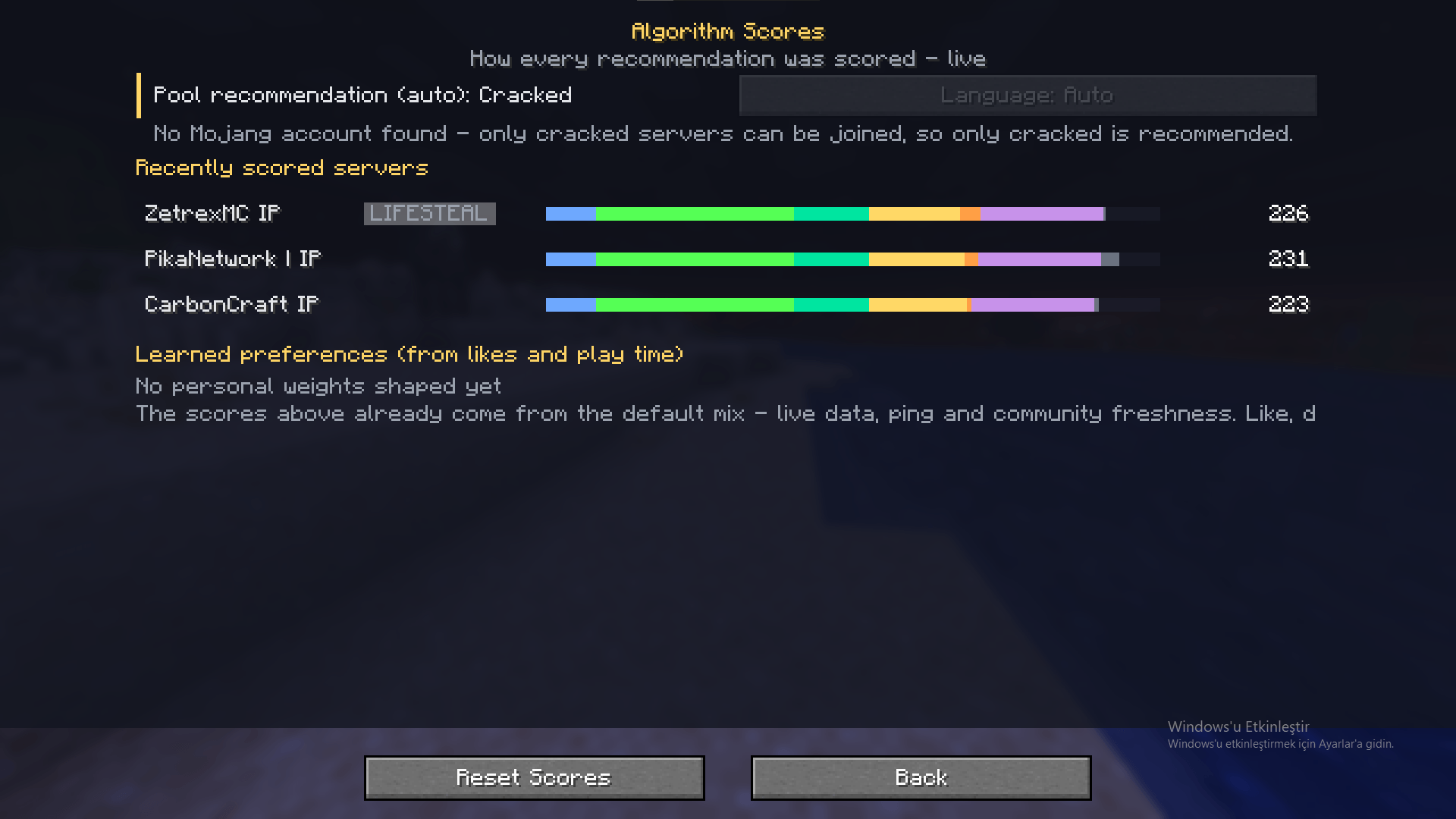
Smart recommendations. A recommendation card suggests a server based on the servers you actually join, your preferred language and the pool you play in. Not interested? Hit dislike and the algorithm learns.
-
Background loading. The first pages are collected while you sit in the main menu, so the browser usually opens with servers already on screen.
-
No duplicates. The same server found on several listing sites is merged into a single entry, including networks that use different host names.
-
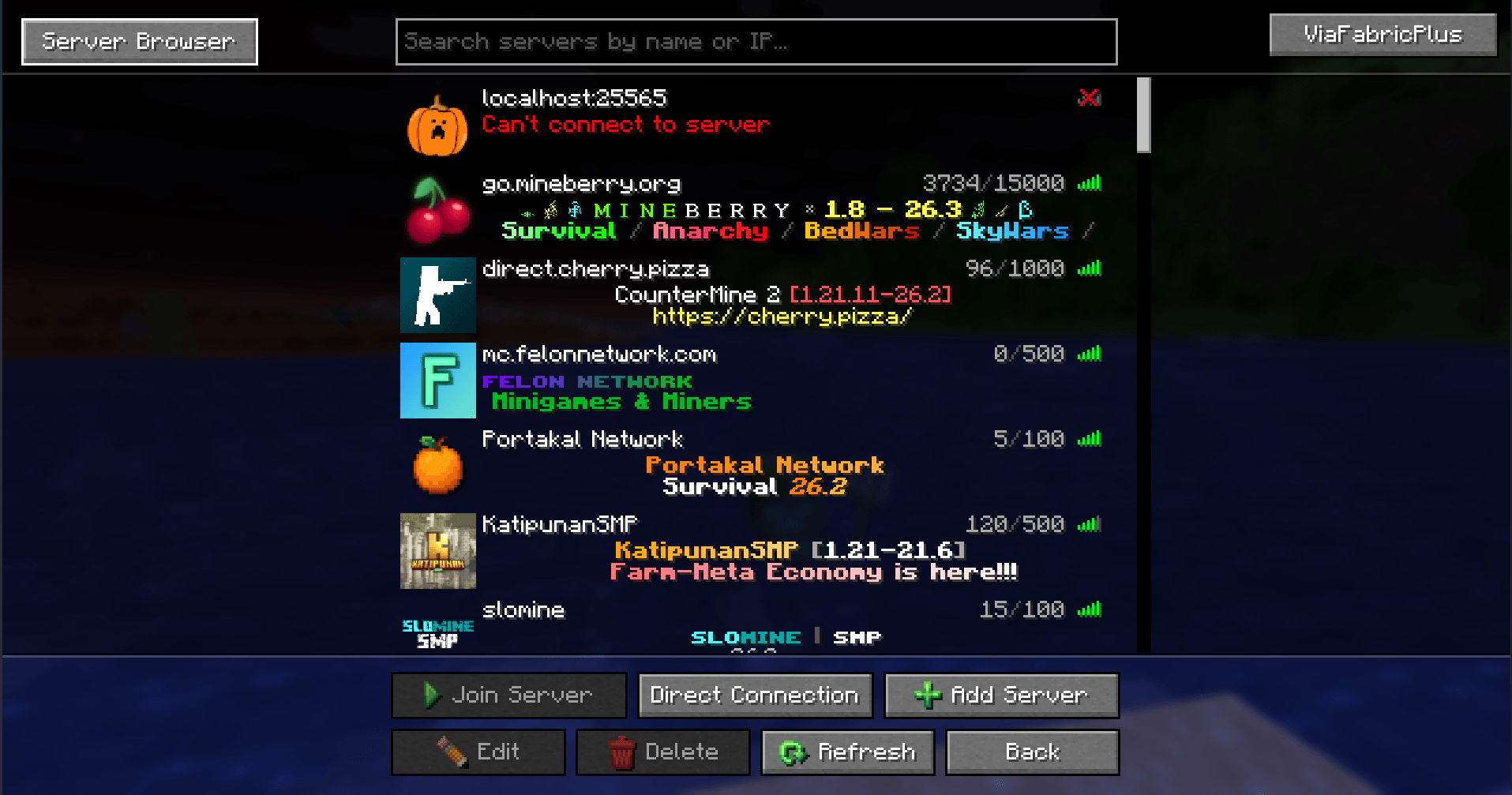
Vanilla screen upgrades. A search bar and mouse drag & drop reordering on the normal Multiplayer screen, without replacing it.
-
Update badge. When a new release is out, a small arrow appears next to the Server Browser button. Hover it to see the version, click it to open the download page. Checks run at most once a day in the background.
-
Quiet by default. Nothing is written to the game log unless you turn on debug mode.
-
11 languages. English, Türkçe, Русский, Deutsch, Español, Français, Português, Polski, Українська, 简体中文 and 日本語. The mod follows your game language automatically.
-
Fully client-side. Nothing to install on a server, no plugin, no proxy.
INSTALLATION
-
Put the Dynamic Server Browser jar into your mods folder.
-
Start the game, open Multiplayer and click the server browser button next to the vanilla server list.
The listing parser is bundled inside the jar, so there is nothing else to download.
CONFIGURATION
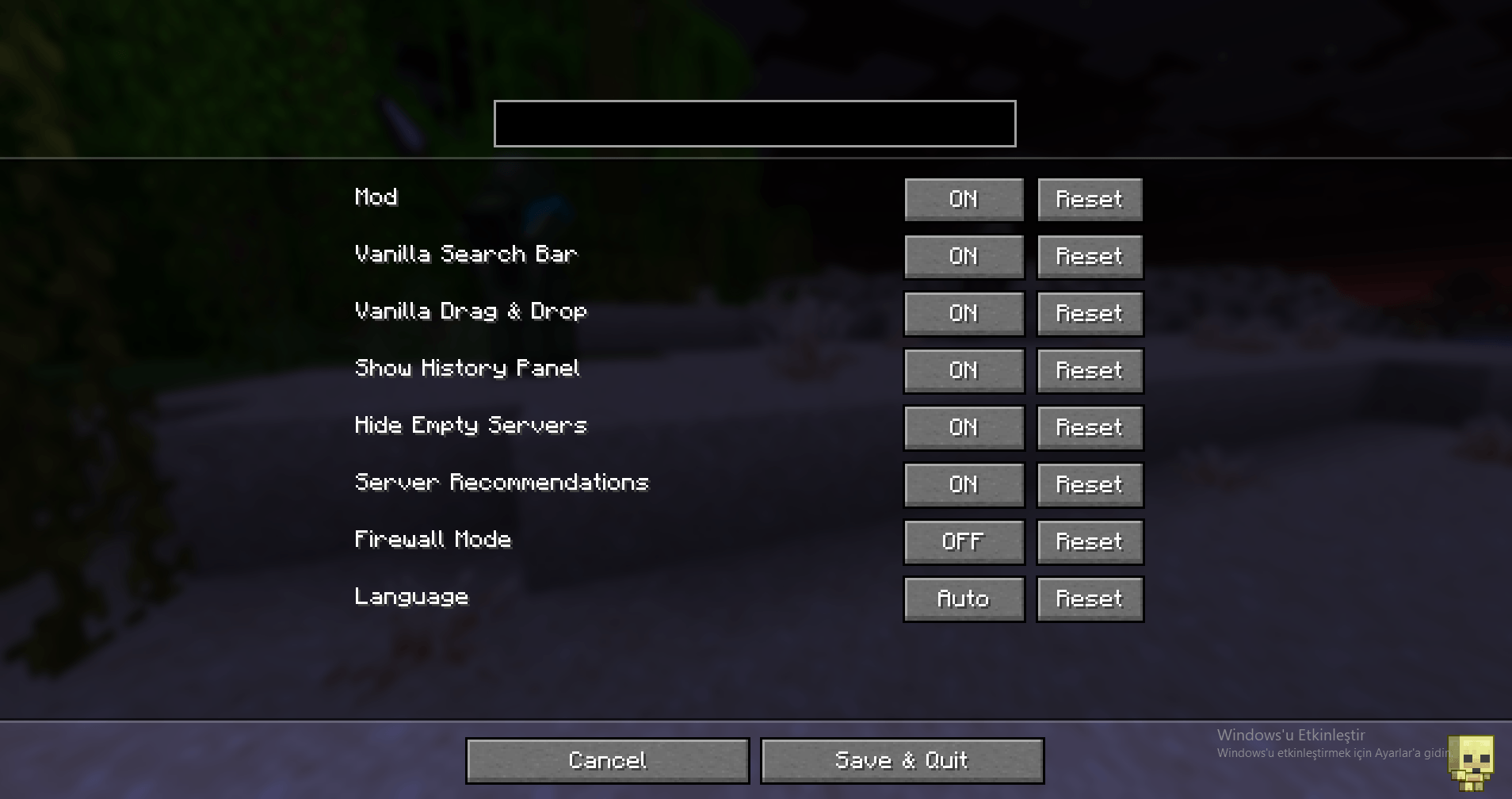
Everything is available in-game on the mod’s settings screen (also via Mod Menu), or in config/dynamicserverbrowser.json:
-
Mod enabled – master switch for the whole mod
-
Vanilla search – search box on the normal Multiplayer screen
-
Vanilla drag & drop – reorder your saved servers with the mouse
-
Hide empty servers – hide servers that report zero players; junk listings are always filtered
-
Recommendations – recommendation cards and the satisfaction survey
-
Firewall mode – faster loading for restrictive networks, at the cost of icons and MOTD
-
Language – auto, or one of the 11 included languages
-
Debug mode – extra diagnostics on the browser screen
FAQ
Is this a hacked client or an account bypass?
No. “Cracked” here means offline-mode servers, the ones that do not require Mojang authentication. The mod only reads public server listings and pings server addresses. It never touches authentication, sessions or your account, and premium servers still need a valid Minecraft account.
Do I have to install anything on the server?
No. The mod is client side only and works on any server you can already join.
Why do some servers disappear from the list?
Because they stopped answering. Every visible entry passed a live ping, and servers that go offline are dropped until they come back.
Does the mod send my account data anywhere?
No. It downloads public server listings, pings server addresses and, once a day at most, asks CurseForge for the latest release number. Your Minecraft account details are never requested or transmitted.
HOW TO REPORT A BUG
Open the server browser and press F9. Diagnostics (mod version, game version, pool sizes, listing source states, recommendation engine output) are copied to your clipboard – paste them into your report. If a listing site ever breaks, start the game with -Ddsb.http=jsoup to switch back to the older transport without reinstalling.
LICENSE
MIT.
常见问题
Dynamic Server Browser 支持哪些 Minecraft 版本?
Dynamic Server Browser 支持 Minecraft Java 版 1.20.1–26.3,共 13 个版本,可用的加载器:Fabric / Forge / NeoForge / Quilt。下载时注意选择和你游戏版本一致的文件。
Dynamic Server Browser 怎么安装?
先用 PCL2 或 HMCL 启动器安装对应版本的 Fabric / Forge / NeoForge / Quilt,再把下载的 .jar 文件放进游戏目录的 mods 文件夹,重新启动游戏即可。开启了版本隔离的,mods 文件夹在 versions/版本名 下面。
评论
登录后评论和评分