
Dyed / Colored Wolf Armor
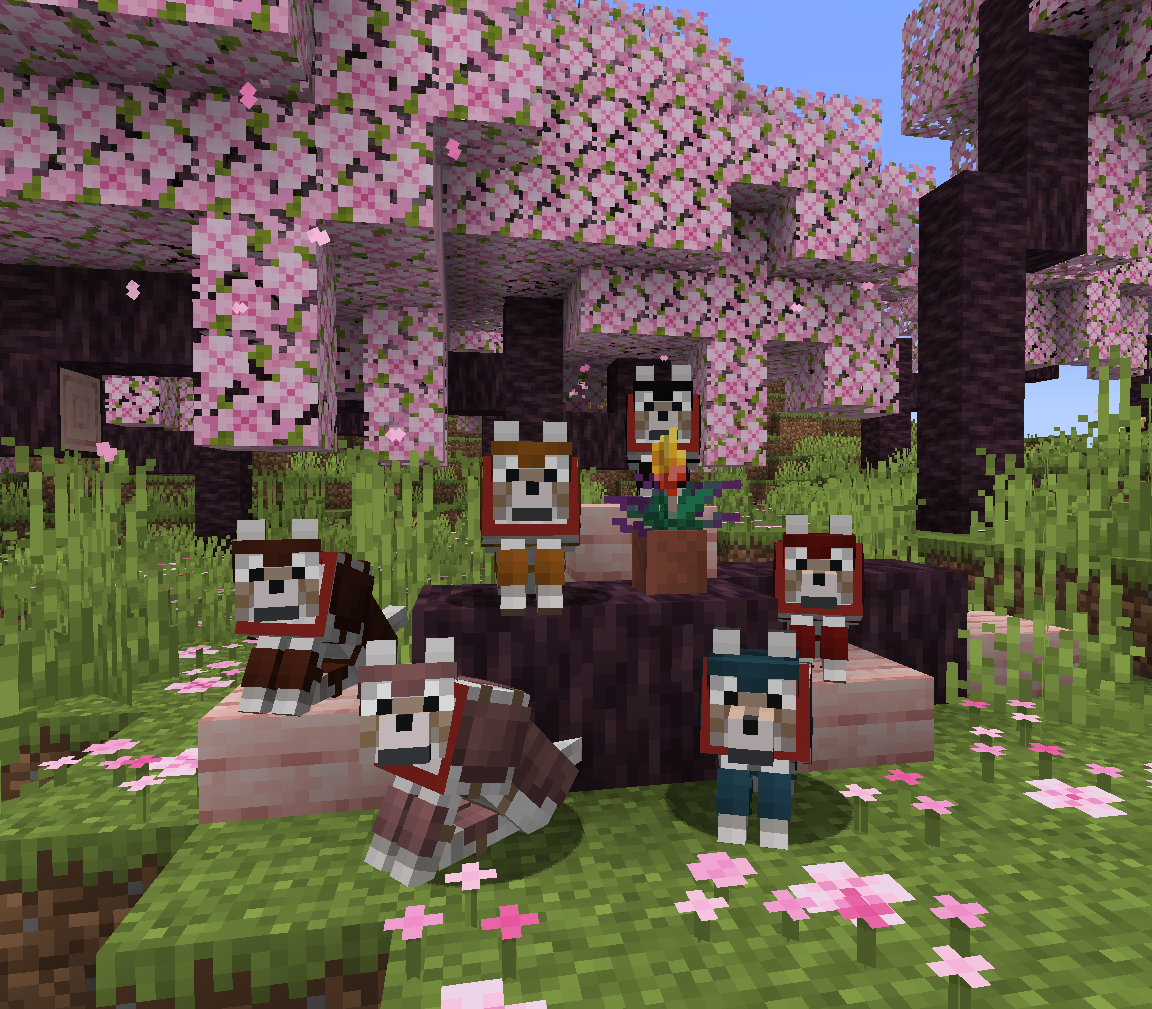
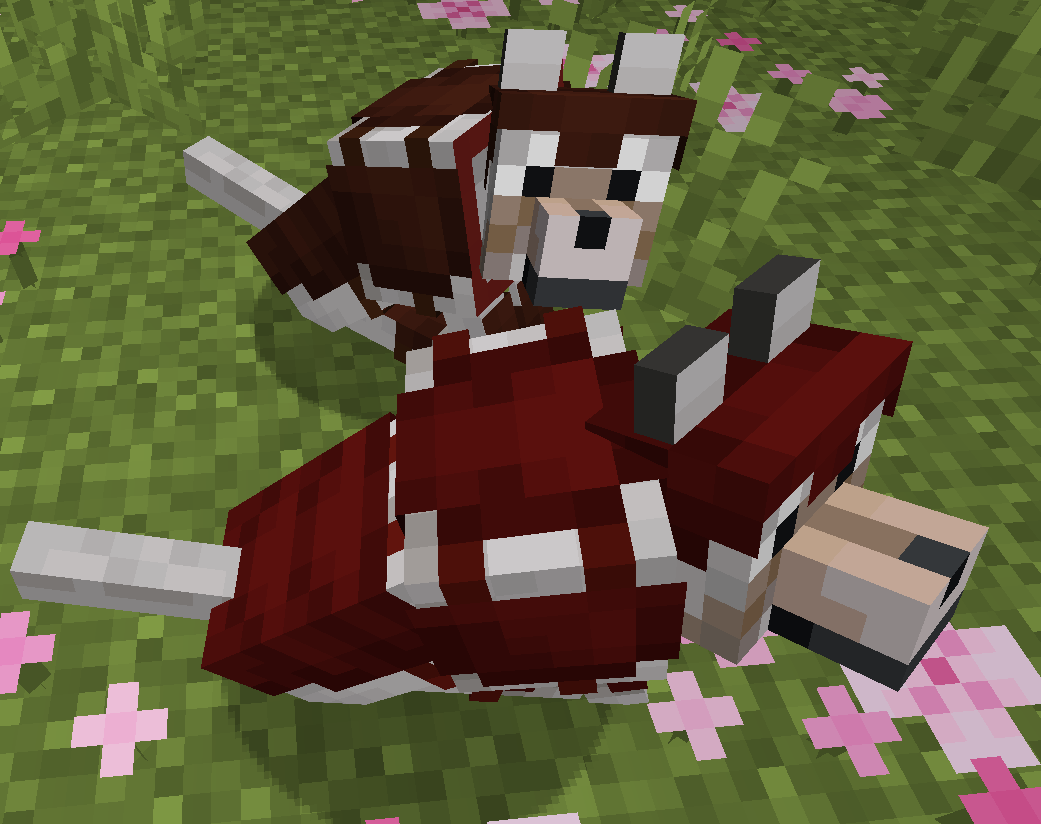
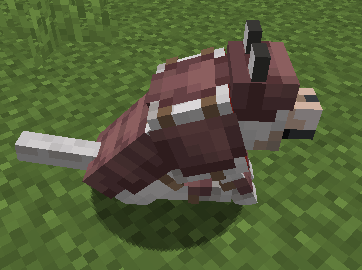
Dye the new 1.20 wolf armor in over 5 million different colors!
截图
介绍
Dye the new 1.20 wolf armor in over 5 million different colors!
(Images on modrinth use old wolf armor texture, the mod works with the most recent one)
Crafting
When you initially craft wolf armor out of Armadillo Scutes it will be the vanilla wolf armor.
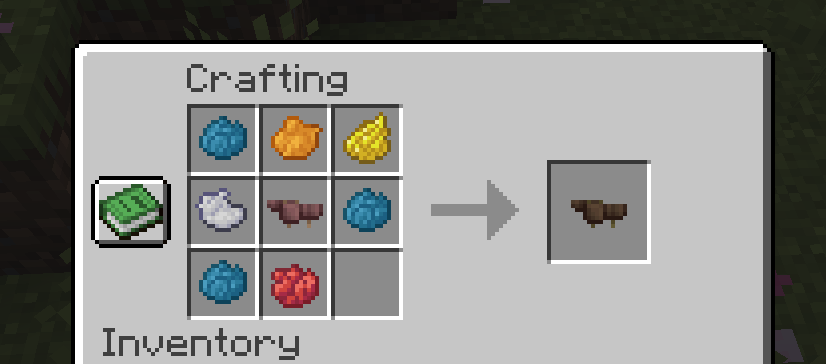
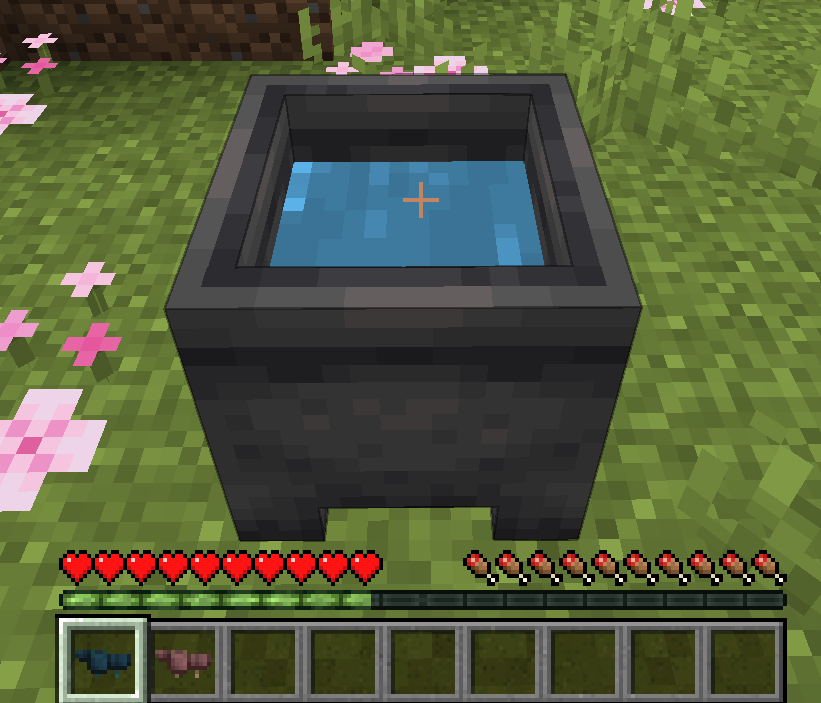
To dye the armor, simply put it in a crafting table with some dyes. There are over 5 million different combinations! To remove the armor’s color, wash it in a cauldron.
Customization
The dyed wolf armor deliberately follows a similar design and color pallet as the vanilla armor to keep up the same atmosphere. If you want brighter, splashier colors or a different texture simply modify the wolf armor texture using a texture pack.
You can safely use the mod in an existing world, because the default armor is still the vanilla one.
Works both in single and in multiplayer.
Enjoy! 😀
常见问题
Dyed / Colored Wolf Armor 支持哪些 Minecraft 版本?
Dyed / Colored Wolf Armor 支持 Minecraft Java 版 1.20.4,可用的加载器:Fabric。下载时注意选择和你游戏版本一致的文件。
Dyed / Colored Wolf Armor 怎么安装?
先用 PCL2 或 HMCL 启动器安装对应版本的 Fabric,再把下载的 .jar 文件放进游戏目录的 mods 文件夹,重新启动游戏即可。开启了版本隔离的,mods 文件夹在 versions/版本名 下面。运行环境:仅服务端。
voidxwalker 的其他作品
查看全部 →
Atum
Mod to automatically reset random and set seeds
WorldPreview
Speedrunning mod that renders a preview of the world while it's generating.

Custom-Mojang-Auth
A small library that allows your mod to automatically sign in to your custom server using the players mojang account
评论
登录后评论和评分