Drop Container Contents
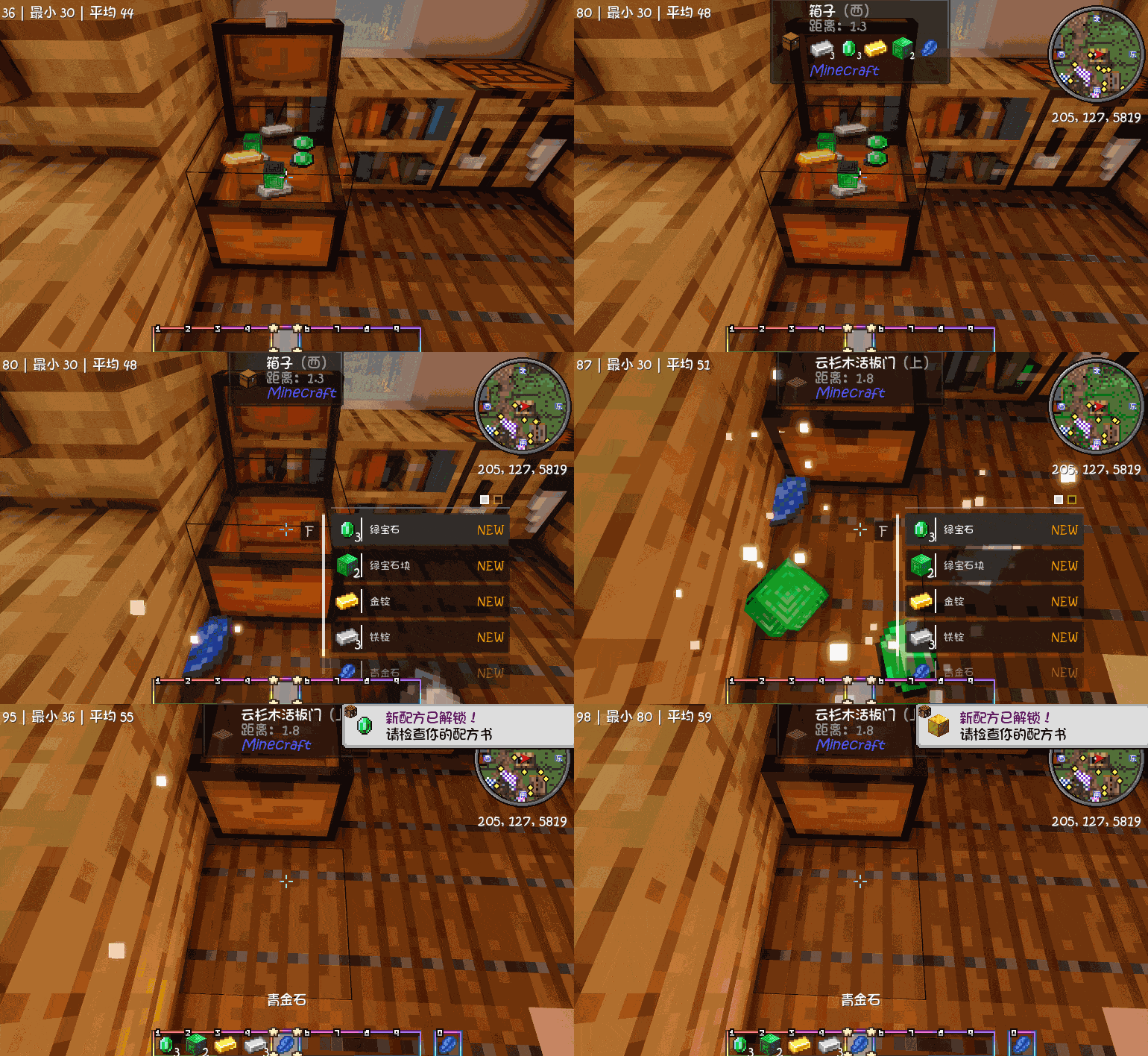
just press a key, and all items from the targeted container will drop right at your feet!
介绍
✨ Key Features
🔑 Two Hotkeys for Easy Container Management
-
G key: Take all items from the container you are looking at. Items will appear as drops at your player position.
-
H key: Add/remove the targeted container to/from the whitelist. Only whitelisted containers can be emptied with the G key, preventing accidents.
📦 Which Containers Are Supported?
The mod uses multiple detection mechanisms for excellent compatibility:
-
✅ All vanilla containers: chests, trapped chests, barrels, shulker boxes, ender chests, furnaces, blast furnaces, smokers, hoppers, dispensers, droppers, brewing stands
-
✅ Chiseled bookshelf: take all books at once
-
✅ Chest boat: empty the boat’s inventory
-
✅ Pack animals: donkeys, mules, llamas (when equipped with a chest). Saddles are automatically kept (never taken by mistake).
-
✅ Containers from other mods: as long as the mod properly implements NeoForge’s
IItemHandlercapability (e.g., Create, Applied Energistics 2, Thermal Expansion, etc.), they work automatically without extra configuration.
🛡️ Whitelist System
-
The default whitelist includes almost all vanilla containers – works out of the box.
-
You can press H at any time to add or remove any container block.
-
Whitelist persists across game sessions (stored in the config file) and can be edited in-game.
🖥️ Configuration Options
The mod provides a detailed configuration file (.minecraft/config/dropper-common.toml):
-
Freely edit the block whitelist and entity whitelist
-
Enable/disable debug logging (DEBUG level)
-
Enable/disable info logging (INFO level – records key actions like item extraction and whitelist changes)
🎮 Gameplay Experience
-
Quickly empty a chest: stand in front of it, press G – all items drop instantly, no GUI needed.
-
Automation friendly: works with hoppers or other automation setups.
-
Adventure mode safe: whitelist prevents accidentally emptying important containers.
-
Multiplayer ready: fully compatible with multiplayer – each player uses their own keybinds.
📥 Installation Requirements
-
Minecraft 1.21.1
-
NeoForge version 21.1.0 or higher
-
Must be installed on both client and server (logic runs server-side; client needs keybind sync).
🌟 Why Choose This Mod?
| Feature | This Mod | Other similar mods |
|---|---|---|
| One‑key extraction without opening GUI | ✅ | Partial |
| Supports ender chests & chiseled bookshelves | ✅ | ❌ Usually not |
| Supports chest boats & pack animals | ✅ | ❌ |
| Automatically excludes saddles from donkeys/mules | ✅ | ❌ |
| Whitelist control | ✅ | Rarely |
| Compatible with other mods’ containers | ✅ (via IItemHandler) | Mostly vanilla only |
| Logging control | ✅ | Rarely |
常见问题
Drop Container Contents 支持哪些 Minecraft 版本?
Drop Container Contents 支持 Minecraft Java 版 1.21.1,可用的加载器:NeoForge。下载时注意选择和你游戏版本一致的文件。
Drop Container Contents 怎么安装?
先用 PCL2 或 HMCL 启动器安装对应版本的 NeoForge,再把下载的 .jar 文件放进游戏目录的 mods 文件夹,重新启动游戏即可。开启了版本隔离的,mods 文件夹在 versions/版本名 下面。
ddd575 的其他作品
查看全部 →
Wandering Trader Express
建立完整的快递系统,让流浪商人将稀有物品直接送到玩家手中,同时加入刺激的拦截机制和风险管理玩法。

stewme
这款模组允许玩家通过炼药锅收集、转移和储存药水效果,制作独特的“神秘炖菜”,为游戏的药水机制增添更多策略性与乐趣。
AutoSpookyDoors
Automatically replaces surrounding vanilla doors with corresponding SpookyDoors.
Torch Throw
Torch Throw Mod is a practical utility mod designed for Minecraft 1.21.1 NeoForge that revolutionizes the way you use torches in the game. Now you can throw torches into the distance , instantly illuminating unknown areas!
评论
登录后评论和评分