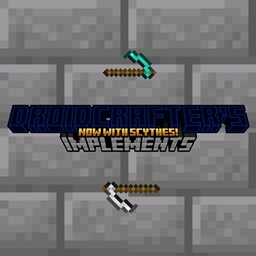
Droid’s Implements
A mod that adds five new weapons and two new tools to the game with distinct new abilities.
截图


介绍

About:
Tired of the same old sword and pickaxe? Dive into a world of enhanced possibilities with Droid’s Implements! This exciting addition to your Minecraft experience introduces:
Four Unique Weapons:
- Daggers: Quick, cheap, and effective, great for agility. Applies Weakness for one minute.
- Warhammers: A powerful option for defeating strong enemies. Applies Harming for a quarter of a second, making it ineffective against the undead.
- Spears: A balanced weapon with fair damage and speed. Applies Mining Fatigue, making escape difficult for cornered enemies.
- Clubs: Hard-hitting yet slow, the club is a robust alternative to the sword. Applies Slowness, increasing the chance of catching your enemy.
- Scythes: Slow, powerful, and eroding, the reaper’s bane is not to be messed with. Applies Wither for a short period, draining the life of your foes.
Two Handy Tools:
- The Mining Hammer: A worthwhile alternative to the pickaxe, the Mining Hammer mines in a 3×3 area, making mining stone more efficient.
- The Heavy Shovel: A beneficial substitute to the shovel, the Mining Hammer mines in a 3×3 area, making mining sand and gravel more efficient.
Damage Comparison (strongest to weakest):
Dagger > Spear > Sword = Club > Warhammer
Credits:
Made using KaupenJoe‘s Minecraft Modding Tutorials.
Textures by myself.
Inspired by Khazoda’s Basic Weapons and Block_Legend001’s Only Hammers and Excavators, practically combining the two mods while adding my own ideas.
Roadmap:
- Compatability with Better Combat.
- Integration with future mods I create.
- A backport to 1.20.X.
常见问题
Droid’s Implements 支持哪些 Minecraft 版本?
Droid’s Implements 支持 Minecraft Java 版 1.21–1.21.1,共 2 个版本,可用的加载器:Forge / NeoForge。下载时注意选择和你游戏版本一致的文件。
Droid’s Implements 怎么安装?
先用 PCL2 或 HMCL 启动器安装对应版本的 Forge / NeoForge,再把下载的 .jar 文件放进游戏目录的 mods 文件夹,重新启动游戏即可。开启了版本隔离的,mods 文件夹在 versions/版本名 下面。
评论
登录后评论和评分