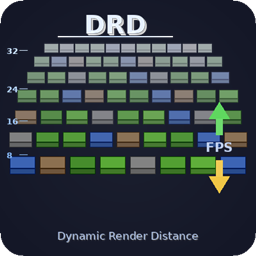
[DRD] Dynamic Render Distance
Lowers your render distance only when FPS really drop, then brings it back to your own setting. VSync-aware, flicker-free, settings in Video Settings.
介绍
Dynamic Render Distance
Keeps your game smooth by lowering the render distance only when your FPS really drop, then bringing it back up to your own Render Distance as soon as your PC can handle it. No flicker, no world reload, no manual tweaking.
Why DRD
- Your setting is never touched. The Render Distance you pick in Video Settings stays as it is. DRD only limits what is drawn, and your own distance is always the maximum.
- No flicker. A change never makes the world disappear and reload. Drops slide one chunk at a time.
- VSync and FPS limits handled. DRD reads the real cap of your game: your Max Framerate, and your screen refresh rate when VSync is on. With VSync at 60 Hz, 60 FPS is perfect, not “too low”.
- No false alarms. DRD pauses when the game itself limits FPS: minimized or unfocused window, loading screens, and the game’s AFK limiter on versions that have one. FPS measured while chunks rebuild after a change are ignored.
- No yo-yo. If raising the distance makes FPS fall again, that level is blocked for 5 minutes.
- Client-side only. Nothing to install on servers. The server keeps sending chunks up to your own distance, so they are already there when DRD raises it again.
How it works
Every 5 seconds, DRD averages your FPS and compares it to your target.
- Target = the lowest of your Target FPS, your Max Framerate, and your screen refresh rate if VSync is on.
- Below the target minus the Tolerance: the distance goes down. The further below, the bigger the drop (about 1 chunk per 7% under the target, up to Max Drop).
- At 97% of the target or more: the distance goes up by 1 chunk, up to your own Render Distance.
- In between: nothing changes.
- After each change, DRD waits 10 seconds before measuring again.
Example with the defaults (Target 60 FPS, Tolerance 15%): an average of 48 FPS is 20% under the target, so the distance drops by 3 chunks. Between 51 and 58 FPS, nothing changes. From 58 FPS, it climbs back one chunk at a time.
Settings
All settings are in Options > Video Settings: at the end of the vanilla screen, or on DRD’s own page in Sodium’s video settings. The config button in Mod Menu (Fabric) or in the Mods list (Forge / NeoForge) opens the same screen.
| Setting | Default | Range | What it does |
|---|---|---|---|
| Enabled | ON | Turns DRD on or off. Off = your own Render Distance, always. | |
| Target FPS | 60 | 30 – 240 | The FPS you want to keep. Lowered automatically to your Max Framerate, or to your refresh rate with VSync. |
| Tolerance | 15% | 5 – 30% | How far below the target the average may fall before the distance is lowered. |
| Min Distance | 6 | 2 – 32 | DRD never renders less than this. |
| Max Drop | 8 | 1 – 8 | Most chunks removed at once. |
| DRD Messages | ON | Shows each change in the action bar (old and new distance, with your FPS). |
Advanced settings (only in config/dynamic-render-distance.json): checkIntervalTicks (100 = 5 s), cooldownTicks (200 = 10 s), increaseStep (1). Out-of-range values are corrected automatically.
Updating from an older version
The old settings (Min FPS, Max FPS, Max RD, Decrease Step) are gone. Your config file is rewritten with the new settings on first launch. Your maximum is now simply the Render Distance you choose in Video Settings.
Compatibility
- Fabric, Forge and NeoForge, Minecraft 1.18.2 to 26.3 (see the Versions tab for each loader). NeoForge 1.20.1 uses the Forge file.
- No required dependency. Optional: Sodium, Mod Menu.
- Tested with the vanilla renderer, Sodium, and Iris shaders.
- If another mod replaces the world renderer in a way DRD cannot handle safely, DRD stays idle instead of risking a flicker.
Used in the Legends Reborn: Medieval modpack.
常见问题
[DRD] Dynamic Render Distance 支持哪些 Minecraft 版本?
[DRD] Dynamic Render Distance 支持 Minecraft Java 版 1.18.2–26.3,共 30 个版本,可用的加载器:Fabric / Forge / NeoForge。下载时注意选择和你游戏版本一致的文件。
[DRD] Dynamic Render Distance 怎么安装?
先用 PCL2 或 HMCL 启动器安装对应版本的 Fabric / Forge / NeoForge,再把下载的 .jar 文件放进游戏目录的 mods 文件夹,重新启动游戏即可。开启了版本隔离的,mods 文件夹在 versions/版本名 下面。
Bahanos 的其他作品
查看全部 →
Storage Drawers Ashen Compat
一个将储物抽屉调整为灰烬视觉风格的资源包。
Vertigo – Vertical Chunk Sync
通过仅向玩家发送垂直方向上距离较近的区块分区,优化区块同步。对于 Big Globe 这类超高世界必不可少。
Dimension Leak Fix
当其他模组仍持有世界或单人游戏服务器的引用时,释放游戏未清理的世界和服务器。适用于 Fabric、Forge 和 NeoForge,仅限客户端。

TheShader
LRM整合包使用的光影。
评论
登录后评论和评分