
Door Locker
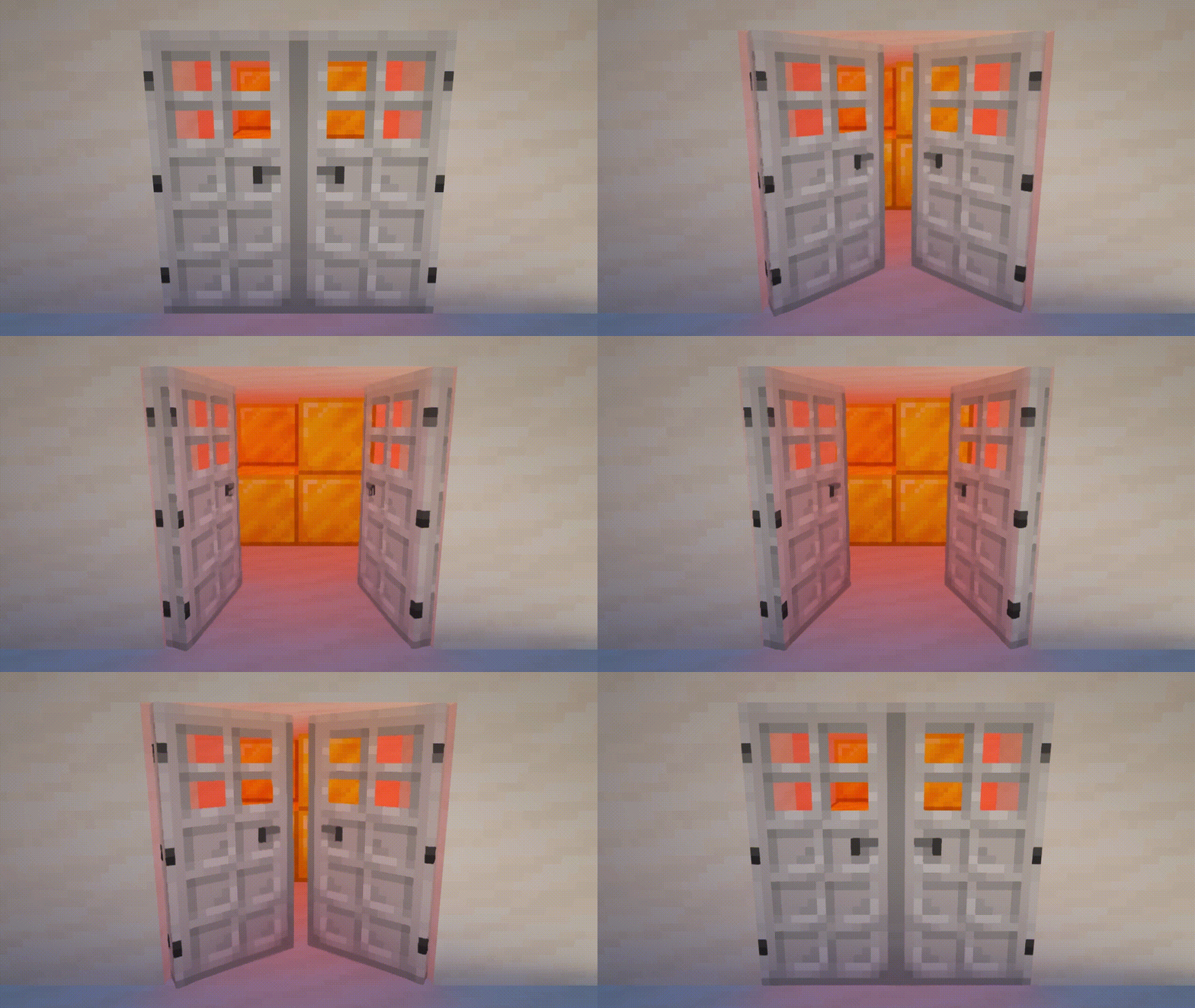
Adds the ability to lock doors, trapdoors, fance gates, levers and buttons. You can also make animated doors.
截图
介绍
Description
This datapack adds the ability lock doors, trapdoors, fance gates, levers and buttons.
You can also make animated doors.
Recipes
Door Locker

Sets the password for supported blocks. Before use, you must rename on the anvil. Must be applied on the inside of the block.
The locker owner can always open their locks without a password!
Tip: If you remove the name (just set the name as a space) then Door Locker will not have a password, which is good for double doors if you don’t need a password.
Animated Door

Turns a locked door into an animated version of the door. Doesn’t change password. After that, the door cannot be opened / closed using redstone or villagers.
Works for doors only.
Delocker

Allows the owner of the lock to completely remove the lock from the block. Door Locker will not be returned. When removing a lock from an animated door, the doors will be dropped as items.
For mapmakers
You can use this datapack in your project, just provide a link to this page in credits.
You can use any item with custom text in the item name as a key.
You can get Door Locker with key name in two ways:
- Take your key to the door in your main hand and run this command in chat:
loot give @s loot door_locker:door_locker- Take your key in the second hand, and Door Locker in the main hand, then run this command in chat:
item modify entity @s weapon door_locker:copy_nameAlso available such modifiers for keys:
Make the key one-time use:
item modify entity @s weapon door_locker:meltRemove password for Door Locker:
item modify entity @s weapon door_locker:unlockRemove password for Door Locker but without sounds and particles:
item modify entity @s weapon door_locker:unlock/no_soundYou can apply multiple modifiers to keys. The modifier will only work if the password matches. Door Locker checks only iten Name and does not check ID, Lore and any other data.
常见问题
Door Locker 支持哪些 Minecraft 版本?
Door Locker 支持 Minecraft Java 版 1.19–26.3,共 29 个版本,可用的加载器:Fabric / Forge / NeoForge / Quilt。下载时注意选择和你游戏版本一致的文件。
Door Locker 怎么安装?
先用 PCL2 或 HMCL 启动器安装对应版本的 Fabric / Forge / NeoForge / Quilt,再把下载的 .jar 文件放进游戏目录的 mods 文件夹,重新启动游戏即可。开启了版本隔离的,mods 文件夹在 versions/版本名 下面。运行环境:客户端 / 服务端。
GalSergey 的其他作品
查看全部 →
HephaesTools
Adds advanced tools that add the ability to mine 3x3 blocks, cut whole trees and harvest with a right click.

Pokeball
With this little datapack you can catch some mobs with Pokeballs.

GalLab
General resource pack for all my datapacks.

Experience Storage
This small data package allows you to store experience in XP Book.
评论
登录后评论和评分