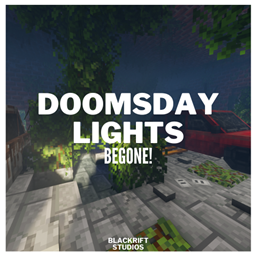
Doomsday Lights Begone!
A lightweight performance mod that automatically removes all doomsday_decoration Light blocks to eliminate FPS drops and lag in Lost Cities worlds.
介绍
💡 DOOMSDAY LIGHTS BEGONE!
✅ RECOMMENDED MOD
Also tired of lag from vehicles? Try
Doomsday Cars Begone!
Doomsday Lights Begone! automatically removes most doomsday_decoration light posts to reduce FPS drops and stutter. Works with any modpack using Lost Cities + doomsday_decoration.
- 🚀 Performance Boost – Removes hundreds of useless light posts
- ⚡ Fully Automatic – No setup, just install and play
- 🏗️ No Server Lag – Efficient multithreaded cleanup
- 🎯 Universal Support – Works with all modpacks using Lost Cities

⚠️ WARNING
LIGHT POSTS WILL BE PERMANENTLY REMOVED!
This includes lamp posts and similar decorative lighting blocks.
Once removed, they cannot be recovered.
🚀 How It Works
- Install the mod
- Launch Minecraft
- Chunks load, lights get deleted automatically
- Enjoy smoother performance
🔧 What Gets Removed
- Block Types: Lamp posts, street lights, pole-mounted lights
- Variants: Intact, broken, flickering
- 5+ Blocks: Most
doomsday_decorationlight objects
⚙️ Installation
No config needed! Just drop the .jar in your mods folder.
✅ Compatible with any doomsday_decoration version
✅ Works with Lost Cities worldgen
✅ Server and client compatible
✅ Minimal performance impact
⚖️ USAGE TERMS
Free to use anywhere!
Credit Admany when packaging in modpacks/servers.
No credit needed for ChaosZProject/ChaosZPack.
You cannot modify the source code without permission.
© 2025 Doomsday Lights Begone! by Admany • Bye-bye lights, hello frames 🔋
常见问题
Doomsday Lights Begone! 支持哪些 Minecraft 版本?
Doomsday Lights Begone! 支持 Minecraft Java 版 1.20.1,可用的加载器:Forge。下载时注意选择和你游戏版本一致的文件。
Doomsday Lights Begone! 怎么安装?
先用 PCL2 或 HMCL 启动器安装对应版本的 Forge,再把下载的 .jar 文件放进游戏目录的 mods 文件夹,重新启动游戏即可。开启了版本隔离的,mods 文件夹在 versions/版本名 下面。
Admany 的其他作品
查看全部 →
[QAPI] | Quantified API
A high-performance API for Minecraft mods, built to handle tasks efficiently, reduce lag, use GPU acceleration, smart caching, and multithreading - keeping your game smooth and stable.

LC²H [Lost Cities: Multithreaded]
LC2H V3 turbocharges The Lost Cities to massive cities, lightning-fast, silky smooth gameplay. Fully C²ME compatible. I'm proud of this, and hope everyone will enjoy using it :]
ADM Anticheat
Revolutionary Anticheat system for Forge.

[TaCZ:Accel] | Timeless and Classics Zero Guns: Accelerated
Performance addon for TaCZ that cuts down CPU and memory usage, bloat, speeds up gun rendering while fixing stability issues. Made with love at BlackRift Studios :]
评论
登录后评论和评分