介绍
中文介绍正在准备中,下面暂时显示原文。
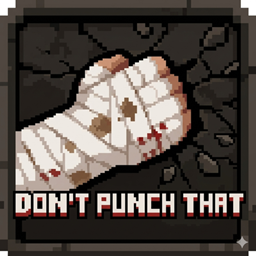
👊 Don’t Punch That (DPT)
Your hands aren’t made of steel. Stop acting like they are.
Don’t Punch That is a survival-realism mod for NeoForge 1.21.1 that adds a layer of consequence to early-game resource gathering. Gone are the days of punching through solid granite with your bare knuckles without a scratch.
🛠️ Features
- Hardness Consequence: Punching blocks that officially require a tool to drop (Ores, Stone, Deepslate, etc.) now deals damage to the player.
- Log & Plank Pain: Even if the game says you can break wood with your hands, your nerves say otherwise. Logs and Planks are included in the pain list by default.
- Glass Bleeding: Punching glass with an empty hand triggers a Wither effect and a custom glass-break sound. Safety first.
- Magic-Style Damage: Taking damage from a block won’t knock you back or make you "jump." Your position remains stationary so your mining isn’t interrupted by physics jitter.
- Safe Foliage: Punching grass, flowers, and leaves is 100% safe.
⚙️ Configuration (Total Control)
This mod is built for customization. Using the in-game config or the config file, you can control exactly what hurts and what doesn’t using our Keyword and Tag system:
[requires_tool]– Automatically includes anything that needs a tool to drop items.[requires_pickaxe]/[requires_axe]/ etc. – Specific tool-type triggers.#minecraft:logs– Support for block tags.!minecraft:stone– Use the!prefix to negate a rule and make a specific block safe.
💀 Custom Death Message
If you ignore the warnings and keep punching, you’ll be met with a unique death message:
"<Player> punched that. They shouldn’t have."
Developed for NeoForge 1.21 / 1.21.1
常见问题
Don’t Punch That! 支持哪些 Minecraft 版本?
Don’t Punch That! 支持 Minecraft Java 版 1.21.1,可用的加载器:NeoForge。下载时注意选择和你游戏版本一致的文件。
Don’t Punch That! 怎么安装?
先用 PCL2 或 HMCL 启动器安装对应版本的 NeoForge,再把下载的 .jar 文件放进游戏目录的 mods 文件夹,重新启动游戏即可。开启了版本隔离的,mods 文件夹在 versions/版本名 下面。
评论
登录后评论和评分