
Do an Over Roll
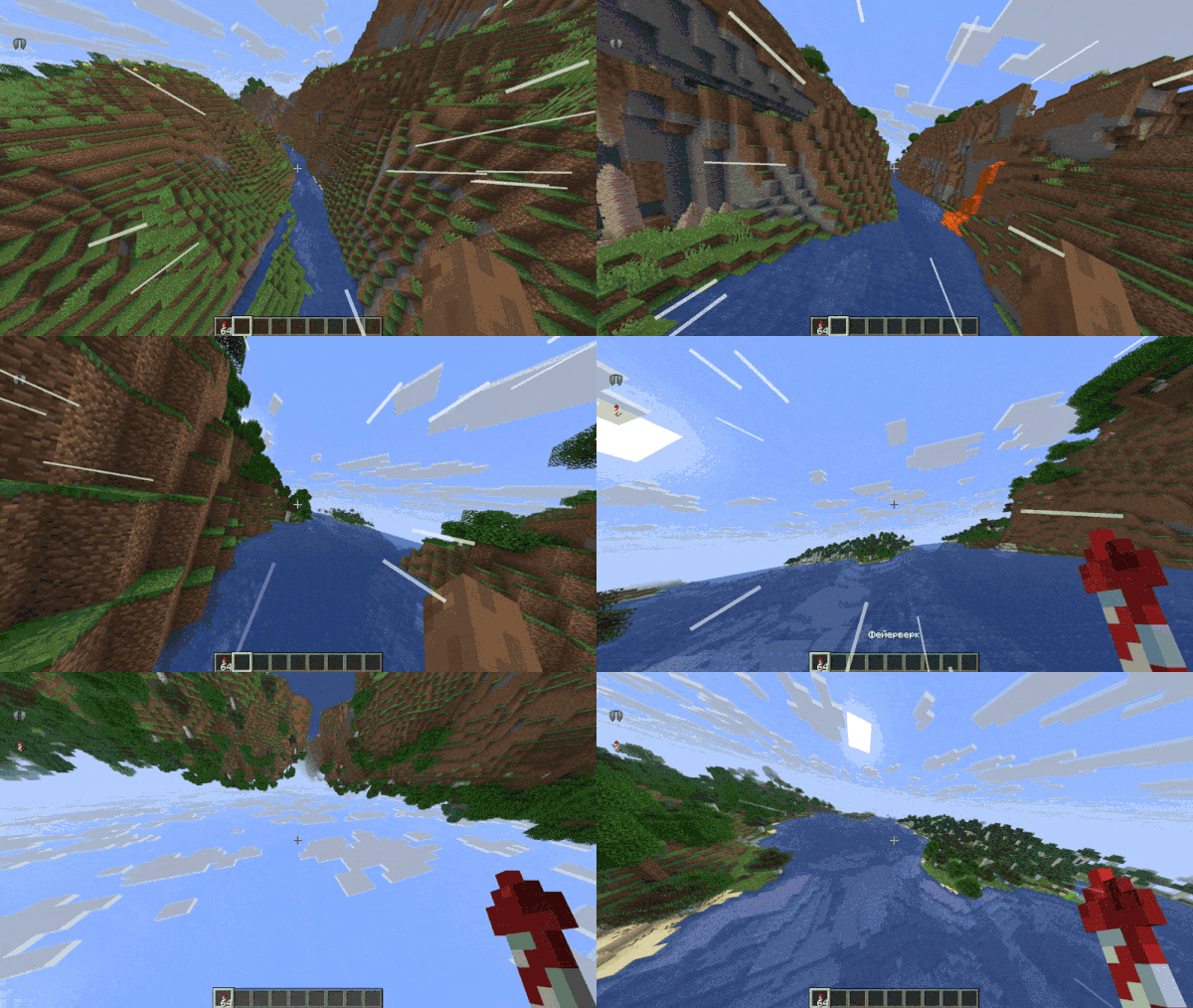
Smooth cinematic elytra flight: banking. Inertia and soft camera smoothing. Works on client and server.
截图


介绍




Overview
An advanced elytra control mod focused on realistic flight physics. Its core feature: full directional freedom independent from camera angle, allowing rolls and loops in any axis. Built‑in motion filters ensure smooth view transitions, with roll‑offset effects mimicking real aircraft behavior.
Configuration
The mod offers full in-game configuration through ModMenu and Cloth Config API. After installing both, simply locate the mod in your mods list and hit the config button to open the settings panel.
A broad set of tweaks is up for grabs, covering custom mouse handling, flight activation limits, and adjustable parameters such as tilt intensity, response speed, and various other fine-tuning sliders.
Server-side features
Both server and client running the mod — visual effects are fully synchronized.
Server has the mod, client does not — the client can still join and play without any problems, but will not see any visual cues from the mod.
Server lacks the mod, client has it — the client can join and play normally, but visual feedback will only be visible to that player alone
Disclaimer
This mod doesn’t actually alter the underlying flight physics, so in most situations it won’t set off anticheat systems. That said, performing stunts like rapid vertical loops may appear to the server as erratic camera movements and could potentially trigger a flag. Use with caution and at your own discretion.
Plans for the near future
Support for versions 1.21.11, 26.2, and 26.3.
常见问题
Do an Over Roll 支持哪些 Minecraft 版本?
Do an Over Roll 支持 Minecraft Java 版 26.1–26.1.2,共 3 个版本,可用的加载器:Fabric / NeoForge。下载时注意选择和你游戏版本一致的文件。
Do an Over Roll 怎么安装?
先用 PCL2 或 HMCL 启动器安装对应版本的 Fabric / NeoForge,再把下载的 .jar 文件放进游戏目录的 mods 文件夹,重新启动游戏即可。开启了版本隔离的,mods 文件夹在 versions/版本名 下面。运行环境:客户端 / 服务端。

评论
登录后评论和评分