
截图
介绍
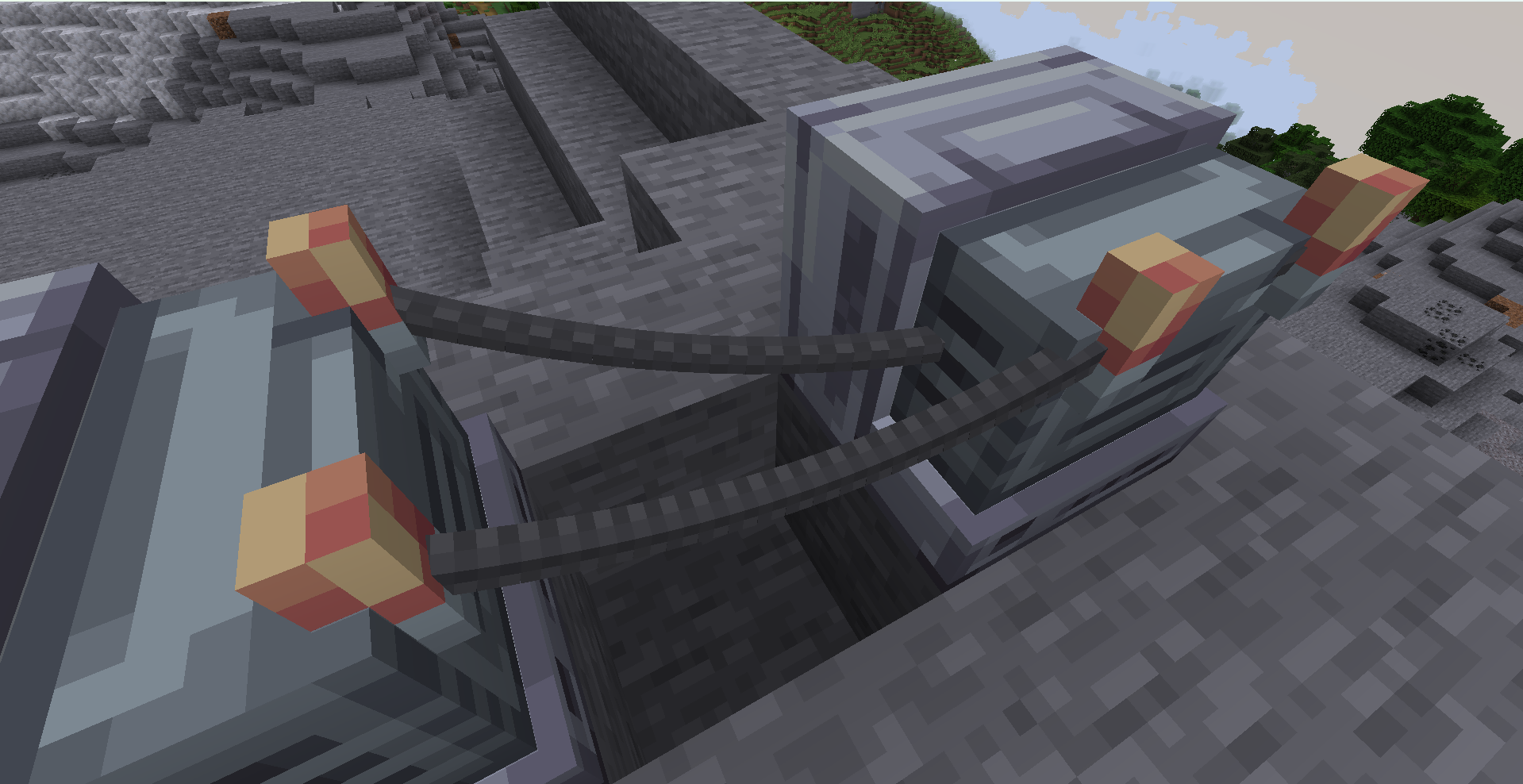
The mod introduces 2 blocks and 1 item that allow you to build and control your own digital screens. Using a computer, you can program the display and draw anything you want — from simple text to complex graphics.
Features:
Display Block – a screen where your graphics are rendered
Controller Block – connect it to a computer to send code and control the display
Wire Item – connect components using positive (+) and negative (–) wires
With Displadium, you can:
Create custom interfaces and HUDs
Display images, text, or animations
Build your own in-game control panels
Experiment with programming inside Minecraft
The wiring system allows you to connect blocks realistically, requiring proper positive and negative connections to function.
TUTORIAL
Below is the full list of available Lua commands, how they are implemented in the code, and an exact usage example.
All available commands
tick(t, dt) — a function called by the engine every tick. t is time in seconds, dt is the time step adjusted by speed().
point(x, y) — sets the position of a point (x, y) within the 0..1 range.
emit(x, y [, color [, glow [, size]]]) — adds a point to the trail with optional parameters. Supports color as #RRGGBB, a number, or r,g,b.
line(x1, y1, x2, y2 [, steps [, color [, glow [, size]]]]) — draws a line using points. steps is limited to 2..200.
rotline(cx, cy, length, angle [, steps [, color [, glow [, size]]]]) — draws a line using center, length, and angle (in radians).
color(#RRGGBB) or color(r, g, b) — sets the color. r,g,b can be in range 0..1 or 0..255.
glow(value) — brightness, minimum 0.
size(value) — point size, minimum 0.05.
alpha(value) — transparency (0..1).
speed(value) — time speed, minimum 0.05.
trail(count) — trail length (10..400).
subtick(value) — trail interpolation (1..20).
show(true/false) — enables or disables rendering.
time() — returns current time t (with speed applied).
Exact rules and limits
Coordinates x and y are always clamped to 0..1.
Color can be a #RRGGBB string, a number, or three components r,g,b (0..1 or 0..255).
glow ≥ 0, size ≥ 0.05, alpha 0..1, speed ≥ 0.05, trail 10..400, subtick 1..20.
line / rotline: steps is limited to 2..200.
How to use
Connect the computer and display using wires (both + and – must go to the same computer).
Open the computer interface, paste your Lua code into the field, and press “Save”.
The script is loaded, and the tick(t, dt) function is called every client tick.
Example (fully accurate and working)
function tick(t, dt) speed(1.0) trail(120) subtick(6) alpha(0.9) glow(1.2) size(1.0) local x = 0.5 + math.cos(t * 1.3) * 0.35 local y = 0.5 + math.sin(t * 1.3) * 0.35 point(x, y) color(“#66CCFF”) emit(x, y) local angle = t * 2.0 rotline(0.5, 0.5, 0.7, angle, 30, 1.0, 0.5, 0.2) end
How the example works
tick is called every tick, t is time in seconds (affected by speed).
point moves the main point in a circle.
emit adds a trail with the chosen color/brightness.
rotline draws a rotating line around the center.
常见问题
Displadium 支持哪些 Minecraft 版本?
Displadium 支持 Minecraft Java 版 1.20.1–1.20.6,共 6 个版本,可用的加载器:Forge。下载时注意选择和你游戏版本一致的文件。
Displadium 怎么安装?
先用 PCL2 或 HMCL 启动器安装对应版本的 Forge,再把下载的 .jar 文件放进游戏目录的 mods 文件夹,重新启动游戏即可。开启了版本隔离的,mods 文件夹在 versions/版本名 下面。运行环境:客户端和服务端都要装。
sonima 的其他作品
查看全部 →
Create: The Air War
这个模组是为飞行载具打造的,主要功能是为飞行载具添加更多武器,让玩家能在不同派系和国家之间展开空战。

Create: The Air War
This mod was created for aerial vehicles. The main function of the mod was to add more weapons to air transport so that people could create an air war between different factions and countries

Create: Automatics
This addon adds autopilot with Sable constructions, Create Aeronautics, and Create

The Civil Defence
Mod adds sirens and everything related to civil defense
评论
登录后评论和评分