
Discord Verifier
A convenient way for Minecraft server admins to restrict access to a limited group of individuals, without having to deal with the hassle of a whitelist.
截图
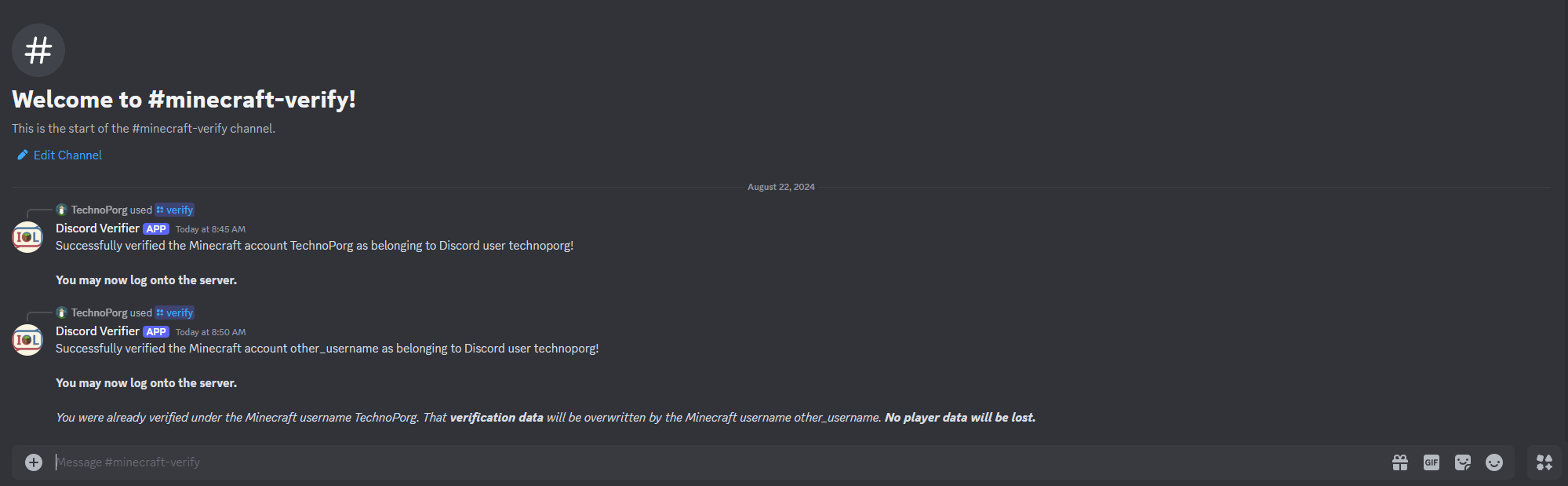
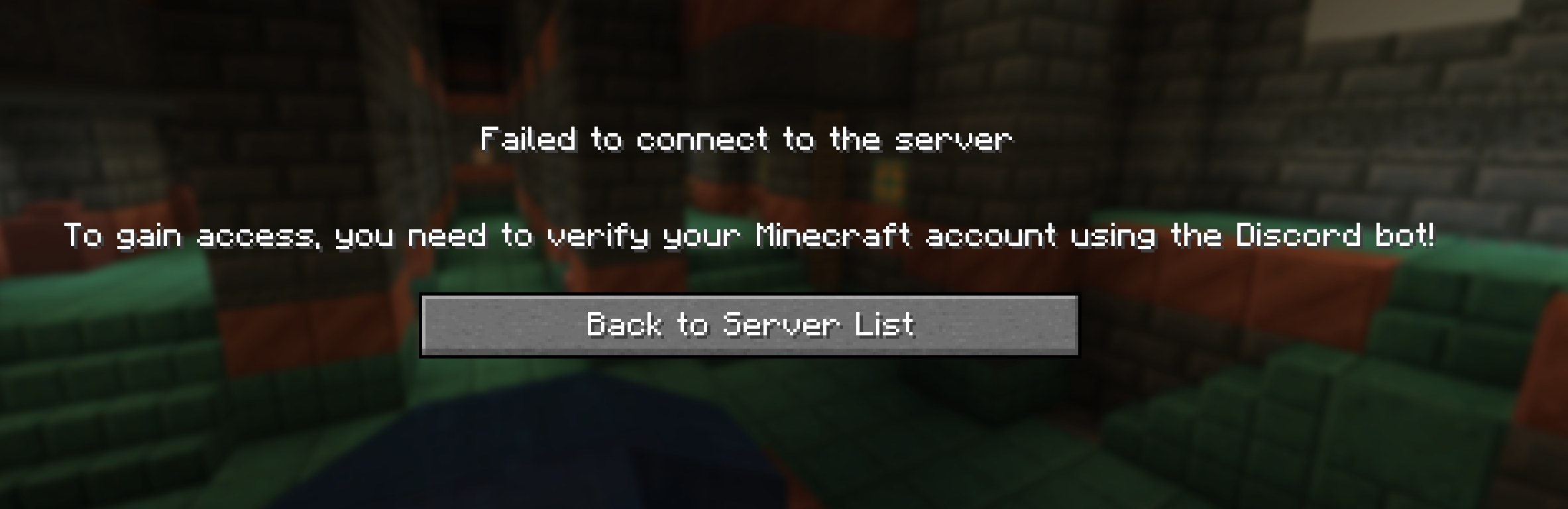
介绍
DiscordVerifier: Gatekeep your Minecraft server!
DiscordVerifier is a convenient way for Minecraft server admins to restrict access to a limited group of individuals without having to deal with the hassle of a whitelist.
Some example use cases include hosting a Minecraft server for members of a patrons-only Discord server, or for a school club.
Usage
For a user to gain access to the server, they simply need to use the /verify {username} Discord command with their Minecraft username. Each Discord user can only have one Minecraft account.
DiscordVerifier is a purely server-side mod, so no changes to the Vanilla client will be necessary to join a server running DiscordVerifier. Installing it on the client is unsupported and may cause data loss.
Setup
Download the appropriate mod version and place it in your server’s mods folder.
The mod depends on the Fabric API, so be sure that is also installed.
Next, register a new Discord app through the Discord developer portal.
You may want to make the bot private, so that server members cannot add it to arbitrary other servers which you do not run.
Copy the bot token from the Bot subsection and paste it into the config file on the server.
Until you do this, DiscordVerifier will not work. The bot will appear as offline on Discord until the server is running and the token is valid.
Be sure never to share this token where anyone else can see it, or anyone will be able to take control of your bot.
Users will now be required to verify on the Discord server using the /verify {username} command before they are allowed to access the Minecraft server.
See the GitHub README for more details on configuration and limitations.
常见问题
Discord Verifier 支持哪些 Minecraft 版本?
Discord Verifier 支持 Minecraft Java 版 1.21–1.21.1,共 2 个版本,可用的加载器:Fabric。下载时注意选择和你游戏版本一致的文件。
Discord Verifier 怎么安装?
先用 PCL2 或 HMCL 启动器安装对应版本的 Fabric,再把下载的 .jar 文件放进游戏目录的 mods 文件夹,重新启动游戏即可。开启了版本隔离的,mods 文件夹在 versions/版本名 下面。运行环境:仅服务端。
评论
登录后评论和评分