
Discify
Spotify controls and now-playing HUD in Minecraft — no Premium required for playback controls
截图
介绍
Discify 🎵
NOTE: This mod does not support macOS nor Linux as it hooks into the Windows API to control your music. This mod is not malicious in any way and will not manipulate anything in your operating system. This mod is open source, with the source being found in the GitHub Repo.
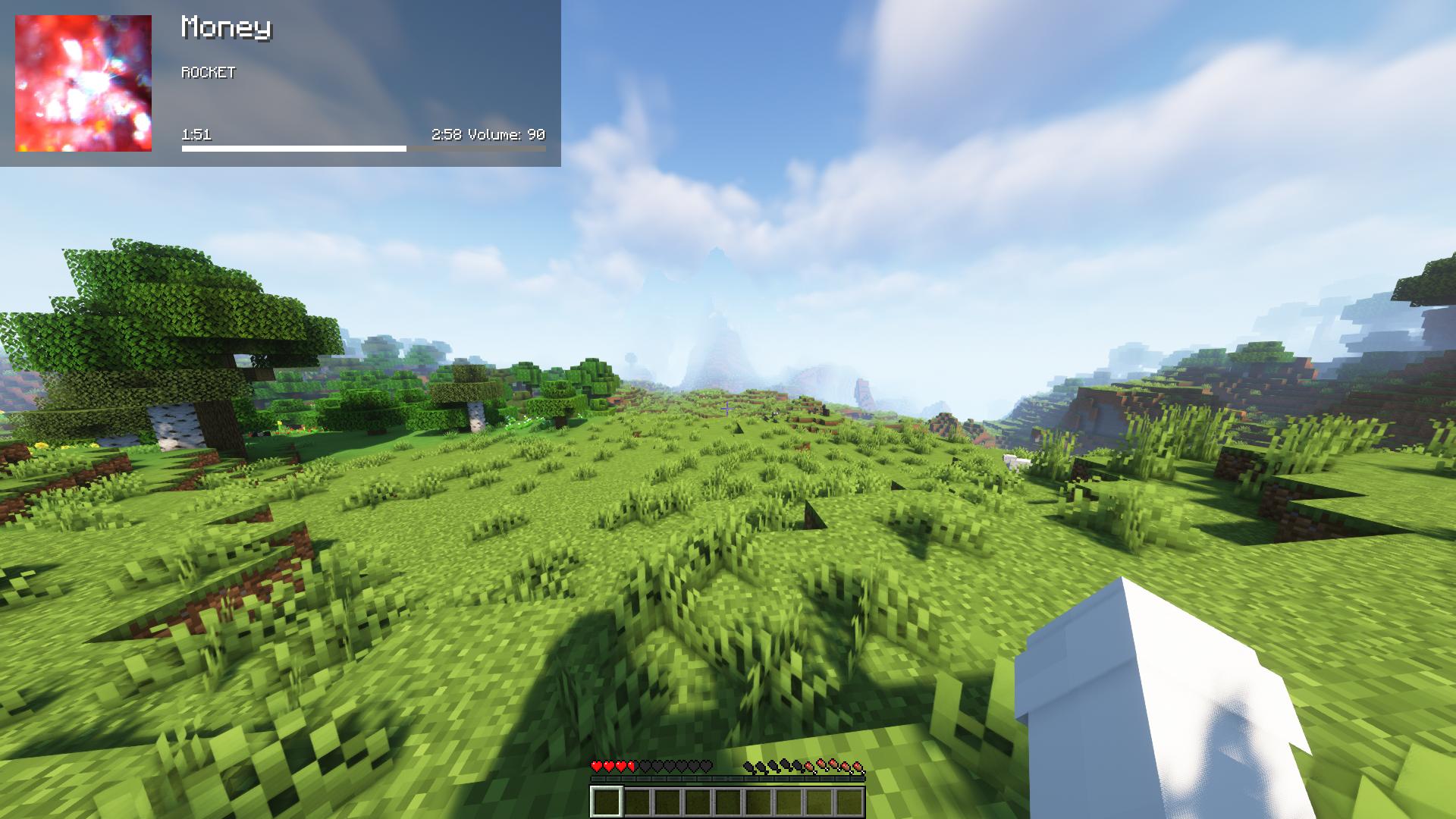
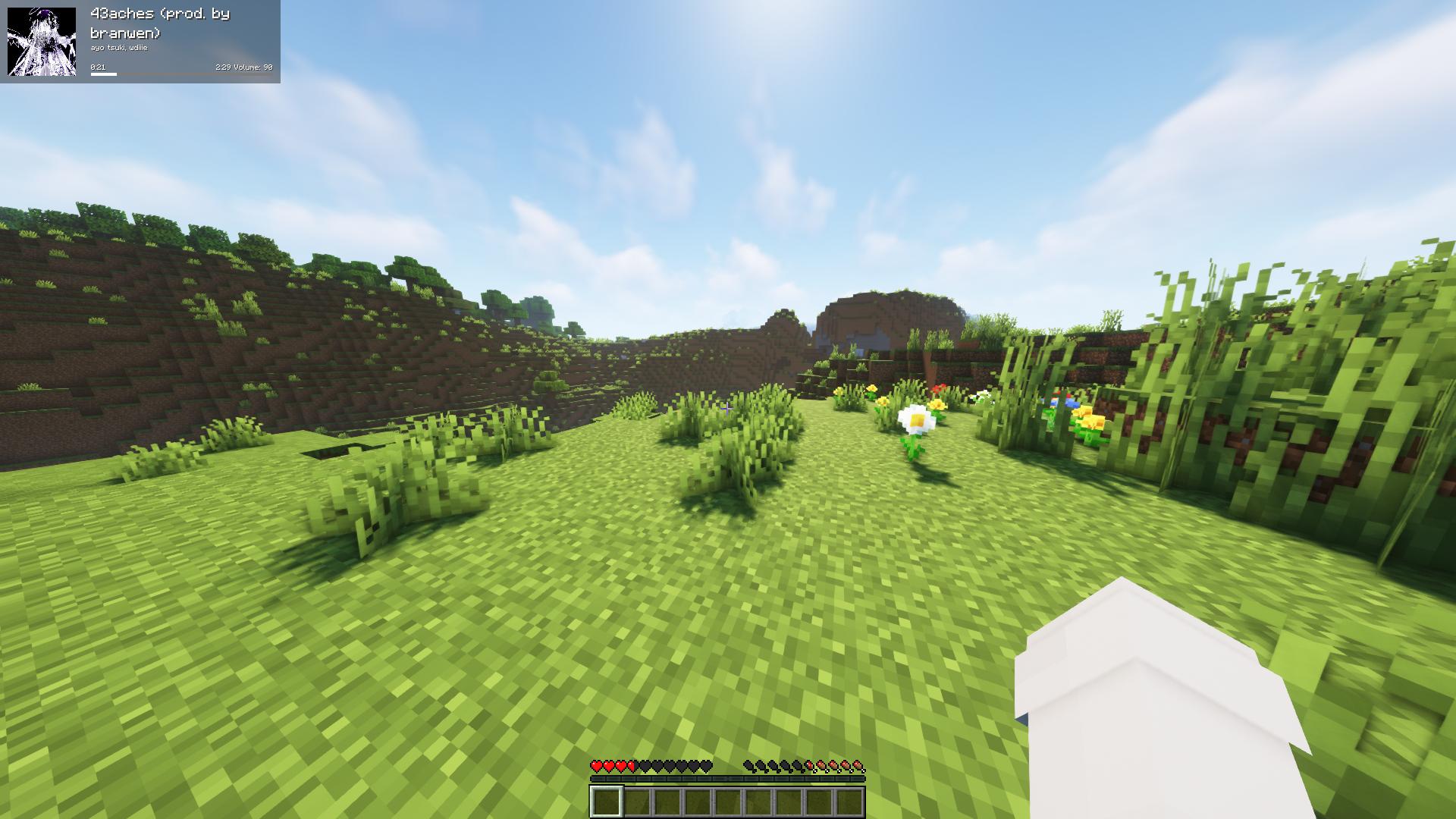
Discify is a client-side Minecraft mod that brings full Spotify integration directly into your game HUD. Control your music, view what’s playing, and save songs to your library with zero friction. All without needing a Spotify Premium subscription nor a complex setup!
🌟 Key Features
- Zero Premium Required: Play, Pause, Next, Prev, and volume controls work on all accounts (including Free) because it interacts directly with the Windows media system instead of the Spotify Web API.
- Zero Spotify Auth Required: Uses the Windows System Media Transport Controls (SMTC) to retrieve track info (title, artist, timeline, album cover art) without requiring any Spotify developer account or app registration.
- Optional Spotify Auth: Pressing L prompts you to authorize so that you can save the currently playing track directly to your Spotify library with a single keystroke.
- App-Specific Volume Controls: Increase and decrease volume specifically for Spotify inside the Windows audio mixer, keeping Minecraft and master system volume completely untouched.
- Clean In-Game HUD: Displays the current track title, artist, progress bar, time, volume, and album art directly in-game. Features customizable scale, position, and colors.
- In-Game Music Mute: Easily toggle in-game music volume between 0% and 100% with a single keybind to quickly switch between game sounds and your playlist.
⌨️ Default Keybinds
| Key | Action | Description |
|—–|——–|————-|
| Num 5 | Play / Pause | Toggle play/pause state of Spotify. |
| Num 4 | Previous Song | Skip back to the previous track. |
| Num 6 | Next Song | Skip forward to the next track. |
| L | Save Track | Save the currently playing song to your Spotify Liked Songs (requires one-time login authorization). |
| Num 8 | Force HUD Refresh | Manually force update the track information on the HUD. |
| Num 9 | Toggle HUD Visibility | Show or hide the Spoticraft HUD. |
| Num + | Increase Volume | Turns Spotify’s volume up (app volume mixer level). |
| Num – | Decrease Volume | Turns Spotify’s volume down (app volume mixer level). |
| Num 1 | Toggle In-Game Music | Toggles Minecraft’s music volume between 0% and 100%. |
⚙️ Configuration Options
Spoticraft includes a customizable configuration menu (powered by MidnightLib). You can tweak:
- HUD Scale: Make the HUD larger or smaller to fit your screen.
- HUD Position: Position the HUD relative to any of the 4 screen corners (Top-Left, Top-Right, Bottom-Left, Bottom-Right).
- Colors & Transparency: Customize colors for titles, artists, timeline text, progress bars, background color, and background transparency (alpha).
- Display Album Art: Enable or disable drawing the album cover art texture on the HUD.
- Volume Step: Adjust the percentage step size for volume increments and decrements.
🛠️ Requirements & Installation
- Make sure you are on Windows (System Media Transport Controls and app volume controls are Windows-specific).
- Install the Fabric Loader for Minecraft.
- Ensure Fabric API and MidnightLib are in your
modsfolder. - Drop the
discify-x.x.x.jarinto yourmodsfolder. - Start Spotify, load into a world, and enjoy!
常见问题
Discify 支持哪些 Minecraft 版本?
Discify 支持 Minecraft Java 版 26.1.2,可用的加载器:Fabric。下载时注意选择和你游戏版本一致的文件。
Discify 怎么安装?
先用 PCL2 或 HMCL 启动器安装对应版本的 Fabric,再把下载的 .jar 文件放进游戏目录的 mods 文件夹,重新启动游戏即可。开启了版本隔离的,mods 文件夹在 versions/版本名 下面。运行环境:仅客户端。
评论
登录后评论和评分