
Directional Beacon Beams
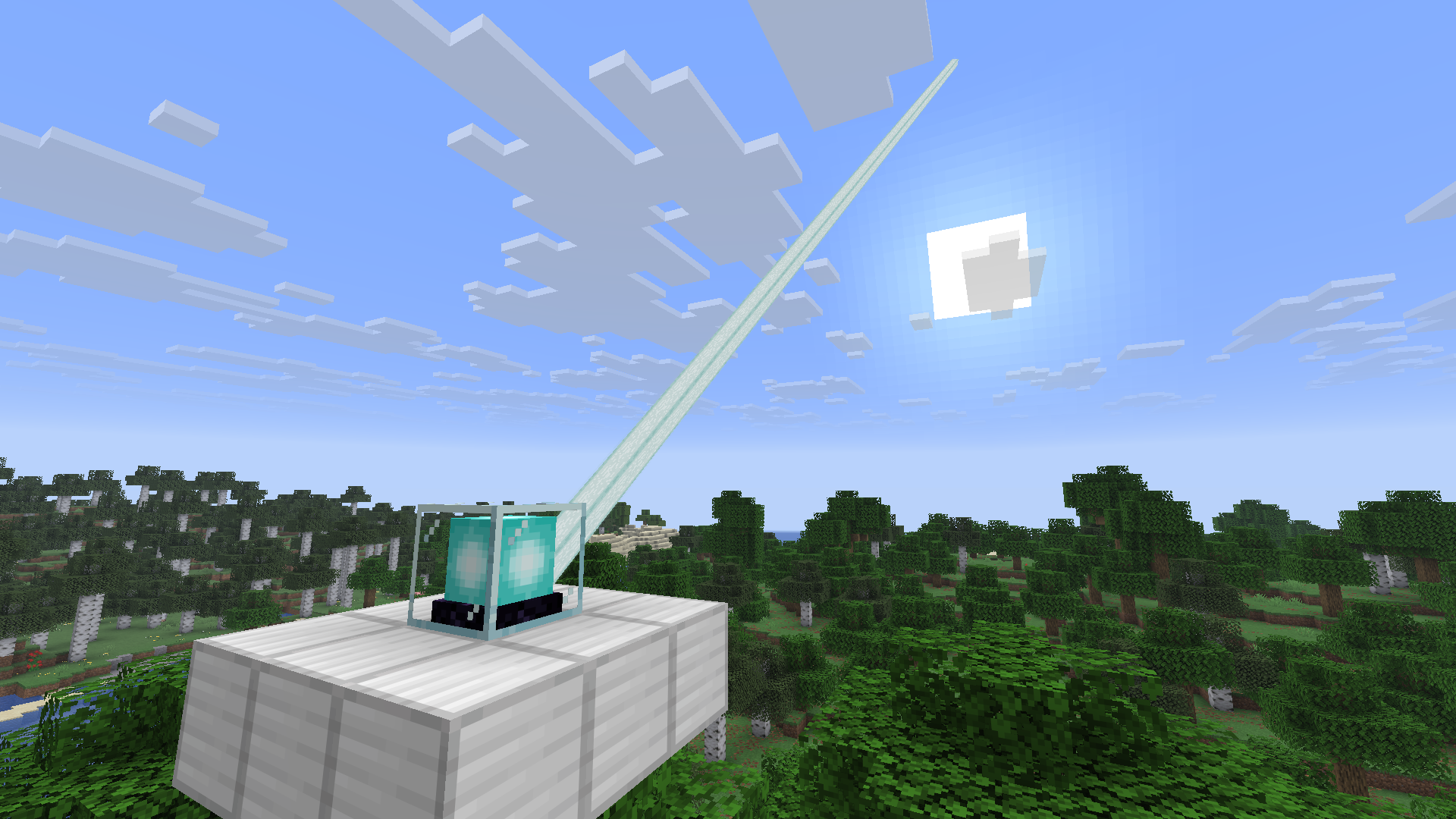
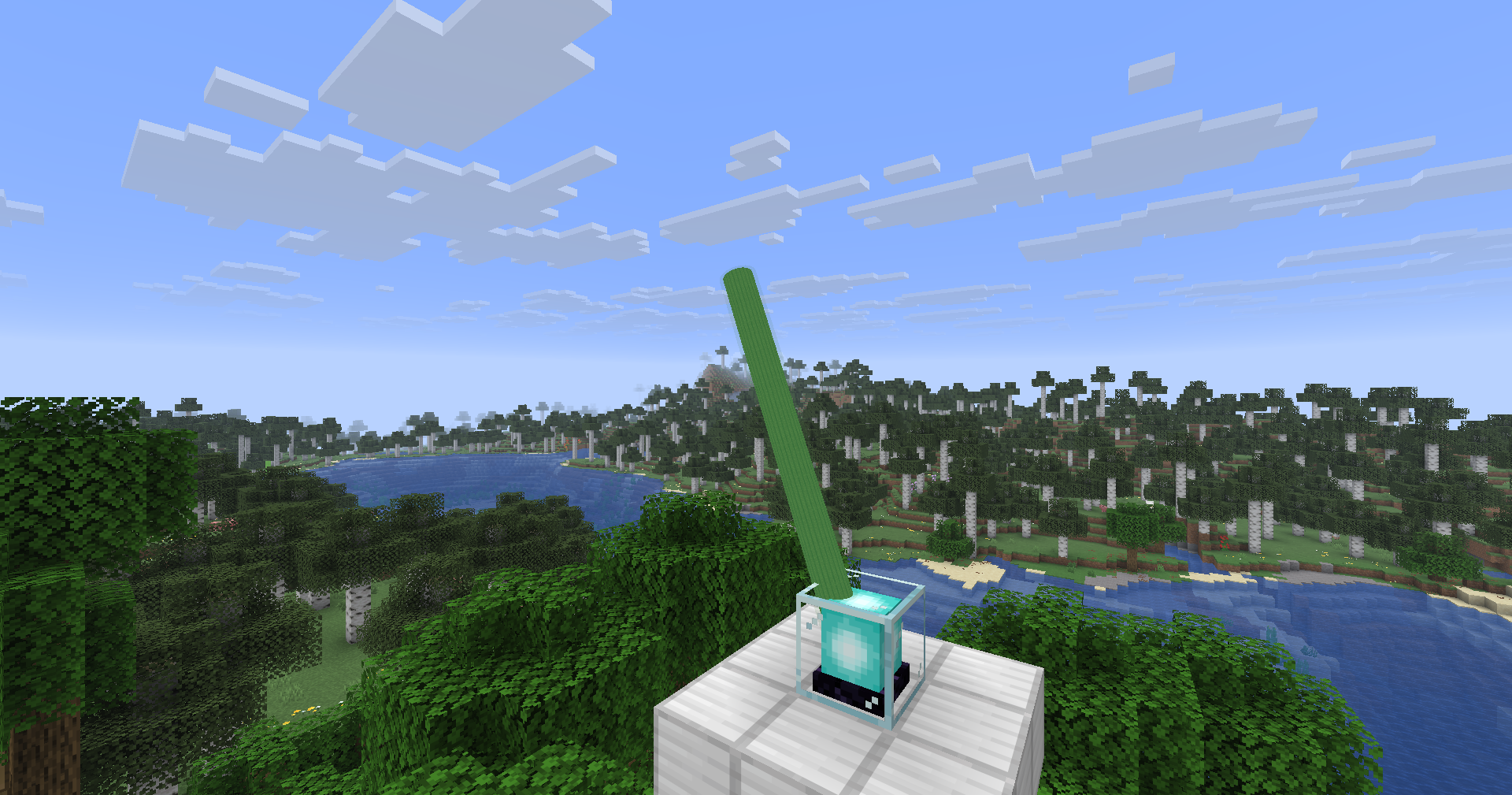
Change the direction of the beacon beam of each individual beacon you place (client side only). You can also edit the shape of the beam and the colour without stained glass.
截图
介绍
A client-only Fabric mod for Minecraft that lets you point a beacon’s light beam in any
direction and cap how far it travels — per beacon, no server-side installation required.
Point it anywhere — tilt and rotate a beacon’s beam to any yaw/pitch instead of the
vanilla straight-up beam.
Cap the length — set a maximum beam length independently of the beacon’s actual
pyramid height, from 1 to 2048 blocks.
Recolor it — pick any RGB color for the beam, independent of the stained-glass
segments stacked above the beacon.
Reshape it — choose the beam’s cross-section: triangle, square (vanilla), octagon,
or round, and adjust its thickness from 10% to 400% of vanilla.
Per-beacon settings — every beacon remembers its own direction, length, color,
shape, and thickness, stored locally per world/server.
In-world editing — shift-right-click a beacon to open the beam editor; no commands
or config file editing needed.
Mod Menu integration — a global “Configure” screen (via [[Mod Menu]](https://modrinth.com/mod/modmenu))
sets the default max length and lets you disable the mod entirely.
Shift-right-click any beacon block to open its beam editor. Changes are saved
automatically and persist across sessions. Settings are stored client-side only, keyed by
world/server + dimension + block position, so they follow the beacon even if you’re not
the one who placed it.
常见问题
Directional Beacon Beams 支持哪些 Minecraft 版本?
Directional Beacon Beams 支持 Minecraft Java 版 26.2,可用的加载器:Fabric。下载时注意选择和你游戏版本一致的文件。
Directional Beacon Beams 怎么安装?
先用 PCL2 或 HMCL 启动器安装对应版本的 Fabric,再把下载的 .jar 文件放进游戏目录的 mods 文件夹,重新启动游戏即可。开启了版本隔离的,mods 文件夹在 versions/版本名 下面。运行环境:仅客户端。
kevin_802eu 的其他作品
查看全部 →
Loot Rarity
Inspirated from an outdated mod, a fully redesigned loot rarity mod that is indicated by beams of light from the items on the ground. Fully customizable!
Loot Rarity
Inspirated from an outdated mod, a fully redesigned loot rarity mod that is indicated by beams of light from the items on the ground. Fully customizable!

lands-visual-accessibility
This is a client side mod that is an accessibility feature for the popular land claiming plugin Lands

Where Did I Put That
Have a chest monster and have no idea where you put your valuable boats and hoes?
评论
登录后评论和评分