
截图

介绍
Dimensional Tracker
Server-side Fabric and NeoForge mod that colors nicknames based on the dimension a player is in.
Compatible with VT AFK Display, Sessility Mod and Text Placeholder API
This mod utilizes vanilla scoreboard teams to color nicknames and provide optional placeholders [Fabric Only].
Customization
With default settings:
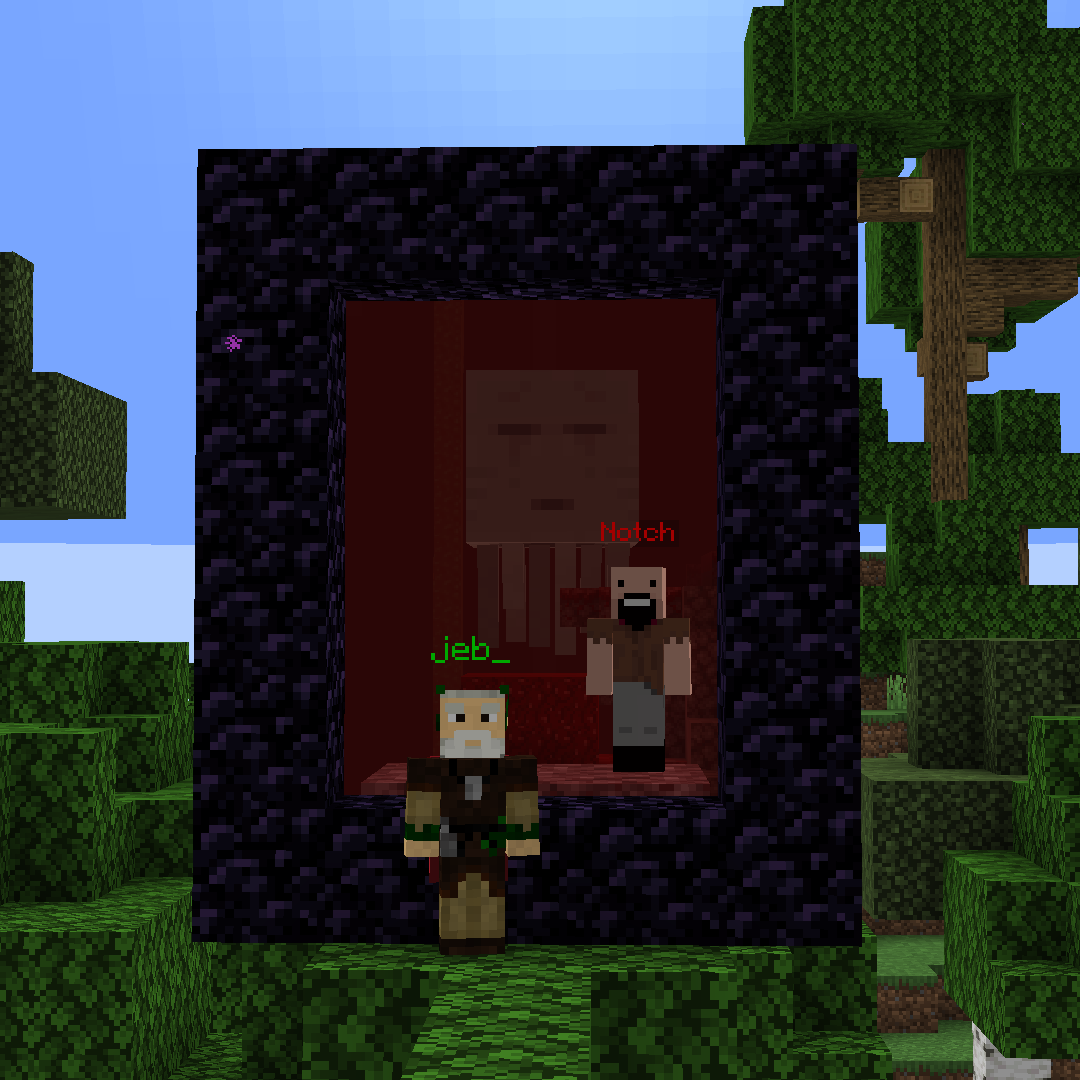
Green = Overworld
Red = The Nether
Purple = The End
Config file is located in config/DimensionalTracker.properties.
Team configuration
If you don’t want to be detected, simply join a different team.
You can modify your team’s color, add a prefix or suffix using the standard Minecraft /team command.
To add support for non-vanilla dimensions, create a team named dimTracker.<namespace>_<dimension_name>:
minecraftnamespace is stripped:minecraft:overworld->dimTracker.overworld- other namespaces are joined with
_,/becomes_:mymod:arena->dimTracker.mymod_arena,mymod:deep/dark->dimTracker.mymod_deep_dark
Placeholder Configuration (Fabric only)
Dimensional Tracker provides three placeholders:
%dimensional-tracker:dimension_color%: The color of the dimension the player is in%dimensional-tracker:dimension_name%: The name of the dimension the player is in%dimensional-tracker:dimension_id%: The id of the dimension the player is in
You can configure the placeholders in the config file.
Why this mod instead of datapacks?
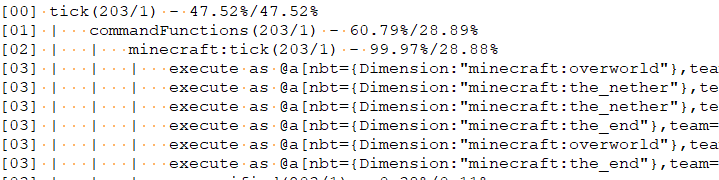
Because of how datapacks work they should check dimensions every tick. It’s okay for singleplayer, but on servers it can cause lag.
In testing, I saw that it can take up to 30% of MSPT for 10 players:
Example of how mod works using Immersive Portals
常见问题
Dimensional Tracker 支持哪些 Minecraft 版本?
Dimensional Tracker 支持 Minecraft Java 版 1.20–26.3,共 24 个版本,可用的加载器:Fabric / NeoForge / Quilt。下载时注意选择和你游戏版本一致的文件。
Dimensional Tracker 怎么安装?
先用 PCL2 或 HMCL 启动器安装对应版本的 Fabric / NeoForge / Quilt,再把下载的 .jar 文件放进游戏目录的 mods 文件夹,重新启动游戏即可。开启了版本隔离的,mods 文件夹在 versions/版本名 下面。运行环境:仅服务端。
NikitaCartes 的其他作品
查看全部 →
Glowing Torchflower
让火把花发光的模组
Disable Insecure Chat Toast
该模组会移除连接到未启用安全聊天强制(enforce secure chat)的服务器时弹出的警告提示。

EasyAuth
Authentication mod for Fabric servers

Glowing Eyeblossom
Minecraft mod that make Eyeblossom glow
评论
登录后评论和评分