介绍
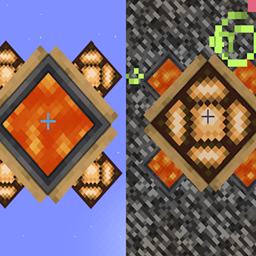
A window, not a portal. A window that works like an Interdimensional Item Frame.
Place the Dimensional Window on a block in the Overworld at ~ ~ ~ and it shows you what’s at ~ ~ ~ in the Nether. Place it in the Nether, and it shows you the Overworld. Live, in real time.
“Shows a real-time view of the corresponding block in the Nether or the Overworld.”
Displayed areas are loaded while being viewed.
How it works
The center of the Dimensional Window (Functional Block) renders the block that exists at the same coordinates in the opposite dimension. The other dimension stays loaded while you view it.
常见问题
Dimensional Windows 支持哪些 Minecraft 版本?
Dimensional Windows 支持 Minecraft Java 版 1.21.1,可用的加载器:NeoForge。下载时注意选择和你游戏版本一致的文件。
Dimensional Windows 怎么安装?
先用 PCL2 或 HMCL 启动器安装对应版本的 NeoForge,再把下载的 .jar 文件放进游戏目录的 mods 文件夹,重新启动游戏即可。开启了版本隔离的,mods 文件夹在 versions/版本名 下面。
Hardmuscle 的其他作品
查看全部 →
Magic Mushrooms
A chaotic fun mod that lets you craft magical mushrooms to shrink down to microscopic proportions, tower over the world as a giant, or chug an antidote to restore normal size.
My Rotten Flesh
My Rotten Flesh lets you convert Rotten Flesh to Bone in a Furnace, Smoker, or Blast Furnace, use Rotten Flesh in a Composter (30% Chance), and use it as a Low Level Fuel.
Villagers Have Names
Bring your Minecraft world to life! Villagers Have Names gives your villagers distinct identities by automatically assigning them randomly selected, colored names when they enter the world.
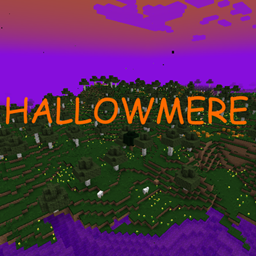
Hallowmere
Hallowmere is a spooky new dimension filled with the eerie atmosphere of Halloween!
评论
登录后评论和评分