
Dialog auth
The mod adds authorization using the dialog system added in 1.21.6!
截图
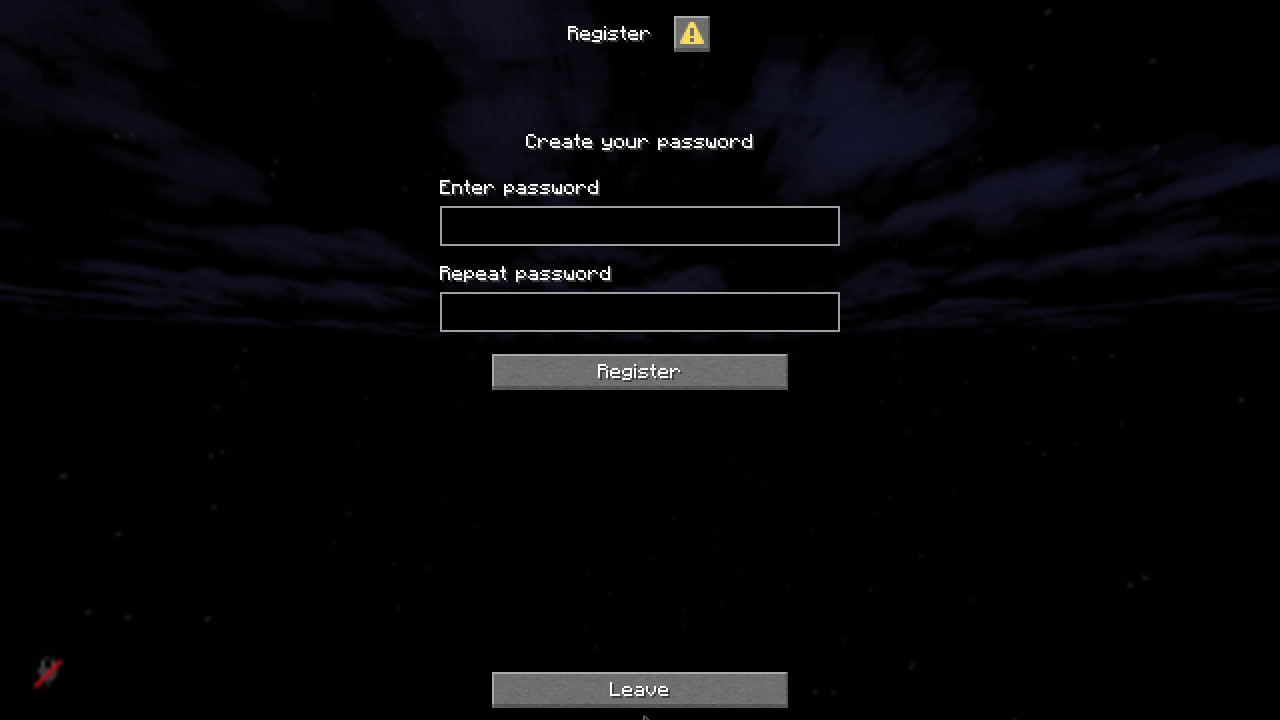

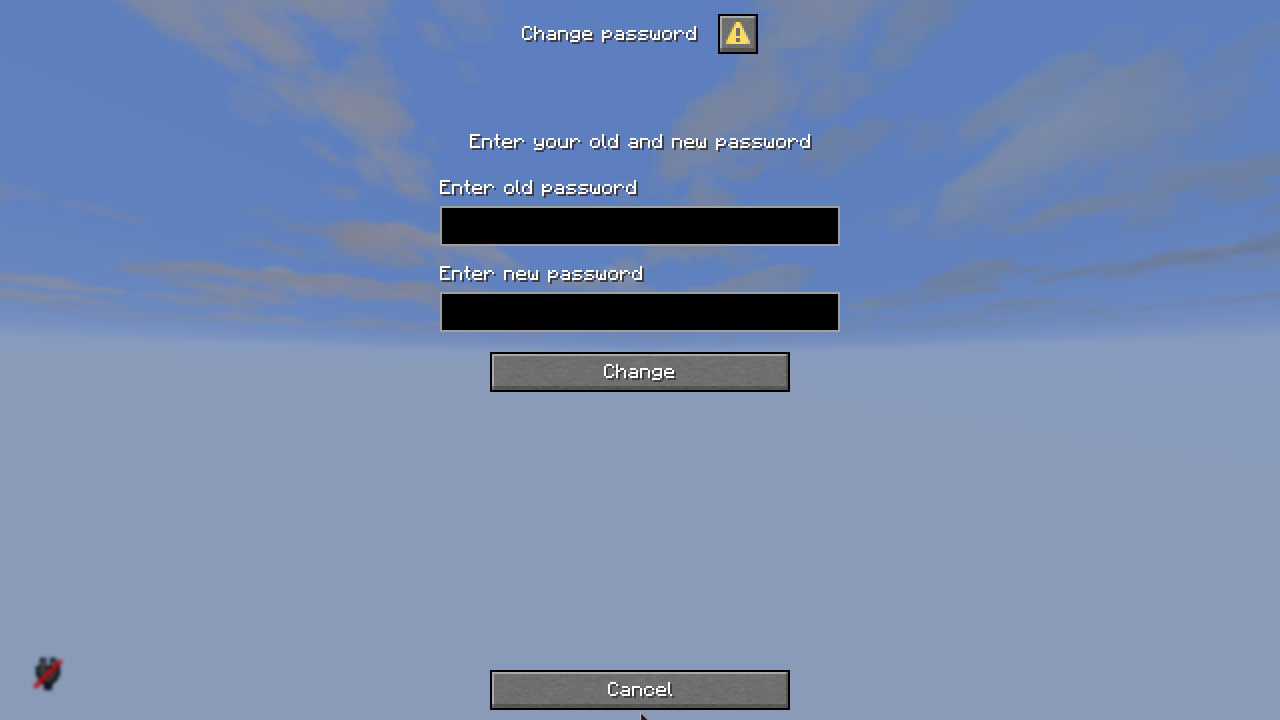
介绍
DialogAuth
A modern, secure authentication system for Minecraft servers using native dialog windows.


 soon on forge and neoforge
Features
✨ Native Dialog Interface – Clean, intuitive authentication using Minecraft’s built-in dialog system
🔒 Secure Password Storage – Passwords are hashed using BCrypt (cost factor 12) for maximum security
⏱️ Smart Session Management – Players stay logged in for 12 hours (configurable)
🌐 IP-Based Security – Automatic re-authentication when IP address changes
🎮 Seamless Experience – Players spawn in a void dimension during authentication, then return to their exact location
⚙️ Fully Configurable – Customize session duration, password requirements, and more
Screenshots


How It Works
First Time Players
- Player joins the server
- Teleported to authentication dimension (void space)
- Registration dialog appears
- Enter password twice to confirm
- Automatically returned to spawn location
Returning Players
- Within 12 hours + Same IP: Instant login, no dialog
- After 12 hours OR Different IP: Login dialog appears
- Enter password to authenticate
- Return to your saved location
Commands
/dialogauth changepass– Change your password/dialogauth reload– Reload configuration (admin only)
Configuration
Located in config/dialogauth/config.json:
{
  "authentication": {
    "min_password_length": 4,
    "max_password_length": 32,
    "session_duration_hours": 12,
    "check_ip_address": true
  }
}
Key Settings
session_duration_hours– How long players stay logged in (default: 12 hours)check_ip_address– Require re-login when IP changes (default: true)min_password_length– Minimum password length (default: 4)
Localization
Customize all messages in config/dialogauth/lang.json:
{
  "command": {
    "register": {
      "success": "§aSuccessfully registered!"
    },
    "leave": {
      "disconnect_message": "Disconnected"
    }
  }
}
Dialog Customization
All dialogs can be customized in config/dialogauth/dialogs/:
register/– Registration dialogslogin/– Login dialogschangepass/– Password change dialogs
Note: Dialog changes require server restart.
Security Features
✅ BCrypt password hashing (industry standard)
✅ No plaintext passwords stored
✅ Session-based authentication
✅ IP address verification
✅ Configurable password requirements
✅ Protected authentication dimension
Requirements
- Minecraft 1.21.6+
- Fabric Loader
- Fabric API
Installation
- Download the mod
- Place in your server’s
modsfolder - Start the server
- Configuration files will be auto-generated in
config/dialogauth/
Support
Found a bug or have a suggestion? Open an issue on GitHub!
Made with ❤️ for the Minecraft community
常见问题
Dialog auth 支持哪些 Minecraft 版本?
Dialog auth 支持 Minecraft Java 版 1.21.6–1.21.11,共 6 个版本,可用的加载器:Fabric。下载时注意选择和你游戏版本一致的文件。
Dialog auth 怎么安装?
先用 PCL2 或 HMCL 启动器安装对应版本的 Fabric,再把下载的 .jar 文件放进游戏目录的 mods 文件夹,重新启动游戏即可。开启了版本隔离的,mods 文件夹在 versions/版本名 下面。运行环境:仅服务端。
SurvivalWorld Season 4 的其他作品
查看全部 →
Falling tree
A realistic tree-cutting datapack with physics-based falling animations for Minecraft!

Event Horizon
Event Horizon is a cinematic shader for Minecraft that brings a black hole to the End dimension.

SGL (Super GUI Lib)
Super GUI Lib - A library for creating beautiful GUIs without assets.

Slime craft
DataPack adds slime ball creation.
评论
登录后评论和评分