
deicore
This is a Fabric mod for Minecraft, which adds commands such as WorldVar and some APIs
截图
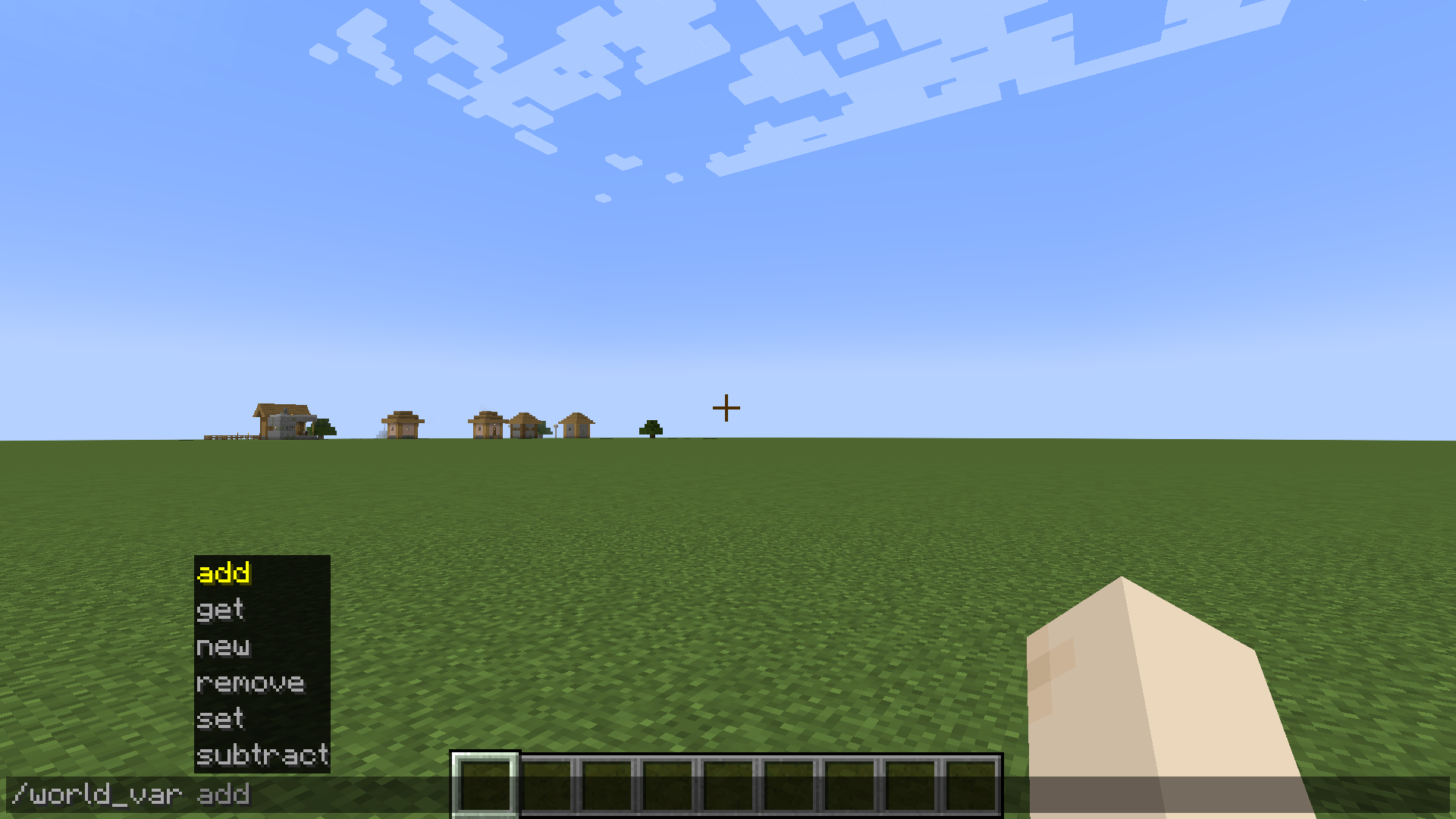
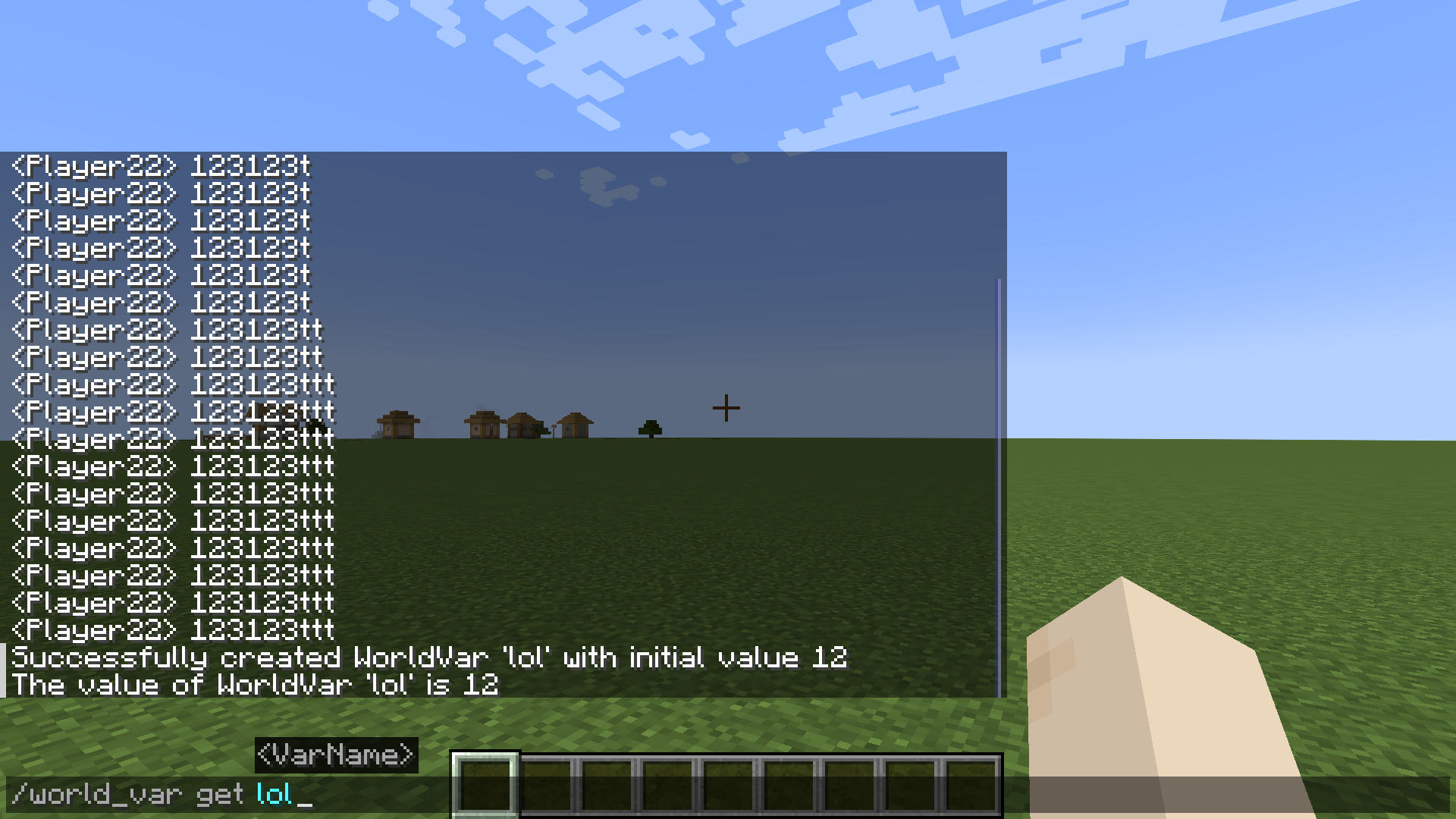
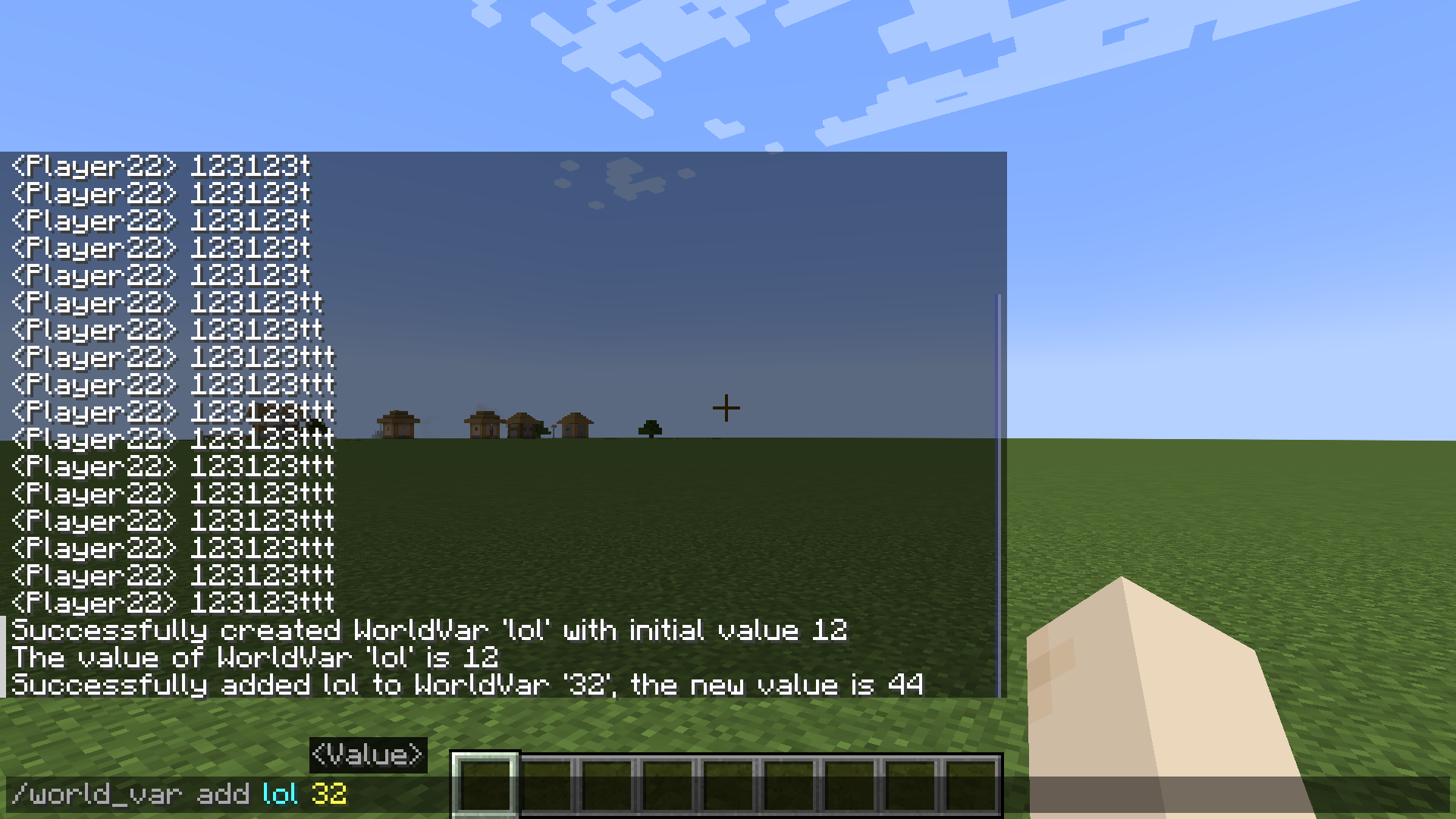
介绍
deicore
Q&A
Q: What’s this is deicore?
A: deicore is a support library, and It has WorldVar and other functions too.
Q: What’s API has functions?
A: API has Configuration Manager, Mod Check and other functions.
Q: What “WorldVar” can do?
A: He can create a variable that takes effect throughout the entire game, similar to a scoreboard.
WorldVar Command
| Subcommand | Description | Command Format | Parameter Explanation | Execution Feedback | Return Value Explanation |
| ———- | ———– | ————– | ——————— | —————— | ————————- |
| new | Create a new integer-type world variable | /world_var new <VarName> <Value> | 1. VarName: String type, the name of the new variable
2. Value: Integer type, the initial value of the new variable | Success: Returns the message “deicore.command.world_var.new_success” with the variable name and initial value | Returns 1 by default |
| get | Query the value of a specified world variable | /world_var get <VarName> | VarName: String type, the name of the variable to query | 1. Success: Returns the message “deicore.command.world_var.get_success” with the variable name and its value
2. Failure – Variable not found: Returns the message “deicore.command.world_var.not_found” with the variable name
3. Failure – Format error: Returns the message “deicore.command.world_var.format_error”
4. Failure – Unknown error: Returns the message “deicore.command.world_var.unknown_error” | 1. Success: Returns the integer value of the queried variable
2. Returns 0 in all failure scenarios |
| add | Add a specified value to an existing integer world variable | /world_var add <VarName> <Value> | 1. VarName: String type, the name of the variable to add to
2. Value: Integer type, the value to be added | 1. Success: Returns the message “deicore.command.world_var.add_success” with the variable name, the added value, and the value after addition
2. Failure – Variable not found: Returns the message “deicore.command.world_var.not_found” with the variable name
3. Failure – Format error: Returns the message “deicore.command.world_var.format_error” | 1. Success: Returns the integer value of the variable after addition
2. Returns 0 in all failure scenarios |
| set | Modify the value of an existing world variable to a specified integer | /world_var set <VarName> <NewValue> | 1. VarName: String type, the name of the variable to modify
2. NewValue: Integer type, the new value for the variable | 1. Success: Returns the message “deicore.command.world_var.set_success” with the variable name and new value
2. Failure – Variable not found: Returns the message “deicore.command.world_var.not_found” with the variable name | 1. Success: Returns the new integer value set
2. Returns 0 on failure |
| remove | Delete a specified world variable | /world_var remove <VarName> | VarName: String type, the name of the variable to delete | 1. Success: Returns the message “deicore.command.world_var.remove_success” with the variable name
2. Failure – Variable not found: Returns the message “deicore.command.world_var.not_found” with the variable name | 1. Returns 1 on success
2. Returns 0 on failure |
| subtract | Subtract a specified value from an existing integer world variable | /world_var subtract <VarName> <SubtractValue> | 1. VarName: String type, the name of the variable to subtract from
2. SubtractValue: Integer type, the value to be subtracted | 1. Success: Returns the message “deicore.command.world_var.subtract_success” with the variable name, the subtracted value, and the value after subtraction
2. Failure – Variable not found: Returns the message “deicore.command.world_var.not_found” with the variable name
3. Failure – Format error: Returns the message “deicore.command.world_var.format_error” | 1. Success: Returns the integer value of the variable after subtraction
2. Returns 0 in all failure scenarios |
常见问题
deicore 支持哪些 Minecraft 版本?
deicore 支持 Minecraft Java 版 1.21–1.21.1,共 2 个版本,可用的加载器:Fabric。下载时注意选择和你游戏版本一致的文件。
deicore 怎么安装?
先用 PCL2 或 HMCL 启动器安装对应版本的 Fabric,再把下载的 .jar 文件放进游戏目录的 mods 文件夹,重新启动游戏即可。开启了版本隔离的,mods 文件夹在 versions/版本名 下面。

评论
登录后评论和评分