Default Enchantments
Configure default enchantments which are applied when items are crafted!
截图
介绍
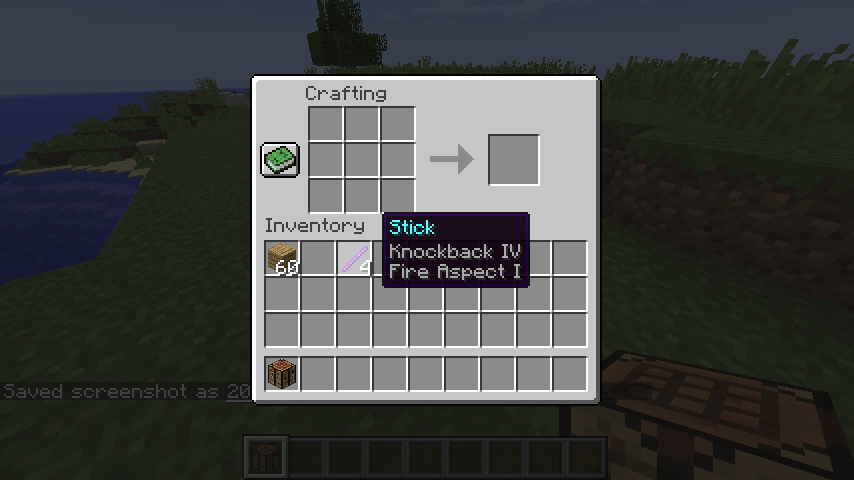
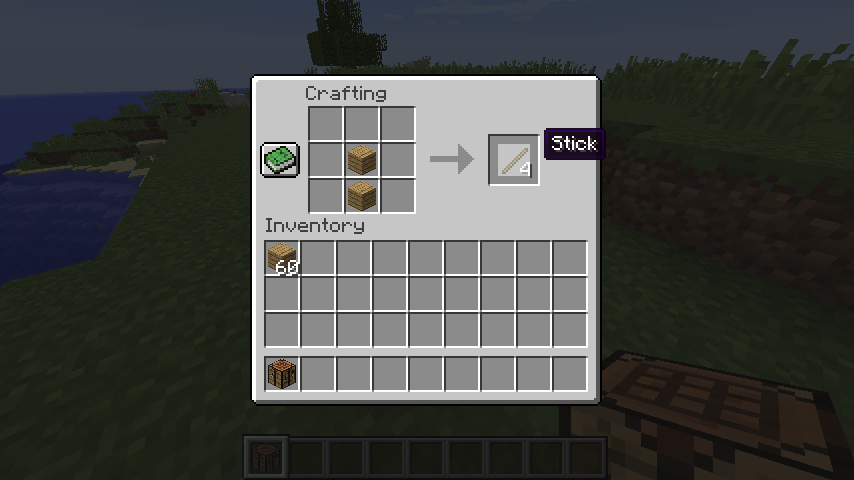
This is a simple mod which can be configured using a JSON file to set any enchantments to any item which will be applied when it is crafted or smelted.
In the configs, you’ll find the “defaultEnchantments.json” file in the mod’s config directory. You can easily configure this like the following example which sets Knockback 4 and Fire Aspect 1 to Sticks and Bone Meal:
[
    {
        "items": [
            {
                "registryName": "minecraft:stick"
            },
            {
                "registryName": "minecraft:dye",
                "metadata": 15
            }
        ],
        "enchantments": [
            {
                "registryName": "minecraft:knockback",
                "strength": 4
            },
            {
                "registryName": "minecraft:fire_aspect",
                "strength": 1
            }
        ]
    }
]
You can also specify item or block classes so that all items or blocks that are the same, or subclasses of the specified class will have the enchantments. For example, this will cause all pickaxes to have the Looting 1 enchantment:
[
    {
        "items": [
            {
                "className": "net.minecraft.item.ItemPickaxe"
            }
        ],
        "enchantments": [
            {
                "registryName": "minecraft:looting",
                "strength": 10
            }
        ]
    }
]
You can combine the last example with a blacklist configuration so that certain items will not have any enchantments defined above in the file. This involves simply defining items with no enchantments. The following example extends on the last so that all but Wooden Pickaxes have the Looting 1 enchantment:
[
    {
        "items": [
            {
                "className": "net.minecraft.item.ItemPickaxe"
            }
        ],
        "enchantments": [
            {
                "registryName": "minecraft:looting",
                "strength": 10
            }
        ]
    },
    {
        "items": [
            {
                "registryName": "minecraft:wooden_pickaxe"
            }
        ]
    }
]
The above examples makes use of everything you can do in the JSON configuration file, and is pretty straight-forward.
You can find the registry name and metadata of any item in-game by enabling the advanced tooltips (F3 + H) and looking at the tooltip when hovering over the item in a GUI.
For the enchantment “registryName”, you can find all of them listed on the Minecraft Wiki here. For modded enchantments, you may need to look at the mod’s source code or ask mod authors.
NOTE: This may not be compatible with all mod crafting mechanics.
常见问题
Default Enchantments 支持哪些 Minecraft 版本?
Default Enchantments 支持 Minecraft Java 版 1.12.2,可用的加载器:Forge。下载时注意选择和你游戏版本一致的文件。
Default Enchantments 怎么安装?
先用 PCL2 或 HMCL 启动器安装对应版本的 Forge,再把下载的 .jar 文件放进游戏目录的 mods 文件夹,重新启动游戏即可。开启了版本隔离的,mods 文件夹在 versions/版本名 下面。
bright_spark 的其他作品
查看全部 →
Async Locator
将特性搜索改为异步执行,以缓解相关卡顿。
Pollutant Pump
为 Pollution Of The Realms 添加一台泵,帮助清除空气污染。

Land Manager
管理自定义大小的世界保护区域,并将其分配给玩家!

Sparks Hammers
原版风格的锤子,功能和匠魂里的类似!
评论
登录后评论和评分