
Deep Bore
5x5 multiblock ore siphon for NeoForge 1.21.1. Build the rig, calibrate the emergency stop, insert a survey card and drill bit, then pipe FE and ores through dedicated hatches.
介绍
Full history from the 1.0.0 release to 1.0.93. 5×5 ore siphon, hatches, survey cards, emergency-stop calibration, upgrades, and industrial BER.
|
5×5 Multiblock
Controller in the deck center. Shaft of 3 frames down, tower of 3 frames up, corner frames on Y+1. Blueprint book + sneak hologram.
|
|
Drill, Survey, Calibrate
Iron or Allthemodium bit. Survey cards unlock a vein (~10 min, stackable). After forming: 8-signal emergency stop in 26 seconds.
|
|
Hatches and Upgrades
FE on the energy hatch, items on the item hatch (rim only). Speed, Fortune, Efficiency pods. Ore filter whitelist / blacklist. Redstone modes.
|
1.0.93
- Upgrade pods use the original metal/cyan stand again, glass facing outward
- Empty slots still hide the pod
1.0.92
- Emergency-stop minigame: 8 signals in 26s, five keys (A D W S Space), tighter late windows
- Pressing early or the wrong key fails the lock
- Calibrate UI spacing fixed (hits, prompt, and timer no longer overlap)
1.0.91
- Upgrade item pods face outward (away from the well)
- Empty upgrade slots show no pod; stand + icon only when that slot has an upgrade
- Formed machine model (blue-black + cyan industrial rig) with rotating drill-bit BER
- Cyan glow on screen, crown, and energy port; richer running/drilling particles
- Energy hatch (FE) and item hatch (output) on formed rim cells only
- No blanket energy/item exposure on casing or frame
- Efficiency upgrade (~25% lower FE); inventory 16 to 17 slots
- Ore table tuned for ATM10; idle FE baseline lowered
- Machine hum, drill loop, ore ping (vanilla sound events)
- Blueprint TOC: materials, layers, startup, hatches, upgrades (EN + DE)
- Client and server must run the same jar
- Minecraft 1.21.1 / NeoForge 21.1.x only (not 21.2+)
常见问题
Deep Bore 支持哪些 Minecraft 版本?
Deep Bore 支持 Minecraft Java 版 1.21.1,可用的加载器:NeoForge。下载时注意选择和你游戏版本一致的文件。
Deep Bore 怎么安装?
先用 PCL2 或 HMCL 启动器安装对应版本的 NeoForge,再把下载的 .jar 文件放进游戏目录的 mods 文件夹,重新启动游戏即可。开启了版本隔离的,mods 文件夹在 versions/版本名 下面。
Beardflix 的其他作品
查看全部 →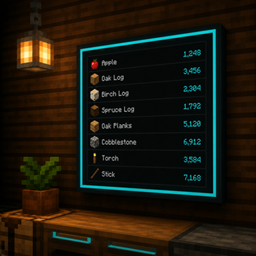
Smartstock
Wall monitors and storage terminals for NeoForge 1.21.1 — craft from nearby inventories, wireless links, crop farmer, AE2 bridge, and stylish Item Displays.
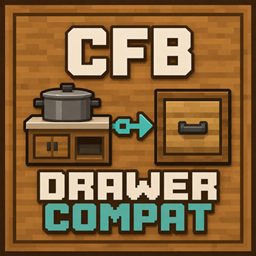
CFB Drawer Compat
Lets Cooking for Blockheads see ingredients in Functional Storage and Storage Drawers when placed next to your kitchen blocks.

Context Music
Situational Minecraft music from your own OGG/MP3 files — day, night, cave, combat — replacing vanilla overlap when enabled.
评论
登录后评论和评分