
截图


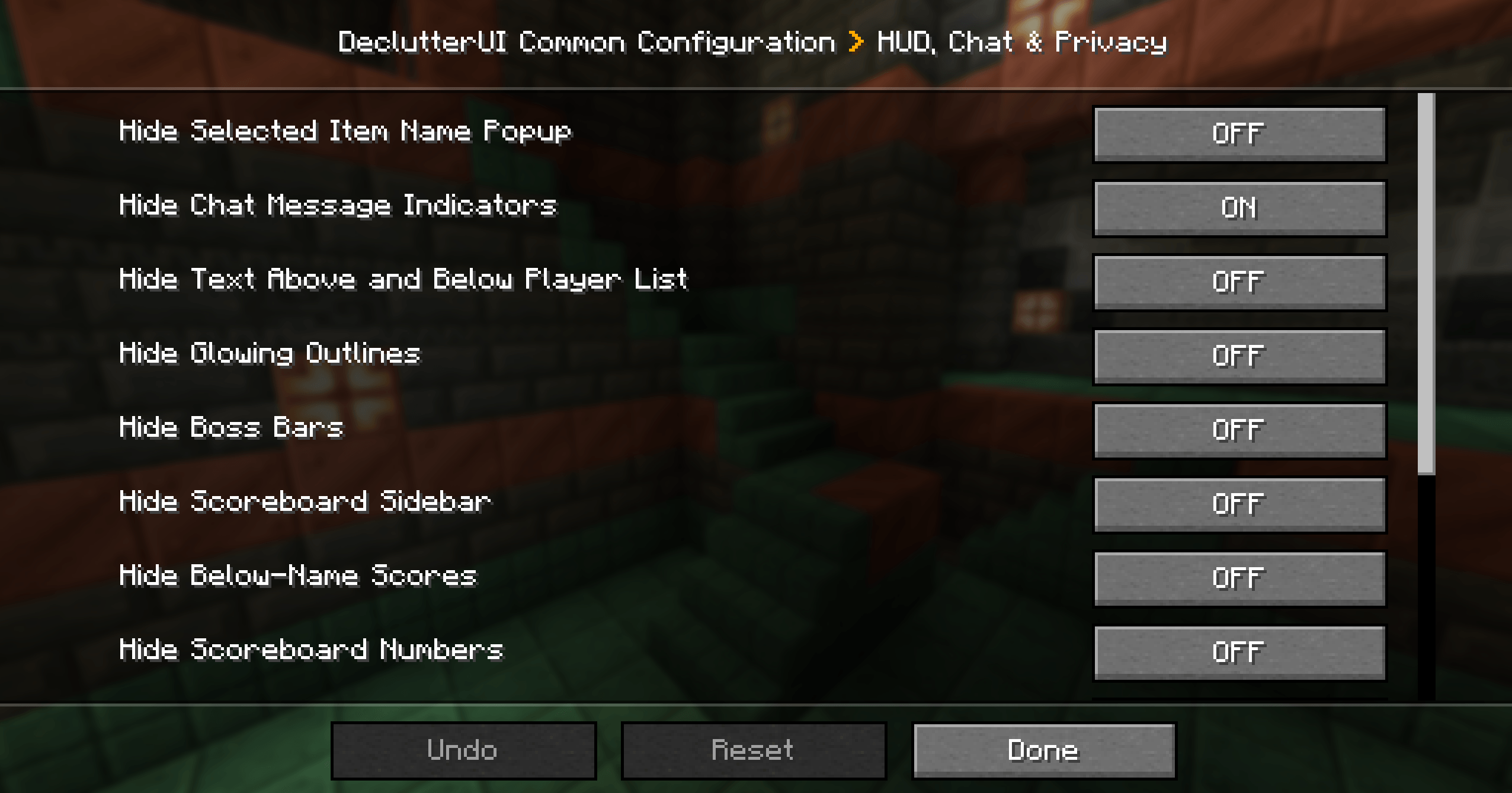
介绍
Main Menu
– Hide Realms button
– Hide Accessibility button
– Hide Language button
– Hide splash text
– Hide copyright notice
– Hide version and modded text
– Skip narrator setup screen on first launch
In-Game
– Hide recipe book button
– Hide Player Reporting button
– Hide Open to LAN button
– Hide chat indicators
– Hide selected-item name popup
– Hide boss bars
– Hide scoreboard sidebar
– Hide scoreboard numbers
– Hide scores below player names
– Hide player name tags
– Hide action bar messages
– Hide titles and subtitles
– Hide floating hologram text
– Hide text above and below the player list
– Hide glowing outlines
Chat
– Hide chat messages containing chosen phrases
– Remove rank tags like OWNER or [VIP] from names
– Hide player info when hovering names in chat
Menus
– Hide Credits & Attribution button
– Hide Online Options button
– Hide Feedback and Report Bugs buttons
– Hide server descriptions in the server list
Popups & Notifications
– Hide advancement notifications
– Hide recipe unlock notifications
– Hide tutorial hints
– Hide narrator toggle popup
– Hide unsecure server warning popup
– Hide world backup popup
– Hide resource pack error popups
– Hide resource pack download progress
Warnings & Prompts
– Skip online play warning
– Skip experimental world warning
– Skip world backup prompt
Other
– Turn off data collection (telemetry)
常见问题
DeclutterUI 支持哪些 Minecraft 版本?
DeclutterUI 支持 Minecraft Java 版 1.21.1–26.1.1,共 3 个版本,可用的加载器:NeoForge。下载时注意选择和你游戏版本一致的文件。
DeclutterUI 怎么安装?
先用 PCL2 或 HMCL 启动器安装对应版本的 NeoForge,再把下载的 .jar 文件放进游戏目录的 mods 文件夹,重新启动游戏即可。开启了版本隔离的,mods 文件夹在 versions/版本名 下面。

评论
登录后评论和评分