
DaySpot
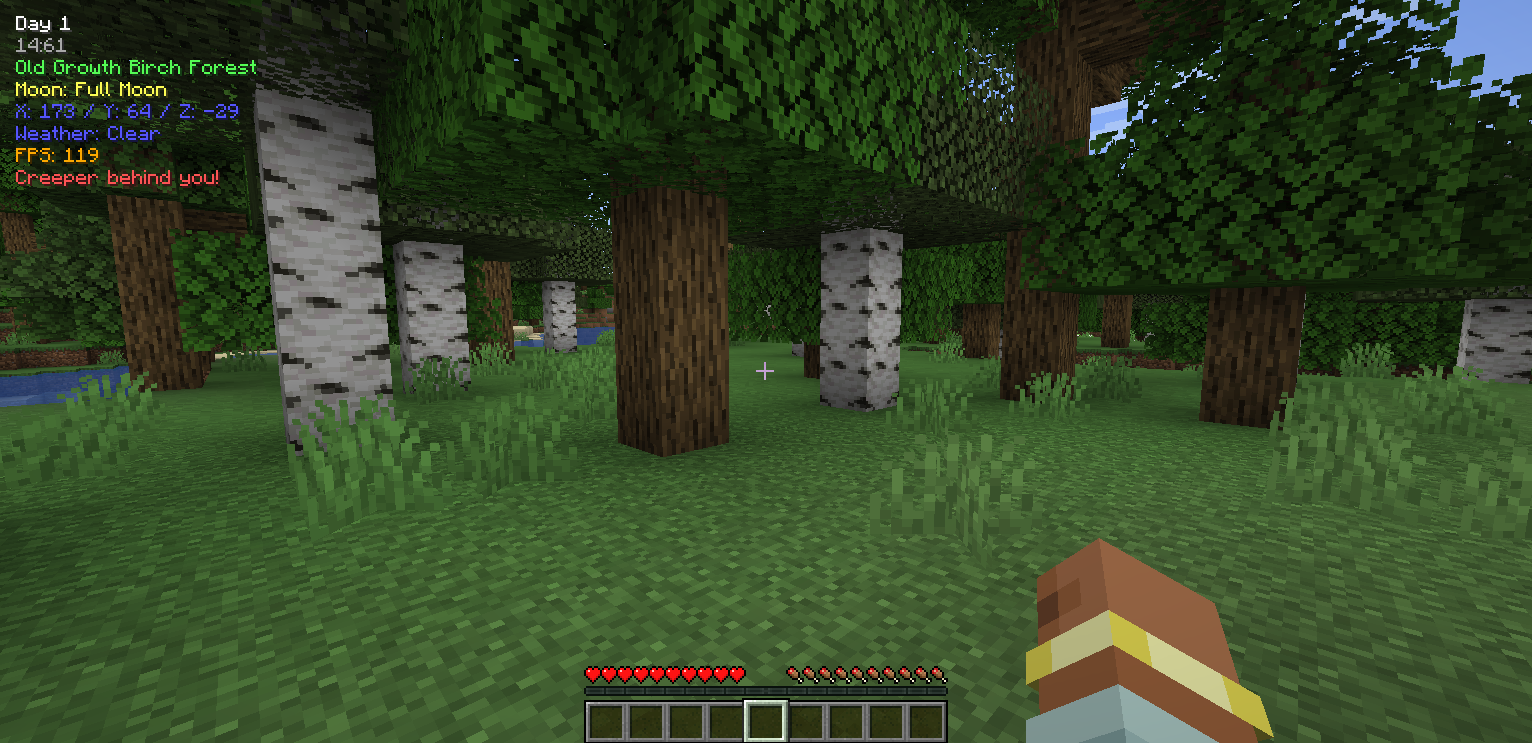
DaySpot shows time, coords, biome, weather, FPS, and more in a clean HUD. It also alerts you to hostile mobs outside your view with smart proximity warnings. Fully customizable, simple, and built to keep you informed and alive.
截图
介绍
DaySpot
A lightweight HUD overlay mod that displays day count, time, biome, moon phase, coordinates, weather, and FPS on screen, with a danger alert system that warns you when hostile mobs are nearby outside your field of view.
Features
- 6 Configurable Positions — Top Center (default), Top Left, Top Right, Bottom Left, Bottom Right, Above Hotbar
- Per-line Toggle & Color — Enable/disable each info line independently with 11 color choices
- 24h/12h Time Format — Toggle between 24-hour and 12-hour (AM/PM) time display
- HUD Scale — Adjustable from 0.5x to 1.5x
- Danger Alert System — 3-tier proximity alerts (Awareness/Warning/Danger) with per-mob detection ranges
- Per-Mob Configuration — Enable/disable alerts for Creeper, Zombie, Skeleton, Enderman, Witch, Spider, and Wither Skeleton individually
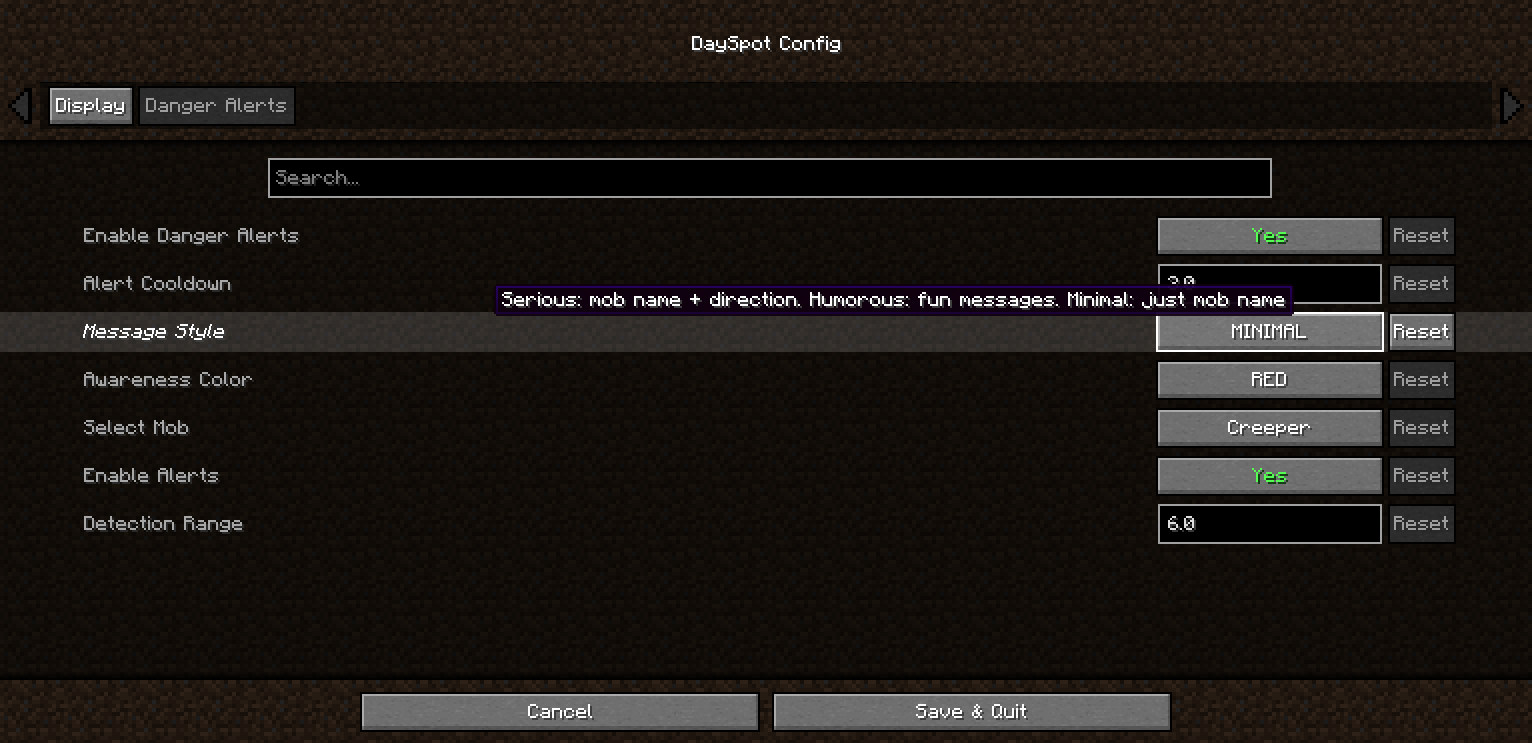
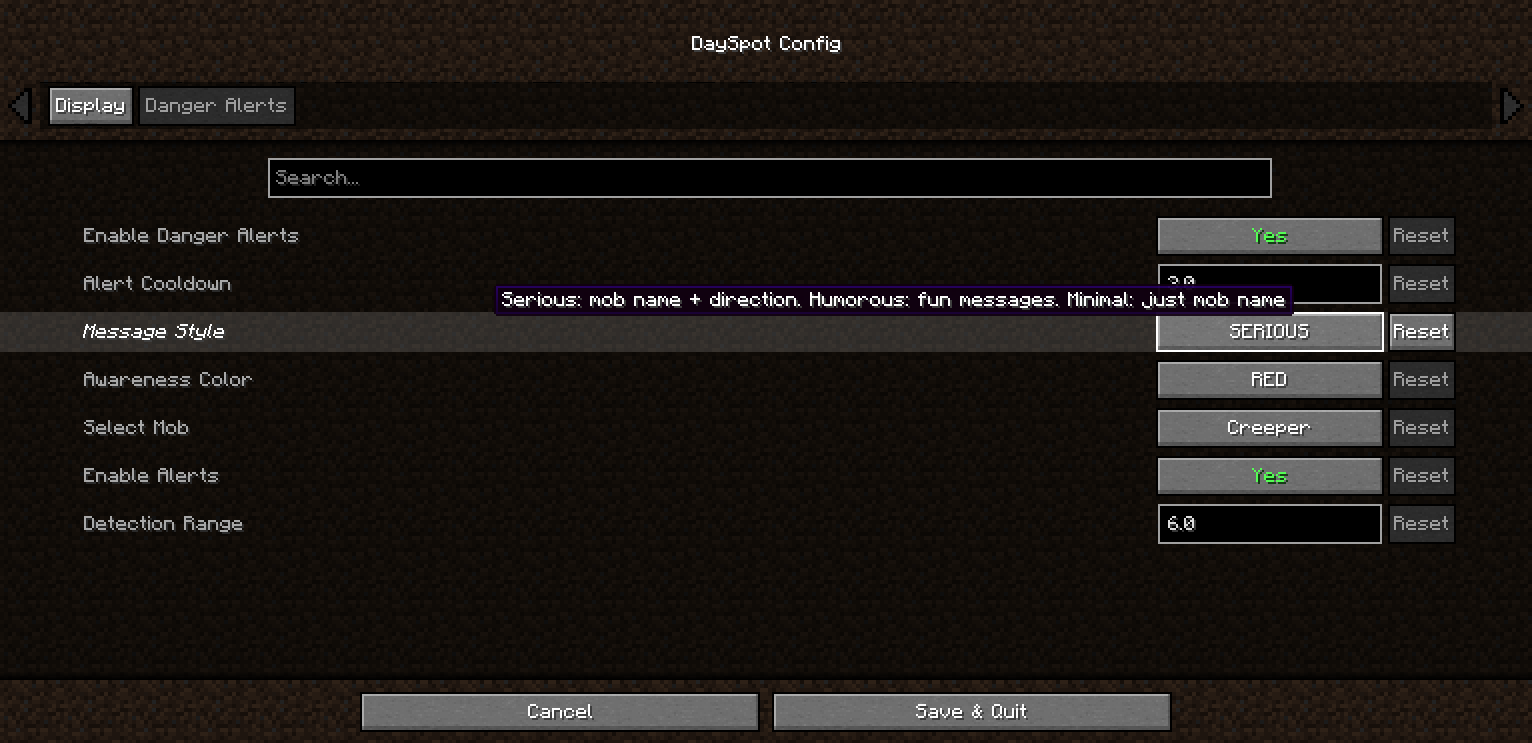
- 3 Alert Styles — Serious (mob + direction), Humorous (randomized messages), Minimal (mob name only)
- Direction Indicators — Alerts tell you which direction the threat is coming from
Requirements
- Minecraft: 1.20.1 / 1.21.1
- Loader: Forge / NeoForge / Fabric
- Cloth Config (Forge/NeoForge): 11.x+ / 15.x+
- YACL (Fabric): 3.6.x+
Installation
- Install the appropriate mod loader for your Minecraft version
- Download DaySpot from this page
- Place the
.jarfile in your.minecraft/mods/folder - Launch Minecraft and configure via the Mods menu
Configuration
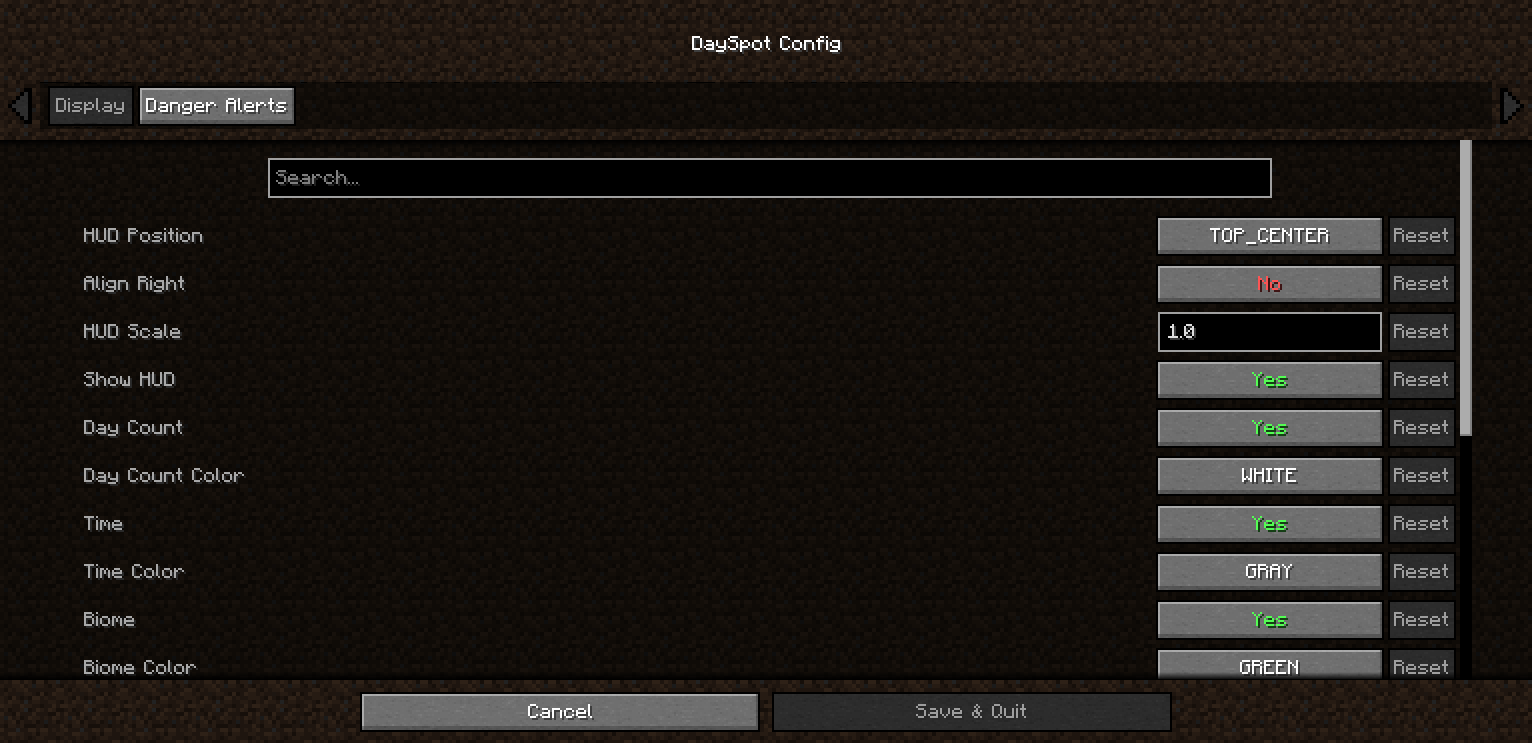
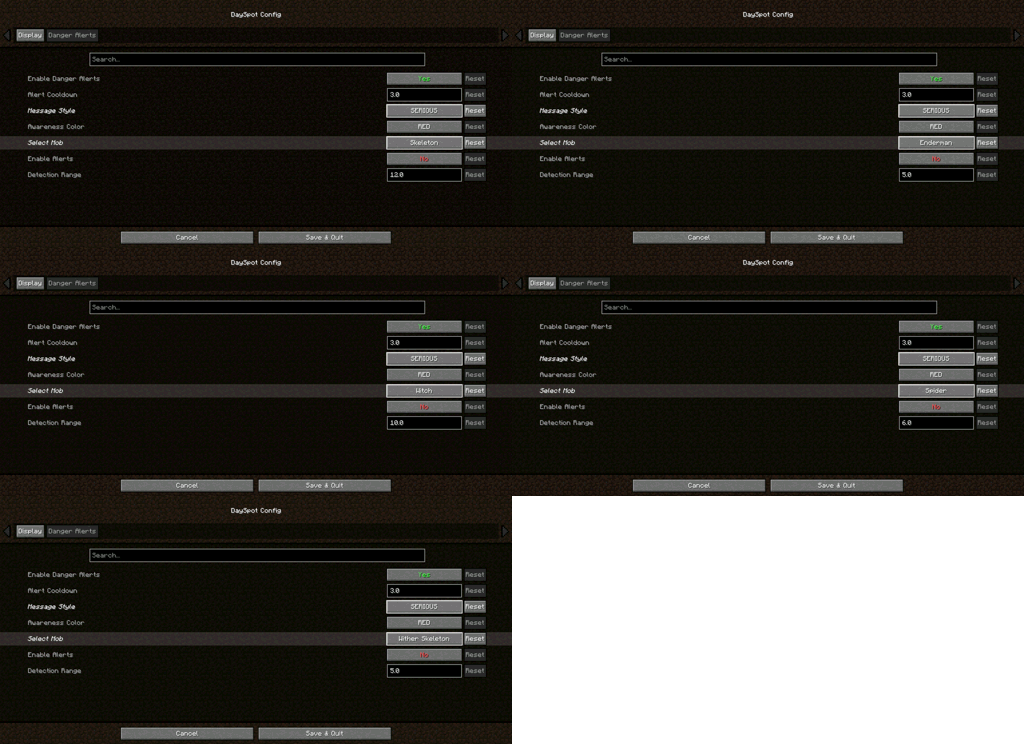
Access the config screen via the Mods menu → DaySpot → Config. All settings are client-side and require no server installation.
Display tab: HUD position, scale, alignment, toggle and color each info line
Danger Alerts tab: Enable/disable alerts, alert cooldown, message style, per-mob detection range with mob selector
Compatibility
- Tested on Forge 1.20.1, Forge 1.21.1, NeoForge 1.21.1, Fabric 1.20.1, Fabric 1.21.1
- Client-side only — works on any server without installation
- Modpack inclusion: Allowed under MIT license
FAQ
Q: Can I include this in a modpack?
A: Yes! DaySpot is licensed under MIT. Feel free to include it in any modpack.
Q: Does this work on servers?
A: DaySpot is client-side only. Install it on your client — no server installation needed.
Have ideas, questions, or feedback? Feel free to visit the official page of Arvani Creations for more information and updates.
Licensed under MIT. Made by Arvani Creations.
常见问题
DaySpot 支持哪些 Minecraft 版本?
DaySpot 支持 Minecraft Java 版 1.20.1–1.21.1,共 2 个版本,可用的加载器:Fabric / Forge。下载时注意选择和你游戏版本一致的文件。
DaySpot 怎么安装?
先用 PCL2 或 HMCL 启动器安装对应版本的 Fabric / Forge,再把下载的 .jar 文件放进游戏目录的 mods 文件夹,重新启动游戏即可。开启了版本隔离的,mods 文件夹在 versions/版本名 下面。运行环境:仅客户端。
ArvaniCreations 的其他作品
查看全部 →
Arvani Textures
Arvani Textures reimagines vanilla Minecraft with unique patterns, resolutions from 32x–512x, and full PBR shader support for stunning reflections and depth.

Chopchopchop
ChopChopChop makes tree felling feel natural and satisfying: logs show visible chopping progress, and the entire tree falls dynamically instead of breaking instantly or floating in mid-air.

Arvani Textures
The pack that keeps the classic… and reinvents it with a personal touch.
评论
登录后评论和评分